
NHTSA ID Number: 10240240
Manufacturer Communication Number: TSB 23-2174
Summary
Some 2020-2021 Explorer/Aviator vehicles equipped with all-wheel drive (AWD) built on or before 30-Aug-2021 may exhibit an illuminated powertrain malfunction (wrench) indicator with diagnostic trouble codes (DTC) C00A6 and/or C0631. This may be due to the front axle disconnect actuator/intermediate shaft. To correct the condition, follow the Service Procedure to replace the front axle disconnect actuator/intermediate shaft with a revised intermediate shaft.
This bulletin supersedes 23-2114.
Model:
Ford
2020-2021 Explorer | AWDBuilt on or before 30-Aug-2021 |
| Lincoln
2020-2021 Aviator | AWDBuilt on or before 30-Aug-2021 |
Summary
This article supersedes TSB 23-2114 to update the Service Procedure, Part List and increase some of the labor operation allowances.
Issue: Some 2020-2021 Explorer/Aviator vehicles equipped with all-wheel drive (AWD) built on or before 30-Aug-2021 may exhibit an illuminated powertrain malfunction (wrench) indicator with diagnostic trouble codes (DTC) C00A6 and/or C0631. This may be due to the front axle disconnect actuator/intermediate shaft. To correct the condition, follow the Service Procedure to replace the front axle disconnect actuator/intermediate shaft with a revised intermediate shaft.
Action: Follow the Service Procedure to correct the condition on vehicles that meet all of the following criteria:
- 2020-2021 Explorer/Aviator
- Built on or before 30-Aug-2021
- AWD
- DTC C00A6 and/or C0631
Parts
| Service Part Number | Quantity | Description | Unit of Issue | Piece Quantity |
| LB5Z-3B477-A | 1 | Wheel Hub Nut | 1 | 1 |
| W715932-S439 | 1 | Lower Strut-to-wheel Knuckle Bolt | 4 | 2 |
| W520517-S440 | 1 | Lower Strut-to-wheel Knuckle Nut | 4 | 2 |
| W719506-S440 | 1 | Upper Stabilizer Bar Link Nut | 4 | 2 For Explorer, 3.0L EcoBoost/EcoBoost Hybrid, 1 For All Others |
| W717521-S440 | 1 | Engine Mount Nut | 1 | 1 |
| W719326-S439 | 1 | Engine Mount Bolt | 4 | 4 |
| N1MZ-3A329-A | 1 | Intermediate Shaft | 1 | 1 |
| N1MZ-3A427-F | 1 | Halfshaft | 1 | 1 |
| L1MZ-4382-C | 1 | Engine Mount Bolt | 1 | 1 |
| W720050-S440 | 1 | Control Arm Nut (Aviator) | 4 | 1 |
| W719503-S439 | 1 | Control Arm Bolt (Aviator) | 4 | 1 |
| W711310-S440 | 1 | Control Arm Nut (Aviator) | 4 | 1 |
| W520216-S440 | 1 | Control Arm Nut (Aviator) | 4 | 1 |
| N1MZ-3B476-A | 1 | Front Axle Assembly Breather Hose | 1 | 1 |
| W712961-S439 | 1 | Steering Shaft Bolt (3.0L) | 2 | 1 |
| W716979-S439 | 2 | Rear Subframe Bolt (3.0L) | 1 | 2 |
| W719413-S439 | 1 | Subframe Bolts Mid/Front (3.0L) | 4 | 4 |
| XY-75W140-QL | As Needed | Motorcraft® SAE 75W-140 Synthetic Rear Axle Lubricant (All Markets Except Canada) | ||
| CXY-75W140-1L | As Needed | Motorcraft® SAE 75W-140 Synthetic Rear Axle Lubricant (Canada Only) |
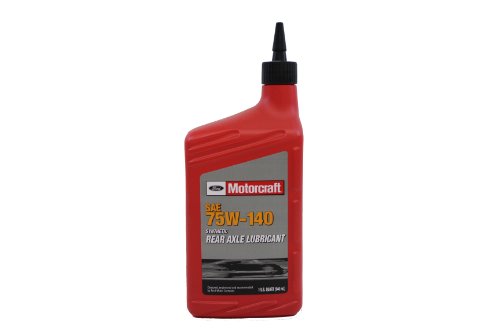
Parts – Parts To Inspect And Replace Only If Necessary
| Service Part Number | Quantity | Description | Unit of Issue |
WA-14-SBA
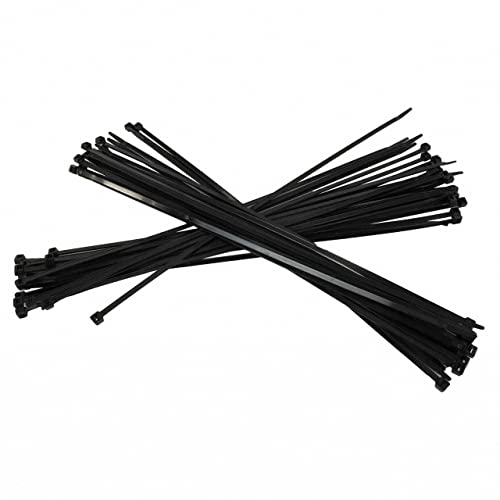
Motorcraft Wiring Strap - WA14SBA
| If Needed | Motorcraft® Zip Tie Strap | 50 |
| 3U2Z-14A088-AB No products found. | If Needed | Motorcraft® Wire Splice Kit | 1 |
| L1MZ-6758-A | If Needed | Tube Assembly (3.0L) | 1 |
AT4Z-9E936-A
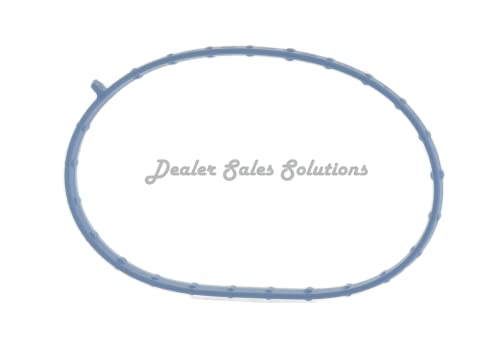
Ford Gasket - AT4Z9E936A
| If Needed | Gasket (3.0L) | 1 |
VC-13-G

Ford Genuine Fluid VC-13-G Yellow Concentrated Antifreeze/Coolant - 1 Gallon
| If Needed | Motorcraft® Yellow Concentrated Antifreeze/Coolant (All Markets Except Canada) | |
| CVC-13-G | If Needed | Motorcraft® Yellow Concentrated Antifreeze/Coolant (Canada Only) |
Quantity refers to the amount of the service part number required to repair the vehicle.
Unit of Issue refers to the number of individual pieces included in a service part number package.
Piece Quantity refers to the total number of individual pieces required to repair the vehicle.
As Needed indicates the amount of the part may vary and/or is not a whole number. Parts can be billed out as non-whole numbers, including less than 1.
If Needed indicates the part is not mandatory.
Service Procedure
NOTE: The vehicle may have either front axle disconnect actuator with an operational electrical connector or may have an intermediate shaft that is essentially a front axle disconnect actuator that does not have the connection being utilized. The service replacement intermediate shaft has a different look and design but the fit and function are the same.
2.3L / 3.0L Vehicles
1. Disconnect the battery. Refer to Workshop Manual (WSM), Section 414-01.
2. Remove the front axle disconnect actuator and discard. Refer to WSM, Section 205-03.
3. Is the vehicle equipped with a front axle disconnect actuator electrical connector?
(1). Yes – proceed to Step 4.
(2). No – proceed to Step 6.
4. Cut off and discard the front axle disconnect actuator electrical connector from the pigtail wiring. Make sure enough wire is left to install the shrink tubing to properly terminate the wiring.
5. Install 1 shrink tube on 1 wire from the pigtail. Heat the shrink tube until the adhesive protrudes from both ends. Using a pair of pliers, gently crimp both ends of the shrink tube to make sure the shrink tube is secure. Repeat the process on the remaining 3 wires.
6. Replace the differential breather tube with the front axle assembly breather hose. Refer to 2021 WSM, Section 205-03, Removal and Installation, Differential Breather Tube.
7. Install the new service replacement intermediate shaft in place of the front axle disconnect actuator/intermediate shaft and re-assemble. Re-use the fasteners. Refer to the 2021 WSM, Section 205-04, Removal and Installation, Intermediate Shaft – Vehicles Built From: 31-August-2021.
(1). Tighten to 26 lb-ft (35 Nm).
8. Use the Motorcraft® Zip Tie Strap to make sure the battery cable is secured away from any rotating intermediate shaft components.
9. Install the new halfshaft. Refer to the 2021 WSM, Section 205-04, Removal And Installation, Halfshaft – Vehicles Built From: 31-August-2021.
11. Update the AWD module software to the latest level and clear all DTCs.
3.3L Vehicles
1. Disconnect the battery. Refer to WSM, Section 414-01.
2. Remove both front wheels. Refer to WSM, Section 204-04A.
3. Remove and discard the front stabilizer bar link upper nut on both sides.
4. Remove and discard the left halfshaft. Refer to WSM, Section 205-04.
5. Remove the transmission cooler hose bracket nut.
6. Remove the catalyst assembly bracket, studs and nuts.
7. Place a support under the transmission bellhousing.
8. Remove the left lower engine mount nut from the subframe.
9. Using a support jack, slightly raise the engine.
10. Remove all 4 left engine mount to engine fasteners. Position the engine mount aside.
11. If equipped, disconnect the front axle disconnect actuator electrical connector and axle vent tube assembly.
12. Remove all 3 front axle disconnect actuator/intermediate shaft fasteners. Remove and discard the front axle disconnect actuator/intermediate shaft.
(1). For vehicles with a front axle disconnect actuator, refer to 2020 WSM, Section 205-03.
(2). For vehicles with an intermediate shaft, refer to 2021 WSM, Section 205-04.
13. Is the vehicle equipped with a front axle disconnect actuator electrical connector?
(1). Yes – proceed to Step 14.
(2). No – proceed to Step 16.
14. Cut off and discard the front axle disconnect actuator electrical connector from the pigtail wiring. Make sure enough wire is left to install the shrink tubing to properly terminate the wiring.
15. Install 1 shrink tube on 1 wire from pigtail. Heat shrink the tube until adhesive protrudes from both ends. Using a pair of pliers, gently crimp both ends of the shrink tube to make sure the shrink tube is secure. Repeat the process on the remaining 3 wires.
16. Replace the differential breather tube with the front axle assembly breather hose. Refer to 2021 WSM, Section 205-03, Removal and Installation, Differential Breather Tube.
17. Install the new service replacement intermediate shaft in place of the front axle disconnect actuator/intermediate shaft and re-assemble. Re-use the fasteners. Refer to the 2021 WSM, Section 205-04, Removal and Installation, Intermediate Shaft – Vehicles Built From: 31-August-2021.
(1). Tighten to 26 lb-ft (35 Nm).
18. Use the Motorcraft® Zip Tie Strap to make sure the battery cable is secured away from any rotating intermediate shaft components.
19. Install the left engine mount.
(1). Tighten the new engine mount fasteners to 47 lb-ft (63 Nm).
(2). Remove the jack supporting the engine.
(3). Install the new left lower engine mount nut to the subframe. Tighten to 185 lb-ft (250 Nm).
(4). Install the catalyst assembly bracket, studs and nuts. Tighten to 18 lb-ft (25 Nm).
(5). Install the transmission cooler hose bracket nut. Tighten to 80 lb-in (9 Nm).
(6). Install the front stabilizer bar link upper nut on both sides. Tighten to 129 lb-ft (175 Nm)
20. Install the new service replacement halfshaft. Refer to the 2021 WSM, Section 205-04, Removal And Installation, Halfshaft – Vehicles Built From: 31-August-2021.
21. Install both front wheels. Refer to WSM, Section 204-04A.
23. Update the AWD module software to the latest level and clear all DTCs.
4 Affected Products
Vehicles
1 Associated Document
Manufacturer Communications
23-2174
24 July 2023
MC-10240240-0001.pdf 200.773KB
NHTSA ID Number: 10234127
Manufacturer Communication Number: TSB 23-2114
Summary
Some 2020-2021 Explorer/Aviator vehicles equipped with all-wheel drive (AWD) built on or before 30-Aug-2021 may exhibit an illuminated powertrain malfunction (wrench) indicator with diagnostic trouble codes (DTC) C00A6 and/or C0631. This may be due to the front axle disconnect actuator/intermediate shaft. To correct the condition, follow the Service Procedure to replace the front axle disconnect actuator/intermediate shaft with a revised intermediate shaft.
1 Associated Document
Manufacturer Communications
23-2114
05 April 2023
MC-10234127-0002.pdf 156.947KB
Reprogramming
Service Information & Reprogramming
Module Reprogramming
| Diagnostic Software | Interface Device | Complete Vehicle Diagnostics | Module Programming | ||
| 1996-2017 Model Year |
2018-Present Model Year |
1996-2017 Model Year |
2018-Present Model Year |
||
| IDS/FDRS | VCM, VCM II, VCMM |
X | X | X | X |
| FJDS/FDRS | Compatible J2534 Devices (Including VCM II and VCMM) |
X | X | X | |
Detailed system requirements, installation, and support information for each product is located under the diagnostics tool support tab for each product.
Integrated Diagnostic Software (IDS) / Ford Diagnosis & Repair System (FDRS)
For use with VCM I, VCM II, VMM and VCMM hardware devices only. The complete factory Ford Motor Company vehicle diagnostic tool that provides complete dealership level vehicle diagnostic coverage for all 1996 to present Ford, Lincoln and Mercury vehicles. The IDS software includes time based access to the IDS software, software updates and calibration files.
Ford J2534 Diagnostic Software (FJDS) / Ford Diagnosis & Repair System (FDRS)
For use with compatible J2534 hardware devices. FJDS software provides Ford Module Programming functionality that covers 1996 to present Ford, Lincoln and Mercury module reprogramming functions, plus complete dealership level vehicle diagnostic software for all 2018 to present Ford and Lincoln vehicles. The FJDS software license includes time based access to the FJDS software, software updates and calibration files.
Latest Calibration Information
Module Build Data (As-Built)
Use VIN to obtain As-Built data
www.motorcraftservice.com

- J2534 Pass-Thru Programmer: TOPDON RLink J2534 is an advanced diagnostic and reprogramming tool that support all J2534 protocols, as well as D-PDU, CAN-FD and DoIP, ensuring compatibility with a wide range of modern vehicles. It offers extensive versatility with support for over 18 major automotive brands, including Chrysler, Ford, GM, Nissan, Toyota, Honda, Subaru, Land Rover/Jaguar, Volvo, Wuling, Volkswagen/Audi, Mercedes-Benz, and BMW. NOTE: Not compatible with Ford IDS diagnostic software
- All-in-One OEM Diagnostics: This J2534 ECU programming tool elevates your automotive repair capabilities to new heights by delivering complete OEM diagnosis. Boasting comprehensive full-system diagnostics, intuitive repair guides, advanced ECU programming and coding, common reset services, a vast library of repair information and more, this all-in-one solution empowers technicians to effortlessly tackle complex vehicle issues with ease. *Not compatible with 24V vehicles
- Proven Performance You Can Trust: Backed by over 10000 real vehicle tests and benefit from a wealth of practical experience, this OEM reprogramming tool guarantees stable and exceptional performance. Supported by TOPDON's dedicated technical experts with in-depth knowledge of both auto repair and J2534 Pass-Thru programming, the RLink J2534 provides prompt and professional assistance, ensuring a smooth setup and reliable compatibility
- Integrated Excellence, Always Up-to-Date: Featuring the exclusive RLink Platform to provide a streamlined experience with one-click driver installation and management, ensuring flawless integration with your OE software, maintaining the original performance quality. The built-in operation guide makes mastering OE software quick and easy, so you can get started right away. Plus, with lifetime free updates, your diagnostics will stay current with the latest drivers and innovations
- Efficiency Meets Versatility: Engineered to support three CAN channels simultaneously - CAN FD and CAN-CC included, giving you the edge in fast troubleshooting. To perfectly synchronized with the OE software, please diagnose with active subscriptions and make sure your computer system is running a compatible 64-bit Windows version (7, 8, 10 or later) to fully leverage the power of RLink J2534. *We don't provide extra OE software

- Advanced VCI Box, Industry-leading J2534 Pass-Thru Technology: This J2534 Pass-Thru Programmer is designed espically for technicians, independent shop owners, and DIY enthusiasts, enables fast, reliable computer-based programming. It supports all J2534 protocols—including the latest DoIP and CAN FD—ensuring full compatibility with both legacy and next-generation vehicles.
- High-Speed OEM-Level Diagnostics & Programming: Unlock true OEM functionality with comprehensive system diagnostics, guided troubleshooting, coding, adaptations, resets, and programming—all designed to slash repair time. This all-in-one tool eliminates the need for multiple OEM devices, boosting efficiency and cutting costs. Equipped with High-Speed USB, it delivers 10x more data per second than competing solutions
- Coverage for 17 Car Brands & Ultra Reliability: Works seamlessly for Chrysler, for Ford(Forscan), for GM, for Nissan, for Toyota, for Honda, for Subaru(SSM4), for Land Rover/Jaguar, for Volvo, for Wuling, for Volkswagen, for Mercedes-Benz, and for BMW. Backed by over 10000 real vehicle tests and benefit from a wealth of practical experience, this OEM reprogramming tool guarantees stable and exceptional performance
- User-Friendly RLink Platform & Expert Support: TOPDON’s proprietary driver management platform offers a clean interface and lifetime free updates. Access a rich library of real-world case studies to stay ahead of the curve. Backed by a support team with 10+ years of J2534 and automotive repair experience, we provide one-on-one assistance to resolve any technical issue.
- 6.6 ft USB-C Cable & Portable Storage Case: The RLink J2534 diagnostic tool features a 6.6ft USB 2.0 Cable and a 1.2 ft OBDII Extension Cable, allows to connection your computer easily outside the vehicle. The included handled carry case offers easy portability, storage, and hanging options—keeping your gear clean and ready to go, anywhere.
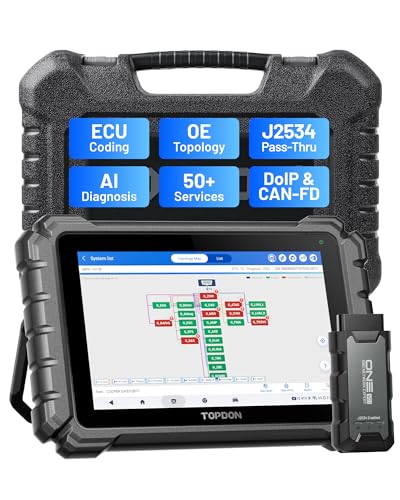
- Dual WiFi & 10.1" Touchscreen: Provides a stable, high-speed wireless link 3x faster than bluetooth, and a responsive, professional interface. Topdon ONE obd2 scanner diagnostic tool ensures smooth, non-lagging diagnostic scan, boosting mechanic efficiency
- J2534 Pass-Thru Support: The included ONE VCI supports the J2534 standard, allowing it to function as a pass-thru device when paired with OEM diagnostic software.Through TOPDON’s RLink platform, technicians can perform dealer-level coding, expanding in-house capabilities without investing in multiple factory automotive scan tools
- OE Topology Mapping: Visualize the vehicle’s ECU network exactly as it’s built.Zoom, pan, and highlight specific modules to pinpoint component issues with precision.Topology mapping displays real-time communication between modules
- 50 Plus Service Functions: Covers high-demand services like ADAS calibration, DPF regen, TPMS reset, ABS bleed, and throttle adaptation.Expands your service menu, allows you to charge premium rates, and turns away zero jobs due to lack of tooling. Vehicle-specific functionality may vary
- Advaned ECU Coding: 10 of the most serviced brands in North America, including full ECU coding and flash hidden support for BMW, VW, Au-di, Benz, Porsche, Toyota, Ni ssan and more. Enables module replacement, feature customization, and personal settings with automatic backup or restore.Lets your shop safely offer high-margin customization services, attracting more customers and boosting profit
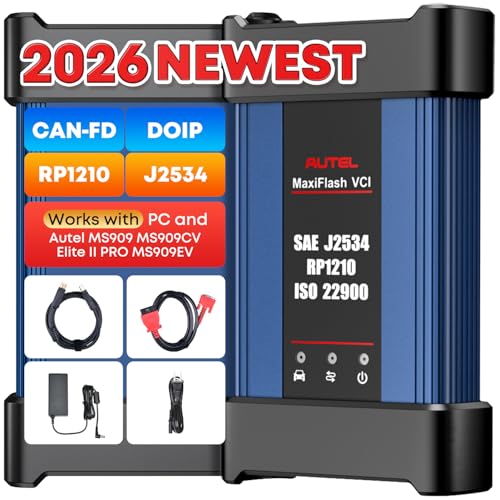
- 💯【Conta.ct us for Support Directly】For any issues experienced after purchase, please reach out to: 📞autelsupply@ outlook. com🛣️. Our team will provide perfect solution for you. For tech support or [explore additional accessory], please cont.act our team: 📞autelsupply@ outlook. com🛣️.
- 🌎【Autel J2534 Pass-Thru Progra.mmer】As an OEM Pass-Thru Progra.mmer Vehicle interface for multiple makes, Autel MaxiFlash J2534 support all J2534 protocols, D-PDU, CAN-FD and DoIP protocols. 2026 newer Autel MaxiFlash J2534 VCI can works with P-C and download OEM vehicle software, seamlessly conduct OE-level diagnostic-progra.mming-c0ding. Also, Work with Elite II Pro/ Ultra Lite/ MS909/ MS909CV/ MS909EV to directly pro.gram on Merce.des-Be.nz & BM.W. Autel J2534 Progr.ammer is a multi-functional device and supports 10+ major brands, including for Hond.a, G.M, LandRo.ver, BM.W, Chrysl.er, For.d, Hyun.dai, Ki.a, Merc.edes B.enz, Toyot.a, Volksw.agen etc.
- 🌎【Enhanced Protocol: J2534/D-PDU/RP1210/CAN FD/DoIP】Autel MaxiFlash JVCI is a blueto.oth communicate device, it supports latest CAN FD DoIP CAN protocols, compliant with automotive D-PDU/ J2534/ RP1210 standards. It can perform standard PassThru J2534 functions: compatible with Toyota Techstream, Volvo VIDA, Honda HDS, Jaguar Land Rover IDS and BM.W 3G for OEM diagnostics. CAN FD protocol is mainly for GM 2019+, DoIP protocol is mainly for Volvo 2018+, for L-and Rover/for Jaguar 2017+, for BM.W F chassis and G chassis.
- 🌎【Compatible with P-C/ WIND.OWS 】The Autel J2534 VCI can be connected to a compu.ter via a data cable; once the corresponding OEM software is installed, it enables do advanced progr.amming and c0ding on your vehicles. Easy Steps: 1) Connect to P-C via a USB cable 2) download OEM vehicle software 3) Start Diagnose. Take For.d for example, you can download OEM software on mot.orcraft.erservi.ce website, such as: For.d Diagnostic Software downloads, As B.uilt Data, Updated Cali.bration information, then use different software do relevant features.
- 🌎【Work with Autel Elite II Pro/ Ultra Lite/ MS909/ MS909CV/ MS909EV】This 2026 latest Autel J2534 Pass-Thru VCI is 100% compatible with Autel Elite II Pro Ultra Lite MS909 MS909CV MS909EV to perform advanced functions from diagnose to progra.mming.
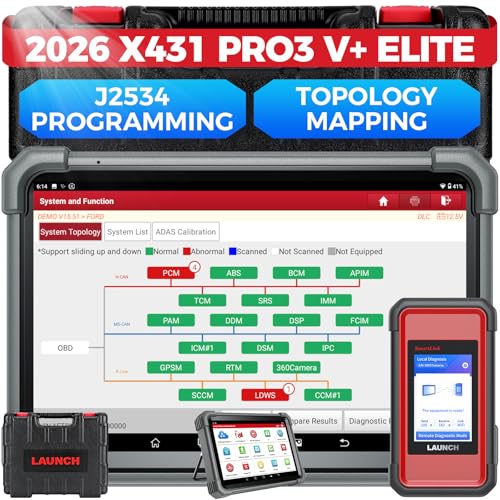
- [2026 X431 PRO3 V+ Elite] A great value for the X431 series that differs from similar diagnostic tools by adding: 1) J2534 protocol for over $800 in savings; 2) CANFD/DOIP support for enhanced communications; 3) Configuration of over $900 worth of HD(heavy truck) modules, needed purchase HD diagnostic software by HD vehicle model for use.; 4) A 10.1 inch Gorilla screen with 1280*800 resolution and 80% more touch screen sensitivity
- [J2534 Protocol Scan Tool] The J2534 Direct Access Device can be used as a factory scanning tool at no cost to you, saving you over $2,000. You can easily expand your ECU protocol capabilities for Toyota, Honda, VW, BMW, Ford, GM, Chrysler, Mercedes-Benz and more. The LAUNCH X431 PRO3 V+ ELITE Scan Tool is equipped with the newly upgraded smartlinkC V2.0. smartLinkC is a communication interface that supports the J2534 specification. It can also be used as a J2534 PassThru device to implement the J2534 protocol with a PC that has OEM diagnostic software installed.The J2534 protocol is the only way to solve problems ranging from drivability and power loss to poor fuel economy
- [Top Hardware Configuration, Upgraded Version of V+] LAUNCH Diagnostic Scanner adopts Android 10.0 OS; CPU is 4-core processor with 2.0 GHz, which greatly improves the speed of running multi-tasks. 2.4GHz/5GHz; 6300mAh/7.6V ultra-large capacity battery; 10.1 inch Gorilla screen, sunlight readable, 8MP camera; Auto VIN; 4GB+64GB storage; 20x transfer rate to save more vehicle files and customer data; New TYPE A interface to connect expansion tools such as oscilloscopes, sensors, etc.; Supports more than 25 software languages such as EN, DE, FR, SP and JP
- [60+ Reset 3000+ Active Test] Full Bi-Directional Scan Tool quickly detects problems and guides repairs based on the response of actuators such as air conditioning clutches, windows, doors, mirrors and more. With the touch of a finger, you can easily send command signals from the scanner to a variety of modular actuators, testing component integrity and functionality in minutes or even seconds to determine if a replacement or repair is needed. In addition, the machine enjoys 60+ special services such as oil reset, ABS brake bleed, EPB, SAS, BMS, suspension, injector reset and more, and undergoes rigorous field testing to ensure availability
- [Unrivaled Coverage, Over 200 Vehicle Brands] LAUNCH X431 PRO3 V+ Elite Automotive Scanner is suitable for over 200 vehicle brands, including commercial vehicles and new energy vehicles. This professional car scanner supports: 1) J2534/D-PDU protocol for HD trucks; DoIP/CANFD for Land Rover/Jaguar, BMW F/G chassis, GM, etc.; 2) FCA Autoauth, covering 2018+ Chrysler/Dodge/Fiat, etc. New/old models, all covered. Includes frequently updated vehicle software and car coverage for faster support of other new models

- [J2534 Pass-Thru Programmer] - TOPDON RLink J2534 is engineered for professional technicians, delivering OEM diagnostic and reprogramming capabilities. It supports all J2534 protocols, CAN-FD, DoIP, D-PDU. Compatible with 17 vehicle brands—such as Chrysler, Ford, GM, KIA, Hyundai, Nissan, Toyota, Honda, Subaru, Mitsubishi, MAZDA, Land Rover/Jaguar, Volvo, Volkswagen/Audi, Mercedes-Benz, and BMW. RLink J2534 can help reduce the cost of purchasing equipment from different brands.
- [All-in-One OEM Reprogramming and Diagnostics] - When seamlessly integrated with OEM diagnostic software, this dongle enables you to perform a wide range of functions, including ECU programming and coding, DTC reading and clearing, active tests, component matching, adaptations, rewriting, guided troubleshooting, and more. This all-in-one tool eliminates the need for multiple OEM devices, significantly boosting work efficiency.
- [Tested, Trusted, and Proven for Accuracy] - TOPDON RLink J2534 is renowned for its reliability, having successfully completed over 10,000 real-vehicle tests. The wealth of data and hands-on experience behind it ensures consistent performance and accurate results. You can trust this tool to deliver optimal performance.
- [One-Click Installation, Continuous Updates] - The exclusive TOPDON RLink platform streamlines installation with a one-click driver setup, allowing you to quickly access OEM software for diagnostic and reprogramming tasks. With lifetime free updates, your RLink J2534 stays current without any additional cost, ensuring reliable performance for the long term. *We don't provide extra OE software.
- [Works with Windows Compatibility and OEM Software Subscription] - The RLink J2534 supports three CAN channels - including CAN FD and CAN-CC, providing advantages in the process of rapid troubleshooting. Compatible with Windows 7, 8 and 10 (64-bit) and higher versions of the system. For full functionality, an active OEM software subscription is required for each supported vehicle brand. Please note that the dongle does not include OEM software, which must be purchased separately to access brand-specific diagnostic and reprogramming features.
SEOCONTENT-START
8/2/23, 11:15 AM 2020 Explorer
https://www.fordtechservice.dealerconnection.com 1/5
TECHNICAL SERVICE BULLETIN
AWD – Illuminated Powertrain Malfunction (Wrench) Indicator With DTCs C00A6 And/Or C0631 – Built On Or Before 30-Aug-2021
23-2174
24 July 2023
This bulletin supersedes 23-2114.
Model: Ford
2020-2021 Explorer
Lincoln
2020-2021 Aviator AWD
Built on or before 30-Aug-2021
AWD
Built on or before 30-Aug-2021
Summary
This article supersedes TSB 23-2114 to update the Service Procedure, Part List and increase some of the labor operation allowances.
Issue: Some 2020-2021 Explorer/Aviator vehicles equipped with all-wheel drive (AWD) built on or before 30-Aug- 2021 may exhibit an illuminated powertrain malfunction (wrench) indicator with diagnostic trouble codes (DTC) C00A6 and/or C0631. This may be due to the front axle disconnect actuator/intermediate shaft. To correct the condition, follow the Service Procedure to replace the front axle disconnect actuator/intermediate shaft with a revised intermediate shaft.
Action: Follow the Service Procedure to correct the condition on vehicles that meet all of the following criteria:
• 2020-2021 Explorer/Aviator
• Built on or before 30-Aug-2021
• AWD
• DTC C00A6 and/or C0631 Parts
Service Part Number Quantity Description Unit of Issue Piece Quantity LB5Z-3B477- A
W715932- S439
W520517- S440
W719506- S440 W717521- S440
W719326- S439
N1MZ-3A329- A
N1MZ-3A427- F
L1MZ-4382-C 1 Wheel Hub Nut
1 Lower Strut-to-wheel Knuckle Bolt
1 Lower Strut-to-wheel Knuckle Nut 1
Upper Stabilizer Bar Link Nut 1 Engine Mount Nut
1 Engine Mount Bolt
1 Intermediate Shaft
1 Halfshaft
1 Engine Mount Bolt 1 1 4 2 4 2 4 2 For Explorer, 3.0L EcoBoost/EcoBoost Hybrid, 1 For
All Others
1 1 4 4 1 1 1 1 1 1 8/2/23, 11:15 AM 2020 Explorer W720050- S440
W719503- S439
W711310- S440
W520216- S440
N1MZ-3B476- A
W712961- S439
W716979- S439
W719413- S439
XY-75W140- QL CXY-75W140- 1L 1 1 1 1 1 1 2 1 As Needed As Needed Control Arm Nut (Aviator) 4 1
Control Arm Bolt (Aviator) 4 1
Control Arm Nut (Aviator) 4 1
Control Arm Nut (Aviator) 4 1
Front Axle Assembly Breather Hose 1 1
Steering Shaft Bolt (3.0L) 2 1
Rear Subframe Bolt (3.0L) 1 2
Subframe Bolts Mid/Front (3.0L) 4 4
Motorcraft® SAE 75W-140 Synthetic Rear Axle Lubricant (All Markets Except Canada)
Motorcraft® SAE 75W-140 Synthetic Rear Axle Lubricant (Canada Only) Parts
Parts To Inspect And Replace Only If Necessary Service Part Number
WA-14-SBA 3U2Z-14A088-AB L1MZ-6758-A AT4Z-9E936-A VC-13-G
CVC-13-G Quantity If Needed
If Needed
If Needed
If Needed
If Needed
If Needed Description
Motorcraft® Zip Tie Strap Motorcraft® Wire Splice Kit Tube Assembly (3.0L) Gasket (3.0L) Motorcraft® Yellow Concentrated Antifreeze/Coolant (All Markets Except Canada) Motorcraft® Yellow Concentrated Antifreeze/Coolant (Canada Only) Unit of Issue
50 1 1 1 Quantity refers to the amount of the service part number required to repair the vehicle.
Unit of Issue refers to the number of individual pieces included in a service part number package. Piece Quantity refers to the total number of individual pieces required to repair the vehicle.
As Needed indicates the amount of the part may vary and/or is not a whole number. Parts can be billed out as non- whole numbers, including less than 1.
If Needed indicates the part is not mandatory.
Warranty Status: Eligible under provisions of New Vehicle Limited Warranty (NVLW)/Service Part Warranty (SPW)/Special Service Part (SSP)/Extended Service Plan (ESP) coverage. Limits/policies/prior approvals are not altered by a TSB. NVLW/SPW/SSP/ESP coverage limits are determined by the identified causal part and verified using the OASIS part coverage tool.
Labor Times https://www.fordtechservice.dealerconnection.com 2/5 8/2/23, 11:15 AM 2020 Explorer Description Operation Time 2020-2021 Explorer 4WD 2.3L EcoBoost: Retrieve DTCs And Install Intermediate Shaft Assembly (Do Not Use With Any Other Labor Operations)
2020-2021 Explorer 4WD 3.3L TiVCT, 3.3L Hybrid: Retrieve DTCs And Install Intermediate Shaft Assembly (Do Not Use With Any Other Labor Operations)
2020-2021 Explorer 4WD 3.0L EcoBoost: Retrieve DTCs And Install Intermediate Shaft Assembly (Can Be Claimed With Operation E Or F) (Do Not Use With Any Other Labor Operations Outside Of This Article)
2020-2021 Aviator AWD 3.0L EcoBoost 3.0L PHEV: Retrieve DTCs And Install Intermediate Shaft Assembly (Can Be Claimed With Operation E Or F) (Do Not Use With Any Other Labor Operations Outside Of This Article)
Additional Time To Check And Correct Caster/Camber And Front Toe (Can Be Claimed With Operation C Or D)
Additional Time To Check And Correct Caster/Camber And Front Toe For Vehicles With Lane Departure (Can Be Claimed With Operation C Or D) 232174A 232174B 232174C 232174D 232174E 232174F 2.0
Hrs.
2.6
Hrs.
7.2
Hrs. 7.8
Hrs. 1.1
Hrs.
1.3
Hrs. Repair/Claim Coding Causal Part: 3D102 Condition Code: 42 Service Procedure
NOTE: The vehicle may have either front axle disconnect actuator with an operational electrical connector or may have an intermediate shaft that is essentially a front axle disconnect actuator that does not have the connection being utilized. The service replacement intermediate shaft has a different look and design but the fit and function are the same.
2.3L / 3.0L Vehicles
1. Disconnect the battery. Refer to Workshop Manual (WSM), Section 414-01.
2. Remove the front axle disconnect actuator and discard. Refer to WSM, Section 205-03.
3. Is the vehicle equipped with a front axle disconnect actuator electrical connector? (1). Yes – proceed to Step 4.
(2). No – proceed to Step 6.
4. Cut off and discard the front axle disconnect actuator electrical connector from the pigtail wiring. Make sure enough wire is left to install the shrink tubing to properly terminate the wiring.
5. Install 1 shrink tube on 1 wire from the pigtail. Heat the shrink tube until the adhesive protrudes from both ends. Using a pair of pliers, gently crimp both ends of the shrink tube to make sure the shrink tube is secure. Repeat the process on the remaining 3 wires.
6. Replace the differential breather tube with the front axle assembly breather hose. Refer to 2021 WSM, Section 205-03, Removal and Installation, Differential Breather Tube.
7. Install the new service replacement intermediate shaft in place of the front axle disconnect actuator/intermediate shaft and re-assemble. Re-use the fasteners. Refer to the 2021 WSM, Section 205-04, Removal and Installation, Intermediate Shaft – Vehicles Built From: 31-August-2021.
(1). Tighten to 26 lb-ft (35 Nm).
8. Use the Motorcraft® Zip Tie Strap to make sure the battery cable is secured away from any rotating intermediate shaft components.
9. Install the new halfshaft. Refer to the 2021 WSM, Section 205-04, Removal And Installation, Halfshaft – Vehicles Built From: 31-August-2021.
10. Set the axle fluid level.
11. Update the AWD module software to the latest level and clear all DTCs. https://www.fordtechservice.dealerconnection.com 3/5 8/2/23, 11:15 AM 2020 Explorer
3.3L Vehicles
1. Disconnect the battery. Refer to WSM, Section 414-01.
2. Remove both front wheels. Refer to WSM, Section 204-04A.
3. Remove and discard the front stabilizer bar link upper nut on both sides.
4. Remove and discard the left halfshaft. Refer to WSM, Section 205-04.
5. Remove the transmission cooler hose bracket nut.
6. Remove the catalyst assembly bracket, studs and nuts.
7. Place a support under the transmission bellhousing.
8. Remove the left lower engine mount nut from the subframe.
9. Using a support jack, slightly raise the engine.
10. Remove all 4 left engine mount to engine fasteners. Position the engine mount aside.
11. If equipped, disconnect the front axle disconnect actuator electrical connector and axle vent tube assembly.
12. Remove all 3 front axle disconnect actuator/intermediate shaft fasteners. Remove and discard the front axle disconnect actuator/intermediate shaft.
(1). For vehicles with a front axle disconnect actuator, refer to 2020 WSM, Section 205-03. (2). For vehicles with an intermediate shaft, refer to 2021 WSM, Section 205-04.
13. Is the vehicle equipped with a front axle disconnect actuator electrical connector? (1). Yes – proceed to Step 14.
(2). No – proceed to Step 16.
14. Cut off and discard the front axle disconnect actuator electrical connector from the pigtail wiring. Make sure enough wire is left to install the shrink tubing to properly terminate the wiring.
15. Install 1 shrink tube on 1 wire from pigtail. Heat shrink the tube until adhesive protrudes from both ends. Using a pair of pliers, gently crimp both ends of the shrink tube to make sure the shrink tube is secure. Repeat the process on the remaining 3 wires.
16. Replace the differential breather tube with the front axle assembly breather hose. Refer to 2021 WSM, Section 205-03, Removal and Installation, Differential Breather Tube.
17. Install the new service replacement intermediate shaft in place of the front axle disconnect actuator/intermediate shaft and re-assemble. Re-use the fasteners. Refer to the 2021 WSM, Section 205-04, Removal and Installation, Intermediate Shaft – Vehicles Built From: 31-August-2021.
(1). Tighten to 26 lb-ft (35 Nm).
18. Use the Motorcraft® Zip Tie Strap to make sure the battery cable is secured away from any rotating intermediate shaft components.
19. Install the left engine mount.
(1). Tighten the new engine mount fasteners to 47 lb-ft (63 Nm). (2). Remove the jack supporting the engine.
(3). Install the new left lower engine mount nut to the subframe. Tighten to 185 lb-ft (250 Nm). (4). Install the catalyst assembly bracket, studs and nuts. Tighten to 18 lb-ft (25 Nm).
(5). Install the transmission cooler hose bracket nut. Tighten to 80 lb-in (9 Nm).
(6). Install the front stabilizer bar link upper nut on both sides. Tighten to 129 lb-ft (175 Nm)
20. Install the new service replacement halfshaft. Refer to the 2021 WSM, Section 205-04, Removal And Installation, Halfshaft – Vehicles Built From: 31-August-2021.
21. Install both front wheels. Refer to WSM, Section 204-04A.
22. Set the axle fluid level.
23. Update the AWD module software to the latest level and clear all DTCs. https://www.fordtechservice.dealerconnection.com 4/5 8/2/23, 11:15 AM 2020 Explorer
https://www.fordtechservice.dealerconnection.com 5/5
© 2023 Ford Motor Company All rights reserved.
NOTE: The information in Technical Service Bulletins is intended for use by trained, professional technicians with the knowledge, tools, and equipment to do the job properly and safely. It informs these technicians of conditions that may occur on some vehicles, or provides information that could assist in proper vehicle service. The procedures should not be performed by “do-it-yourselfers”. Do not assume that a condition described affects your car or truck. Contact a Ford or Lincoln dealership to determine whether the Bulletin applies to your vehicle. Warranty Policy and Extended Service Plan documentation determine Warranty and/or Extended Service Plan coverage unless stated otherwise in the TSB article. The information in this Technical Service Bulletin (TSB) was current at the time of printing. Ford Motor Company reserves the right de this information with updates. The most recent information is available through Ford Motor Company’s on-line technical resources.
**************************************************************************************************************
**************************************************************************************************************
SEOCONTENT-END
This product presentation was made with AAWP plugin.