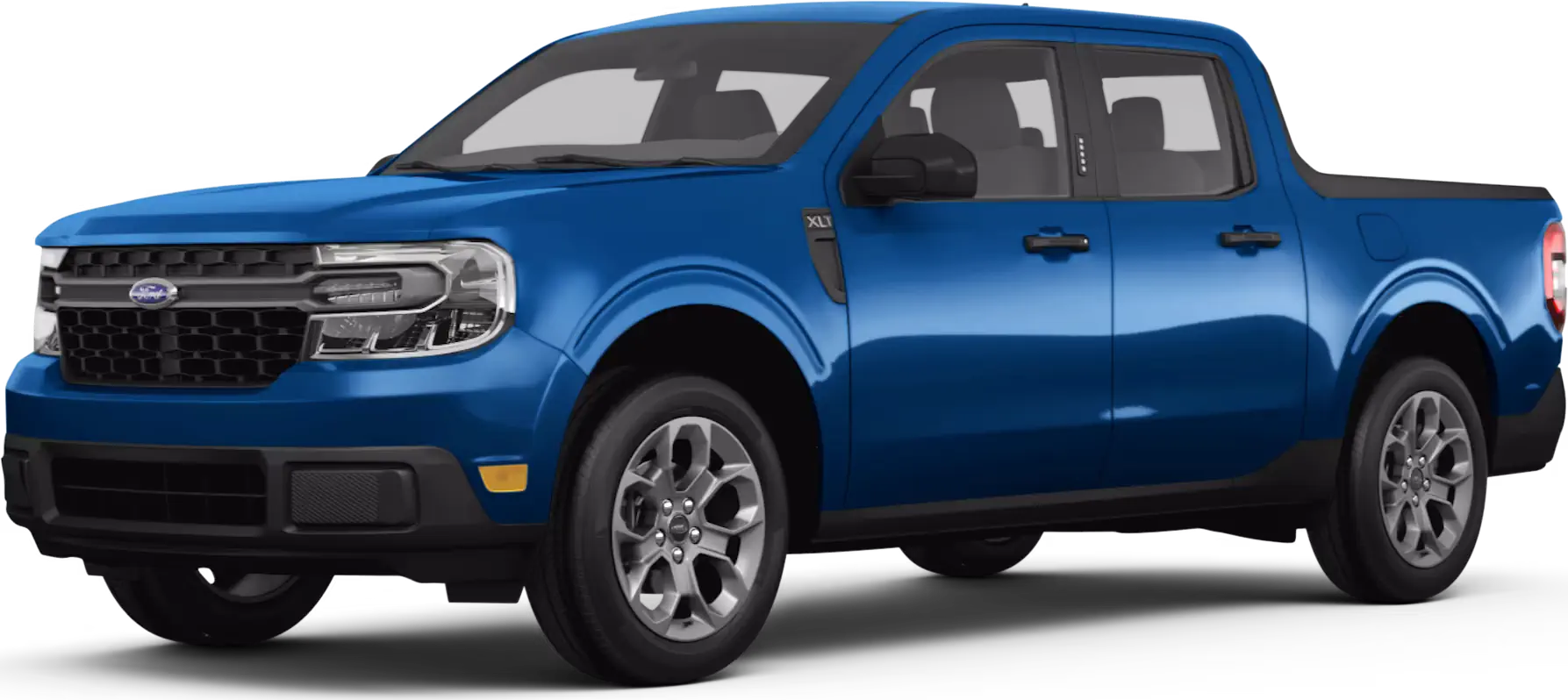
April 12, 2024 NHTSA CAMPAIGN NUMBER: 24V266000
Incorrect Tire and Loading Information/FMVSS 110
Incorrect tire and capacity information may result in the vehicle being overloaded, increasing the risk of a crash.
NHTSA Campaign Number: 24V266
Manufacturer Ford Motor Company
Components EQUIPMENT
Potential Number of Units Affected 9
Summary
Ford Motor Company (Ford) is recalling certain 2024 Maverick vehicles. The tire and loading information label may state the incorrect vehicle capacity, tire pressure, and spare tire size. As such, these vehicles fail to comply with the requirements of Federal Motor Vehicle Safety Standard number 110, “Tire Selection and Rims.”
Remedy
Ford will mail new labels, free of charge. Owner notification letters are expected to be mailed April 29, 2024. Owners may contact Ford customer service at 1-866-436-7332. Ford’s number for this recall is 24C08.
Notes
Owners may also contact the National Highway Traffic Safety Administration Vehicle Safety Hotline at 1-888-327-4236 (TTY 1-800-424-9153), or go to www.nhtsa.gov.
Check if your Vehicle has a Recall
April 15, 2024
New Vehicle Delivery Hold –
Compliance Recall 24C08
Certain 2024 Model Year Maverick Vehicles
TREAD Label Installation
AFFECTED VEHICLES
| Vehicle | Model Year | Assembly Plant | Build Dates |
| Maverick | 2024 | Hermosillo | January 15, 2024 through January 22, 2024 |
US population of affected vehicles: 9. Affected vehicles are identified in OASIS and FSA VIN Lists.
REASON FOR THIS COMPLIANCE RECALL
All of the affected vehicles may not conform to the requirements for the Tire and Loading Information (TREAD) label specified in S.4.3 of Federal Motor Vehicle Safety Standard (FMVSS) No. 110.
SERVICE ACTION
Sold Vehicles: Supplemental VIN-specific TREAD labels with the correct loading information, spare tire size, and spare tire inflation pressures will be mailed to owners with affected vehicles the week of April 29, 2024. Label installation instructions will be included with the notification. Owners may choose to have the label installed by their dealer. This service must be performed at no charge to the vehicle owner.
To assist vehicle owners who prefer to have the new TREAD label applied for them, dealers should:
- Arrange for a mobile repair at the owner’s location, or:
- Arrange to pick up the owner’s vehicle and drive it to the dealership for repairs
- Re-deliver the owner’s vehicle after repairs have been completed.
- Pick-Up & Delivery and mobile service should be made available for all customers. Refer to the Rental and Claiming sections for further details.
Stock Vehicles:
For new vehicle inventory, a VIN-specific TREAD label can be obtained by submitting a parts request contact to the SSSC. Dealers are to affix the label on affected stock vehicles as instructed in the technical Information.
OWNER NOTIFICATION AND MAILING SCHEDULE
Owner letters are expected to be mailed the week of April 29, 2024. Dealers should repair any affected vehicles that arrive at their dealerships, whether or not the customer has received a letter.
PLEASE NOTE:
Federal law requires dealers to complete this recall service before a new vehicle is delivered to the buyer or lessee. Violation of this requirement by a dealer could result in a civil penalty of up to $27,168 per vehicle. Correct all vehicles in your new vehicle inventory before delivery.
MOBILE SERVICE REPAIR ASSESSMENT LEVEL
All repairs in this program have the following assessment level. – Light Mobile Service
MOBILE REPAIR RECOMMENDATIONS
- Confirm with the customer a mobile repair is feasible.
- Check OASIS before going to the customer’s home or business to confirm if any other outstanding FSA needs to be completed.
- Transportation – due to the simplicity of this repair, a specialty vehicle is not required.
MOBILE REPAIR ADDITIONAL INFORMATION
Please ensure the technician brings the following to the mobile repair destination:
- Printed Technical Instructions.
- Printed Repair/Work Order or any other necessary documentation as customer copy(s).
- Documents could also be emailed to the customer.
- Shirt/uniform and vehicle graphic with the dealership or Ford logos are recommended.
SOLD VEHICLES
- Labels and installation instructions are being mailed to owners. Owners may choose to have the dealer install the label.
- Ford has not issued instructions to stop selling/delivering or driving used vehicles under this compliance recall.
- Correct other affected vehicles identified in OASIS which are brought to your dealership.
- Dealers are to prioritize repairs of customer vehicles over repairs of new and used vehicle inventory.
STOCK VEHICLES
- Correct all affected units in your new vehicle inventory before delivery.
- Use OASIS to identify any affected vehicles in your used vehicle inventory.
DEALER-OPERATED RENTAL VEHICLES
The Fixing America’s Surface Transportation (FAST) Act law effective June 2016 prohibits a rental company from selling, renting, or leasing vehicles subject to a safety or compliance recall. Please consult your legal counsel for legal advice.
BRANDED / SALVAGED TITLE VEHICLES
Affected branded / salvaged title vehicles are eligible for this recall.
RENTAL VEHICLES
Rental vehicles are not approved for this program.
PICK-UP & DELIVERY- Participating Dealers
Dealers participating in the Remote Experience Program:
- Ford Dealers – Refer to EFC14125, 2024 Remote Experience Program, Pick-Up & Delivery Offset section for additional details.
PICK-UP & DELIVERY- Non-participating Dealers
Ford Dealers not participating in the 2024 Remote Experience Program for Pick-Up & Delivery are authorized to claim unique services for completing this program.
- Dealers are authorized to claim one-half labor hour per repair for vehicle Pick-Up & Delivery services. Refer to Labor Allowances for details.
- Dealers must retain a Vehicle Pick-Up & Delivery Record with the repair order documentation.
PARTS REQUIREMENTS / ORDERING INFORMATION
Special Program Part Ordering:
To place an order for the VIN-specific TREAD label, submit a Part Order contact via the SSSC Web Contact Site.
NOTE: for sold vehicles, labels and installation instructions are being mailed directly to customers of the affected vehicles.
CERTAIN 2024 MODEL YEAR MAVERICK VEHICLES — TREAD LABEL REPLACEMENT
SERVICE PROCEDURE
IMPORTANT! The Service Technician Specialty Training (STST) Competency 10 certification requirement, for U.S. market only, will be enforced starting with repair orders opened on or after April 1, 2024. Field Service Action (FSA) repairs will reject if the repairing technician is not certified in STST Competency 10 FSA. See Electronic Field Communication (EFC) 14251 for more details.
1. Vehicle owners were sent a new replacement Tire and Loading Information (TREAD) label per the Vehicle Identification Number (VIN). If the original label cannot be found, contact the Special Service Support Center (SSSC) BEFORE scheduling a vehicle for service. For In-Stock vehicles, proceed to Step 2.
NOTE: It may take several days for the label to arrive. DO NOT schedule a vehicle repair until the label arrives and the VIN is verified.
NOTE: Labels are VIN specific.
– All vehicles are to have the Tire and Loading Information (TREAD) label replaced.
2. For In-Stock units, open the drivers door to see the TREAD label on the door jamb. Confirm the VIN on the new label matches the VIN on the vehicle. See Figure 1.
- If the VIN does not match, contact the SSSC before proceeding with this program to order a new VIN specific label.
NOTE: Laws may vary by state and region. Concealing or misrepresenting the identity of motor vehicle could be a violation of code resulting in a misdemeanor or felony punishable by imprisonment and/or fines.
3. Using a clean cloth and isopropyl alcohol, remove any residue from on and around the original label on the B-Pillar.
4. Note the orientation of the original Tire and Loading Information (TREAD) label.
5. Install the new label over the original TREAD label, in the same location and orientation. See Figure 2.
IMPORTANT NOTE: Federal law prohibits selling motor vehicle parts or components that are under safety, compliance, or emissions recall. Unless a part is requested to be returned to Ford, all parts replaced under this FSA must be scrapped in accordance with all applicable local, state and federal environmental protection and hazardous material regulations. Refer to the Parts Retention, Return, & Scrapping section of the FSA dealer bulletin for further information.
CERTAIN 2024 MODEL YEAR MAVERICK VEHICLES — TREAD LABEL REPLACEMENT
SERVICE PROCEDURE
NOTE: Please follow the directions below to install the new TREAD label on your vehicle.
NOTE: If you do not have the desire or capability, call your dealer for a service appointment. To avoid delays bring the new label to your service appointment for installation.
1. Where is the label? Open drivers door, the label is located on the door jamb toward the rear of the vehicle.
NOTE: Labels are VIN specific.
2. Confirm that the VIN on the new label matches the VIN on the vehicle. See Figure 1.
- If the VIN does not match, contact your dealer.
3. Using a clean cloth and isopropyl alcohol, remove any residue from on and around the original label on the door jamb.
4. Note the orientation of the original label.
5. Install the new label OVER the original label, in the same location and orientation. See Figure 2.
Chronology :
On March 12, 2024, an issue pertaining to 2024MY Ford Maverick vehicles with potentially incorrect spare tire information on the TREAD label was brought to Ford’s Critical Concern Review Group (CCRG) for review.
The CCRG investigation determined that certain information contained on the TREAD label such as spare tire size, cold tire inflation pressure values, and payload values may not match the updated vehicles as manufactured. As such, the suspect vehicles may not be compliant to F/CMVSS 110 S4.3.
Ford is not aware of any warranty, field reports, or customer complaints related to this subject.
On April 5, 2024, Ford’s Field Review Committee reviewed the concern and approved a field action.
Ford is not aware of any reports of accident or injury related to this condition.
1 Affected Product
Vehicle
| MAKE | MODEL | YEAR |
| FORD | MAVERICK | 2024 |
3 Associated Documents
Manufacturer Notices(to Dealers,etc)
RCMN-24V266-4674.pdf 1317.521KB
Noncompliance Notice 573 Report
RCLRPT-24V266-5647.PDF 214.414KB
Recall Acknowledgement
RCAK-24V266-8098.pdf 645.384KB

- [Easy to Use—Work Out of the Box] + [FOXWELL 2026 New Version] FOXWELL NT604 Elite scan tool is the 2026 new version from FOXWELL, designed for car owners who want to figure out the cause of issues before fixing car problems by scanning common systems like ABS, SRS, engine, and transmission. The NT604 Elite obd2 scanner diagnostic tool comes with the latest software—no need to waste time downloading software first. Plug the scanner into the OBDII port with OBDII cable to start the diagnosis.
- [Affordable] + [Reliable Car Health Monitor] Will you be confused what happens when the warning light of ABS/SRS/transmission/check engine flashes? Instead of taking your cars to dealership, this FOXWELL scanner will help you do a thorough scanning and detection for your cars and pinpoint the root cause. Note:The device is a diagnostic tool, not a repair tool. To turn off a warning light, you must first physically repair the issue causing it. Only then can the scanner be used to clear the corresponding fault code.
- [5 in 1 Car Diagnostic Scanner] Compared with obd scanners (50-100), NT604 Elite code scanner not only includes their OBDII diagnosis but also serves as ABS/SRS scanner, transmission and check engine code reader. When it’s an odb2 scanner, you can use it to check if your car is ready for annual test through I/M readiness menu. In addition, live data stream, built-in DTC library, data play back and print, all these features are a big plus for it. Note: doesn't support maintenance functions like reset or relearn. For the SRS system, NT604 Elite can read and clear common fault codes not caused by a crash, but crash/collision data cannot be cleared.
- [Fantastic AUTOVIN] + [No extra software fee] Through the AUTOVIN menu, this NT604 Elite car scanner allows you to get your V-IN and vehicle info rapidly, no need to take time to find your V-IN and input one by one. What's more, the NT604 Elite ABS SRS scanner supports 60+ car brands from worldwide (America/Asia/Europe). You don’t need to pay extra software fee. AUTOVIN may not work on some older vehicles or certain vehicle brands. If AUTOVIN fails, please input the vin code manually or go to the Diagnostic Menu to select your vehicle model.
- [Solid protective case KO plastic carrying bag] + [Lifetime update] Almost all same price-level car scanner diagnostic tool only offers plastic bag to hold the scanner.However, NT604 Elite automotive scanner is equipped with solid protective case, preventing your obd2 scanner from damage. Then you don’t need to pay extra money to buy a solid toolbox.


- 【Reset ABS/SRS/Transmission/Engine Lights】 More than an check engine code reader, OBDMATE OM901 obd2 scanner performs comprehensive diagnostics for the 4 most-used systems (ABS/SRS/Engine/Transmission). It quickly clears fault codes, turns off warning lights, read data stream and auto VIN.
- 【3.5" Handheld Scanner with 4 System Diagnose】 3.5" Super large TFT screen equipped displays an intuitive menu and clear readings of various sensors from ABS, SRS, ECM and TCM systems. It arrived with a silicone protective case and hard-shell carrying case, ensuring long-lived durability and drop resistance. The car diagnostic tool is plug-to-play designed, plug it and get diagnosis started without any batteries or updates required.
- 【One-Click I/M Readines&Full OBD2 Functions】 Press F1 to get an intuitive corloured form about whether various emissions-related systems on the vehicle are operating properly. Help you get smog-check ready quickly. OM901 car scanner supports all essential OBD2 functions you need: read & clear codes, view freeze frame, read I/M readiness, retrieve VIN, live data stream (with graphing display), O2 sensor test, onboard monitoring mode, and EVAP leak test.
- 【Battery Voltage Check&DLC Pin Test】 It allows you to monitor battery health by testing current battery voltage. Plus, this obd2 diagnostic tool features DLC 16-PIN test to check current voltage of every pin.
- 【Automotive Scanner Diagnostic Kit】 The package comes with 1 car scanner, 1 USB-type c cable, 1 hard storage bag and 1 user manual(en). Free to update without any hidden fees. 5 languanges available in setting including English, French, Italian, German and Espanish. Valuable and Portable, making it a great tool kit for car owners, DIY enthusiasts, and professional mechanics.
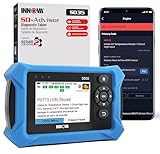
- OBD2 SCANNER FOR ALL SYSTEMS – The INNOVA SD35 is a tablet-based OBD2 scanner designed for advanced diagnostics. Read and clear check engine light, ABS, SRS, and TPMS codes, plus test your car battery and alternator to prevent unexpected failures. Vehicle coverage may vary. Please use Innova’s Coverage Checker to verify compatibility.
- ALL-SYSTEM DIAGNOSTICS & LIVE DATA – Unlike basic code readers, this OBD2 scanner for all vehicles scans engine, transmission, ABS, SRS, and more. Get real-time live data, including RPM, fuel trims, temperature readings, and oxygen sensor performance.
- OBD2 TABLET WITH USER-FRIENDLY INTERFACE – This automotive scan tool features a high-resolution display, making vehicle diagnostics faster and easier.
- ADVANCED TPMS, OIL RESET & SERVICE FUNCTIONS – Perform TPMS sensor checks, oil light reset, and other service resets with ease This professional diagnostic tool provides comprehensive vehicle maintenance capabilities in one device.
- WIDE VEHICLE COVERAGE (1996 & NEWER CARS & TRUCKS) – This OBD2 scanner Bluetooth tablet is compatible with Toyota, Ford, Honda, Chevrolet, Nissan, Dodge, and more. However, feature coverage may vary. Please use Innova's Coverage Checker to verify coverage.
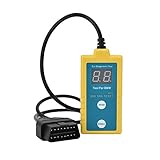
- ✔️【Professional SRS Reset for 1994-2003 BMW】 Designed specifically for classic BMW models (1994-2003). This B800 scanner reads & clears SRS airbag fault codes, turns off the warning light, and saves you a costly dealer visit. Confirmed compatible with: E36, E46 (EXCEPT 2001 330i), E34, E38, E39, Z3, and X5 (E53). NOT compatible with any BMW built before 1994 or after 2003.
- ✔️【Important: Two Different Connection Ports – Read Before Use】 To avoid “not working” issues, please note: For 1994–2000 BMWs (most E36, E34, Z3, early E39), the SRS diagnostic port is a round 20-pin connector under the hood. You MUST use the included 16-pin to 20-pin adapter cable. For 2000–2003 models (late E46, E39, X5), use the standard OBD-II port inside the cabin. Incorrect connection is the #1 reason for “incompatibility” reports.
- ✔️【Read & Clear Fault Codes in Minutes】 Quickly diagnose why your SRS light is on. The scanner accurately reads fault codes from airbag and seatbelt pretensioner systems. With one button press, clear the codes and reset the SRS warning light in seconds. No expensive dealer tools needed.
- ✔️【User-Friendly for DIYers – No Mechanic Required】 Easy operation with an intuitive button layout: ‘Enter’ to confirm, ‘Scroll’ to navigate. The clear LCD screen shows results instantly. Includes a step-by-step manual (revised for clarity) to guide you through the entire reset process.
- ✔️【Reliable Support with 1-Year Warranty】 We stand behind the quality of our B800 scanner. It comes with a 1-Year Hassle-Free Warranty. If you have any questions or need support, please contact us with your Order ID, and our dedicated team will assist you promptly.

- 【Full Systems Automotive Diagnostic】 More than checking engine, ABS and SRS, OBDMATE OM970 obd2 scanner performs comprehensive diagnostics on all electric modules. It quickly scans and clears fault codes, turns off warning lights, reads live data, and features Auto-VIN technology.
- 【Live Datastream&4-in-1 Graph】 Easily view live sensor data such as RPM, fuel trims, ATF temperature, wheel speed sensor, battery voltage and so on. OM970 scan tool also supports 4-in-1 trend graphing. Spend just 3 minutes to check – and you'll know exactly what's going wrong, helping you avoid hundreds in dealership diagnostic fees.
- 【One-Click I/M Readiness&Full OBD2 Functions】 Press F1 to get an intuitive corloured form about whether your vehicle's emissions-related systems are operating properly. Help you get smog-check ready quickly. OM970 obd2 diagnostic tool supports all essential OBD2 functions you need. Plus, it features battery voltage test and DLC 16-PIN test.
- 【Straightforward Menus with Easy Navigation】 All functions are easy to understand without obscure decriptions. 3.5" Large screen delivers clear readings while keeping one-hand operation. The car diagnostic tool comes with a silicone protective case and a hard-shell carrying case, ensuring long-lived durability and drop resistance.
- 【Budget-Friendly, No Subscriptions, Free Software Updates】 Plug and play: no bluetooth pairing, monthly fees, Wi-Fi connection, or any other troublesome initial settings. OM970 obd2 scanner works out of the box with the latest software. Lifetime free upgrade.
SEOCONTENT-START
Ó Copyright 2024 Ford Motor Company
Stacy L. Balzer Ford Motor Company
Director PO Box 1904
Service Engineering Operations Dearborn, Michigan 48121
Ford Customer Service Division
April 15, 2024
TO: All U.S. Ford and Lincoln Dealers
SUBJECT: New Vehicle Delivery Hold –
Compliance Recall 24C08
Certain 2024 Model Year Maverick Vehicles
TREAD Label Installation
AFFECTED VEHICLES
Vehicle Model Year Assembly Plant Build Dates
Maverick 2024 Hermosillo January 15, 2024 through January 22, 2024
US population of affected vehicles: 9. Affected vehicles are identified in OASIS and FSA VIN Lists.
REASON FOR THIS COMPLIANCE RECALL
All of the affected vehicles may not conform to the requirements for the Tire and Loading Information
(TREAD) label specified in S.4.3 of Federal Motor Vehicle Safety Standard (FMVSS) No. 110.
SERVICE ACTION
Sold Vehicles: Supplemental VIN-specific TREAD labels with the correct loading information, spare tire
size, and spare tire inflation pressures will be mailed to owners with affected vehicles the week of April
29, 2024. Label installation instructions will be included with the notification. Owners may choose to
have the label installed by their dealer. This service must be performed at no charge to the vehicle
owner.
To assist vehicle owners who prefer to have the new TREAD label applied for them, dealers should:
• Arrange for a mobile repair at the owner’s location, or:
• Arrange to pick up the owner’s vehicle and drive it to the dealership for repairs
o Re-deliver the owner’s vehicle after repairs have been completed.
• Pick-Up & Delivery and mobile service should be made available for all customers. Refer to the
Rental and Claiming sections for further details.
Stock Vehicles:
For new vehicle inventory, a VIN-specific TREAD label can be obtained by submitting a parts request
contact to the SSSC. Dealers are to affix the label on affected stock vehicles as instructed in the
technical Information.
OWNER NOTIFICATION MAILING SCHEDULE
Owner letters are expected to be mailed the week of April 29, 2024. Dealers should repair any affected
vehicles that arrive at their dealerships, whether or not the customer has received a letter.
PLEASE NOTE:
Federal law requires dealers to complete this recall service before a new vehicle is delivered to
the buyer or lessee. Violation of this requirement by a dealer could result in a civil penalty of up
to $27,168 per vehicle. Correct all vehicles in your new vehicle inventory before delivery.
Ó Copyright 2024 Ford Motor Company
ATTACHMENTS
• Administrative Information
• Labor Allowances and Parts Ordering Information
• Technical Instructions
• Customer Instructions for TREAD Label Installation
• Mobile Service Repair Assessment
• Mobile Repair/Vehicle Pick-Up & Delivery Record
• Owner Notification Letter
QUESTIONS & ASSISTANCE
For questions and assistance, contact the Special Service Support Center (SSSC) via the SSSC Web
Contact Site. The SSSC Web Contact Site can be accessed through the Professional Technician System
(PTS) website using the SSSC link listed at the bottom of the OASIS VIN report screen or listed under
the SSSC tab.
Sincerely,
Stacy L. Balzer
Ó Copyright 2024 Ford Motor Company
Administrative Information
Page 1 of 3
Compliance Recall 24C08
MOBILE SERVICE REPAIR ASSESSMENT LEVEL
All repairs in this program have the following assessment level.
– Light Mobile Service
MOBILE REPAIR RECOMMENDATIONS
• Confirm with the customer a mobile repair is feasible.
• Check OASIS before going to the customer’s home or business to confirm if any other
outstanding FSA needs to be completed.
• Transportation – due to the simplicity of this repair, a specialty vehicle is not required.
MOBILE REPAIR ADDITIONAL INFORMATION
Please ensure the technician brings the following to the mobile repair destination:
• Printed Technical Instructions.
• Printed Repair/Work Order or any other necessary documentation as customer copy(s).
o Documents could also be emailed to the customer.
• Shirt/uniform and vehicle graphic with the dealership or Ford logos are recommended.
MOBILE REPAIR QUESTIONS AND ASSISTANCE
• For questions and assistance, contact the Special Service Support Center (SSSC) via the SSSC
Web Contact Site. Work with Dealership warranty administrator to create a SSSC contact ID#.
• Once an SSSC agent responds to the new contact ID#, you may opt to call the SSSC hotline:
(800) 325-5621.
OASIS ACTIVATION
OASIS will be activated on April 15, 2024.
FSA VIN LISTS ACTIVATION
FSA VIN Lists will be available through https://web.fsavinlists.dealerconnection.com on April 15, 2024.
Owner names and addresses will be available by May 10, 2024.
NOTE: Your FSA VIN Lists may contain owner names and addresses obtained from motor vehicle
registration records. The use of such motor vehicle registration data for any purpose other than in
connection with this recall is a violation of law in several states, provinces, and countries. Accordingly,
you must limit the use of this listing to the follow-up necessary to complete this recall.
SOLD VEHICLES
• Labels and installation instructions are being mailed to owners. Owners may choose to have the
dealer install the label.
• Ford has not issued instructions to stop selling/delivering or driving used vehicles under this
compliance recall.
• Correct other affected vehicles identified in OASIS which are brought to your dealership.
• Dealers are to prioritize repairs of customer vehicles over repairs of new and used vehicle
inventory.
Ó Copyright 2024 Ford Motor Company
Administrative Information
Page 2 of 3
Compliance Recall 24C08
STOCK VEHICLES
• Correct all affected units in your new vehicle inventory before delivery.
• Use OASIS to identify any affected vehicles in your used vehicle inventory.
DEALER-OPERATED RENTAL VEHICLES
The Fixing America’s Surface Transportation (FAST) Act law effective June 2016 prohibits a rental
company from selling, renting, or leasing vehicles subject to a safety or compliance recall. Please consult
your legal counsel for legal advice.
BRANDED / SALVAGED TITLE VEHICLES
Affected branded / salvaged title vehicles are eligible for this recall.
RENTAL VEHICLES
Rental vehicles are not approved for this program.
MOBILE REPAIR CLAIMING QUESTIONS
Dealers participating in the Remote Experience Program:
• Ford Dealers – refer to EFC14125, 2024 Remote Experience Program.
• Lincoln Retailers – refer to EFC14164, 2024 Remote Experience Program.
Dealers NOT participating in the 2024 Remote Experience Program:
• For questions and assistance, contact the Special Service Support Center (SSSC) via the SSSC
Web Contact Site. Work with the Dealership warranty administrator to create an SSSC contact
ID#.
• Once an SSSC agent responds to the new contact ID#, you may opt to call the SSSC hotline:
(800) 325-5621.
PICK-UP & DELIVERY- Participating Dealers
Dealers participating in the Remote Experience Program:
• Ford Dealers – Refer to EFC14125, 2024 Remote Experience Program, Pick-Up & Delivery Offset
section for additional details.
PICK-UP & DELIVERY- Non-participating Dealers
Ford Dealers not participating in the 2024 Remote Experience Program for Pick-Up & Delivery are
authorized to claim unique services for completing this program.
• Dealers are authorized to claim one-half labor hour per repair for vehicle Pick-Up & Delivery
services. Refer to Labor Allowances for details.
• Dealers must retain a Vehicle Pick-Up & Delivery Record with the repair order documentation.
ADDITIONAL REPAIR (LABOR TIME AND/OR PARTS)
Additional repairs identified as necessary to complete the FSA should be managed as follows:
• For related damage and access time requirements, refer to the Warranty and Policy Manual /
Section 6 – Ford & Lincoln Program Policies / General Information & Special Circumstances for
FSAs / Related Damage.
• For vehicles within new vehicle bumper-to-bumper warranty coverage, no SSSC approval is
required, although related damage must be on a separate repair line with the “Related Damage”
radio button checked.
o Ford vehicles – 3 years or 36,000 miles
Ó Copyright 2024 Ford Motor Company
Administrative Information
Page 3 of 3
Compliance Recall 24C08
ADDITIONAL REPAIR (LABOR TIME AND/OR PARTS) continued
• For vehicles outside new vehicle bumper-to-bumper warranty coverage, submit an Approval
Request to the SSSC Web Contact Site before completing the repair.
CLAIMS PREPARATION AND SUBMISSION
• Technician Competency Requirement: The STST Competency 10 certification requirement in
the U.S. market only will be enforced starting with repair orders opened on or after April 1, 2024.
FSA repairs will reject if the repairing technician is not certified in STST Competency 10 FSA.
See EFC14251 for more details.
• Claim Entry: Enter claims using Dealer Management System (DMS) or One Warranty Solution
(OWS) online.
o When entering claims, select claim type 31: Field Service Action. The FSA number 24C08
is the subcode.
For additional claims preparation and submission information, refer to the Recall and Customer
Satisfaction Program (CSP) Repairs in the OWS User Guide.
• Related Damage/Additional labor and/or parts: Must be claimed as Related Damage on a
separate repair line from the FSA with the same claim type and subcode as described in Claim
Entry above.
IMPORTANT: Click the Related Damage Indicator radio button.
• Pick-Up & Delivery:
o Dealers participating in the Remote Experience Program –
Refer to EFC14125, 2024 Remote Experience Program, Pick-Up & Delivery (PDL)
Offset section for additional details.
o Dealers NOT participating in the Remote Experience Program –
Dealers may claim one-half labor hour per repair for vehicle Pick-Up & Delivery
services.
Dealers must retain a Vehicle Pick-Up & Delivery Record with the repair order
documentation.
• Mobile Repair:
o Dealers participating in the Remote Experience Program –
Ford Dealers – refer to EFC14125, 2024 Remote Experience Program.
Lincoln Retailers – refer to EFC14164, 2024 Remote Experience Program.
o Dealers NOT participating in the Remote Experience Program –
Mobile repair allowances can be claimed for dealer-performed mobile repairs.
Dealers that are working with Ford-contracted mobile repair companies should
refer to those companies for claiming instructions.
For dealer-performed mobile repairs, retain a copy of the Service Management
signed record (see Repair Procedure Improvement & Revised Labor Time), with
the repair order documentation.
Claim the mobile repair allowance Labor Operation Code 24C08MM along with the
applicable Labor Operation Code for the repair (refer to the Labor Allowances
table in Labor Allowances and Parts Ordering Information).
Ó Copyright 2024 Ford Motor Company
Labor Allowances and Parts Ordering Information
Page 1 of 1
Compliance Recall 24C08
LABOR ALLOWANCES
Description Labor Operation Labor Time
Install new TREAD label. 24C08B 0.4 Hours
Mobile Service:
This allowance is only for non-eligible 2024 Remote
Experience Program Dealers.
Can be used when the repair takes place away from the
dealership
If Additional Time is Required Due to Travel, Please Submit
an SSSC Approval Form
24C08MM 0.5 Hours
Vehicle Pick-Up & Delivery Allowance:
This allowance is only for non-eligible 2024 Remote
Experience Program Dealers.
NOTE: This allowance is for dealer-performed vehicle Pick-
Up & Delivery for dealership repairs only. Can only be
claimed once, regardless of outstanding FSAs repaired.
24C08PP 0.5 Hours
PARTS REQUIREMENTS / ORDERING INFORMATION
Special Program Part Ordering:
To place an order for the VIN-specific TREAD label, submit a Part Order contact via the SSSC Web
Contact Site.
NOTE: for sold vehicles, labels and installation instructions are being mailed directly to customers of the
affected vehicles.
DEALER PRICE
Dealers will not be charged for labels ordered for this program.
TECHNICAL INSTRUCTIONS
PAGE 1 OF 2
SAFETY COMPLIANCE RECALL 24C08
CPR © 2024 FORD MOTOR COMPANY
DEARBORN, MICHIGAN 48121
04/2024
CERTAIN 2024 MODEL YEAR MAVERICK VEHICLES — TREAD LABEL
REPLACEMENT
SERVICE PROCEDURE
IMPORTANT! The Service Technician Specialty Training (STST) Competency 10
certification requirement, for U.S. market only, will be enforced starting
with repair orders opened on or after April 1, 2024. Field Service Action
(FSA) repairs will reject if the repairing technician is not certified in STST
Competency 10 FSA. See Electronic Field Communication (EFC) 14251 for
more details.
1. Vehicle owners were sent a new replacement Tire and Loading Information (TREAD) label per the
Vehicle Identification Number (VIN). If the original label cannot be found, contact the Special Service
Support Center (SSSC) BEFORE scheduling a vehicle for service. For In-Stock vehicles, proceed to
Step 2.
NOTE: It may take several days for the label to arrive. DO NOT schedule a vehicle repair until the label
arrives and the VIN is verified.
NOTE: Labels are VIN specific.
– All vehicles are to have the Tire and Loading Information (TREAD) label replaced.
2. For In-Stock units, open the drivers door to see the TREAD label on the door jamb. Confirm the VIN on
the new label matches the VIN on the vehicle. See Figure 1.
• If the VIN does not match, contact the SSSC before proceeding with this program to order a
new VIN specific label.
23117E
TREAD
LABEL
FIGURE 1
NOTE: Laws may vary by state and region. Concealing or misrepresenting the identity of motor vehicle
could be a violation of code resulting in a misdemeanor or felony punishable by imprisonment
and/or fines.
TECHNICAL INSTRUCTIONS
PAGE 2 OF 2
SAFETY COMPLIANCE RECALL 24C08
CPR © 2024 FORD MOTOR COMPANY
DEARBORN, MICHIGAN 48121
04/2024
LABEL
FACING
OUTWARD
LABEL
FACING
INWARD
CORRECT
ORIENTATION
INCORRECT
ORIENTATION
PLACE COPY HERE
PLACE COPY HERE
PLACE COPY HERE
STUD FOR
MISSING NUT
STUD FOR
MISSING NUT
STUD FOR
MISSING NUT
24044C
FIGURE 2
3. Using a clean cloth and isopropyl alcohol, remove any residue from on and around the original label on
the B-Pillar.
4. Note the orientation of the original Tire and Loading Information (TREAD) label.
5. Install the new label over the original TREAD label, in the same location and orientation. See Figure 2.
IMPORTANT NOTE: Federal law prohibits selling motor vehicle parts or components that are
under safety, compliance, or emissions recall. Unless a part is requested to be returned to Ford,
all parts replaced under this FSA must be scrapped in accordance with all applicable local, state
and federal environmental protection and hazardous material regulations. Refer to the Parts
Retention, Return, & Scrapping section of the FSA dealer bulletin for further information.
CUSTOMER INSTRUCTIONS
PAGE 1 OF 2
SAFETY COMPLIANCE RECALL 24C08
CPR © 2024 FORD MOTOR COMPANY
DEARBORN, MICHIGAN 48121
04/2024
CERTAIN 2024 MODEL YEAR MAVERICK VEHICLES — TREAD LABEL
REPLACEMENT
SERVICE PROCEDURE
NOTE: Please follow the directions below to install the new TREAD label on your vehicle.
NOTE: If you do not have the desire or capability, call your dealer for a service appointment. To avoid
delays bring the new label to your service appointment for installation.
1. Where is the label? Open drivers door, the label is located on the door jamb toward the rear of the
vehicle.
NOTE: Labels are VIN specific.
2. Confirm that the VIN on the new label matches the VIN on the vehicle. See Figure 1.
• If the VIN does not match, contact your dealer.
PLACE COPY HERE
STUD FOR
MISSING NUT
STUD FOR
MISSING NUT
STUD FOR
MISSING NUT
24044D
TREAD
LABEL
VIN
NUMBER
FIGURE 1
3. Using a clean cloth and isopropyl alcohol, remove any residue from on and around the original label on
the door jamb.
4. Note the orientation of the original label.
CUSTOMER INSTRUCTIONS
PAGE 2 OF 2
SAFETY COMPLIANCE RECALL 24C08
CPR © 2024 FORD MOTOR COMPANY
DEARBORN, MICHIGAN 48121
04/2024
LABEL
FACING
OUTWARD
LABEL
FACING
INWARD
CORRECT
ORIENTATION
INCORRECT
ORIENTATION
PLACE COPY HERE
PLACE COPY HERE
PLACE COPY HERE
STUD FOR
MISSING NUT
STUD FOR
MISSING NUT
STUD FOR
MISSING NUT
24044C
FIGURE 2
5. Install the new label OVER the original label, in the same location and orientation. See Figure 2.
Mobile Service Repair Assessment
Page | 1
Compliance Recall 24C08
Certain 2024 Model Year Maverick XLT Vehicles Equipped With 4K Trailer Tow and FX4 Packages
TREAD Label Replacement
Ó Copyright 2024 Ford Motor Company
Mobile Service Repair Assessment
Assessment levels have been identified to help determine the ease of performing eligible mobile
service repairs for a Field Service Action (FSA) outside of the dealership service facility.
Dealer Bulletin
Within the Administrative Information Attachment of the dealer bulletin a mobile service repair
assessment level(s) will be provided. These assessment levels have been determined using the
amount of time, equipment and labor identified to perform the intended service action.
Assessment Levels
– Mobile Reprogramming
– Light Mobile Service
– Enhanced Mobile Service
– Advanced Mobile Service
– Wheel and Tire Mobile Service
– Not a Mobile Service Repair
Description of each level that is used to determine the overall assessment.
– Mobile Reprogramming
• Module Programming or similar type services
• Minimum tools maybe required other than an IDS/FDRS setup
• FDRS programming that requires internet connection (wi-fi or mobile hotspot)
• Make sure vehicle has a charge port to ensure battery voltage is maintained during flashing of
the module(s)
• Repairs not greater than 1 hour in length (including time to wait for programming)
Note: The location will need a charging station or wall box to maintain the 12-volt battery.
– Light Mobile Service
• Interior repair procedures that do not require seat, dash, or headliner removal
• Under hood repairs that do not require large component removal
• Exterior repairs that do not require large component/panel removal
• Repairs may require standard hand tools (Access to a Technician starter kit or similar)
Mobile Service Repair Assessment
Page | 2
Compliance Recall 24C08
Certain 2024 Model Year Maverick XLT Vehicles Equipped With 4K Trailer Tow and FX4 Packages
TREAD Label Replacement
Ó Copyright 2024 Ford Motor Company
– Enhanced Mobile Service
• A two-person process is required anytime a procedure requires work under the vehicle
• Brake Inspection and Brake Repair/Replacement
• Limited Suspension Component replacement (no alignment)
• Under Vehicle access for limited repairs (no large component removal)
• Vehicle Check Up – VCU
• Pre-Delivery Inspection – PDI
• Used Car Inspection/Presale Inspection
• May require floor jack, jack stands, and impact tools
Note: Wheel lock may be required.
– Advanced Mobile Service
• Fluid Exchange/Oil Change
• Light Repairs
• Brake Hydraulic Repairs
– Wheel and Tire Mobile Service
• Tire Removal from Wheel
• Tire Balancing
• Tire Repair
Note: Specialized Mobile Service unit and equipment including Tire balancer and Tire Changer
required.
– Not a Mobile Service Repair
• Large component removal
• BEV Battery Replacement
• Requires a vehicle hoist – to complete the repair (more than inspection)
• Required vehicle alignment
• Requires significant vehicle disassembly
• Repairs greater than 2-3 hours
• Any repairs that require M-Time
• Includes a service procedure where the vehicle owner may be distressed about the state of
their vehicle
Ó Copyright 2024 Ford Motor Company
Mobile or Pick-Up and Delivery Repair Record
Page 1 of 1
Compliance Recall 24C08
Mobile Repair / Vehicle Pick-Up and Delivery Record
VIN ____________________________ received (check one):
☐ Mobile Repair
☐ Pick-up and/or delivery service
As outlined below for the 24C08 Field Service Action program.
☐ Mobile Repair – Date: _______________
OR
☐ Pick-up – Date: _______________
☐ Delivery – Date: _______________
Repair Order # Repair Order Date
Service Manager Signature Date
**************************************************************************************************************
OMB Control No.: 2127-0004
Part 573 Safety Recall Report 24V-266
The information contained in this report was submitted pursuant to 49 CFR §573
Manufacturer Name : Submission Date :
Ford Motor Company APR 12, 2024 NHTSA Recall No. : 24V-266 Manufacturer Recall No. : 24C08 Manufacturer Information :
Manufacturer Name : Ford Motor Company Address : 330 Town Center Drive
Suite 500 Dearborn MI 48126-2738
Company phone : 1-866-436-7332
Population :
Number of potentially involved : 9
Estimated percentage with defect : 100 %
Vehicle Information : Vehicle 1 : 2024-2024 Ford Maverick Vehicle Type : LIGHT VEHICLES Body Style : ALL Power Train : NR
Descriptive Information : Ford’s team reviewed plant records to determine the population of affected parts. The Ford process is capable
of tracing TREAD labels with incorrect information to the vehicles in which the TREAD labels are installed.
Affected vehicles are equipped with the XLT trim level, FX4 package, and 4k trailer tow package.
These vehicles are not produced in VIN order. Information as to the applicability of this action to specific
vehicles can best be obtained by either calling Ford’s toll-free line (1-866-436-7332) or by contacting a local
Ford or Lincoln dealer who can obtain specific information regarding the vehicles from the Ford On-line
Automotive Service Information System (OASIS) database.
Production Dates : JAN 15, 2024 – JAN 22, 2024
VIN Range 1 : Begin : NR End : NR Not sequential Description of Noncompliance :
Description of the Noncompliance :
The information contained on the Tire and Loading Information
(TREAD) label such as payload, cold tire inflation pressure, and spare tire size, may not match the vehicle as built. FMVSS 1 : 110 – Tire selection and rims FMVSS 2 : NR
Description of the Safety Risk : Because the TREAD label may incorrectly indicate a mini size spare tire, it
may display a higher than actual spare tire cold inflation pressure value, Part 573 Safety Recall Report 24V-266 Page 2 which can result in overinflation, increasing the risk of a crash or injury. The TREAD label may display incorrect vehicle payload values, which can cause overloading of the vehicle, increasing the risk of a crash.
Description of the Cause : Some Maverick XLT vehicles equipped with the FX4 package and 4k trailer tow package were incorrectly produced with a mini size spare tire instead of a full size spare tire due to a
codification error. The TREAD label was not replaced during the rework process to install a full size spare tire. Identification of Any Warning
that can Occur : None. Involved Components : Component Name 1 : Tire & Loading Information label Component Description : Tire & Loading Information label Component Part Number : 5U5A-1532-AA Supplier Identification : Component Manufacturer
Name : Ford Motor Company Address : 1 American Road
Dearborn Michigan 48126
Country : United States Chronology :
On March 12, 2024, an issue pertaining to 2024MY Ford Maverick vehicles with potentially incorrect spare tire information on the TREAD label was brought to Ford’s Critical Concern Review Group (CCRG) for review.
The CCRG investigation determined that certain information contained on the TREAD label such as spare tire size, cold tire inflation pressure values, and payload values may not match the updated vehicles as manufactured. As such, the suspect vehicles may not be compliant to F/CMVSS 110 S4.3.
Ford is not aware of any warranty, field reports, or customer complaints related to this subject.
On April 5, 2024, Ford’s Field Review Committee reviewed the concern and approved a field action. Ford is not aware of any reports of accident or injury related to this condition. The information contained in this report was submitted pursuant to 49 CFR §573 Part 573 Safety Recall Report 24V-266
Page 3
The information contained in this report was submitted pursuant to 49 CFR §573
Description of Remedy :
Description of Remedy Program : Customers will be mailed a new TREAD label with adjusted payload values
and spare tire size. Customers will
be have the option to take their vehicle to a Ford or Lincoln dealer to have the new label installed. There will
be no charge for this service. How Remedy Component Differs from Recalled Component : Identify How/When Recall Condition was Corrected in Production : The new TREAD label (component part number 5U5A-1532-AA) will show the correct payload values, cold tire
inflation pressure and spare tire size. Not required per 49 Part 573. Recall Schedule :
Description of Recall Schedule : Notification to dealers is expected to occur on April 15, 2024. Mailing of owner notification letters is expected
to begin April 29, 2024 and is expected to be completed by May 03, 2024.
Planned Dealer Notification Date : APR 15, 2024 – APR 15, 2024
Planned Owner Notification Date : APR 29, 2024 – MAY 03, 2024
* NR – Not Reported
**************************************************************************************************************
**************************************************************************************************************
SEOCONTENT-END
This product presentation was made with AAWP plugin.