NHTSA ID Number: 10180371
Manufacturer Communication Number: 20B22-S4
Summary
This customer satisfaction program updates the TCM software in affected vehicles to provide improved detection and over warning of electrical circuit failures in the TCM. As communicated in a previous Customer Satisfaction Program (14M02), electrical circuit failures within the TCM may develop and result in intermittent symptoms of loss of transmission engagement while driving, no-start, or a lack of power. Updating the TCM software will help ensure the vehicle operator is alerted to potential issues with the TCM prior to failure.

REASON FOR THIS SUPPLEMENT
Program Terms: The program terms have been extended.
Automatic Closure: In addition to FSA 14M02 and TS8 16-0129, FSA 1 BS32 has been added
to the list of overlapping repairs with 15822. FSA 15822 will be closed automatically when 18S32 is claimed.
PROGRAM TERMS
This program will be in effect for 10 years from the warranty start date of the vehicle or 150,000 miles, whichever occurs first. If a vehicle has already exceeded either the time or mileage limits, this repair can be performed and claimed through September 2, 2021.
AFFECTED VEHICLES
| Vehicle | Model Year | Assembly Plant | Build Dates |
| Fiesta equipped with DPS6 Automatic Transmission | 2011-2015 | Cuautitlan | November 3, 2009 through October 15, 2014 |
| Focus equipped with DPS6 Automatic Transmission | 2012-2014 | Michigan | August 1, 2010 through October 26, 2014 |
NOTE: Some vehicles covered by 15B22 may also be eligible for coverage by 14M01 (DPS6 Transmission Clutch Shudder / Transmission Input Shaft Seal Warranty Extension) and /or 14M02 (Transmission Control Module Extended Warranty Coverage). Always consult OASIS to determine repairs and coverages that apply.
NOTE: The following Field Service Action and Technical Service Bulletin include reprogramming the TCM/PCM and clutch adaptive learn strategy updates that are performed in this FSA:
- FSA 14M02
- FSA 18S32
- TSB 16-0044
Therefore, it is not necessary to perform 15B22 separately, and 15B22 will be closed automatically when repairs for these programs are performed.
REASON FOR THIS PROGRAM
This customer satisfaction program updates the TCM software in affected vehicles to provide improved detection and overt warning of electrical circuit failures in the TCM.
As communicated in a previous Customer Satisfaction Program (14M02), electrical circuit failures within the TCM may develop and result in intermittent symptoms of loss of transmission engagement while driving, no-start, or a lack of power. Updating the TCM software will help ensure the vehicle operator is alerted to potential issues with the TCM prior to failure.
SERVICE ACTION
Before delivering any of the vehicles involved in this program, dealers are to reprogram the TCM using IDS release 96.03 or higher. This service must be performed on all affected vehicles at no charge to the vehicle owner.
OWNER NOTIFICATION MAILING SCHEDULE
Owners of affected vehicles included in this program extension will be notified the week of September 21, 2020. Dealers should repair any affected vehicles that arrive at their dealerships, whether or not the customer has received a letter.
SOLD VEHICLES
- Owners of affected vehicles will be directed to dealers for repairs.
- Immediately contact any of your affected customers whose vehicles are not on your VIN list but are identified in OASIS. Give the customer a copy of the Owner Notification Letter (when available) and schedule a service date.
- Correct other affected vehicles identified in OASIS which are brought to your dealership.
TITLE BRANDED / SALVAGED VEHICLES
Affected title branded and salvaged vehicles are eligible for this service action.
ADDITIONAL LABOR TIME AND/OR PARTS
Additional repairs identified as necessary to complete the FSA should be managed as follows:
- For vehicles within new vehicle bumper-to-bumper warranty coverage, follow existing warranty and policy guidelines for related damage claims. No SSSC approval is required for these vehicles:
OWNER REFUNDS
Refunds are not approved for this program.
RENTAL VEHICLES
The use of rental vehicles is not approved for this program.
PARTS REQUIREMENTS / ORDERING INFORMATION
Parts are not required to complete this repair.
CERTAIN 2011 THROUGH 2015 MODEL YEAR FIESTA AND 2012 THROUGH 2014 FOCUS VEHICLES EQUIPPED WITH A DPS6 AUTOMATIC TRANSMISSION — TRANSMISSION CONTROL MODULE REPROGRAMMING FOR OVERT TCM FAILURE WARNING
OVERVIEW
This customer satisfaction program updates the transmission control module (TCM) software in affected vehicles to provide improved detection and overt warning of electrical circuit failures in the TCM. Electrical circuit failures within the TCM may develop and result in intermittent symptoms of loss of transmission engagement while driving, no-start, or a lack of power. Updating the TCM software will help ensure the vehicle operator is alerted to potential issues with the TCM prior to failure.
Before delivering any of the vehicles involved in this program, dealers are to reprogram the TCM using IDS release 114.04 or higher.
NOTE: As of August 4, 2015, vehicles being serviced for any of the following programs will also receive the TCM/PCM reprogramming and clutch adaptive learn strategy updates identified in this FSA:
- FSA 14M02
- TSB 16-0129
- FSA 18S32
Therefore, it is not necessary to perform 15B22 separately, and 15B22 should not be claimed, when repairs for any of these programs are performed.
SERVICE PROCEDURE
- Reprogram the Powertrain Control Module (PCM)/Transmission Control Module
 (TCM) to the latest calibration using IDS release 114.04 or later. Ignition MUST be cycled OFF for at least 15-30 seconds following completion of the reprogramming process. See “Module Reprogramming” on Page 2 for additional information.
NOTE: For 2.0L Focus models:
- Prior to running clutch adaptive learning but after PCM/TCM reprogramming, it may be necessary to Start the engine and hold at Wide Open Throttle (WOT) until the temperature gauge reads 1/2 up the gauge display. Once at the appropriate temperature range, Key OFF then Key ON and initiate the clutch adaptive learning routine.
- If there is difficulty completing (passing) clutch adaptive learning, it may be necessary to turn on the headlamps/high beams with blower on high with AC OFF to add load and smooth out the idle.
NOTE: It is important that consistent brake pedal pressure be maintained throughout the learn procedure.
NOTE: Do not turn the steering wheel during the learn procedure.
- Perform TCM clutch adaptive learning procedure.
- Run the engine until the instrument panel temperature gauge is reading between 1/3 and 1/2 of the normal range.
- Turn off all electrical accessories including rear defrost, HVAC, etc.
- Using the Ford approved diagnostic tool, navigate to the TCM Adaptive Learning sub menu.
- Select Clutch.
- Follow the instructions displayed on IDS.
- After reprogramming and clutch adaptive learning are complete, check and adjust the vehicle clock as required.
Module Reprogramming
NOTE: Reprogram appropriate vehicle modules before performing diagnostics and clear all Diagnostic Trouble Codes (DTCs) after programming. For DTCs generated after reprogramming, follow normal diagnostic service procedures.
- Connect a battery charger to the 12V battery.
- Reprogram the Powertrain Control Module using IDS release 114.04 or higher.
NOTE: Calibration files may also be obtained at www.motorcraftservice.com.
NOTE: Follow the IDS on-screen instructions to complete the reprogramming procedure.
- Disconnect the battery charger from the 12V battery, once the reprogramming has completed.
Important Information for Module Programming
NOTE: Reprogram appropriate vehicle modules before performing diagnostics and clear all diagnostic trouble codes (DTCs) after programming. For DTCs generated after reprogramming, follow normal diagnostic service procedures.
NOTE: Performing the service routines will clear adaptive strategy. Failure to perform all steps of the IDS routines may result in erratic shifts and driveabilty concerns.
NOTE: When programming or reprogramming a module, use the following basic checks to ensure programming completes without errors.
- Make sure the 12V battery is fully charged before carrying out the programming steps and connect IDS/scan tool to a power source.
- Inspect Vehicle Communication Module (VCM) and cables for any damage. Make sure scan tool connections are not interrupted during programming.
- A hardwired connection is strongly recommended.
- Turn off all unnecessary accessories (radio, heated/cooled seats, headlamps, interior lamps, HVAC system, etc.) and close doors.
- Disconnect/depower any aftermarket accessories (remote start, alarm, power inverter, CB radio, etc.)
- Follow all scan tool on-screen instructions carefully.
- Disable IDS/scan tool sleep mode, screensaver, hibernation modes.
- Create all sessions Key On Engine Off (KOEO). Starting the vehicle before creating a session will cause errors within the programming inhale process.
Recovering a module when programming has resulted in a blank module:
NEVER DELETE THE ORIGINAL SESSION!
- Obtain the original IDS that was used when the programming error occurred during Module Reprogramming (MR) or Programmable Module Installation (PMI).
- Disconnect the VCM from the Data Link Connector (DLC) and the IDS.
- Reconnect the VCM to IDS and then connect to the DLC. Once reconnected, the VCM icon should appear in the corner of the IDS screen. If it does not, troubleshoot the IDS to VCM connection.
- Locate the ORIGINAL vehicle session when programming failed. This should be the last session used in most cases. If not, use the session created on the date that the programming failed.
NOTE: If the original session is not listed in the previous session list, click the ”Recycle Bin” icon at the lower right of the previous session screen. This loads any deleted sessions and allows you to look through them. Double-click the session to restore it.
- Once the session is loaded, the failed process should resume automatically.
- If programming does not resume automatically, proceed to the Module Programming menu and select the previously attempted process, PMI or MR.
- Follow all on-screen prompts/instructions.
- The last screen on the IDS may list additional steps required to complete the programming process. Make sure all applicable steps listed on the screen are followed in order.
8 Affected Products
Vehicles
1 Associated Document
Manufacturer Communications
Customer Satisfaction Program 15B22 – Supplement#4
September 2, 2020
MC-10180371-0001.pdf 2895.089KB
NHTSA ID Number: 10092576
Manufacturer Communication Number: 15B22-S2
Summary
CERTAIN 2011 THROUGH 2015 MODEL YEAR FIESTA AND 2012 THROUGH 2014 MODEL YEAR FOCUS VEHICLES EQUIPPED WITH A DPS6 AUTOMATIC TRANSMISSION – TRANSMISSION CONTROL MODULE REPROGRAMMING FOR OVERT TCM FAILURE WARNING.
1 Associated Document
Service Bulletin Document
Customer Satisfaction Program 15B22 – Supplement #2
August 16, 2016
NHTSA ID Number: 10091153
Manufacturer Communication Number: 15B22-S1
Summary
CERTAIN 2011 THROUGH 2015 MODEL YEAR FIESTA AND 2012 THROUGH 2014 MODEL YEAR FOCUS VEHICLES EQUIPPED WITH A DPS6 AUTOMATIC TRANSMISSION – TRANSMISSION CONTROL MODULE REPROGRAMMING FOR OVERT TCM FAILURE WARNING
1 Associated Document
Service Bulletin Document
Customer Satisfaction Program 15B22 – Supplement #1
June 14, 2015
SB-10091153-5448.pdf 195.907KB
NHTSA ID Number: 10074720
Manufacturer Communication Number: CSP-15B-22
Summary
SUMMARY TO BE PROVIDED ON A FUTURE DATE.
1 Associated Document
Manufacturer Communications
Customer Satisfaction Program 15B22
August 4, 2015
NHTSA ID Number: 10058725
Manufacturer Communication Number: SB-15B22
Summary
ON CERTAIN VEHICLES, TRANSMISSION CONTROL MODULE (TCM) HAD DEVELOPED ELECTRICAL CIRCUIT FAILURES, RESULTING IN AN INTERMITTENT TRANSMISSION ENGAGEMENT LOSS WHILE DRIVING OR A LACK OF POWER OR NO START AND SOFTWARE NEEDS TO BE REPLACED *CN
2 Associated Documents
Customer Satisfaction Campaigns
CSC-10058725-1330.pdf 151.485KB
Service Bulletin Document
SB-10058725-1330.pdf 173.451KB
NHTSA ID Number: 10163594
Manufacturer Communication Number: DPS6 Dealer Com.
Summary
Short-Term DPS6 Dealer Customer Handling Direction
Publish Date: July 12, 2019 Due Date (If Applicable): N/A
Information: Short-Term DPS6 Dealer Customer Handling Direction
Target Dealer Group: All Ford & Lincoln Dealerships
Target Audience: All Sales & Service Job Roles
Target Dept(s): New Sales CPO/Used Sales Fleet Sales Finance Parts Service
ACTION REQUESTED
- Review the following communication and share with all dealer employees
SUMMARY
If a customer calls or arrives at your dealership indicating they have transmission symptoms that need addressed, arrange to diagnose the vehicle and repair as necessary.
If a customer calls without a symptom asking questions about the DPS6 media coverage, direct customers to contact the Customer Relationship Center (CRC) at 1-800-392-3673 to discuss their concerns.
If diagnosis and repair are needed dealers should:
- Reference 14M01 for clutch diagnostic and repair procedures
- Apply diagnostics procedures provided in 14M01
- Repair the vehicle if necessary
- These diagnostic procedures may be applied to 2011 – 2017 Fiesta and Focus vehicles
- If 15B22 was not completed on affected vehicles called out in the dealer bulletin dated August 16, 2016, Dealers should follow the repair directions in 15B22 to reprogram the TCM.
- If there is indication of a TCM concern, reference 14M02 for diagnostic and repair procedures
- Apply TCM diagnostics procedures provided in 14M02
- Repair the vehicle if necessary
- These diagnostic procedures should only be applied to the Fiesta and Focus vehicles shown in 14M02, Supplement #3, dated February 7, 2017.
- If the vehicle is not formally covered by 14M01, 14M02, 15B22 or warranty, Dealers should submit a financial assistance case to the CRC through GCCT for payment. Indicate in the case notes that this is a DPS6 repair reimbursement request, for repairs that have already been completed. Fill out cost details based on what the payment would have been through 14M01, 14M02, or 15B22 at warranty rates using FSA labor times.
This direction is applicable only for repair orders created July 12 through July 19, 2019. Additional updates will be provided by July 19, 2019.
MEDIA INQUIRIES
FOR MEDIA QUESTIONS, UPON INQUIRY ONLY, PLEASE USE THE FOLLOWING:
Q: What can customers do if they have concerns about their DPS6 transmission?
A: Ford has taken a number of steps to resolve customer concerns with DPS6 transmissions. Owners of 2011-17 Fiesta and Focus cars with concerns can contact a Ford dealer to see if repairs are needed and reimbursable. They can also call 1-800-392-3673 to discuss their concerns with a Ford customer service representative.
QUESTIONS
Further questions should be directed to:
T.R. Reid | 313.337.8644 | [email protected]
Short-Term DPS6 Dealer Customer Handling Direction
Reprogramming
Service Information & Reprogramming
Module Reprogramming
| Diagnostic Software | Interface Device | Complete Vehicle Diagnostics | Module Programming | ||
| 1996-2017 Model Year |
2018-Present Model Year |
1996-2017 Model Year |
2018-Present Model Year |
||
| IDS/FDRS | VCM, VCM II, VCMM |
X | X | X | X |
| FJDS/FDRS | Compatible J2534 Devices (Including VCM II and VCMM) |
X | X | X | |
Detailed system requirements, installation, and support information for each product is located under the diagnostics tool support tab for each product.
Integrated Diagnostic Software (IDS) / Ford Diagnosis & Repair System (FDRS)
For use with VCM I, VCM II, VMM and VCMM hardware devices only. The complete factory Ford Motor Company vehicle diagnostic tool that provides complete dealership level vehicle diagnostic coverage for all 1996 to present Ford, Lincoln and Mercury vehicles. The IDS software includes time based access to the IDS software, software updates and calibration files.
Ford J2534 Diagnostic Software (FJDS) / Ford Diagnosis & Repair System (FDRS)
For use with compatible J2534 hardware devices. FJDS software provides Ford Module Programming functionality that covers 1996 to present Ford, Lincoln and Mercury module reprogramming functions, plus complete dealership level vehicle diagnostic software for all 2018 to present Ford and Lincoln vehicles. The FJDS software license includes time based access to the FJDS software, software updates and calibration files.
Latest Calibration Information
Module Build Data (As-Built)
Use VIN to obtain As-Built data

- J2534 Pass-Thru Programmer: TOPDON RLink J2534 is an advanced diagnostic and reprogramming tool that support all J2534 protocols, as well as D-PDU, CAN-FD and DoIP, ensuring compatibility with a wide range of modern vehicles. It offers extensive versatility with support for over 18 major automotive brands, including Chrysler, Ford, GM, Nissan, Toyota, Honda, Subaru, Land Rover/Jaguar, Volvo, Wuling, Volkswagen/Audi, Mercedes-Benz, and BMW. NOTE: Not compatible with Ford IDS diagnostic software
- All-in-One OEM Diagnostics: This J2534 ECU programming tool elevates your automotive repair capabilities to new heights by delivering complete OEM diagnosis. Boasting comprehensive full-system diagnostics, intuitive repair guides, advanced ECU programming and coding, common reset services, a vast library of repair information and more, this all-in-one solution empowers technicians to effortlessly tackle complex vehicle issues with ease. *Not compatible with 24V vehicles
- Proven Performance You Can Trust: Backed by over 10000 real vehicle tests and benefit from a wealth of practical experience, this OEM reprogramming tool guarantees stable and exceptional performance. Supported by TOPDON's dedicated technical experts with in-depth knowledge of both auto repair and J2534 Pass-Thru programming, the RLink J2534 provides prompt and professional assistance, ensuring a smooth setup and reliable compatibility
- Integrated Excellence, Always Up-to-Date: Featuring the exclusive RLink Platform to provide a streamlined experience with one-click driver installation and management, ensuring flawless integration with your OE software, maintaining the original performance quality. The built-in operation guide makes mastering OE software quick and easy, so you can get started right away. Plus, with lifetime free updates, your diagnostics will stay current with the latest drivers and innovations
- Efficiency Meets Versatility: Engineered to support three CAN channels simultaneously - CAN FD and CAN-CC included, giving you the edge in fast troubleshooting. To perfectly synchronized with the OE software, please diagnose with active subscriptions and make sure your computer system is running a compatible 64-bit Windows version (7, 8, 10 or later) to fully leverage the power of RLink J2534. *We don't provide extra OE software

- Advanced VCI Box, Industry-leading J2534 Pass-Thru Technology: This J2534 Pass-Thru Programmer is designed espically for technicians, independent shop owners, and DIY enthusiasts, enables fast, reliable computer-based programming. It supports all J2534 protocols—including the latest DoIP and CAN FD—ensuring full compatibility with both legacy and next-generation vehicles.
- High-Speed OEM-Level Diagnostics & Programming: Unlock true OEM functionality with comprehensive system diagnostics, guided troubleshooting, coding, adaptations, resets, and programming—all designed to slash repair time. This all-in-one tool eliminates the need for multiple OEM devices, boosting efficiency and cutting costs. Equipped with High-Speed USB, it delivers 10x more data per second than competing solutions
- Coverage for 17 Car Brands & Ultra Reliability: Works seamlessly for Chrysler, for Ford(Forscan), for GM, for Nissan, for Toyota, for Honda, for Subaru(SSM4), for Land Rover/Jaguar, for Volvo, for Wuling, for Volkswagen, for Mercedes-Benz, and for BMW. Backed by over 10000 real vehicle tests and benefit from a wealth of practical experience, this OEM reprogramming tool guarantees stable and exceptional performance
- User-Friendly RLink Platform & Expert Support: TOPDON’s proprietary driver management platform offers a clean interface and lifetime free updates. Access a rich library of real-world case studies to stay ahead of the curve. Backed by a support team with 10+ years of J2534 and automotive repair experience, we provide one-on-one assistance to resolve any technical issue.
- 6.6 ft USB-C Cable & Portable Storage Case: The RLink J2534 diagnostic tool features a 6.6ft USB 2.0 Cable and a 1.2 ft OBDII Extension Cable, allows to connection your computer easily outside the vehicle. The included handled carry case offers easy portability, storage, and hanging options—keeping your gear clean and ready to go, anywhere.

- [J2534 Pass-Thru Programmer] - TOPDON RLink J2534 is engineered for professional technicians, delivering OEM diagnostic and reprogramming capabilities. It supports all J2534 protocols, CAN-FD, DoIP, D-PDU. Compatible with 17 vehicle brands—such as Chrysler, Ford, GM, KIA, Hyundai, Nissan, Toyota, Honda, Subaru, Mitsubishi, MAZDA, Land Rover/Jaguar, Volvo, Volkswagen/Audi, Mercedes-Benz, and BMW. RLink J2534 can help reduce the cost of purchasing equipment from different brands.
- [All-in-One OEM Reprogramming and Diagnostics] - When seamlessly integrated with OEM diagnostic software, this dongle enables you to perform a wide range of functions, including ECU programming and coding, DTC reading and clearing, active tests, component matching, adaptations, rewriting, guided troubleshooting, and more. This all-in-one tool eliminates the need for multiple OEM devices, significantly boosting work efficiency.
- [Tested, Trusted, and Proven for Accuracy] - TOPDON RLink J2534 is renowned for its reliability, having successfully completed over 10,000 real-vehicle tests. The wealth of data and hands-on experience behind it ensures consistent performance and accurate results. You can trust this tool to deliver optimal performance.
- [One-Click Installation, Continuous Updates] - The exclusive TOPDON RLink platform streamlines installation with a one-click driver setup, allowing you to quickly access OEM software for diagnostic and reprogramming tasks. With lifetime free updates, your RLink J2534 stays current without any additional cost, ensuring reliable performance for the long term. *We don't provide extra OE software.
- [Works with Windows Compatibility and OEM Software Subscription] - The RLink J2534 supports three CAN channels - including CAN FD and CAN-CC, providing advantages in the process of rapid troubleshooting. Compatible with Windows 7, 8 and 10 (64-bit) and higher versions of the system. For full functionality, an active OEM software subscription is required for each supported vehicle brand. Please note that the dongle does not include OEM software, which must be purchased separately to access brand-specific diagnostic and reprogramming features.

- Dual WiFi & 10.1" Touchscreen: Provides a stable, high-speed wireless link 3x faster than bluetooth, and a responsive, professional interface. Topdon ONE obd2 scanner diagnostic tool ensures smooth, non-lagging diagnostic scan, boosting mechanic efficiency
- J2534 Pass-Thru Support: The included ONE VCI supports the J2534 standard, allowing it to function as a pass-thru device when paired with OEM diagnostic software.Through TOPDON’s RLink platform, technicians can perform dealer-level coding, expanding in-house capabilities without investing in multiple factory automotive scan tools
- OE Topology Mapping: Visualize the vehicle’s ECU network exactly as it’s built.Zoom, pan, and highlight specific modules to pinpoint component issues with precision.Topology mapping displays real-time communication between modules
- 50+ Service Functions: Covers high-demand services like ADAS calibration, DPF regen, TPMS reset, ABS bleed, and throttle adaptation.Expands your service menu, allows you to charge premium rates, and turns away zero jobs due to lack of tooling. Vehicle-specific functionality may vary
- Advaned ECU Coding: 10 of the most serviced brands in North America, including full ECU coding and flash hidden support for BMW, VW, Au-di, Benz, Porsche, Toyota, Ni ssan and more. Enables module replacement, feature customization, and personal settings with automatic backup or restore.Lets your shop safely offer high-margin customization services, attracting more customers and boosting profit
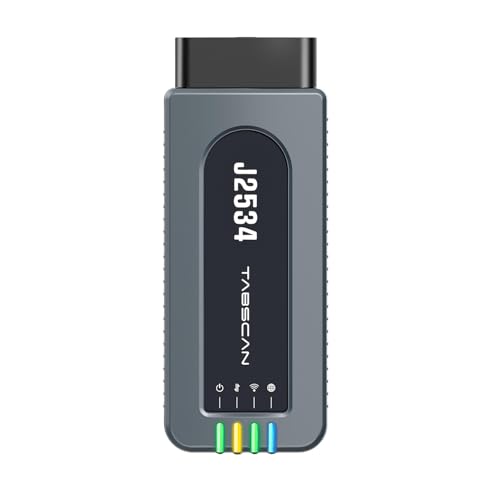
- 【J2534 Pass-Thru Device】 This budget-friendly J2534 pass-thru device delivers OEM diagnostics and reprogramming capabilities for dealerships, repair shops and automotive DIY enthuisasts, enables you diagnose, program and repair the vehicles more efficiently and precisely. Supporting J2534, D-PDU, CAN-FD and DoIP, this J2534 passthru tool ensures wide vehicle coverage. It's compatible with OE software application, ensuring seamless integration and original performance quality
- 【All-in-One Diagnostic Tool】 Simplify your workflow and tackle the complex diagnostics and repairs with confidence! This J2534 passthrough tool provides full system diagnosis, bi-directional control, maintenance reset services, ECU programming and ECU coding to run advanced diagnostics and programming. Equipped with the specialized platform, this J2534 pass-thru tool is fully compatible with OE software that helps technicians confidently handle complicated vehicle repair issues
- 【J2534 Diagnostic Tool】 The Tabscan J2534 pass-thru device is built with a dedicated platform, making it ideal for both professional and personal use. Simply download the driver for your ford vehicle within the platform—ensuring only one driver is installed at a time. Then connect the device to your vehicle’s OBD2 port and link it to your computer using the included USB A to USB C cable. Finally launch your OE software, select Tabscan J2534 VCI as interface, and begin diagnose and program
- 【Universal Compatibility】 Tabscan J2534 reprogramming tool is designed to be compatible with Ford vehicles for advanced diagnostics and programming. It supports J2534 protocols, along with D-PDU, CAN-FD and DoIP, ensuring seamless connectivity with older or modern vehicles. This J2534 diagnostic tool only works with computer running on windows 7/10/11. Vehicle compatibility varies by model or year, please confirm with us before purchase. Note: It's not compatible with 24V vehicles
- 【Professional Technical Support】 Tabscan J2534 pass-thru device provides a stable and seamless connection between your vehicle and computer for diagnostics, programming, and coding. But that's not all—we go beyond hardware. Our dedicated technical support team brings deep expertise in automotive diagnostics and programming. Whether you need help with setup, troubleshooting or latest diagnostic resources and upgrades, we provide fast, professional and reliable support every step of the way

- ALL OF THE J2534 PROTOCOLS - This single unit has all of the protocols you need for your OEM J2534 reprogramming and diagnostics including the latest in DoIP and CanFD
- J2534 TECHNICAL SUPPORT - FREE for the life of the tool. Staffed by technicians who understand vehicle repair and J2534 Pass‑thru
- TOOLBOX WITH OEM APPLICATION DESCRIPTIONS - educational video tutorials and real-time news – Giving you the confidence and up-to-date knowledge to get the job done
- J2534 v05.00 API - The newest version of J2534 to give you the latest in pass-thru technology
- FUTURE PROOF WITH 4 CAN CHANNELS - Going beyond the 3 required by select Chrysler/FCA models, CarDAQ-Plus 3 also provides a 4th to meet the needs of future OEM applications
SEOCONTENT-START
© Copyright 2020 Ford Motor Company David J. Johnson Ford Motor Company Director P. O. Box 1904 Service Engineering Operations Dearborn, Michigan 48121 Ford Customer Service Division September 2, 2020 TO: All U.S. Ford and Lincoln Dealers SUBJECT: Customer Satisfaction Program 15B22 – Supplement #4 Certain 2011 through 2015 Model Year Fiesta and 2012 through 2014 Model Year Focus Vehicles Equipped with a DPS6 Automatic Transmission Transmission Control Module Reprogramming for Overt TCM Failure Warning REF: Customer Satisfaction Program 19N07 Certain 2011 through 2015 Model Year Fiesta and 2012 through 2014 Model Year Focus Vehicles Equipped with a DPS6 Automatic Transmission Transmission Control Module Extended Warranty Coverage New! REASON FOR THIS SUPPLEMENT Program Terms: The program terms have been extended. Automatic Closure: In addition to FSA 14M02 and TSB 16-0129, FSA 18S32 has been added to the list of overlapping repairs with 15B22. FSA 15B22 will be closed automatically when 18S32 is claimed. New! PROGRAM TERMS This program will be in effect for 10 years from the warranty start date of the vehicle or 150,000 miles, whichever occurs first. If a vehicle has already exceeded either the time or mileage limits, this repair can be performed and claimed through September 2, 2021. New! AFFECTED VEHICLES Vehicle Model Year Assembly Plant Build Dates Fiesta 2011-2015 Cuautitlan November 3, 2009 through October 15, 2014 Focus 2012-2014 Michigan August 1, 2010 through October 26, 2014 Affected vehicles are identified in OASIS. New! AFFECTED VEHICLES (Continued) NOTE: Some vehicles covered by 15B22 may also be eligible for coverage by 14M01 (DPS6 Transmission Clutch Shudder / Transmission Input Shaft Seal Warranty Extension) and /or 14M02 (Transmission Control Module Extended Warranty Coverage). Always consult OASIS to determine repairs and coverage that may apply. NOTE: The following Field Service Actions and Technical Service Bulletins include reprogramming the TCM/PCM and clutch adaptive learn strategy updates that are performed in this FSA: • FSA 14M02 • FSA 18S32 • TSB 16-0129 Therefore, it is not necessary to perform 15B22 separately, and 15B22 will be closed automatically when repairs for these programs are performed. © Copyright 2020 Ford Motor Company REASON FOR THIS PROGRAM This customer satisfaction program updates the TCM software in affected vehicles to provide improved detection and overt warning of electrical circuit failures in the TCM. As communicated in a previous Customer Satisfaction Program (14M02), electrical circuit failures within the TCM may develop and result in intermittent symptoms of loss of transmission engagement while driving, no-start, or a lack of power. Updating the TCM software will help ensure the vehicle operator is alerted to potential issues with the TCM prior to failure. SERVICE ACTION Dealers are to reprogram the TCM using IDS release 114.04 or higher. This service must be performed on all affected vehicles at no charge to the vehicle owner. New! OWNER NOTIFICATION MAILING SCHEDULE Owners of affected vehicles included in this program extension will be notified the week of September 21, 2020. Dealers should repair any affected vehicles that arrive at their dealerships, whether or not the customer has received a letter. ATTACHMENTS Attachment I: Administrative Information Attachment II: Labor Allowances and Parts Ordering Information Attachment III: Technical Information Owner Notification Letter QUESTIONS & ASSISTANCE For questions and assistance, contact the Special Service Support Center (SSSC) via the SSSC Web Contact Site. The SSSC Web Contact Site can be accessed through the Professional Technician Society (PTS) website using the SSSC link listed at the bottom of the OASIS VIN report screen or listed under the SSSC tab. Sincerely, David J. Johnson © Copyright 2020 Ford Motor Company ATTACHMENT I Page 1 of 2 Customer Satisfaction Program 15B22 – Supplement #4 Certain 2011 through 2015 Model Year Fiesta and 2012 through 2014 Model Year Focus Vehicles Equipped with a DPS6 Automatic Transmission Transmission Control Module Reprogramming for Overt TCM Failure Warning OASIS ACTIVATION OASIS was originally activated on August 16, 2015. OASIS was reactivated for vehicles in the program extension on August 14, 2019. FSA VIN LISTS ACTIVATION FSA VIN Lists were originally available through https://web.fsavinlists.dealerconnection.com by August 17, 2015. FSA VIN Lists were reactivated for vehicles in the program extension on August 14, 2019. Owner names and addresses were made available after all owner letters were mailed. NOTE: Your FSA VIN Lists may contain owner names and addresses obtained from motor vehicle registration records. The use of such motor vehicle registration data for any purpose other than in connection with this program is a violation of law in several states, provinces, and countries. Accordingly, you must limit the use of this listing to the follow-up necessary to complete this service action. STOCK VEHICLES Use OASIS to identify any affected vehicles in your used vehicle inventory. SOLD VEHICLES • Owners of affected vehicles will be directed to dealers for repairs. • Immediately contact any of your affected customers whose vehicles are not on your VIN list but are identified in OASIS. Give the customer a copy of the Owner Notification Letter (when available) and schedule a service date. • Correct other affected vehicles identified in OASIS which are brought to your dealership. TITLE BRANDED / SALVAGED VEHICLES Affected title branded and salvaged vehicles are eligible for this service action. ADDITIONAL LABOR TIME AND/OR PARTS Additional repairs identified as necessary to complete the FSA should be managed as follows: • For vehicles within new vehicle bumper-to-bumper warranty coverage, follow existing warranty and policy guidelines for related damage claims. No SSSC approval is required for these vehicles: OWNER REFUNDS Refunds are not approved for this program. RENTAL VEHICLES The use of rental vehicles is not approved for this program. © Copyright 2020 Ford Motor Company ATTACHMENT I Page 2 of 2 Customer Satisfaction Program 15B22 – Supplement #4 Certain 2011 through 2015 Model Year Fiesta and 2012 through 2014 Model Year Focus Vehicles Equipped with a DPS6 Automatic Transmission Transmission Control Module Reprogramming for Overt TCM Failure Warning New! CLAIMS PREPARATION AND SUBMISSION • Enter claims using Direct Warranty Entry (DWE) or One Warranty Solution (OWS). o DWE: refer to ACESII manual for claims preparation and submission information. o OWS: when entering claims in DMS software, select claim type 31: Field Service Action. The FSA number (15B22) is the sub code. • Additional labor and/or parts must be claimed as related damage on a separate repair line from the FSA. • PROGRAM TERMS: This program will be in effect for 10 years from the warranty start date of the vehicle or 150,000 miles, whichever occurs first. If a vehicle has already exceeded either the time or mileage limits, this program can be claimed through September 2, 2021. • NOTE: The following Field Service Action and Technical Service Bulletin include reprogramming the TCM/PCM and clutch adaptive learn strategy updates that are performed in this FSA: o FSA 14M02 o FSA 18S32 o TSB 16-0129 Therefore, it is not necessary to perform 15B22 separately, and 15B22 should not be claimed, when repairs for these programs are performed. © Copyright 2020 Ford Motor Company ATTACHMENT II Page 1 of 1 Customer Satisfaction Program 15B22 – Supplement #4 Certain 2011 through 2015 Model Year Fiesta and 2012 through 2014 Model Year Focus Vehicles Equipped with a DPS6 Automatic Transmission Transmission Control Module Reprogramming for Overt TCM Failure Warning New! LABOR ALLOWANCES Description Labor Operation Labor Time Reprogram PCM/TCM and perform Clutch Adaptive Learn Procedure. NOTE: Cannot be claimed when labor operations for any of the following programs are claimed: • FSA 14M02 • FSA 18S32 • TSB 16-0129 Claims against any of the above programs will automatically close 15B22. 15B22B 0.6 Hours PARTS REQUIREMENTS / ORDERING INFORMATION Parts are not required to complete this repair.
ATTACHMENT III PAGE 1 OF 3 CUSTOMER SATISFACTION RECALL 15B22-S4 CPR © 2020 FORD MOTOR COMPANY DEARBORN, MICHIGAN 48121 8/2020 CERTAIN 2011 THROUGH 2015 MODEL YEAR FIESTA AND 2012 THROUGH 2014 FOCUS VEHICLES EQUIPPED WITH A DPS6 AUTOMATIC TRANSMISSION — TRANSMISSION CONTROL MODULE REPROGRAMMING FOR OVERT TCM FAILURE WARNING OVERVIEW This customer satisfaction program updates the transmission control module (TCM) software in affected vehicles to provide improved detection and overt warning of electrical circuit failures in the TCM. Electrical circuit failures within the TCM may develop and result in intermittent symptoms of loss of transmission engagement while driving, no-start, or a lack of power. Updating the TCM software will help ensure the vehicle operator is alerted to potential issues with the TCM prior to failure. Before delivering any of the vehicles involved in this program, dealers are to reprogram the TCM using IDS release 114.04 or higher. NOTE: The following Field Service Action and Technical Service Bulletin include reprogramming the TCM/powertrain control module (PCM) and clutch adaptive learn strategy updates that are performed in this FSA: • FSA 14M02 • TSB 16-0129 • FSA 18S32 Therefore, it is not necessary to perform 15B22 separately, and 15B22 should not be claimed, when repairs for these programs are performed. SERVICE PROCEDURE 1. Reprogram the PCM/TCM to the latest calibration using IDS release 114.04 or later. Ignition MUST be cycled OFF for at least 15-30 seconds following completion of the reprogramming process. See “Module Reprogramming” on Page 2 for additional information. NOTE: For 2.0L Focus models: • Prior to running clutch adaptive learning but after PCM/TCM reprogramming, it may be necessary to Start the engine and hold at Wide Open Throttle (WOT) until the temperature gauge reads 1/2 up the gauge display. Once at the appropriate temperature range, Key OFF then Key ON and initiate the clutch adaptive learning routine. • If there is difficulty completing (passing) clutch adaptive learning, it may be necessary to turn on the headlamps/high beams with blower on high with AC OFF to add load and smooth out the idle. NOTE: It is important that consistent brake pedal pressure be maintained throughout the learn procedure. NOTE: Do not turn the steering wheel during the learn procedure. ATTACHMENT III PAGE 2 OF 3 CUSTOMER SATISFACTION RECALL 15B22-S4 CPR © 2020 FORD MOTOR COMPANY DEARBORN, MICHIGAN 48121 8/2020 2. Perform TCM clutch adaptive learning procedure. a. Run the engine until the instrument panel temperature gauge is reading between 1/3 and 1/2 of the normal range. b. Turn off all electrical accessories including rear defrost, HVAC, etc. c. Using the Ford approved diagnostic tool, navigate to the TCM Adaptive Learning sub menu. d. Select Clutch. e. Follow the instructions displayed on IDS. 3. After reprogramming and clutch adaptive learning are complete, check and adjust the vehicle clock as required. Module Reprogramming NOTE: Reprogram appropriate vehicle modules before performing diagnostics and clear all diagnostic trouble codes (DTCs) after programming. For DTCs generated after reprogramming, follow normal diagnostic service procedures. 1. Connect a battery charger to the 12V battery. 2. Reprogram the PCM using IDS release 114.04 or higher. NOTE: Calibration files may also be obtained at www.motorcraftservice.com. NOTE: Follow the IDS on-screen instructions to complete the reprogramming procedure. 3. Disconnect the battery charger from the 12V battery, once the reprogramming has completed. ATTACHMENT III PAGE 3 OF 3 CUSTOMER SATISFACTION RECALL 15B22-S4 CPR © 2020 FORD MOTOR COMPANY DEARBORN, MICHIGAN 48121 8/2020 Important Information for Module Programming NOTE: Reprogram appropriate vehicle modules before performing diagnostics and clear all diagnostic trouble codes (DTCs) after programming. For DTCs generated after reprogramming, follow normal diagnostic service procedures. NOTE: Performing the service routines will clear adaptive strategy. Failure to perform all steps of the IDS routines may result in erratic shifts and driveabilty concerns. NOTE: When programming or reprogramming a module, use the following basic checks to ensure programming completes without errors. • Make sure the 12V battery is fully charged before carrying out the programming steps and connect IDS/scan tool to a power source. • Inspect vehicle communication module (VCM) and cables for any damage. Make sure scan tool connections are not interrupted during programming. • A hardwired connection is strongly recommended. • Turn off all unnecessary accessories (radio, heated/cooled seats, headlamps, interior lamps, HVAC system, etc.) and close doors. • Disconnect/depower any aftermarket accessories (remote start, alarm, power inverter, CB radio, etc.). • Follow all scan tool on-screen instructions carefully. • Disable IDS/scan tool sleep mode, screensaver, hibernation modes. • Create all sessions key on engine off (KOEO). Starting the vehicle before creating a session will cause errors within the programming inhale process. Recovering a module when programming has resulted in a blank module: NEVER DELETE THE ORIGINAL SESSION! a. Obtain the original IDS that was used when the programming error occurred during module reprogramming (MR) or programmable module installation (PMI). b. Disconnect the VCM from the data link connector (DLC) and the IDS. c. Reconnect the VCM to IDS and then connect to the DLC. Once reconnected, the VCM icon should appear in the corner of the IDS screen. If it does not, troubleshoot the IDS to VCM connection. d. Locate the ORIGINAL vehicle session when programming failed. This should be the last session used in most cases. If not, use the session created on the date that the programming failed. NOTE: If the original session is not listed in the previous session list, click the ”Recycle Bin” icon at the lower right of the previous session screen. This loads any deleted sessions and allows you to look through them. Double-click the session to restore it. e. Once the session is loaded, the failed process should resume automatically. f. If programming does not resume automatically, proceed to the Module Programming menu and select the previously attempted process, PMI or MR. g. Follow all on-screen prompts/instructions. h. Near the end of programming, the IDS prompts you to select certain parameters. It is important to make a selection for ALL parameters listed. If the correct selection is already highlighted, you must still choose that selection before clicking the “Tick” mark to complete the configuration. i. The last screen on the IDS may list additional steps required to complete the programming process. Make sure all applicable steps listed on the screen are followed in order.
© Copyright 2020 Ford Motor Company Ford Motor Company Ford Customer Service Division P. O. Box 1904 Dearborn, Michigan 48121 September 2020 Customer Satisfaction Programs 15B22 and 19N07 Mr. John Sample 123 Main Street Anywhere, USA 12345 Your Vehicle Identification Number (VIN): 12345678901234567 At Ford Motor Company, we are committed not only to building high quality, dependable products, but also to building a community of happy, satisfied customers. To demonstrate that commitment, we are providing a no-charge Customer Satisfaction Program for your vehicle with the VIN shown above. Why are you receiving this notice? We are pleased to announce that availability of Software Update Program 15B22 for your vehicle has been extended through 10 years of service or 150,000 miles from the warranty start date of the vehicle, whichever occurs first. If your vehicle has already exceeded either time or mileage limits, this software update program will last through September 2, 2021. Additionally, for your peace of mind, Ford Motor Company is providing service warranty coverage on your vehicle’s transmission control module (TCM) for six (6) months from the date that the software is updated. TCM service coverage is included under Customer Satisfaction Program 19N07. On your vehicle with the VIN shown above, the TCM may experience electrical circuit failures causing intermittent symptoms of loss of transmission engagement while driving, no-start, or a lack of power. What is the effect? If this condition is present and the transmission control module has not been updated with the latest software, these symptoms may become progressively worse and your vehicle may not provide a visual warning of the failure. What will Ford and your dealer do? For your peace of mind, Ford Motor Company has developed new software that will alert the driver of a possible TCM circuit failure before symptoms progress. Ford Motor Company has authorized any Ford/Lincoln dealer to update the software in your TCM free of charge (parts and labor). This Software Update Program will be in effect until September 2, 2021 regardless of mileage. Coverage is automatically transferred to subsequent owners. If your vehicle exhibits symptoms consistent with a TCM circuit failure within six (6) months from the 15B22 software update, and the TCM is no longer covered under warranty or Customer Satisfaction Program 14M02, Ford Motor Company has authorized any Ford/Lincoln dealer to replace your TCM free of charge (parts and labor). This is a one-time repair program. © Copyright 2020 Ford Motor Company How long will it take? The time needed to install the updated software in your vehicle is less than one-half day. However, due to service scheduling requirements, your dealer may need your vehicle for a longer period of time. Your vehicle may also require diagnosis to determine if the TCM has failed and parts need to be ordered. What will the improved software do? The improved software will continuously monitor the TCM and provide advance notification, resulting in a “Check Engine” light if the TCM isn’t operating properly. This improved fault detection and overt warning will help ensure the vehicle operator is alerted to potential issues with the TCM. What won’t the software update do? The new TCM software update will not change the normal shift characteristics of your vehicle’s transmission and will not have an effect on fuel economy. What should you do? Please call your dealer without delay and request a service date for Software Update Program 15B22. Provide the dealer with the VIN of your vehicle, which is near the beginning of this letter. Please also keep this letter as a reminder of the service warranty coverage for your vehicle’s TCM under Customer Satisfaction Program 19N07. If the TCM requires replacement, and your vehicle is within the indicated time/mileage limitations, contact your dealer to schedule a service appointment. If you do not already have a servicing dealer, you can access www.Fordowner.com for dealer addresses, maps, and driving instructions. Ford Motor Company wants you to have this service action completed on your vehicle. The vehicle owner is responsible for making arrangements to have the work completed. NOTE: You can receive information about Recalls and Customer Satisfaction Programs through our FordPass App. The app can be downloaded through the App Store or Google Play. In addition there are other features such as reserving and paying for parking in certain locations and controlling certain functions on your vehicle (lock or unlock doors, remote start) if it is equipped to allow control. Have you previously paid for this repair? If you paid to have your vehicle’s TCM replaced within six (6) months of a prior service that included a TCM software update, you may be eligible for a refund under the terms of 19N07. Refunds will only be provided for service related to TCM replacement. To verify eligibility and expedite reimbursement, give your paid original receipt to your dealer before September 2, 2021. To avoid delays, do not send receipts to Ford Motor Company. What if you no longer own this vehicle? If you no longer own this vehicle, and have an address for the current owner, please forward this letter to the new owner. You received this notice because our records, which are based primarily on state registration and title data, indicate that you are the current owner. © Copyright 2020 Ford Motor Company Can we assist you further? If you have difficulties getting your vehicle repaired promptly and without charge, please contact your dealership’s Service Manager for assistance. RETAIL OWNERS: If you have questions or concerns, please contact our Ford Customer Relationship Center at 1-866-436-7332 and one of our representatives will be happy to assist you. If you wish to contact us through the Internet, our address is: www.Fordowner.com. For the hearing impaired call 1-800-232-5952 (TDD). Representatives are available Monday through Friday: 8:00AM – 8:00PM (Eastern Time). FLEET OWNERS: If you have questions or concerns, please contact our Fleet Customer Information Center at 1-800-34-FLEET, choose Option #3, and one of our representatives will be happy to assist you. If you wish to contact us through the Internet, our address is: www.fleet.ford.com. Representatives are available Monday through Friday: 8:00AM – 8:00PM (Eastern Time). Thank you for your attention to this important matter. Ford Customer Service Division
© Copyright 2020 Ford Motor Company Ford Motor Company Ford, División de Servicio al Cliente P. O. Box 1904 Dearborn, Michigan 48121 Septiembre 2020 Programas de satisfacción del cliente 15B22 y 19N07 Sr. Juan Pérez Calle Principal 123 Ciudad, EE. UU. 12345 Número de identificación del vehículo (VIN): 12345678901234567 El compromiso de Ford Motor Company no es solo fabricar productos confiables y de alta calidad, sino también lograr la plena satisfacción del cliente. Para demostrar este compromiso, le ofrecemos el Programa de satisfacción del cliente sin costo alguno para su vehículo con el VIN que aparece más arriba. ¿Por qué usted recibe este aviso? Nos complace anunciar que la disponibilidad del programa de actualización de software 15B22 para su vehículo ha sido extendido a 10 años de servicio o 150,000 millas a partir de la fecha de inicio de la garantía del vehículo, lo que se cumpla primero. Si su vehículo ya superó los límites de tiempo o millaje, este programa de actualización de software estará vigente hasta el 2 de septiembre de 2021. Adicionalmente, para su tranquilidad, Ford Motor Company está proporcionando una cobertura de garantía de servicio al módulo de control de la transmisión (TCM) de su vehículo por un período de seis (6) meses a partir de la fecha en que se actualiza el software. La cobertura del servicio de TCM se incluye en el Programa de satisfacción del cliente 19N07. En su vehículo con el VIN que aparece arriba, el TCM podría experimentar fallas en el circuito eléctrico, que generan síntomas intermitentes de pérdida de activación de la transmisión mientras maneja, el vehículo no arranca o falta de potencia. ¿Cuál es el efecto? Si esta condición está presente y el módulo de control de la transmisión no se ha actualizado con la última versión de software, estos síntomas podrían empeorar progresivamente y su vehículo podría no entregar una advertencia visual de la falla. ¿Qué medidas adoptarán Ford y su distribuidor? Para su tranquilidad, Ford Motor Company ha desarrollado un nuevo software que alertará al conductor de una posible falla en el circuito de TCM antes de que los síntomas empeoren. Ford Motor Company ha autorizado a todo distribuidor Ford/Lincoln a actualizar el software de su TCM sin costo alguno (piezas y mano de obra). Este programa de actualización de software estará en vigor hasta el 2 de septiembre de 2021, sin importar el millaje. La cobertura se transfiere automáticamente a los siguientes propietarios. Si su vehículo presenta síntomas relacionados con una falla del circuito del TCM dentro de seis (6) meses de la actualización del software 15B22 y el © Copyright 2020 Ford Motor Company TCM ya no se encuentra cubierto por la garantía o dentro del Programa de satisfacción del cliente 14M02, Ford Motor Company ha autorizado a todos los distribuidores Ford/Lincoln a reemplazar el TCM sin costo alguno (piezas y mano de obra). Este es un programa de reparación única. ¿Cuánto tiempo tomará? El tiempo necesario para instalar el software actualizado en el vehículo deberá ser menos de medio día. Sin embargo, debido a los requisitos de planificación de servicio, es posible que su distribuidor tarde un poco más. Puede que también sea necesario realizar un diagnóstico a su vehículo a fin de determinar si el TCM ha presentado fallas y es necesario pedir piezas. ¿Qué se logrará con el software mejorado? El software mejorado monitoreará continuamente el TCM y proporcionará una notificación anticipada, que encenderá una luz “Revisar motor” si el TCM no está funcionando correctamente. Esta detección mejorada de fallas y la advertencia pública ayudarán a asegurar que el usuario del vehículo conozca lo antes posible los problemas con el TCM. ¿Qué es lo que no hará la actualización de software? La nueva actualización del software de TCM no cambiará las características de cambios normales de la transmisión y no tendrá ningún efecto en el consumo de combustible del vehículo. ¿Qué debe hacer? Llame a su distribuidor lo antes posible y solicite una cita de servicio para el Programa de actualización de software 15B22. Proporcione al distribuidor el VIN del vehículo, el cual se encuentra debajo de su nombre al comienzo de esta carta. Conserve esta carga como un recordatorio de la cobertura de la garantía de servicio del TCM de su vehículo conforme al Programa de satisfacción del cliente 19N07. Si es necesario reemplazar el TCM y su vehículo se encuentra dentro de los límites de tiempo o millaje indicados, comuníquese con su distribuidor para programar una cita de servicio. Si aún no tiene un distribuidor para realizar el servicio, puede acceder a www.Fordowner.com para conocer las direcciones de los distribuidores, ver mapas y obtener las instrucciones para llegar. Ford Motor Company le recomienda realizar esta acción de servicio en su vehículo. El propietario del vehículo es responsable de realizar los arreglos para llevar a cabo el trabajo. NOTA: puede recibir información sobre las campañas y los programas de satisfacción del cliente a través de la aplicación FordPass. La aplicación se puede descargar a través de App Store o Google Play. Adicionalmente, existen otras funciones, como reserva y pago de estacionamientos en ciertos lugares, además de control de ciertas funciones en el vehículo (bloqueo y desbloqueo de puertas, arranque remoto) si así está equipado para permitir el control. © Copyright 2020 Ford Motor Company ¿Ha pagado anteriormente por esta reparación? Si pagó por el reemplazo del TCM dentro de seis (6) meses de un servicio anterior que incluía la actualización del software de TCM, usted califica para un reembolso de acuerdo con los términos de 19N07. Solo se le otorgarán reembolsos por servicios relacionados con el reemplazo del TCM. Para comprobar si cumple con los requisitos y agilizar el reembolso, entregue el recibo de pago original al distribuidor antes del 2 de septiembre de 2021. Para evitar demoras, no envíe los recibos a Ford Motor Company. ¿Qué pasa si usted ya no es el propietario del vehículo? Si usted ya no es el propietario del vehículo y tiene la dirección del propietario actual, le solicitamos que le reenvíe esta carta. Este aviso lo recibió porque en nuestros archivos, basados principalmente en datos de registro y propiedad de los EE. UU., aparece usted como el propietario actual. ¿Podemos hacer algo más por usted? Si tiene problemas para reparar de inmediato su vehículo y sin costo alguno, comuníquese con el gerente de servicio de su distribuidor para solicitar ayuda. PROPIETARIOS MINORISTAS: si tiene dudas o preguntas, comuníquese con nuestro Centro de Relación con Clientes Ford al 1-866-436-7332 y uno de nuestros representantes con gusto lo atenderá. Si desea comunicarse con nosotros a través de Internet, nuestra dirección es www.Fordowner.com. Las personas con problemas de audición pueden llamar al 1-800-232-5952 (TDD). Los representantes atienden de lunes a viernes, de 8:00 a. m. a 8:00 p. m. (hora del este). PROPIETARIOS DE FLOTAS: si tiene dudas o preguntas, comuníquese con nuestro Centro de Información a Clientes de flotas al 1-800-34-FLEET, elija la opción n.° 3 y uno de nuestros representantes con gusto lo atenderá. Si desea comunicarse con nosotros a través de Internet, nuestra dirección es www.fleet.ford.com. Los representantes atienden de lunes a viernes, de 8:00 a. m. a 8:00 p.m. (hora del este). Gracias por su atención en este asunto sumamente importante. Ford, División de Servicio al Cliente
SEOCONTENT-END
This product presentation was made with AAWP plugin.
I’m having major issues with my 2012 ford feista and fords serivce dept. This will be my 5th time getting this vehicle serivced. An serivce rep call me to state that the engine lights going on is do to a mass flow sensor, throttle body and PCM problem. At no time does he include any of ford fiestas TSB and/or the transmission/clutch faulty parts. I didn’t not except his diagnosis and would like to challenge it. What to do?
Take it to another shop for a second opinion. And have them print out all the codes that are stored.
I’m getting the 15b22 update now, my car is not starting more often than does this update fix the problem or will it just maid it so the car knows its having a problem? The dealership said it would fix the problem.
It may fix your Issue, no guarantee. You may have a separate issue all together. Only way to find out is to reprogram every thing, then go from there.
Well they said it was the tcm and they are replacing it but I’m just reading horror stories from everyone else saying that even after they’ve replaced it they area still having the same issues just making me nervous
They said it was the tcm and they are replacing it but I’m just reading horror stories from everyone else saying even with the replacement they are still having the same issues just nervous I guess
I’m having the same problem with 2014 Ford Focus what car do you have
I took mine to Jess Ford of Pullman WA for the update today. The car is still there. They said the engine was surging so the program was only partially installed. I told them it did not surge at an idle before, the problem was it would shift strange driving every now and then. But they seemed to equate that to surging at an idle. Said they had to find and fix the surge issue before they could program. So the car is unusable. Could something have happened during the update to cause the engine to start surging???
There is no such thing as program partially installed, The reprogramming either completes or fails, if programming fails engine will not run. You have another Issue with your car.
thank you for clarifying for me.
there was not an issue with the engine surging prior to bringing it in for the update. on 10/19 had it in to them for an oil change and did the works. if it was surging then wouldn’t it have been noticed during the multi-point inspection? I am trying to figure out how it is that the car ran great before then suddenly started surging during the update.
they told me that the program started to install then the engine began to surge and they could not complete the install. now i understand that was not the case and the program just failed to install.
My dealer reprogrammed my 2014 fiesta without my permission even though there was nothing wrong with my vehicle and no complaints from me. Since the updated software was installed i notice the vehicle behaves differently, it wants to pull or keep going after the throttle is released, and shows no sign of slowing down until the brakes are used.
There is no longer any engine braking on down hill runs when throttle completely released.
gear changes are much slower than before, and transmission up-shifts a gear after releasing the throttle. ( I expect the car to slow down once the throttle is released not change up a gear) I have demanded the car be re-set back to factory settings i.e. as i bought it, as i had no problems prior to the dealer installing new software. How can i get the car factory re-set.?? i do not care about extended warranty, only getting back the “as purchased” performance.
You can’t, once the computers have been reprogrammed, you can not go back.
My ford fiesta 2012 has transmission malfunction. I was told by ford dealership in Humble TX that module replacement is needed but they have back order for it so they cannot say when they can have it replaced. When can this module be available for my car? I cannot afford to let my car sit in their shop without knowing when that module will be replaced.
A lot of Ford Focus and Fiesta Vehicles are Having Issues, Only the dealer can tell you when the modules will be available.