
December 23, 2022 NHTSA CAMPAIGN NUMBER: 22V953000
Seat Belt Warning System Malfunction/FMVSS 208
An audible warning chime that does not properly alert of an unbelted seat belt can increase the risk of injury during a crash.
NHTSA Campaign Number: 22V953
Manufacturer Ford Motor Company
Components SEAT BELTS
Potential Number of Units Affected 101,001
Summary
Ford Motor Company (Ford) is recalling certain 2020-2023 Lincoln Aviator and 2020-2022 Lincoln Corsair vehicles equipped with a Revel Audio System. When the driver’s seat belt is not buckled and the vehicle is started, the seat belt warning system may activate the audible warning chime for an insufficient amount of time of less than 4 seconds. As such, these vehicles fail to comply with the requirements of Federal Motor Vehicle Safety Standard number 208, “Occupant Crash Protection.”
Remedy
Dealers will update the audio control module software, free of charge. Owner notification letters were mailed February 7, 2023. Owners may contact Ford customer service at 1-866-436-7332. Ford’s number for this recall is 22C35.
Notes
Owners may also contact the National Highway Traffic Safety Administration Vehicle Safety Hotline at 1-888-327-4236 (TTY 1-800-424-9153), or go to www.nhtsa.gov.
Check if your Vehicle has a Recall
January 19, 2023
NEW VEHICLE DEMONSTRATION / DELIVERY HOLD
Compliance Recall 22C35
Certain 2020-2023 Model Year Lincoln Aviator and 2020-2022 Model Year Corsair
Vehicles Equipped with Revel Audio System
Seat Belt Reminder Chime
AFFECTED VEHICLES
| Vehicle | Model Year | Assembly Plant | Build Dates |
| Aviator | 2020-2023 | Chicago | October 19, 2018 through December 13, 2022 |
| Corsair | 2020-2022 | Louisville | January 7, 2019 through December 13, 2022 |
Affected vehicles are identified in OASIS and FSA VIN Lists.
REASON FOR THIS COMPLIANCE RECALL
Some of the affected vehicles may not conform to certain requirements specified by Federal Motor Vehicle Safety Standard (FMVSS) No. 208, section 7.3, occupant crash protection. This regulation specifies that the driver’s seat belt assembly must be equipped with a warning system that activates an audible signal “of not less than 4 seconds and not more than 8 seconds” when the driver’s seat belt is not buckled and the vehicle ignition is moved to the “ON” or “START” position. In some of the affected vehicles, the seat belt warning system may activate an audible signal for a period of less than 4 seconds when the driver’s seat belt is not buckled and the vehicle is started. An audible signal that is activated for less than 4 seconds can result in decreased safety belt usage, increasing the risk of injury during a crash.
SERVICE ACTION
Before demonstrating or delivering any new in-stock vehicles involved in this recall, dealers are to update the Audio Control Module (ACM). This service must be performed on all affected vehicles at no charge to the vehicle owner.
OWNER NOTIFICATION AND MAILING SCHEDULE
Owner letters are expected to be mailed the week of February 6, 2023. Dealers should repair any affected vehicles that arrive at their dealerships, whether or not the customer has received a letter.
PLEASE NOTE:
Federal law requires dealers to complete this recall service before a new vehicle is delivered to the buyer or lessee. Violation of this requirement by a dealer could result in a civil penalty of up to $26,315 per vehicle. Correct all vehicles in your new vehicle inventory before delivery.
SOLD VEHICLES
- Ford has not issued instructions to stop selling/delivering or driving used vehicles under this compliance recall. Owners should contact their dealer for an appointment to have their vehicles remedied as soon as practicable.
- Immediately contact any of your affected customers whose vehicles are not on your VIN list but are identified in OASIS. Give the customer a copy of the Owner Notification Letter (when available) and schedule a service date.
- Correct other affected vehicles identified in OASIS which are brought to your dealership.
- Dealers are to prioritize repairs of customer vehicles over repairs of new and used vehicle inventory.
STOCK VEHICLES
- Correct all affected units in your new vehicle inventory before delivery.
- Use OASIS to identify any affected vehicles in your used vehicle inventory.
DEALER-OPERATED RENTAL VEHICLES
The Fixing America’s Surface Transportation (FAST) Act law effective June 2016 prohibits a rental company from selling, renting or leasing vehicles subject to a safety or compliance recall. Please consult your legal counsel for legal advice.
TITLE BRANDED / SALVAGED VEHICLES
Affected title branded and salvaged vehicles are eligible for this recall.
OWNER REFUNDS
Refunds are not approved for this program.
RENTAL VEHICLES
Rental vehicles are not approved for this program.
LINCOLN PICKUP AND DELIVERY
Owners of Lincoln vehicles have the option of requesting pickup and delivery service with a Lincoln loaner (up to 2 days), from their dealership. For details, reference EFC09879, 2022 Lincoln Pickup & Delivery Updates.
PARTS REQUIREMENTS / ORDERING INFORMATION
Parts are not required to complete this repair.
CERTAIN 2020-2023 MODEL YEAR AVIATOR AND 2020-2022 MODEL YEAR CORSAIR VEHICLES — AUDIO FRONT CONTROL MODULE PROGRAMMING
SERVICE PROCEDURE
Module Programming
NOTE: Program appropriate vehicle modules before performing diagnostics and clear all Diagnostic Trouble Codes (DTCs) after programming. For DTCs generated after programming, follow normal service procedures.
1. Connect a battery charger to the 12V battery.
NOTE: Verify that the negative cable of the charger is installed on a chassis or engine ground, and not the 12 volt battery negative terminal to prevent the battery saver mode from activating on the vehicle.
NOTE: If the diagnostic software does not load or if the vehicle cannot be identified properly, make sure there is a good internet connection and the Vehicle Communication Module (VCM) is properly connected to the Data Link Connector (DLC).
2. Log into Ford Diagnostic and Repair System (FDRS).
NOTE: Vehicle information is automatically retrieved by the diagnostic software and a Network Test is run. Vehicle identification data appears on the screen when this is complete.
3. Click ‘Read VIN from Vehicle’ or manually enter the Vehicle Identification Number (VIN).
NOTE: Available modules are shown on the left-hand side of the screen, and available procedures are listed on the right-hand side of the screen. Modules that are communicating are highlighted in green.
4. Select Toolbox tab.
5. From the list on the LH side of the screen, select the ACM.
6. From the list on the RH side of the screen, select ACM – Audio Front Control Module (ACM) Software Update.
7. Click RUN. Follow all on-screen instructions carefully.
8. From the list on the RH side of the screen, select Self-Test and click RUN.
9. Click the Run Selected Tests button in the lower right.
10. Click the Clear & Retest button at the top of the screen to clear DTCs in all modules.
11. Disconnect the battery charger from the 12V battery once the programming has completed.
Important Information for Module Programming
NOTE: When programming a module, use the following basic checks to ensure programming completes without errors.
- Make sure the 12V battery is fully charged before carrying out the programming steps and connect Ford Diagnostic and Repair System (FDRS) scan tool to a power source.
NOTE: A good internet connection is necessary to identify the vehicle and to load the diagnostic software.
- Inspect Vehicle Communication Module II (VCM II
 )/Vehicle Communication and Measurement Module (VCMM) and cables for any damage. Make sure scan tool connections are not interrupted during programming.
 - A hardwired connection is strongly recommended.
- Turn off all unnecessary accessories (radio, heated/cooled seats, headlamps, interior lamps, Heating, Ventilation, and Air Conditioning (HVAC) system, etc.) and close doors.
- Disconnect/depower any aftermarket accessories (remote start, alarm, power inverter, CB radio,etc.).
- Follow all scan tool on-screen instructions carefully.
- Disable FDRS/scan tool sleep mode, screensaver, hibernation modes.
- Create all sessions Key On Engine Off (KOEO). Starting the vehicle before creating a session will cause errors within the programming inhale process.
Recovering a module when programming has resulted in a blank module
a. Disconnect the VCMII or VCMM from the Data Link Connector (DLC) and your PC.
b. After ten seconds, reconnect the VCMII/VCMM to the DLC and the PC. Launch FDRS. The VCMII/VCMM icon should turn green in the bottom right corner of the screen. If it does not, troubleshoot the FDRS to VCM connection.
c. If you are using the same FDRS as the initial programming attempt, select the appropriate VIN from the Vehicle Identification menu. If you are using a different FDRS, select “Read VIN from Vehicle” and proceed through the Network Test.
d. In the Toolbox menu, navigate to the failed module and Download/Run Programmable Module Installation (PMI). Follow the on-screen prompts. When asked if the original module is installed, select “No” and continue through the installation application.
e. Once programming has completed, a screen may list additional steps required to complete the programming process. Make sure all applicable steps are followed in order.
Chronology :
On November 22, 2022, an issue pertaining to the number of audible seatbelt reminder warning chimes on a 2022MY Lincoln Aviator PHEV was brought to Ford’s Critical Concern Review Group for review.
The potential concern was initially identified on October 27, 2022, by Ford’s quality team in South Korea during validation of a corrective action for an incorrect seatbelt warning system configuration.
November 2022 – Product Development and the Automotive Safety Office evaluated the performance of seatbelt reminder system on various combinations of powertrain and audio system for Lincoln Aviator in an attempt to reproduce the concern. Based on Ford’s initial vehicle evaluations, it was discovered that some Lincoln Aviator PHEV vehicles with a Revel audio system exhibited an initial chime duration of less than 4 seconds.
December 2022 – The engineering team and audio supplier conducted a design of experiments to gain a better understanding of root cause and scope of concern. It was determined that the main contributor was the audio system software and the potential scope was limited to vehicles equipped with the Revel audio system. The Revel audio system was introduced on the 2020MY Lincoln Aviator and Corsair. Further seatbelt reminder system evaluations were conducted at Ford assembly plants on current production vehicles with the Revel audio system. It was concluded that 2020-2023MY Lincoln Aviator and 2020-2022MY Corsair vehicles could experience the symptom of a chime duration less than 4 seconds.
As of December 16, 2022, Ford is not aware of any warranty claims or NHTSA Vehicle Owner Questionnaire (VOQs) related to this condition.
On December 16, 2022, Ford’s Field Review Committee reviewed the concern and approved a field action.
Ford is not aware of any reports of accident or injury related to this condition.
7 Affected Products
Vehicles
| MAKE | MODEL | YEAR |
| LINCOLN | AVIATOR | 2020-2023 |
| LINCOLN | CORSAIR | 2020-2022 |
9 Associated Documents
Noncompliance Notice 573 Report
RCLRPT-22V953-7568.PDF 216.585KB
Recall Acknowledgement
RCAK-22V953-9595.pdf 645.276KB
Manufacturer Notices(to Dealers,etc) – Dealer Advance Notice re NEW VEHICLE DEMONSTRATION / DELIVERY HOLD – Advance Notice Compliance Recall 22C35 Certain 2020-2023 Model Year Lincoln Aviator and 2020-2022 Lincoln Corsair Vehicles Equipped with Revel Audio System Seat Belt Reminder Chime
Manufacturer Notices(to Dealers,etc) – Dealer Bulletin re NEW VEHICLE DEMONSTRATION / DELIVERY HOLD Compliance Recall 22C35 Certain 2020-2023 Model Year Lincoln Aviator and 2020-2022 Model Year Corsair Vehicles Equipped with Revel Audio System Seat Belt Reminder Chime
RCMN-22V953-5688.pdf 209.051KB
ISSUED Owner Notification Letter(Part 577)
RCONL-22V953-3033.pdf 78.352KB
Recall Quarterly Report #1, 2023-1
RCLQRT-22V953-9421.PDF 211.146KB
Recall Quarterly Report #2, 2023-2
RCLQRT-22V953-7218.PDF 211.25KB
ISSUED Renotification Notice
RCRN-22V953-4248.pdf 400.512KB
Recall Quarterly Report #3, 2023-3
RCLQRT-22V953-0889.PDF 211.48KB
Latest Recalls Documents
Reprogramming
Service Information & Reprogramming
Module Reprogramming
| Diagnostic Software | Interface Device | Complete Vehicle Diagnostics | Module Programming | ||
| 1996-2017 Model Year |
2018-Present Model Year |
1996-2017 Model Year |
2018-Present Model Year |
||
| IDS/FDRS | VCM, VCM II , VCMM , VCMM |
X | X | X | X |
| FJDS/FDRS | Compatible J2534 Devices (Including VCM II and VCMM) |
X | X | X | |
Detailed system requirements, installation, and support information for each product is located under the diagnostics tool support tab for each product.
Integrated Diagnostic Software (IDS) / Ford Diagnosis & Repair System (FDRS)
For use with VCM I, VCM II, VMM and VCMM hardware devices only. The complete factory Ford Motor Company vehicle diagnostic tool that provides complete dealership level vehicle diagnostic coverage for all 1996 to present Ford, Lincoln and Mercury vehicles. The IDS software includes time based access to the IDS software, software updates and calibration files.
Ford J2534 Diagnostic Software (FJDS) / Ford Diagnosis & Repair System (FDRS)
For use with compatible J2534 hardware devices. FJDS software provides Ford Module Programming functionality that covers 1996 to present Ford, Lincoln and Mercury module reprogramming functions, plus complete dealership level vehicle diagnostic software for all 2018 to present Ford and Lincoln vehicles. The FJDS software license includes time based access to the FJDS software, software updates and calibration files.
Latest Calibration Information
Module Build Data (As-Built)
Use VIN to obtain As-Built data

- J2534 Pass-Thru Programmer: TOPDON RLink J2534 is an advanced diagnostic and reprogramming tool that support all J2534 protocols, as well as D-PDU, CAN-FD and DoIP, ensuring compatibility with a wide range of modern vehicles. It offers extensive versatility with support for over 18 major automotive brands, including Chrysler, Ford, GM, Nissan, Toyota, Honda, Subaru, Land Rover/Jaguar, Volvo, Wuling, Volkswagen/Audi, Mercedes-Benz, and BMW. NOTE: Not compatible with Ford IDS diagnostic software
- All-in-One OEM Diagnostics: This J2534 ECU programming tool elevates your automotive repair capabilities to new heights by delivering complete OEM diagnosis. Boasting comprehensive full-system diagnostics, intuitive repair guides, advanced ECU programming and coding, common reset services, a vast library of repair information and more, this all-in-one solution empowers technicians to effortlessly tackle complex vehicle issues with ease. *Not compatible with 24V vehicles
- Proven Performance You Can Trust: Backed by over 10000 real vehicle tests and benefit from a wealth of practical experience, this OEM reprogramming tool guarantees stable and exceptional performance. Supported by TOPDON's dedicated technical experts with in-depth knowledge of both auto repair and J2534 Pass-Thru programming, the RLink J2534 provides prompt and professional assistance, ensuring a smooth setup and reliable compatibility
- Integrated Excellence, Always Up-to-Date: Featuring the exclusive RLink Platform to provide a streamlined experience with one-click driver installation and management, ensuring flawless integration with your OE software, maintaining the original performance quality. The built-in operation guide makes mastering OE software quick and easy, so you can get started right away. Plus, with lifetime free updates, your diagnostics will stay current with the latest drivers and innovations
- Efficiency Meets Versatility: Engineered to support three CAN channels simultaneously - CAN FD and CAN-CC included, giving you the edge in fast troubleshooting. To perfectly synchronized with the OE software, please diagnose with active subscriptions and make sure your computer system is running a compatible 64-bit Windows version (7, 8, 10 or later) to fully leverage the power of RLink J2534. *We don't provide extra OE software

- Advanced VCI Box, Industry-leading J2534 Pass-Thru Technology: This J2534 Pass-Thru Programmer is designed espically for technicians, independent shop owners, and DIY enthusiasts, enables fast, reliable computer-based programming. It supports all J2534 protocols—including the latest DoIP and CAN FD—ensuring full compatibility with both legacy and next-generation vehicles.
- High-Speed OEM-Level Diagnostics & Programming: Unlock true OEM functionality with comprehensive system diagnostics, guided troubleshooting, coding, adaptations, resets, and programming—all designed to slash repair time. This all-in-one tool eliminates the need for multiple OEM devices, boosting efficiency and cutting costs. Equipped with High-Speed USB, it delivers 10x more data per second than competing solutions
- Coverage for 17 Car Brands & Ultra Reliability: Works seamlessly for Chrysler, for Ford(Forscan), for GM, for Nissan, for Toyota, for Honda, for Subaru(SSM4), for Land Rover/Jaguar, for Volvo, for Wuling, for Volkswagen, for Mercedes-Benz, and for BMW. Backed by over 10000 real vehicle tests and benefit from a wealth of practical experience, this OEM reprogramming tool guarantees stable and exceptional performance
- User-Friendly RLink Platform & Expert Support: TOPDON’s proprietary driver management platform offers a clean interface and lifetime free updates. Access a rich library of real-world case studies to stay ahead of the curve. Backed by a support team with 10+ years of J2534 and automotive repair experience, we provide one-on-one assistance to resolve any technical issue.
- 6.6 ft USB-C Cable & Portable Storage Case: The RLink J2534 diagnostic tool features a 6.6ft USB 2.0 Cable and a 1.2 ft OBDII Extension Cable, allows to connection your computer easily outside the vehicle. The included handled carry case offers easy portability, storage, and hanging options—keeping your gear clean and ready to go, anywhere.

- [J2534 Pass-Thru Programmer] - TOPDON RLink J2534 is engineered for professional technicians, delivering OEM diagnostic and reprogramming capabilities. It supports all J2534 protocols, CAN-FD, DoIP, D-PDU. Compatible with 17 vehicle brands—such as Chrysler, Ford, GM, KIA, Hyundai, Nissan, Toyota, Honda, Subaru, Mitsubishi, MAZDA, Land Rover/Jaguar, Volvo, Volkswagen/Audi, Mercedes-Benz, and BMW. RLink J2534 can help reduce the cost of purchasing equipment from different brands.
- [All-in-One OEM Reprogramming and Diagnostics] - When seamlessly integrated with OEM diagnostic software, this dongle enables you to perform a wide range of functions, including ECU programming and coding, DTC reading and clearing, active tests, component matching, adaptations, rewriting, guided troubleshooting, and more. This all-in-one tool eliminates the need for multiple OEM devices, significantly boosting work efficiency.
- [Tested, Trusted, and Proven for Accuracy] - TOPDON RLink J2534 is renowned for its reliability, having successfully completed over 10,000 real-vehicle tests. The wealth of data and hands-on experience behind it ensures consistent performance and accurate results. You can trust this tool to deliver optimal performance.
- [One-Click Installation, Continuous Updates] - The exclusive TOPDON RLink platform streamlines installation with a one-click driver setup, allowing you to quickly access OEM software for diagnostic and reprogramming tasks. With lifetime free updates, your RLink J2534 stays current without any additional cost, ensuring reliable performance for the long term. *We don't provide extra OE software.
- [Works with Windows Compatibility and OEM Software Subscription] - The RLink J2534 supports three CAN channels - including CAN FD and CAN-CC, providing advantages in the process of rapid troubleshooting. Compatible with Windows 7, 8 and 10 (64-bit) and higher versions of the system. For full functionality, an active OEM software subscription is required for each supported vehicle brand. Please note that the dongle does not include OEM software, which must be purchased separately to access brand-specific diagnostic and reprogramming features.
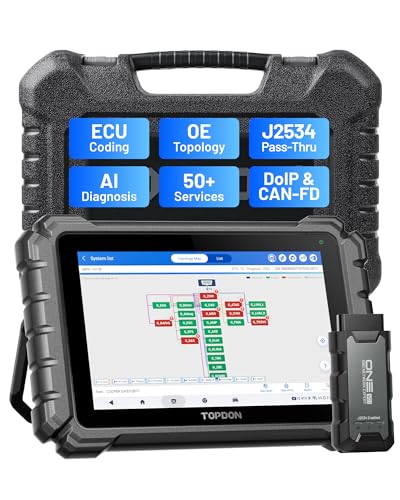
- Dual WiFi & 10.1" Touchscreen: Provides a stable, high-speed wireless link 3x faster than bluetooth, and a responsive, professional interface. Topdon ONE obd2 scanner diagnostic tool ensures smooth, non-lagging diagnostic scan, boosting mechanic efficiency
- J2534 Pass-Thru Support: The included ONE VCI supports the J2534 standard, allowing it to function as a pass-thru device when paired with OEM diagnostic software.Through TOPDON’s RLink platform, technicians can perform dealer-level coding, expanding in-house capabilities without investing in multiple factory automotive scan tools
- OE Topology Mapping: Visualize the vehicle’s ECU network exactly as it’s built.Zoom, pan, and highlight specific modules to pinpoint component issues with precision.Topology mapping displays real-time communication between modules
- 50+ Service Functions: Covers high-demand services like ADAS calibration, DPF regen, TPMS reset, ABS bleed, and throttle adaptation.Expands your service menu, allows you to charge premium rates, and turns away zero jobs due to lack of tooling. Vehicle-specific functionality may vary
- Advaned ECU Coding: 10 of the most serviced brands in North America, including full ECU coding and flash hidden support for BMW, VW, Au-di, Benz, Porsche, Toyota, Ni ssan and more. Enables module replacement, feature customization, and personal settings with automatic backup or restore.Lets your shop safely offer high-margin customization services, attracting more customers and boosting profit
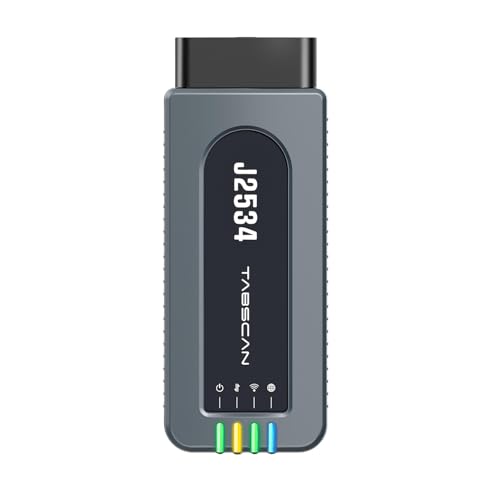
- 【J2534 Pass-Thru Device】 This budget-friendly J2534 pass-thru device delivers OEM diagnostics and reprogramming capabilities for dealerships, repair shops and automotive DIY enthuisasts, enables you diagnose, program and repair the vehicles more efficiently and precisely. Supporting J2534, D-PDU, CAN-FD and DoIP, this J2534 passthru tool ensures wide vehicle coverage. It's compatible with OE software application, ensuring seamless integration and original performance quality
- 【All-in-One Diagnostic Tool】 Simplify your workflow and tackle the complex diagnostics and repairs with confidence! This J2534 passthrough tool provides full system diagnosis, bi-directional control, maintenance reset services, ECU programming and ECU coding to run advanced diagnostics and programming. Equipped with the specialized platform, this J2534 pass-thru tool is fully compatible with OE software that helps technicians confidently handle complicated vehicle repair issues
- 【J2534 Diagnostic Tool】 The Tabscan J2534 pass-thru device is built with a dedicated platform, making it ideal for both professional and personal use. Simply download the driver for your ford vehicle within the platform—ensuring only one driver is installed at a time. Then connect the device to your vehicle’s OBD2 port and link it to your computer using the included USB A to USB C cable. Finally launch your OE software, select Tabscan J2534 VCI as interface, and begin diagnose and program
- 【Universal Compatibility】 Tabscan J2534 reprogramming tool is designed to be compatible with Ford vehicles for advanced diagnostics and programming. It supports J2534 protocols, along with D-PDU, CAN-FD and DoIP, ensuring seamless connectivity with older or modern vehicles. This J2534 diagnostic tool only works with computer running on windows 7/10/11. Vehicle compatibility varies by model or year, please confirm with us before purchase. Note: It's not compatible with 24V vehicles
- 【Professional Technical Support】 Tabscan J2534 pass-thru device provides a stable and seamless connection between your vehicle and computer for diagnostics, programming, and coding. But that's not all—we go beyond hardware. Our dedicated technical support team brings deep expertise in automotive diagnostics and programming. Whether you need help with setup, troubleshooting or latest diagnostic resources and upgrades, we provide fast, professional and reliable support every step of the way

- ALL OF THE J2534 PROTOCOLS - This single unit has all of the protocols you need for your OEM J2534 reprogramming and diagnostics including the latest in DoIP and CanFD
- J2534 TECHNICAL SUPPORT - FREE for the life of the tool. Staffed by technicians who understand vehicle repair and J2534 Pass‑thru
- TOOLBOX WITH OEM APPLICATION DESCRIPTIONS - educational video tutorials and real-time news – Giving you the confidence and up-to-date knowledge to get the job done
- J2534 v05.00 API - The newest version of J2534 to give you the latest in pass-thru technology
- FUTURE PROOF WITH 4 CAN CHANNELS - Going beyond the 3 required by select Chrysler/FCA models, CarDAQ-Plus 3 also provides a 4th to meet the needs of future OEM applications
SEOCONTENT-START
OMB Control No.: 2127-0004 Part 573 Safety Recall Report 22V-953 The information contained in this report was submitted pursuant to 49 CFR §573 Manufacturer Name : Ford Motor Company Submission Date : DEC 23, 2022 NHTSA Recall No. : 22V-953 Manufacturer Recall No. : 22C35 Manufacturer Information : Manufacturer Name : Ford Motor Company Address : 330 Town Center Drive Suite 500 Dearborn MI 48126-2738 Company phone : 1-866-436-7332 Population : Number of potentially involved : 101,001 Estimated percentage with defect : 100 % Vehicle Information : Vehicle 1 : 2020-2023 Lincoln Aviator Vehicle Type : LIGHT VEHICLES Body Style : ALL Power Train : GAS Descriptive Information : The recalled part was introduced into production on 10/19/2018 and was taken out of production for vehicles equipped with the Revel sound system on 12/13/2022. Affected vehicles are equipped with a Revel Audio System. These vehicles are not produced in VIN order. Information as to the applicability of this action to specific vehicles can best be obtained by either calling Ford’s toll-free line (1-866-436-7332) or by contacting a local Ford or Lincoln dealer who can obtain specific information regarding the vehicles from the Ford On-line Automotive Service Information System (OASIS) database. 72,248 Aviator vehicles affected Production Dates : OCT 19, 2018 – DEC 13, 2022 VIN Range 1 : Begin : NR End : NR Not sequential Part 573 Safety Recall Report 22V-953 Page 2 The information contained in this report was submitted pursuant to 49 CFR §573 Vehicle 2 : 2020-2022 Lincoln Corsair Vehicle Type : LIGHT VEHICLES Body Style : ALL Power Train : GAS Descriptive Information : The recalled part was introduced into production on 01/07/2019 and was taken out of production for vehicles equipped with the Revel sound system on 12/13/2022. Affected vehicles are equipped with a Revel Audio System. These vehicles are not produced in VIN order. Information as to the applicability of this action to specific vehicles can best be obtained by either calling Ford’s toll-free line (1-866-436-7332) or by contacting a local Ford or Lincoln dealer who can obtain specific information regarding the vehicles from the Ford On-line Automotive Service Information System (OASIS) database. 28,753 Corsair vehicles affected Production Dates : JAN 07, 2019 – DEC 13, 2022 VIN Range 1 : Begin : NR End : NR Not sequential Description of Noncompliance : Description of the Noncompliance : The seat belt warning system may activate an audible signal for a period of less than 4 seconds when the driver’s seat belt is not buckled and the vehicle is started. FMVSS 1 : 208 – Occupant crash protection FMVSS 2 : NR Description of the Safety Risk : An audible signal that is activated for less than 4 seconds can result in decreased safety belt usage, increasing the risk of injury during a crash. Description of the Cause : The Audio Control Module is muting a portion of the audible warning chime playback during an attempt to initialize an internal amplifier that is not included in vehicles with Revel audio systems. Identification of Any Warning that can Occur : None. Involved Components : Component Name 1 : Audio Head Unit Component Description : AM/FM/Div/0Ch/SDARS/HD-MRC/A2B/Hif2/ESE/ANC/Lincoln features Component Part Number : PJ7T-18D890-SC Part 573 Safety Recall Report 22V-953 Page 3 The information contained in this report was submitted pursuant to 49 CFR §573 Component Name 2 : Audio Head Unit Component Description : AM/FM/Div/0Ch/Hif2/ANC/Lincoln features Component Part Number : LC5T-18K810-JC Component Name 3 : Audio Head Unit Component Description : AM/FM/Div/0Ch/SDARS/HD-MRC/A2B/Hif2/ESE/ANC/Lincoln features Component Part Number : MC5T-18D890-SC Supplier Identification : Component Manufacturer Name : Visteon Address : One Village Center Drive Van Buren Township Michigan 48111 Country : United States Chronology : On November 22, 2022, an issue pertaining to the number of audible seatbelt reminder warning chimes on a 2022MY Lincoln Aviator PHEV was brought to Ford’s Critical Concern Review Group for review. The potential concern was initially identified on October 27, 2022, by Ford’s quality team in South Korea during validation of a corrective action for an incorrect seatbelt warning system configuration. November 2022 – Product Development and the Automotive Safety Office evaluated the performance of seatbelt reminder system on various combinations of powertrain and audio system for Lincoln Aviator in an attempt to reproduce the concern. Based on Ford’s initial vehicle evaluations, it was discovered that some Lincoln Aviator PHEV vehicles with a Revel audio system exhibited an initial chime duration of less than 4 seconds. December 2022 – The engineering team and audio supplier conducted a design of experiments to gain a better understanding of root cause and scope of concern. It was determined that the main contributor was the audio system software and the potential scope was limited to vehicles equipped with the Revel audio system. The Revel audio system was introduced on the 2020MY Lincoln Aviator and Corsair. Further seatbelt reminder system evaluations were conducted at Ford assembly plants on current production vehicles with the Revel audio system. It was concluded that 2020-2023MY Lincoln Aviator and 2020-2022MY Corsair vehicles could experience the symptom of a chime duration less than 4 seconds. As of December 16, 2022, Ford is not aware of any warranty claims or NHTSA Vehicle Owner Questionnaire Part 573 Safety Recall Report 22V-953 Page 4 The information contained in this report was submitted pursuant to 49 CFR §573 (VOQs) related to this condition. On December 16, 2022, Ford’s Field Review Committee reviewed the concern and approved a field action. Ford is not aware of any reports of accident or injury related to this condition. Description of Remedy : Description of Remedy Program : Owners will be notified by mail and instructed to take their vehicle to a Ford or Lincoln dealer to have the Audio Control Module software updated. There will be no charge for this service. Ford provided the general reimbursement plan for the cost of remedies paid for by vehicle owners prior to notification of a safety recall in May 2021. The ending date for reimbursement eligibility is estimated to be February 24, 2023. Ford will forward a copy of the notification letters to dealers to the agency when available. How Remedy Component Differs from Recalled Component : The recalled audio head units PJ7T-18D890-SC, LC5T-18K810-JC, MC5T-18D890-SC contain software that may mute a portion of the audible seatbelt warning chime. The remedy audio head unit software corrects the initialization logic and will not mute the seatbelt warning chime. Identify How/When Recall Condition was Corrected in Production : Not required per 49 Part 573. Recall Schedule : Description of Recall Schedule : Notification to dealers is expected to occur on January 6, 2023. Mailing of owner notification letters is expected to begin February 6, 2023 and is expected to be completed by February 10, 2023. Planned Dealer Notification Date : JAN 06, 2023 – JAN 06, 2023 Planned Owner Notification Date : FEB 06, 2023 – FEB 10, 2023 * NR – Not Reported
**************************************************************************************************************
Ó Copyright 2023 Ford Motor Company Stacy L. Balzer Ford Motor Company Operating Director P. O. Box 1904 Service Engineering Operations Dearborn, Michigan 48121 Ford Customer Service Division January 4, 2023 TO: All U.S. Ford and Lincoln Dealers SUBJECT: NEW VEHICLE DEMONSTRATION / DELIVERY HOLD – Advance Notice Compliance Recall 22C35 Certain 2020-2023 Model Year Lincoln Aviator and 2020-2022 Lincoln Corsair Vehicles Equipped with Revel Audio System Seat Belt Reminder Chime AFFECTED VEHICLES Vehicle Model Year Assembly Plant Build Dates Aviator 2020-2023 Chicago October 19, 2018 through December 13, 2022 Corsair 2020-2022 Louisville January 7, 2019 through December 13, 2022 Affected vehicles are identified in OASIS and FSA VIN Lists. REASON FOR THIS COMPLIANCE RECALL Some of the affected vehicles may not conform to certain requirements specified by Federal Motor Vehicle Safety Standard (FMVSS) No. 208, section 7.3, Occupant crash protection. This regulation specifies that the driver’s seat belt assembly must be equipped with a warning system that activates an audible signal “of not less than 4 seconds and not more than 8 seconds” when the driver’s seat belt is not buckled and the vehicle ignition is moved to the “ON” or “START” position. In some of the affected vehicles, the seat belt warning system may activate an audible signal for a period of less than 4 seconds when the driver’s seat belt is not buckled and the vehicle is started. An audible signal that is activated for less than 4 seconds can result in decreased safety belt usage, increasing the risk of injury during a crash. SERVICE ACTION DO NOT DEMONSTRATE OR DELIVER any new in-stock vehicles involved in this compliance recall. A complete Dealer Bulletin will be provided to dealers by the end of Q1 2023 when it is anticipated that software will be available to support this compliance recall. IMPORTANT: Dealers should open a Repair Order (RO) only when a full dealer bulletin is published. Opening an RO against an Awareness or Advance Notice will result in warranty rejections against a recall. CUSTOMER NOTIFICATION Owners of record will be notified via first-class mail after repair instructions and parts ordering information have been provided to dealers. PLEASE NOTE: Federal law requires dealers to complete this recall service before a new vehicle is delivered to the buyer or lessee. Violation of this requirement by a dealer could result in a civil penalty of up to $21,000 per vehicle. Correct all vehicles in your new vehicle inventory prior to delivery. Ó Copyright 2023 Ford Motor Company DEALER-OPERATED RENTAL VEHICLES The Fixing America’s Surface Transportation (FAST) Act law effective June 2016 prohibits a rental company from selling, renting or leasing vehicles subject to a safety or compliance recall. Please consult your legal counsel for legal advice. QUESTIONS & ASSISTANCE For questions and assistance, contact the Special Service Support Center (SSSC) via the SSSC Web Contact Site. The SSSC Web Contact Site can be accessed through the Professional Technician System (PTS) website using the SSSC link listed at the bottom of the OASIS VIN report screen or listed under the SSSC tab. Sincerely, Stacy L. Balzer
**************************************************************************************************************
August, 2023 * * * IMPORTANT SAFETY RECALL REMINDER * * * According to our records, your 2023 Aviator has not had necessary safety recall repairs made. We urge you to have the free repair performed at your local dealership as soon as possible. Recall Number and Description: 22C35 – FMVSS Seat Belt Reminder What is the issue? On your vehicle, the seat belt warning system may activate an audible signal for a period of less than 4 seconds when the driver²s seat belt is not buckled, and the vehicle is started. This audible signal should last for no less than 4 seconds and no more than 8 seconds. An audible signal that is activated for less than the required period of 4 seconds can result in decreased safety belt usage, increasing the risk of injury during a crash. If you have questions or concerns, please contact our Ford Customer Relationship Center at 1-866-436-7332. If you wish to contact us through the Internet, our address is: lincoln.com/support. Thank you for your attention to this very important matter. Augusto de, 2023 * * * RECORDATORIO IMPORTANTE PROGRAMA DE SEGURIDAD * * * SegUR nuestros registros, no se realizaron en sur 2023 Aviator las reparaciones necesarias correspondientes a la campaña de seguridad. Le solicitamos que realice esta reparación gratuita en su distribuidor local lo antes posible. Número y descripción de la campaña: 22C35 – Recordatorio del cinturón de seguridad de la FMVSS ¿Cuál es el problema? El sistema de alerta del cinturón de seguridad de su vehículo podría activar una señal audible por un lapso de menos de 4 segundos cuando el cinturón de seguridad del conductor no está abrochado y el vehículo se ha arrancado. Esta señal audible no debe durar menos de 4 segundos y no más de 8 segundos. Una señal audible que se activa por menos del lapso requerido de 4 segundos puede generar un uso reducido del cinturón de seguridad, lo cual aumenta el riesgo de sufrir lesiones durante un choque. Si tiene dudas o preguntas, comuníquese con nuestro Centro de Relación con Clientes Ford al 1-866-436-7332. Si desea ponerse en contacto con nosotros a través de Internet, nuestra dirección es: lincoln.com/support. Gracias por su atenciic en este asunto sumamente importante. © Copyright 2023 The Lincoln Motor Company º A Ford Motor Company Brand 1 of 2 000000000000044 / 87 / 44 SEE OTHER SIDE FOR OPENING INSTRUCTIONS SEE OTHER SIDE FOR OPENING INSTRUCTIONS REMOVE THESE SIDE EDGES FIRST Š THEN FOLD, CREASE AND TEAR THIS STUB ALONG PERFORATION Š REMOVE THESE SIDE EDGES FIRST Š THEN FOLD, CREASE AND TEAR THIS STUB ALONG PERFORATION Š P.O. BOX 1904 DEARBORN, MI 48121-1904 Presorted STD US Postage PAID R K C 0197507 A / 000000000000044 / 44 ù ù
**************************************************************************************************************
February 2023 Lincoln P. O. Box 1904 Dearborn, Michigan 48121 1904 * * * IMPORTANT SAFETY RECALL * * * Compliance Recall Notice 22C35 / NHTSA Recall 22V953 2020 Corsair Your Vehicle Identification Number (VIN): This notice is sent to you in accordance with the National Traffic and Motor Vehicle Safety Act. Lincoln has determined your vehicle, with the VIN shown above, may fail to conform to Federal Motor Vehicle Safety Standard (FMVSS) No. 208, section 7.3, occupant crash protection. This standard requires that the driver’s seat belt assembly must be equipped with a warning system that activates an audible signal “of not less than 4 seconds and not more than 8 seconds” when the driver’s seat belt is not buckled, and the vehicle ignition is moved to the “ON” or “START” position. We apologize for this situation and want to assure you, with your assistance, we will correct this condition. Our commitment, together with your retailer, is to provide you with the highest level of service and support. What is the issue? On your vehicle, the seat belt warning system may activate an audible signal for a period of less than 4 seconds when the driver’s seat belt is not buckled, and the vehicle is started. This audible signal should last for no less than 4 seconds and no more than 8 seconds. What is the risk? An audible signal that is activated for less than the required period of 4 seconds can result in decreased safety belt usage, increasing the risk of injury during a crash. What will Lincoln and your retailer do? Lincoln has authorized your retailer to update the Audio Control Module (ACM) software free of charge. How long will it take? The time needed for this repair is less than one-half day. However, due to service scheduling requirements, your retailer may need your vehicle for a longer period of time. What should you do? Please call your retailer without delay and request a service date for Recall 22C35. Provide the retailer with your VIN, which is printed near your name at the beginning of this letter. Lincoln has not issued instructions to stop driving your vehicle under this compliance recall. You should contact your retailer for an appointment to have your vehicle remedied as soon as practicable. Lincoln owners affected by this recall have the option of requesting complimentary Pickup & Delivery service with a Lincoln vehicle for use during service. Please request Lincoln Pickup & Delivery through your retailer if you would like to take advantage of this option. If you do not already have a servicing retailer, you can access Lincoln.com/support for retailer addresses, maps, and driving instructions. Lincoln wants you to have this compliance recall completed on your vehicle. The vehicle owner is responsible for making arrangements to have the work completed. Please note: Federal law requires that any vehicle lessor receiving this recall notice must forward a copy of this notice to the lessee within ten days. © Copyright 2023 Lincoln A Ford Motor Company Brand 10712 22C35 LNI/DTB122C356 1 of 4 A/1/000001/1 771781993924 A/1/000001/1 JOHN A. SAMPLE 123 SAMPLE ST SAMPLE CITY, MI 12345-6789 What should you do? (continued) NOTE: You can receive information about Recalls and Customer Satisfaction Programs through The Lincoln Way App. The app can be downloaded through the App Store or Google Play. In addition, there are other features such as controlling certain functions on your vehicle (lock or unlock doors, remote start) if it is equipped to allow control. What if you no longer own this vehicle? If you no longer own this vehicle, and have an address for the current owner, please forward this letter to the new owner. You received this notice because government regulations require that notification be sent to the last known owner of record. Our records are based primarily on state registration and title data, which indicate that you are the current owner. Can we assist you further? If you have difficulties getting your vehicle repaired promptly and without charge, please contact your retailer’s Service Manager for assistance. RETAIL OWNERS: If you have questions or concerns, please contact our Customer Relationship Center at 1-866-436-7332 and one of our representatives will be happy to assist you. If you wish to contact Lincoln, contact information is available at Lincoln.com/support. For the hearing impaired, call 1-800-232-5952 (TDD). Representatives are available Monday through Friday: 8:00AM – 8:00PM (Eastern Time). FLEET OWNERS: If you have questions or concerns, please contact our Ford Pro Contact Center at 1-800-34-FLEET, choose Option #1, and one of our representatives will be happy to assist you. If you wish to contact us through the Internet, our address is: fleet.ford.com. Representatives are available Monday through Friday: 7:00AM – 11:00PM and Saturday 7:00AM – 5:00PM (Eastern Time). If you are still having difficulty getting your vehicle repaired in a reasonable time or without charge, you may write the Administrator, National Highway Traffic Safety Administration, 1200 New Jersey Ave. S.E., Washington, D.C. 20590 or call the toll free Vehicle Safety Hotline at 1-888-327-4236 (TTY: 1-800-424-9153) or go to NHTSA.gov. Reference NHTSA Safety Recall 22V953. Thank you for your attention to this important matter. Lincoln © Copyright 2023 Lincoln A Ford Motor Company Brand 10712 22C35 LNI/DTB122C356 2 of 4 A/2/000001/1 * * * CAMPAÑA DE SEGURIDAD IMPORTANTE * * * Aviso de Campaña de cumplimiento 22C35 / Campaña 22V953 de la NHTSA 2020 Corsair Número de identificación del vehículo (VIN): Este aviso se le envía de acuerdo con la Ley Nacional de Seguridad de Tránsito y Vehículos Motorizados de los EE. UU. Lincoln ha determinado que su vehículo, con el VIN que aparece más arriba, podría no cumplir con la norma federal de seguridad para vehículos de motor (FMVSS) n.° 208, sección 7.3, Protección del ocupante en caso de impacto. Esta norma exige que el ensamble del cinturón de seguridad del conductor esté equipado con un sistema de alerta que active una señal audible “de no menos de 4 segundos y no más de 8 segundos” cuando el cinturón de seguridad del conductor no esté abrochado y el encendido del vehículo se haya movido a la posición de “activado” o “arranque”. Lamentamos esta situación y deseamos asegurarle que, con su ayuda, corregiremos el problema. Nuestro compromiso, junto con el de su distribuidor, es ofrecerle servicio y apoyo de alto nivel. ¿Cuál es el problema? El sistema de alerta del cinturón de seguridad de su vehículo podría activar una señal audible por un lapso de menos de 4 segundos cuando el cinturón de seguridad del conductor no está abrochado y el vehículo se ha arrancado. Esta señal audible no debe durar menos de 4 segundos y no más de 8 segundos. ¿Qué riesgo existe? Una señal audible que se activa por menos del lapso requerido de 4 segundos puede generar un uso reducido del cinturón de seguridad, lo cual aumenta el riesgo de sufrir lesiones durante un choque. ¿Qué harán Lincoln y su minorista? Lincoln ha autorizado a su minorista a actualizar el software del módulo de control de audio (ACM) sin costo alguno. ¿Cuánto tiempo tomará? El tiempo necesario para esta reparación será de menos de medio día. Sin embargo, debido a los requisitos de planificación de servicio, es posible que su minorista tarde un poco más. ¿Qué debe hacer? Llame a su minorista lo antes posible y solicite una cita de servicio para llevar a cabo la Campaña 22C35. Proporcione el VIN a su distribuidor, el cual está impreso debajo de sus datos al comienzo de esta carta. Para esta campaña de conformidad, Lincoln no ha emitido instrucciones de dejar de manejar el vehículo. Deberá ponerse en contacto con su minorista a fin de programar una cita para solucionar este problema lo más pronto posible. Los propietarios de vehículos Lincoln que se ven afectados por esta campaña tienen la opción de solicitar el servicio complementario de retiro y entrega Lincoln con un vehículo Lincoln para uso durante el servicio. Solicite el servicio de retiro y entrega Lincoln a través de su distribuidor si desea aprovechar esta oportunidad. Si aún no tiene un minorista para realizar el servicio, puede acceder a Lincoln.com/support para conocer las direcciones de los minoristas, ver mapas y obtener las instrucciones para llegar. Lincoln le recomienda realizar esta campaña de cumplimiento en su vehículo. El propietario del vehículo es responsable de realizar los arreglos para llevar a cabo el trabajo. 3 of 4 A/3/000001/1 10712 22C35 LNI/DTB122C356 Febrero de 2023 Lincoln P. O. Box 1904 Dearborn, Michigan 48121 1904 © Copyright 2023 Lincoln Una marca de Ford Motor Company 771781993924 A/3/000001/1 JOHN A. SAMPLE 123 SAMPLE ST SAMPLE CITY, MI 12345-6789 ¿Qué debe hacer? (continuación) Tenga presente que: La ley federal exige que los arrendadores de vehículos que reciban este aviso de campaña envíen una copia del mismo al arrendatario en un plazo de diez días. NOTA: Puede recibir información sobre las campañas y los programas de satisfacción del cliente a través de la aplicación Lincoln Way. La aplicación se puede descargar a través de App Store o Google Play. Adicionalmente, existen otras características, como control de ciertas funciones en el vehículo (bloqueo o desbloqueo de puertas, arranque remoto) si así está equipado para permitir el control. ¿Qué pasa si usted ya no es el propietario del vehículo? Si usted ya no es el propietario del vehículo y tiene la dirección del propietario actual, le solicitamos que le reenvíe esta carta. Usted recibió este aviso porque las regulaciones del gobierno exigen el envío de notificaciones al propietario conocido más reciente del registro. Nuestros registros se basan principalmente en datos estatales y de propiedad, que indican que usted es el propietario actual del vehículo. ¿Podemos hacer algo más por usted? Si tiene problemas para reparar de inmediato su vehículo y sin costo alguno, comuníquese con el Gerente de Servicio de su minorista para solicitar ayuda. PROPIETARIOS MINORISTAS: Si tiene dudas o preguntas, comuníquese con nuestro Centro de Relación con Clientes al 1-866-436-7332 y uno de nuestros representantes con gusto lo atenderá. Si desea comunicarse con Lincoln, la información de contacto se encuentra disponible en Lincoln.com/support. Las personas con problemas de audición pueden llamar al 1-800-232-5952 (TDD). Los representantes atienden de lunes a viernes, de 8:00 a.m. a 8:00 p.m. (hora del este). PROPIETARIOS DE FLOTAS: Si tiene dudas o preguntas, comuníquese con nuestro Centro de contacto de Ford Pro al 1-800-34-FLEET, elija la opción n.° 1 y uno de nuestros representantes con gusto lo atenderá. Si desea comunicarse con nosotros a través de Internet, nuestra dirección es: fleet.ford.com. Los representantes atienden de lunes a viernes de 7:00 a.m. a 11:00 p.m. y sábado de 7:00 a.m. a 5:00 p.m. (hora del este). Si continúa con dificultades para reparar su vehículo en un tiempo razonable o sin cargo, le sugerimos que escriba al Administrador, National Highway Traffic Safety Administration, 1200 New Jersey Ave. S.E., Washington, D.C. 20590 o bien que llame sin cargo a la línea directa de seguridad vehicular al 1-888-327-4236 (TTY: 1 800 424 9153) o visite NHTSA.gov. Referencia: Campaña de seguridad 22V953 de la NHTSA. Gracias por su atención en este asunto sumamente importante. Lincoln 4 of 4 A/4/000001/1 10712 22C35 LNI/DTB122C356 © Copyright 2023 Lincoln Una marca de Ford Motor Company
**************************************************************************************************************
Ó Copyright 2023 Ford Motor Company Stacy L. Balzer Ford Motor Company Operating Director P. O. Box 1904 Service Engineering Operations Dearborn, Michigan 48121 Ford Customer Service Division January 19, 2023 TO: All U.S. Ford and Lincoln Dealers SUBJECT: NEW VEHICLE DEMONSTRATION / DELIVERY HOLD Compliance Recall 22C35 Certain 2020-2023 Model Year Lincoln Aviator and 2020-2022 Model Year Corsair Vehicles Equipped with Revel Audio System Seat Belt Reminder Chime AFFECTED VEHICLES Vehicle Model Year Assembly Plant Build Dates Aviator 2020-2023 Chicago October 19, 2018 through December 13, 2022 Corsair 2020-2022 Louisville January 7, 2019 through December 13, 2022 Affected vehicles are identified in OASIS and FSA VIN Lists. REASON FOR THIS COMPLIANCE RECALL Some of the affected vehicles may not conform to certain requirements specified by Federal Motor Vehicle Safety Standard (FMVSS) No. 208, section 7.3, occupant crash protection. This regulation specifies that the driver’s seat belt assembly must be equipped with a warning system that activates an audible signal “of not less than 4 seconds and not more than 8 seconds” when the driver’s seat belt is not buckled and the vehicle ignition is moved to the “ON” or “START” position. In some of the affected vehicles, the seat belt warning system may activate an audible signal for a period of less than 4 seconds when the driver’s seat belt is not buckled and the vehicle is started. An audible signal that is activated for less than 4 seconds can result in decreased safety belt usage, increasing the risk of injury during a crash. SERVICE ACTION Before demonstrating or delivering any new in-stock vehicles involved in this recall, dealers are to update the Audio Control Module (ACM). This service must be performed on all affected vehicles at no charge to the vehicle owner. OWNER NOTIFICATION MAILING SCHEDULE Owner letters are expected to be mailed the week of February 6, 2023. Dealers should repair any affected vehicles that arrive at their dealerships, whether or not the customer has received a letter. PLEASE NOTE: Federal law requires dealers to complete this recall service before a new vehicle is delivered to the buyer or lessee. Violation of this requirement by a dealer could result in a civil penalty of up to $26,315 per vehicle. Correct all vehicles in your new vehicle inventory before delivery. Ó Copyright 2023 Ford Motor Company ATTACHMENTS Attachment I: Administrative Information Attachment II: Labor Allowances and Parts Ordering Information Attachment III: Technical Information Owner Notification Letters QUESTIONS & ASSISTANCE For questions and assistance, contact the Special Service Support Center (SSSC) via the SSSC Web Contact Site. The SSSC Web Contact Site can be accessed through the Professional Technician System (PTS) website using the SSSC link listed at the bottom of the OASIS VIN report screen or listed under the SSSC tab. Sincerely, Stacy L. Balzer Ó Copyright 2023 Ford Motor Company ATTACHMENT I Page 1 of 2 NEW VEHICLE DEMONSTRATION / DELIVERY HOLD Compliance Recall 22C35 Certain 2020-2023 Model Year Lincoln Aviator and 2020-2022 Model Year Corsair Vehicles Seat Belt Reminder Chime OASIS ACTIVATION OASIS was activated on Jan 4, 2023. FSA VIN LISTS ACTIVATION FSA VIN Lists have been available through https://web.fsavinlists.dealerconnection.com since January 4, 2023. Owner names and addresses will be available by Feb 6, 2023. NOTE: Your FSA VIN Lists may contain owner names and addresses obtained from motor vehicle registration records. The use of such motor vehicle registration data for any purpose other than in connection with this recall is a violation of law in several states, provinces, and countries. Accordingly, you must limit the use of this listing to the follow-up necessary to complete this recall. SOLD VEHICLES • Ford has not issued instructions to stop selling/delivering or driving used vehicles under this compliance recall. Owners should contact their dealer for an appointment to have their vehicles remedied as soon as practicable. • Immediately contact any of your affected customers whose vehicles are not on your VIN list but are identified in OASIS. Give the customer a copy of the Owner Notification Letter (when available) and schedule a service date. • Correct other affected vehicles identified in OASIS which are brought to your dealership. • Dealers are to prioritize repairs of customer vehicles over repairs of new and used vehicle inventory. STOCK VEHICLES • Correct all affected units in your new vehicle inventory before delivery. • Use OASIS to identify any affected vehicles in your used vehicle inventory. DEALER-OPERATED RENTAL VEHICLES The Fixing America’s Surface Transportation (FAST) Act law effective June 2016 prohibits a rental company from selling, renting or leasing vehicles subject to a safety or compliance recall. Please consult your legal counsel for legal advice. TITLE BRANDED / SALVAGED VEHICLES Affected title branded and salvaged vehicles are eligible for this recall. OWNER REFUNDS Refunds are not approved for this program. RENTAL VEHICLES Rental vehicles are not approved for this program. LINCOLN PICKUP AND DELIVERY Owners of Lincoln vehicles have the option of requesting pickup and delivery service with a Lincoln loaner (up to 2 days), from their dealership. For details, reference EFC09879, 2022 Lincoln Pickup & Delivery Updates. Ó Copyright 2023 Ford Motor Company ATTACHMENT I Page 2 of 2 NEW VEHICLE DEMONSTRATION / DELIVERY HOLD Compliance Recall 22C35 Certain 2020-2023 Model Year Lincoln Aviator and 2020-2022 Model Year Corsair Vehicles Seat Belt Reminder Chime ADDITIONAL REPAIR (LABOR TIME AND/OR PARTS) Additional repairs identified as necessary to complete the FSA should be managed as follows: • For related damage and access time requirements, refer to the Warranty and Policy Manual / Section 6 – Ford & Lincoln Program Policies / General Information & Special Circumstances for FSAs / Related Damage. • For vehicles within new vehicle bumper-to-bumper warranty coverage, no SSSC approval is required, although related damage must be on a separate repair line with the “Related Damage” radio button checked. o Lincoln vehicles – 4 years or 50,000 miles • For vehicles outside new vehicle bumper-to-bumper warranty coverage, submit an Approval Request to the SSSC Web Contact Site prior to completing the repair. CLAIMS PREPARATION AND SUBMISSION • Claim Entry: Enter claims using Dealer Management System (DMS) or One Warranty Solution (OWS) online. o When entering claims, select claim type 31: Field Service Action. The FSA number 22C35 is the sub code. o For additional claims preparation and submission information, refer to the Recall and Customer Satisfaction Program (CSP) Repairs in the OWS User Guide. • Related Damage/Additional labor and/or parts: Must be claimed as Related Damage on a separate repair line from the FSA with same claim type and sub code as described in Claim Entry above. IMPORTANT: Click the Related Damage Indicator radio button. • Lincoln Pickup & Delivery: Claims for Lincoln Pickup & Delivery with a Lincoln loaner (up to 2 days) should be submitted on a separate line from the FSA. Refer to EFC09879, 2022 Lincoln Pickup & Delivery Updates for details. Ó Copyright 2023 Ford Motor Company ATTACHMENT II Page 1 of 1 NEW VEHICLE DEMONSTRATION / DELIVERY HOLD Compliance Recall 22C35 Certain 2020-2023 Model Year Lincoln Aviator and 2020-2022 Model Year Corsair Vehicles Seat Belt Reminder Chime LABOR ALLOWANCES Description Labor Operation Labor Time Update ACM software 22C35B 0.4 Hours PARTS REQUIREMENTS / ORDERING INFORMATION Parts are not required to complete this repair. ATTACHMENT III PAGE 1 OF 2 COMPLIANCE RECALL 22C35 CPR © 2023 FORD MOTOR COMPANY DEARBORN, MICHIGAN 48121 01/2023 CERTAIN 2020-2023 MODEL YEAR AVIATOR AND 2020-2022 MODEL YEAR CORSAIR VEHICLES — AUDIO FRONT CONTROL MODULE PROGRAMMING SERVICE PROCEDURE Module Programming NOTE: Program appropriate vehicle modules before performing diagnostics and clear all Diagnostic Trouble Codes (DTCs) after programming. For DTCs generated after programming, follow normal service procedures. 1. Connect a battery charger to the 12V battery. NOTE: Verify that the negative cable of the charger is installed on a chassis or engine ground, and not the 12 volt battery negative terminal to prevent the battery saver mode from activating on the vehicle. NOTE: If the diagnostic software does not load or if the vehicle cannot be identified properly, make sure there is a good internet connection and the Vehicle Communication Module (VCM) is properly connected to the Data Link Connector (DLC). 2. Log into Ford Diagnostic and Repair System (FDRS). NOTE: Vehicle information is automatically retrieved by the diagnostic software and a Network Test is run. Vehicle identification data appears on the screen when this is complete. 3. Click ‘Read VIN from Vehicle’ or manually enter the Vehicle Identification Number (VIN). NOTE: Available modules are shown on the left-hand side of the screen, and available procedures are listed on the right-hand side of the screen. Modules that are communicating are highlighted in green. 4. Select Toolbox tab. 5. From the list on the LH side of the screen, select the ACM. 6. From the list on the RH side of the screen, select ACM – Audio Front Control Module (ACM) Software Update. 7. Click RUN. Follow all on-screen instructions carefully. 8. From the list on the RH side of the screen, select Self-Test and click RUN. 9. Click the Run Selected Tests button in the lower right. 10. Click the Clear & Retest button at the top of the screen to clear DTCs in all modules. 11. Disconnect the battery charger from the 12V battery once the programming has completed. ATTACHMENT III PAGE 2 OF 2 COMPLIANCE RECALL 22C35 CPR © 2023 FORD MOTOR COMPANY DEARBORN, MICHIGAN 48121 01/2023 Important Information for Module Programming NOTE: When programming a module, use the following basic checks to ensure programming completes without errors. • Make sure the 12V battery is fully charged before carrying out the programming steps and connect Ford Diagnostic and Repair System (FDRS) scan tool to a power source. NOTE: A good internet connection is necessary to identify the vehicle and to load the diagnostic software. • Inspect Vehicle Communication Module II (VCM II)/Vehicle Communication and Measurement Module (VCMM) and cables for any damage. Make sure scan tool connections are not interrupted during programming. • A hardwired connection is strongly recommended. • Turn off all unnecessary accessories (radio, heated/cooled seats, headlamps, interior lamps, Heating, Ventilation, and Air Conditioning (HVAC) system, etc.) and close doors. • Disconnect/depower any aftermarket accessories (remote start, alarm, power inverter, CB radio,etc.). • Follow all scan tool on-screen instructions carefully. • Disable FDRS/scan tool sleep mode, screensaver, hibernation modes. • Create all sessions Key On Engine Off (KOEO). Starting the vehicle before creating a session will cause errors within the programming inhale process. Recovering a module when programming has resulted in a blank module a. Disconnect the VCMII or VCMM from the Data Link Connector (DLC) and your PC. b. After ten seconds, reconnect the VCMII/VCMM to the DLC and the PC. Launch FDRS. The VCMII/VCMM icon should turn green in the bottom right corner of the screen. If it does not, troubleshoot the FDRS to VCM connection. c. If you are using the same FDRS as the initial programming attempt, select the appropriate VIN from the Vehicle Identification menu. If you are using a different FDRS, select “Read VIN from Vehicle” and proceed through the Network Test. d. In the Toolbox menu, navigate to the failed module and Download/Run Programmable Module Installation (PMI). Follow the on-screen prompts. When asked if the original module is installed, select “No” and continue through the installation application. e. Once programming has completed, a screen may list additional steps required to complete the programming process. Make sure all applicable steps are followed in order.
**************************************************************************************************************
SEOCONTENT-END
This product presentation was made with AAWP plugin.