NHTSA ID Number: 10164603
Manufacturer Communication Number: 19N08
Summary
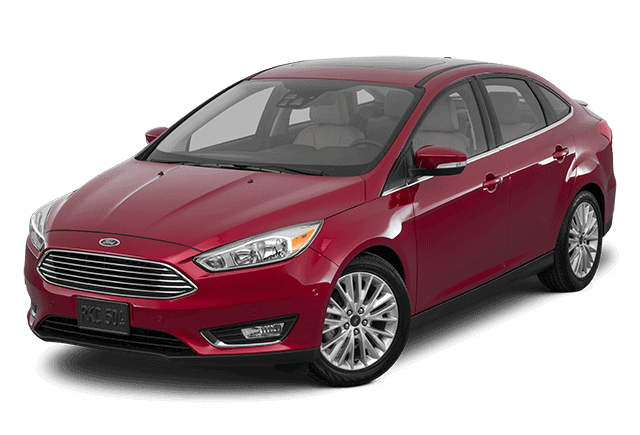
Certain 2014 through 2015 Model Year Fiesta and 2014 through 2016 Model Year Focus Vehicles Equipped with a DPS6 Automatic Transmission – Transmission Clutch Shudder / Transmission Clutch Warranty Extension
5 Affected Products
Vehicles
August 14, 2019
TO: All U.S. Ford and Lincoln Dealers
SUBJECT: Customer Satisfaction Program 19N08
Certain 2014 through 2015 Model Year Fiesta and 2014 through 2016 Model
Year Focus Vehicles Equipped with a DPS6 Automatic Transmission
Transmission Clutch Shudder / Transmission Clutch Warranty Extension
PROGRAM TERMS
This program extends the warranty coverage of the DPS6 transmission clutch to seven (7) years of service or 100,000 miles from the warranty start date of the vehicle, whichever occurs first.
This program DOES NOT apply to vehicles that qualify for repairs under the New Vehicle Limited Powertrain Warranty. This is a one-time repair program. Coverage is automatically transferred to subsequent owners.
If a vehicle has already exceeded either the time or mileage limits, this extended warranty coverage will last through February 10, 2020.
VEHICLES COVERED BY THIS PROGRAM
| Vehicle | Model Year | Assembly Plant | Build Dates |
| Fiesta | 2014-2015 | Cuautitlan | July 9, 2013 through October 15, 2014 |
| Focus | 2014-2016 | Michigan | July 9, 2013 through November 5, 2015 |
Affected vehicles are identified in OASIS.
REASON FOR PROVIDING EXTENDED WARRANTY COVERAGE
Affected vehicles were manufactured using clutches that may exhibit intermittent transmission clutch judder or shudder on light acceleration from a stop or during shift events.
SERVICE ACTION
If an affected vehicle exhibits this condition and is beyond New Vehicle Limited Warranty Powertrain coverage, dealers are to diagnose the clutch per the technical instructions in Attachment III, and replace it with revised clutch material that reduces intermittent transmission clutch judder or shudder. This service must be performed at no charge to the vehicle owner.
OWNER NOTIFICATION AND MAILING SCHEDULE
Owner Letters are expected to be mailed the week of September 2, 2019. Dealers should repair any affected vehicles that exhibit clutch judder or shudder and meet the diagnostic requirements contained in Attachment III, whether or not the customer has received a letter.
ATTACHMENTS
Attachment I: Administrative Information
Attachment II: Labor Allowances and Parts Ordering Information
Attachment III: Technical Information
Owner Notification Letters
QUESTIONS & ASSISTANCE
For questions and assistance, contact the Special Service Support Center (SSSC) via the SSSC Web Contact Site. The SSSC Web Contact Site can be accessed through the Professional Technician Society (PTS) website using the SSSC link listed at the bottom of the OASIS VIN report screen or listed under the SSSC tab.
Sincerely,
David J. Johnson
ATTACHMENT I
Customer Satisfaction Program 19N08
Certain 2014 through 2015 Model Year Fiesta and 2014 through 2016 Model Year Focus
Vehicles Equipped with a DPS6 Automatic Transmission
Transmission Clutch Shudder / Transmission Clutch Warranty Extension
OASIS ACTIVATION
OASIS will be activated on August 14, 2019.
FSA VIN LISTS ACTIVATION
FSA VIN Lists will not be activated for this service action.
SOLD VEHICLES
- Only owners with affected vehicles that exhibit the covered condition will be directed to dealers for repairs.
- Dealers are to prioritize repairs of customer vehicles over repairs of new and used vehicle inventory.
STOCK VEHICLES
- Do not perform this program unless the affected vehicle exhibits the covered condition.
TITLE BRANDED / SALVAGED VEHICLES
Vehicles with cancelled warranties are not eligible for this service action.
OWNER REFUNDS
- Ford
 Motor Company is offering a refund for owner-paid repairs covered by this program if the repair was performed before the date of the Owner Notification Letter. This refund offer expires February 28, 2020.
 - Dealers are also pre-approved to refund owner-paid emergency repairs that were performed away from an authorized servicing dealer after the date of the Owner Notification Letter. Non-covered repairs, or those judged by Ford to be excessive, will not be reimbursed.
- Refunds will only be provided for the cost associated with transmission clutch judder or shudder.
RENTAL VEHICLES
- Dealers are pre-approved for one day for a comparable rental vehicle. Follow Extended Service Plan (ESP) guidelines for dollar amounts. Rentals will only be reimbursed for the day the vehicle is at the dealership for part replacement. Prior approval for more than one rental day is required from the SSSC via the SSSC Web Contact Site.
ADDITIONAL REPAIR (LABOR TIME AND/OR PARTS)
Additional repairs identified as necessary to complete the FSA should be managed as follows:
- For related damage and access time requirements, refer to the Warranty and Policy Manual – Section 6 – Ford & Lincoln Program Policies / General Information & Special Circumstances for FSA’s / Related Damage.
- For vehicles outside new vehicle bumper-to-bumper warranty coverage, submit an Approval Request to the SSSC Web Contact Site prior to completing the repair.
CLAIMS PREPARATION AND SUBMISSION
- Program Terms: This program extends the coverage on the clutch from the end of New
Vehicle Limited Powertrain Warranty (five (5) years / 60,000 miles) to seven (7) years / 100,000 miles. Repairs within New Vehicle Limited Powertrain Warranty should be claimed within the terms of the warranty.
- Claim Entry: Enter claims using Dealer Management System (DMS) or One Warranty Solution (OWS) online.
- When entering claims, select claim type 31: Field Service Action. The FSA number 19N08 is the sub code.
- For additional claims preparation and submission information, refer to the Recall and Customer Satisfaction Program (CSP) Repairs in the OWS User Guide.
- Related Damage/Additional labor and/or parts: Must be claimed as Related Damage on a separate repair line from the FSA with same claim type and sub code as described in Claim Entry above.
IMPORTANT: Click the Related Damage Indicator radio button.
- Rentals: For rental vehicle claiming, follow Extended Service Plan (ESP) guidelines for dollar amounts. Enter the total amount of the rental expense under Miscellaneous Expense code RENTAL.
- Refunds: Submit refunds on a separate repair line.
- Program Code: 19N08 – Misc. Expense: ADMIN
- Expense: REFUND – Misc. Expense: 0.2 Hrs.
- Multiple refunds should be submitted on one repair line and the invoice details for each repair should be detailed in the comments section of the claim.
ATTACHMENT II
Customer Satisfaction Program 19N08
Certain 2014 through 2015 Model Year Fiesta and 2014 through 2016 Model Year Focus
Vehicles Equipped with a DPS6 Automatic Transmission
Transmission Clutch Shudder / Transmission Clutch Warranty Extension
LABOR ALLOWANCES
| Description | Labor Operation | Vehicle Application | Labor Time |
| Labor to be claimed at initial diagnosis | |||
| Perform pinpoint test per WSM procedure and perform TCM adaptive learn – Clutch shudder within expected limits
(Do not use with any other labor operations) | 19N08A | All | 0.6 Hours |
| Perform pinpoint test per WSM procedure – Clutch shudder outside expected limits | 19N08B | All | 0.6 Hours |
| Labor to be claimed during repairs | |||
| Replace clutch. Includes reprograming the PCM/TCM, TCM adaptive learning and post road test | 19N08C | 2014-2015 Fiesta | 4.7 Hours |
| 2014-2016 Focus | 5.2 Hours | ||
PARTS REQUIREMENTS / ORDERING INFORMATION
| Description | Part Number | Order Quantity | Claim Quantity |
| Fiesta | |||
| Dual clutch assembly kit | FA6Z-7B546-A | 1 | 1 |
| Hardware kit | EV6Z-7052-D | 1 | 1 |
| Engine to transaxle separator plate (if needed) –1.6L engines | AE8Z-7007-A
No products found. | 1 | 1 |
| Focus | |||
| Dual clutch assembly kit | F1FZ-7B546-B | 1 | 1 |
| Hardware kit | EV6Z-7052-C | 1 | 1 |
Other Supplies – NOTE: Not all parts will be required for all models
| Motorcraft and Other Supplies | Part Number | Order Quantity |
| Motorcraft® dual clutch transmission fluid | XT-11-QDC

Ford Genuine Ford Fluid XT-11-QDC Dual Clutch Transmission Fluid - 1 Quart
| Up to 1 quart |
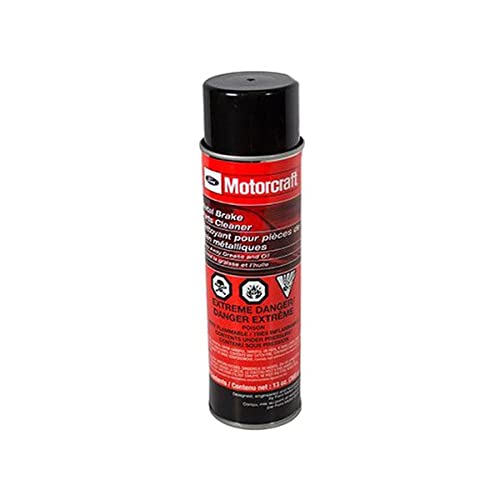
| Motorcraft® metal brake parts cleaner | PM-4-A | 1 can |
| Motorcraft® oil filter FL-910-S (Focus only) | BE8Z-6731-AB
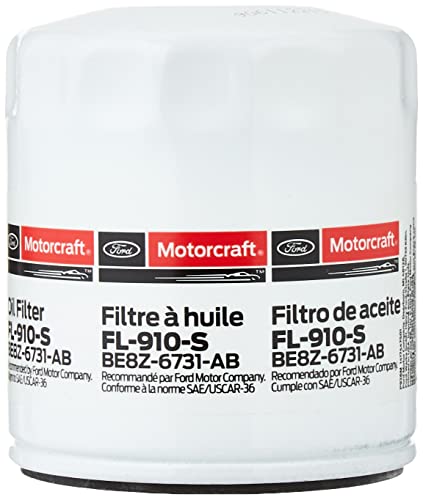
Ford Genuine Parts BE8Z-6731-AB Oil Filter
| 1 |
| Oil filter adapter gasket (Focus only) | 1S7Z-6840-AA
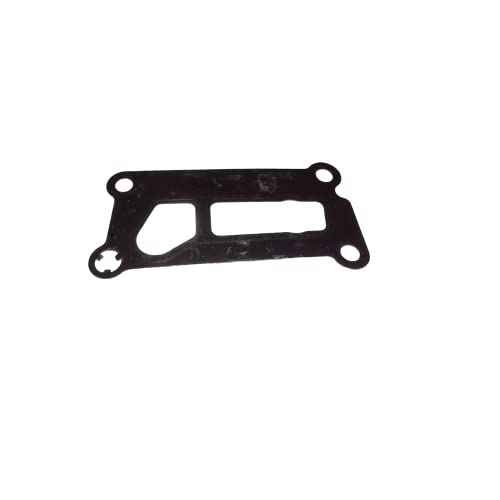
Ford 1S7Z-6840-AA - GASKET
| 1 |
| Oil cooler assembly seal (Fiesta, if needed due to damage) | BE8Z-6L621-A

Ford Gasket
| 1 |
| Motorcraft® 5W20 premium synthetic blend motor oil (Focus) | XO-5W20-QSP
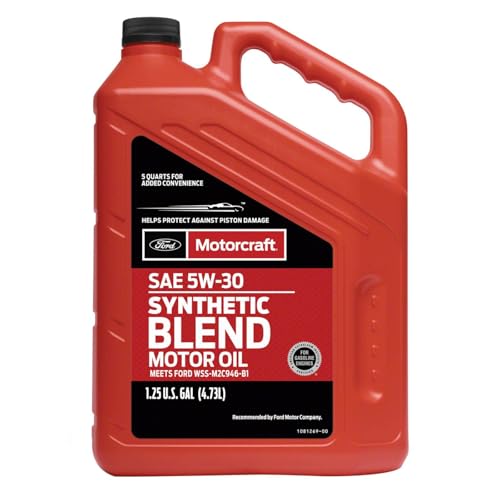
MOTORCRAFT - Oil - Engine (XO5W305Q3SP)
| Up to 1 quart |
| Motorcraft® high temperature nickel anti-seize lubricant | XL-2
Sale

Genuine Ford Accessories (XL-2) High Temperature Nickel Anti-Seize Lubricant - 8 oz.
| As needed |
| Differential seal plugs
(1 package of 2 seal plugs, can be used for multiple repairs) | F1FZ-7H183-A | As needed |
Order your parts requirements through normal order processing channels. To guarantee the shortest delivery time, an emergency order for parts must be placed.
DEALER PRICE
For latest prices, refer to DOES II.
PARTS RETENTION AND RETURN
Follow the provisions of the Warranty and Policy Manual, Section 1 – WARRANTY PARTS RETENTION AND RETURN POLICIES.
EXCESS STOCK RETURN
Excess stock returned for credit must have been purchased from Ford Customer Service Division in accordance with Policy Procedure Bulletin 4000.
ATTACHMENT III
CERTAIN 2014 THROUGH 2015 MODEL YEAR FIESTA AND 2014 THROUGH 2016 MODEL YEAR FOCUS VEHICLES EQUIPPED WITH A DPS6 AUTOMATIC TRANSMISSION — TRANSMISSION CLUTCH SHUDDER / TRANSMISSION CLUTCH WARRANTY EXTENSION
OVERVIEW
Affected vehicles were manufactured using clutches that may exhibit intermittent transmission clutch judder or shudder on light acceleration from a stop or during shift events.
If an affected vehicle exhibits this condition and is beyond New Vehicle Limited Warranty Powertrain coverage, dealers are to diagnose the clutch per the technical instructions in Attachment III, and replace it with revised clutch material that reduces intermittent transmission clutch judder or shudder.
SERVICE PROCEDURE
NOTE: For this recall please refer to Workshop Manual (WSM), Section 307-01. When referred to the WSM – All steps listed in the WSM must be performed.
NOTE: Performing the service routines will clear adaptive strategy. Failure to perform all steps of the IDS routines may result in erratic shifts and driveability concerns.
1. Using IDS follow the WSM Diagnosis and Testing, Diagnosis by Symptom, Pinpoint Test A – Clutch Shudder on Acceleration to diagnose shudder.
- For clutch replacement, upload IDS datalogger session data and record the repair validation code (RVC) generated by the IDS during testing. This code will be needed when submitting the claim for the repair.
2. If the clutch is replaced, use IDS to reprogram the powertrain control module (PCM)/transmission control module (TCM) to the latest calibration using IDS release 114.04 or higher.
NOTE: Calibration files may also be obtained at www.motorcraftservice.com
NOTE: Follow the IDS on-screen instructions to complete the reprogramming procedure.
NOTE: Transmission differential seal plugs are now released and should be installed during transmission removal and while performing bench repairs to reduce/eliminate the loss of transmission fluid.
Important Information for Module Programming
NOTE: Reprogram appropriate vehicle modules before performing diagnostics and clear all diagnostic trouble codes (DTCs) after programming. For DTCs generated after reprogramming, follow normal diagnostic service procedures.
NOTE: Performing the service routines will clear adaptive strategy. Failure to perform all steps of the IDS routines may result in erratic shifts and driveabilty concerns.
NOTE: When programming or reprogramming a module, use the following basic checks to ensure programming completes without errors.
- Make sure the 12V battery is fully charged before carrying out the programming steps and connect IDS/scan tool to a power source.
- Inspect vehicle communication module (VCM) and cables for any damage. Make sure scan tool connections are not interrupted during programming.
- A hardwired connection is strongly recommended.
- Turn off all unnecessary accessories (radio, heated/cooled seats, headlamps, interior lamps, HVAC system, etc.) and close doors.
- Disconnect/depower any aftermarket accessories (remote start, alarm, power inverter, CB radio, etc.).
- Follow all scan tool on-screen instructions carefully.
- Disable IDS/scan tool sleep mode, screensaver, hibernation modes.
- Create all sessions key on engine off (KOEO). Starting the vehicle before creating a session will cause errors within the programming inhale process.
Recovering a module when programming has resulted in a blank module:
NEVER DELETE THE ORIGINAL SESSION!
a. Obtain the original IDS that was used when the programming error occurred during module reprogramming (MR) or programmable module installation (PMI).
b. Disconnect the VCM from the data link connector (DLC) and the IDS.
c. Reconnect the VCM to IDS and then connect to the DLC. Once reconnected, the VCM icon should appear in the corner of the IDS screen. If it does not, troubleshoot the IDS to VCM connection.
d. Locate the ORIGINAL vehicle session when programming failed. This should be the last session used in most cases. If not, use the session created on the date that the programming failed.
NOTE: If the original session is not listed in the previous session list, click the ”Recycle Bin” icon at the lower right of the previous session screen. This loads any deleted sessions and allows you to look through them. Double-click the session to restore it.
e. Once the session is loaded, the failed process should resume automatically.
f. If programming does not resume automatically, proceed to the Module Programming menu and select the previously attempted process, PMI or MR. g. Follow all on-screen prompts/instructions.
h. Near the end of programming, the IDS prompts you to select certain parameters. It is important to make a selection for ALL parameters listed. If the correct selection is already highlighted, you must still choose that selection before clicking the “Tick” mark to complete the configuration.
i. The last screen on the IDS may list additional steps required to complete the programming process. Make sure all applicable steps listed on the screen are followed in order.
Customer Satisfaction Program 19N08
Reprogramming
Service Information & Reprogramming
Module Reprogramming
| Diagnostic Software | Interface Device | Complete Vehicle Diagnostics | Module Programming | ||
| 1996-2017 Model Year |
2018-Present Model Year |
1996-2017 Model Year |
2018-Present Model Year |
||
| IDS/FDRS | VCM, VCM II, VCMM |
X | X | X | X |
| FJDS/FDRS | Compatible J2534 Devices (Including VCM II and VCMM) |
X | X | X | |
Detailed system requirements, installation, and support information for each product is located under the diagnostics tool support tab for each product.
Integrated Diagnostic Software (IDS) / Ford Diagnosis & Repair System (FDRS)
For use with VCM I, VCM II, VMM and VCMM hardware devices only. The complete factory Ford Motor Company vehicle diagnostic tool that provides complete dealership level vehicle diagnostic coverage for all 1996 to present Ford, Lincoln and Mercury vehicles. The IDS software includes time based access to the IDS software, software updates and calibration files.
Ford J2534 Diagnostic Software (FJDS) / Ford Diagnosis & Repair System (FDRS)
For use with compatible J2534 hardware devices. FJDS software provides Ford Module Programming functionality that covers 1996 to present Ford, Lincoln and Mercury module reprogramming functions, plus complete dealership level vehicle diagnostic software for all 2018 to present Ford and Lincoln vehicles. The FJDS software license includes time based access to the FJDS software, software updates and calibration files.
Latest Calibration Information
Module Build Data (As-Built)
Use VIN to obtain As-Built data

- J2534 Pass-Thru Programmer: TOPDON RLink J2534 is an advanced diagnostic and reprogramming tool that support all J2534 protocols, as well as D-PDU, CAN-FD and DoIP, ensuring compatibility with a wide range of modern vehicles. It offers extensive versatility with support for over 18 major automotive brands, including Chrysler, Ford, GM, Nissan, Toyota, Honda, Subaru, Land Rover/Jaguar, Volvo, Wuling, Volkswagen/Audi, Mercedes-Benz, and BMW. NOTE: Not compatible with Ford IDS diagnostic software
- All-in-One OEM Diagnostics: This J2534 ECU programming tool elevates your automotive repair capabilities to new heights by delivering complete OEM diagnosis. Boasting comprehensive full-system diagnostics, intuitive repair guides, advanced ECU programming and coding, common reset services, a vast library of repair information and more, this all-in-one solution empowers technicians to effortlessly tackle complex vehicle issues with ease. *Not compatible with 24V vehicles
- Proven Performance You Can Trust: Backed by over 10000 real vehicle tests and benefit from a wealth of practical experience, this OEM reprogramming tool guarantees stable and exceptional performance. Supported by TOPDON's dedicated technical experts with in-depth knowledge of both auto repair and J2534 Pass-Thru programming, the RLink J2534 provides prompt and professional assistance, ensuring a smooth setup and reliable compatibility
- Integrated Excellence, Always Up-to-Date: Featuring the exclusive RLink Platform to provide a streamlined experience with one-click driver installation and management, ensuring flawless integration with your OE software, maintaining the original performance quality. The built-in operation guide makes mastering OE software quick and easy, so you can get started right away. Plus, with lifetime free updates, your diagnostics will stay current with the latest drivers and innovations
- Efficiency Meets Versatility: Engineered to support three CAN channels simultaneously - CAN FD and CAN-CC included, giving you the edge in fast troubleshooting. To perfectly synchronized with the OE software, please diagnose with active subscriptions and make sure your computer system is running a compatible 64-bit Windows version (7, 8, 10 or later) to fully leverage the power of RLink J2534. *We don't provide extra OE software

- Advanced VCI Box, Industry-leading J2534 Pass-Thru Technology: This J2534 Pass-Thru Programmer is designed espically for technicians, independent shop owners, and DIY enthusiasts, enables fast, reliable computer-based programming. It supports all J2534 protocols—including the latest DoIP and CAN FD—ensuring full compatibility with both legacy and next-generation vehicles.
- High-Speed OEM-Level Diagnostics & Programming: Unlock true OEM functionality with comprehensive system diagnostics, guided troubleshooting, coding, adaptations, resets, and programming—all designed to slash repair time. This all-in-one tool eliminates the need for multiple OEM devices, boosting efficiency and cutting costs. Equipped with High-Speed USB, it delivers 10x more data per second than competing solutions
- Coverage for 17 Car Brands & Ultra Reliability: Works seamlessly for Chrysler, for Ford(Forscan), for GM, for Nissan, for Toyota, for Honda, for Subaru(SSM4), for Land Rover/Jaguar, for Volvo, for Wuling, for Volkswagen, for Mercedes-Benz, and for BMW. Backed by over 10000 real vehicle tests and benefit from a wealth of practical experience, this OEM reprogramming tool guarantees stable and exceptional performance
- User-Friendly RLink Platform & Expert Support: TOPDON’s proprietary driver management platform offers a clean interface and lifetime free updates. Access a rich library of real-world case studies to stay ahead of the curve. Backed by a support team with 10+ years of J2534 and automotive repair experience, we provide one-on-one assistance to resolve any technical issue.
- 6.6 ft USB-C Cable & Portable Storage Case: The RLink J2534 diagnostic tool features a 6.6ft USB 2.0 Cable and a 1.2 ft OBDII Extension Cable, allows to connection your computer easily outside the vehicle. The included handled carry case offers easy portability, storage, and hanging options—keeping your gear clean and ready to go, anywhere.

- [J2534 Pass-Thru Programmer] - TOPDON RLink J2534 is engineered for professional technicians, delivering OEM diagnostic and reprogramming capabilities. It supports all J2534 protocols, CAN-FD, DoIP, D-PDU. Compatible with 17 vehicle brands—such as Chrysler, Ford, GM, KIA, Hyundai, Nissan, Toyota, Honda, Subaru, Mitsubishi, MAZDA, Land Rover/Jaguar, Volvo, Volkswagen/Audi, Mercedes-Benz, and BMW. RLink J2534 can help reduce the cost of purchasing equipment from different brands.
- [All-in-One OEM Reprogramming and Diagnostics] - When seamlessly integrated with OEM diagnostic software, this dongle enables you to perform a wide range of functions, including ECU programming and coding, DTC reading and clearing, active tests, component matching, adaptations, rewriting, guided troubleshooting, and more. This all-in-one tool eliminates the need for multiple OEM devices, significantly boosting work efficiency.
- [Tested, Trusted, and Proven for Accuracy] - TOPDON RLink J2534 is renowned for its reliability, having successfully completed over 10,000 real-vehicle tests. The wealth of data and hands-on experience behind it ensures consistent performance and accurate results. You can trust this tool to deliver optimal performance.
- [One-Click Installation, Continuous Updates] - The exclusive TOPDON RLink platform streamlines installation with a one-click driver setup, allowing you to quickly access OEM software for diagnostic and reprogramming tasks. With lifetime free updates, your RLink J2534 stays current without any additional cost, ensuring reliable performance for the long term. *We don't provide extra OE software.
- [Works with Windows Compatibility and OEM Software Subscription] - The RLink J2534 supports three CAN channels - including CAN FD and CAN-CC, providing advantages in the process of rapid troubleshooting. Compatible with Windows 7, 8 and 10 (64-bit) and higher versions of the system. For full functionality, an active OEM software subscription is required for each supported vehicle brand. Please note that the dongle does not include OEM software, which must be purchased separately to access brand-specific diagnostic and reprogramming features.
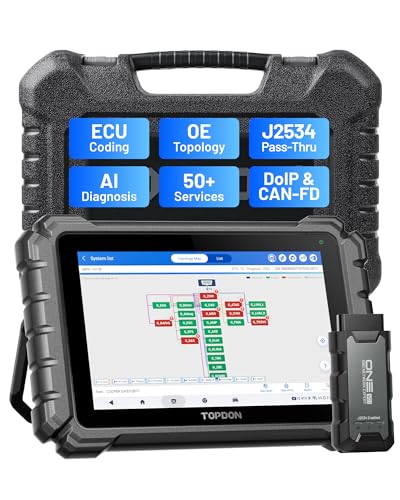
- Dual WiFi & 10.1" Touchscreen: Provides a stable, high-speed wireless link 3x faster than bluetooth, and a responsive, professional interface. Topdon ONE obd2 scanner diagnostic tool ensures smooth, non-lagging diagnostic scan, boosting mechanic efficiency
- J2534 Pass-Thru Support: The included ONE VCI supports the J2534 standard, allowing it to function as a pass-thru device when paired with OEM diagnostic software.Through TOPDON’s RLink platform, technicians can perform dealer-level coding, expanding in-house capabilities without investing in multiple factory automotive scan tools
- OE Topology Mapping: Visualize the vehicle’s ECU network exactly as it’s built.Zoom, pan, and highlight specific modules to pinpoint component issues with precision.Topology mapping displays real-time communication between modules
- 50+ Service Functions: Covers high-demand services like ADAS calibration, DPF regen, TPMS reset, ABS bleed, and throttle adaptation.Expands your service menu, allows you to charge premium rates, and turns away zero jobs due to lack of tooling. Vehicle-specific functionality may vary
- Advaned ECU Coding: 10 of the most serviced brands in North America, including full ECU coding and flash hidden support for BMW, VW, Au-di, Benz, Porsche, Toyota, Ni ssan and more. Enables module replacement, feature customization, and personal settings with automatic backup or restore.Lets your shop safely offer high-margin customization services, attracting more customers and boosting profit
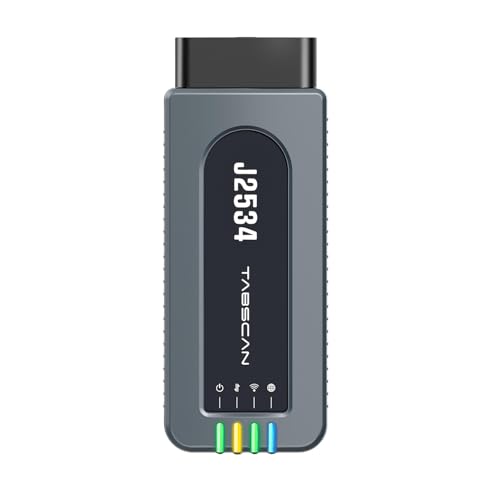
- 【J2534 Pass-Thru Device】 This budget-friendly J2534 pass-thru device delivers OEM diagnostics and reprogramming capabilities for dealerships, repair shops and automotive DIY enthuisasts, enables you diagnose, program and repair the vehicles more efficiently and precisely. Supporting J2534, D-PDU, CAN-FD and DoIP, this J2534 passthru tool ensures wide vehicle coverage. It's compatible with OE software application, ensuring seamless integration and original performance quality
- 【All-in-One Diagnostic Tool】 Simplify your workflow and tackle the complex diagnostics and repairs with confidence! This J2534 passthrough tool provides full system diagnosis, bi-directional control, maintenance reset services, ECU programming and ECU coding to run advanced diagnostics and programming. Equipped with the specialized platform, this J2534 pass-thru tool is fully compatible with OE software that helps technicians confidently handle complicated vehicle repair issues
- 【J2534 Diagnostic Tool】 The Tabscan J2534 pass-thru device is built with a dedicated platform, making it ideal for both professional and personal use. Simply download the driver for your ford vehicle within the platform—ensuring only one driver is installed at a time. Then connect the device to your vehicle’s OBD2 port and link it to your computer using the included USB A to USB C cable. Finally launch your OE software, select Tabscan J2534 VCI as interface, and begin diagnose and program
- 【Universal Compatibility】 Tabscan J2534 reprogramming tool is designed to be compatible with Ford vehicles for advanced diagnostics and programming. It supports J2534 protocols, along with D-PDU, CAN-FD and DoIP, ensuring seamless connectivity with older or modern vehicles. This J2534 diagnostic tool only works with computer running on windows 7/10/11. Vehicle compatibility varies by model or year, please confirm with us before purchase. Note: It's not compatible with 24V vehicles
- 【Professional Technical Support】 Tabscan J2534 pass-thru device provides a stable and seamless connection between your vehicle and computer for diagnostics, programming, and coding. But that's not all—we go beyond hardware. Our dedicated technical support team brings deep expertise in automotive diagnostics and programming. Whether you need help with setup, troubleshooting or latest diagnostic resources and upgrades, we provide fast, professional and reliable support every step of the way

- ALL OF THE J2534 PROTOCOLS - This single unit has all of the protocols you need for your OEM J2534 reprogramming and diagnostics including the latest in DoIP and CanFD
- J2534 TECHNICAL SUPPORT - FREE for the life of the tool. Staffed by technicians who understand vehicle repair and J2534 Pass‑thru
- TOOLBOX WITH OEM APPLICATION DESCRIPTIONS - educational video tutorials and real-time news – Giving you the confidence and up-to-date knowledge to get the job done
- J2534 v05.00 API - The newest version of J2534 to give you the latest in pass-thru technology
- FUTURE PROOF WITH 4 CAN CHANNELS - Going beyond the 3 required by select Chrysler/FCA models, CarDAQ-Plus 3 also provides a 4th to meet the needs of future OEM applications
This product presentation was made with AAWP plugin.
So are you saying that even though the repair happened in Feb 2018 I can’t submit for reimbursement. It took me all this time to find the receipt. If so that’s a real bummer
I would talk to your Ford Dealer, Hopefully they can help you. You can try Ford Customer Relationship Center at 1-866-436-7332.
I had my 2014 Ford Focus Clutch replaced on02/28/18 how do i get my refund
So I had my 2014 Ford Focus Clutch replaced on Feb 28, 2018 for shudder can I get reimbursed? and how do I submit it
You local Ford Dealer should be able to file that claim. But the refund expired on February 28, 2020, for this program.
Are you saying even though the repair was done in 2018 I can’t submit it for reimbursement any more? Had a tought time finding my receipt
Are you saying even though the repair was done in 2018 I can’t submit it for reimbursement any more? Had a tough time finding my receipt
I have had the clutch transmission replaced twice. It is starting to act up again; however, my 2014 Ford Focus has over 117,000 miles. Am I still covered?
Ford will cover it once.