
December 18, 2017 NHTSA CAMPAIGN NUMBER: 17V814000
Vehicle May Roll Away/FMVSS 102, 114
Without a visual or audible warning to the driver that the vehicle is in PARK, the vehicle may roll away after it has been exited if the parking brake has not been applied, increasing the risk of injury or a crash.
NHTSA Campaign Number: 17V814000
Manufacturer Ford Motor Company
Components ELECTRICAL SYSTEM
Potential Number of Units Affected 2,100
Summary
Ford Motor Company is recalling certain 2018 Ford Mustang vehicles equipped with an automatic transmission and a 12.4″ digital instrument cluster. If the ignition is turned off when the transmission is not in PARK, the instrument cluster may not illuminate the PRNDL gear position display and the operator may not receive the “Key in Ignition” chime when the driver’s door is opened. As such, these vehicles fails to comply with the requirements of Federal Motor Vehicle Safety Standard (FMVSS) number 102, “Transmission Shift Lever Sequence/Starter Interlock/Transmission Braking Effect,” and number 114, “Theft Protection.”
Remedy
Ford will notify owners, and dealers will update the instrument cluster software, as necessary, free of charge. The recall is expected to begin February 5, 2018. Owners may contact Ford customer service at 1-866-436-7332. Ford’s number for this recall is 17C21.
Notes
Owners may also contact the National Highway Traffic Safety Administration Vehicle Safety Hotline at 1-888-327-4236 (TTY 1-800-424-9153), or go to www.safercar.gov.
Check if your Vehicle has a Recall
AFFECTED VEHICLES
| Vehicle | Model Year | Assembly Plant | Build Dates |
| Mustang | 2018 | Flat Rock | March 14, 2017 through November 26, 2017 |
REASON FOR THIS COMPLIANCE RECALL
Some of the affected vehicles may not conform to the requirements specified by Federal Motor Vehicle Safety Standards (FMVSS) No. 102 Transmission Shift Lever Sequence, Starter Interlock, and Transmission Braking Effect; and No. 114 Theft Protection and Rollaway Prevention. If the customer keys-off the vehicle with the transmission in a position other than park, the instrument cluster may not illuminate the PRNDL display or activate the key-in-ignition-warning chime while the driver’s door is ajar, which could increase the likelihood of vehicle rollaway.
SERVICE ACTION
Before demonstrating or delivering any new in-stock vehicles involved in this recall, dealers are to reprogram the instrument panel cluster (IPC), using Integrated Diagnostic Software (IDS) release 108.02A or higher, while connected to the internet. This service must be performed on all affected vehicles at no charge to the vehicle owner.
OWNER NOTIFICATION MAILING SCHEDULE
Owner letters are expected to be mailed the week of February 5, 2018. Dealers should repair any affected vehicles that arrive at their dealerships, whether or not the customer has received a letter.
PLEASE NOTE:
Federal law requires dealers to complete this recall service before a new vehicle is delivered to the buyer or lessee. Violation of this requirement by a dealer could result in a civil penalty of up to $21,000 per vehicle. Correct all vehicles in your new vehicle inventory before delivery.
SOLD VEHICLES
- Owners of affected vehicles will be directed to dealers for repairs.
- Immediately contact any of your affected customers whose vehicles are not on your VIN list but are identified in OASIS. Give the customer a copy of the Owner Notification Letter (when available) and schedule a service date.
- Correct other affected vehicles identified in OASIS which are brought to your dealership.
- Dealers are to prioritize repairs of customer vehicles over repairs of new and used vehicle inventory.
STOCK VEHICLES
- Correct all affected units in your new vehicle inventory before delivery.
- Use OASIS to identify any affected vehicles in your used vehicle inventory.
DEALER-OPERATED RENTAL VEHICLES
The Fixing America’s Surface Transportation (FAST) Act law effective June 2016 prohibits a rental company from selling, renting or leasing vehicles subject to a safety or compliance recall. Please consult your legal counsel for legal advice.
TITLE BRANDED / SALVAGED VEHICLES
Affected title branded and salvaged vehicles are eligible for this recall.
OWNER REFUNDS
Refunds are not approved for this program.
RENTAL VEHICLES
Rental vehicles are not approved for this program.
PARTS REQUIREMENTS / ORDERING INFORMATION
Parts are not required to complete this repair.
CERTAIN 2018 MODEL YEAR MUSTANG VEHICLES EQUIPPED WITH A 10R80 AUTOMATIC TRANSMISSION AND 12.4” INSTRUMENT PANEL CLUSTER DISPLAY — INSTRUMENT PANEL CLUSTER REPROGRAMMING
OVERVIEW
Some of the affected vehicles may not conform to the requirements specified by Federal Motor Vehicle Safety Standards (FMVSS) No. 102 Transmission Shift Lever Sequence, Starter Interlock, and Transmission Braking Effect; and No. 114 Theft Protection and Rollaway Prevention. If the customer keys-off the vehicle with the transmission in a position other than park, the instrument cluster may not illuminate the PRNDL display or activate the key-in-ignition-warning chime while the driver’s door is ajar, which could increase the likelihood of vehicle rollaway.
Before demonstrating or delivering any new in-stock vehicles involved in this recall, dealers are to reprogram the Instrument Panel Cluster (IPC), using Integrated Diagnostic Software (IDS) release 108.02A or higher while connected to the Internet. This service must be performed on all affected vehicles at no charge to the vehicle owner.
SERVICE PROCEDURE
Module Reprogramming
NOTE: Reprogram appropriate vehicle modules before performing diagnostics and clear all DTCs after programming. For DTCs generated after reprogramming, follow normal diagnostic service procedures.
- Connect a battery charger to the 12V
NOTE: This reflash could take as long as 2 hours to complete, so please ensure the vehicle is connected to a battery charger. It is not necessary to monitor the programming process, periodically check IDS for programming completion.
NOTE: Make sure the IDS computer does not enter sleep mode during programming.
- Reprogram the Instrument Panel Cluster (IPC) using Integrated Diagnostic Software (IDS) release 108.02A or higher. Make sure you are connected to the Internet prior to reprogramming.
NOTE: Calibration files may also be obtained at www.motorcraftservice.com.
NOTE: Follow the IDS on-screen instructions to complete the reprogramming procedure.
- Disconnect the battery charger from the 12V battery once the reprogramming has completed.
Important Information for Module Programming
NOTE: When programming or reprogramming a module, use the following basic checks to ensure programming completes without errors.
- Make sure the 12V battery is fully charged before carrying out the programming steps and connect IDS/scan tool to a power source.
- Inspect Vehicle Communication Module (VCM) and cables for any damage. Make sure scan tool connections are not interrupted during programming.
- A hardwired connection is strongly recommended.
- Turn off all unnecessary accessories (radio, heated/cooled seats, headlamps, interior lamps, HVAC system, etc.) and close doors.
- Disconnect/depower any aftermarket accessories (remote start, alarm, power inverter, CB radio, etc.).
- Follow all scan tool on-screen instructions carefully.
- Disable IDS/scan tool sleep mode, screensaver, hibernation modes.
- Create all sessions key on engine off (KOEO). Starting the vehicle before creating a session will cause errors within the programming inhale process.
Recovering a module when programming has resulted in a blank module:
NEVER DELETE THE ORIGINAL SESSION!
a. Obtain the original IDS that was used when the programming error occurred during module reprogramming (MR) or programmable module installation (PMI).
b. Disconnect the VCM from the data link connector (DLC) and the IDS.
c. Reconnect the VCM to IDS and then connect to the DLC. Once reconnected, the VCM icon should appear in the corner of the IDS screen. If it does not, troubleshoot the IDS to VCM connection.
d. Locate the original vehicle session when programming failed. This should be the last session used in most cases. If not, use the session created on the date that the programming failed.
NOTE: If the original session is not listed in the previous session list, click the Recycle Bin icon at the lower right of the previous session screen. This loads any deleted sessions and allows you to look through them. Double-click the session to restore it.
e. Once the session is loaded, the failed process should resume automatically.
f. If programming does not resume automatically, proceed to the Module Programming menu and select the previously attempted process, PMI or MR.
g. Follow all on-screen prompts/instructions.
h. The last screen on the IDS may list additional steps required to complete the programming Make sure all applicable steps listed on the screen are followed in order.
SEOCONTENT-START**************************************************************************************************************Ford Motor Company Ford Customer Service Division P.O. Box 1904 Dearborn, Michigan 48121-1904 July 2020 OSU * * * IMPORTANT SAFETY RECALL REMINDER * * * According to our records, your 2018 Mustang has not had necessary safety recall repairs made. We urge you to have the free repair performed at your local dealership as soon as possible. KEY INFORMATION l Your vehicle is involved in an important safety recall l Your safety is important to us. Schedule an appointment to have service procedure completed l This procedure will be performed free of charge Recall Number and Description: 17C21 – Transmission Warning and Gear Position What is the Issue? If you key-off your vehicle with the transmission in a position other than PARK, it may be possible that the instrument cluster will not illuminate the PRNDL display or activate the key-in-ignition-warning chime while the drivers door is ajar. This could increase the likelihood of accidental rollaway of the vehicle, increasing the risk of injury or a crash. What Are We Asking You To Do? Please contact your dealer to schedule an appointment to have this important service procedure completed. If you do not already have a servicing dealer, you can access www.Fordowner.com for dealer addresses, maps and driving instructions. The vehicle owner is responsible for having this service action performed. Ford Motor Company reserves the right to deny coverage for any vehicle damage that may result from failure to have this recall performed on a timely basis. Therefore, please have this recall performed as soon as possible. Service Assistance: If you have additional questions, please contact the Ford Motor Company Customer Relationship Center at 1-866-436-7332 and one of our representatives will be happy to assist you. For the hearing impaired call 1-800-232-5952 (TDD). Office Hours are Monday through Friday: 8:00AM – 5:00PM (Your Local Time). If you wish to contact us through the Internet, our address is: www.Fordowner.com. If your authorized dealer has recently completed this recall repair, please disregard this reminder. We apologize for any inconvenience this may cause and want to assure you that, with your assistance, we will correct this condition. Our commitment, together with your dealer, is to provide you with the highest level of service and support. Thank you for your attention to this important matter. Ford Customer Service Division Ford Motor Company División de Servicio al Cliente de Ford P. O. Box 1904 Dearborn, Michigan 48121 * * * RECORDATORIO DE CAMPAÑA DE SEGURIDAD IMPORTANTE * * * Según nuestros registros, en su 2018 Mustang no se han realizado las reparaciones necesarias correspondientes a esta campaña de seguridad. Le solicitamos que realice esta reparación gratuita en su distribuidor local lo antes posible. INFORMACIÓN CLAVE l Su vehículo ha sido incluido en una importante campaña de seguridad. l Su seguridad es muy importante para nosotros. Programe una cita para completar el procedimiento de servicio. l Este procedimiento se llevará a cabo sin costo alguno. l Si necesita ayuda o tiene alguna pregunta, por favor llame al Centro de Relación con Clientes al 1-866-436-7332 y presione 2 para Español. Número y descripción de la campaña: 17C21 – Advertencia y posición del engrane de la transmisión ¿Cuál es el problema? Si apaga el vehículo con la transmisión en una posición distinta de ESTACIONAMIENTO, es posible que en la pantalla del tablero de instrumentos no aparezca PRNDL o que no se active la campanilla de advertencia de llave en el encendido mientras la puerta del conductor está entreabierta. Esto podría aumentar la probabilidad de un desplazamiento accidental del vehículo, lo que aumenta el riesgo de sufrir lesiones en caso de accidente. ¿Qué le solicitamos hacer? Comuníquese con su distribuidor a fin de programar una cita para llevar a cabo este importante procedimiento de servicio. Si aún no tiene un distribuidor para realizar el servicio, puede acceder a www.Fordowner.com para conocer las direcciones de los distribuidores, ver mapas y obtener las instrucciones para llegar. El propietario del vehículo es responsable de realizar estas acciones de servicio. Ford Motor Company se reserva el derecho de negar la cobertura en caso de que el vehículo hubiese sufrido daños por no haber realizado la campaña de manera oportuna. Por lo tanto, le solicitamos que realice esta campaña lo antes posible. Servicio de asistencia: Si tiene preguntas, comuníquese con el Centro de Relación con Clientes de Ford Motor Company al 1-866-436-7332 y uno de nuestros representantes con gusto lo atenderá. Las personas con problemas de audición pueden llamar al 1-800-232-5952 (TDD). El horario de atención es de lunes a viernes, de 8:00 a.m. a 5:00 p.m. (hora local). Si desea comunicarse con nosotros a través de Internet, nuestra dirección es: www.Fordowner.com. Si ya realizó esta reparación en su distribuidor autorizado, ignore este aviso. Lamentamos cualquier inconveniente causado y deseamos asegurarle que, con su ayuda, corregiremos el problema. Nuestro compromiso, junto con el de su distribuidor, es ofrecerle servicio y apoyo de alto nivel. Gracias por su atención en este asunto sumamente importante. Ford, División de Servicio al Cliente**************************************************************************************************************Ford Motor Company Ford Customer Service Division P.O. Box 1904 Dearborn, Michigan 48121-1904 1FA6P8CFXJ5112691 * * * IMPORTANT SAFETY RECALL REMINDER * * * According to our records, your 2018 Mustang has not had necessary safety recall repairs made. We urge you to have the free repair performed at your local dealership as soon as possible. KEY INFORMATION l Your vehicle is involved in an important safety recall l Your safety is important to us. Schedule an appointment to have service procedure completed l This procedure will be performed free of charge Recall Number and Description: 17C21 – Transmission Warning and Gear Position What is the Issue? If you key-off your vehicle with the transmission in a position other than PARK, it may be possible that the instrument cluster will not illuminate the PRNDL display or activate the key-in-ignition-warning chime while the drivers door is ajar. This could increase the likelihood of accidental rollaway of the vehicle, increasing the risk of injury or a crash. What Are We Asking You To Do? Please contact your dealer to schedule an appointment to have this important service procedure completed. If you do not already have a servicing dealer, you can access www.Fordowner.com for dealer addresses, maps and driving instructions. The vehicle owner is responsible for having this service action performed. Ford Motor Company reserves the right to deny coverage for any vehicle damage that may result from failure to have this recall performed on a timely basis. Therefore, please have this recall performed as soon as possible. Service Assistance: If you have additional questions, please contact the Ford Motor Company Customer Relationship Center at 1-866-436-7332 and one of our representatives will be happy to assist you. For the hearing impaired call 1-800-232-5952 (TDD). Office Hours are Monday through Friday: 8:00AM – 5:00PM (Your Local Time). If you wish to contact us through the Internet, our address is: www.Fordowner.com. If your authorized dealer has recently completed this recall repair, please disregard this reminder. We apologize for any inconvenience this may cause and want to assure you that, with your assistance, we will correct this condition. Our commitment, together with your dealer, is to provide you with the highest level of service and support. Thank you for your attention to this important matter. Ford Customer Service Division Ford Motor Company División de Servicio al Cliente de Ford P. O. Box 1904 Dearborn, Michigan 48121 1FA6P8CFXJ5112691 * * * RECORDATORIO IMPORTANTE PROGRAMA DE SEGURIDAD * * * SegUR nuestros registros, no se realizaron en sur 2018 Mustang las reparaciones necesarias correspondientes a la campaña de seguridad. Le solicitamos que realice esta reparación gratuita en su distribuidor local lo antes posible. INFORMACIÓN CLAVE l Su vehículo ha sido incluido en una importante campaña de seguridad. l Su seguridad es muy importante para nosotros. Programe una cita para completar el procedimiento de servicio. l Este procedimiento se llevará a cabo sin costo alguno. l Si necesita ayuda o tiene alguna pregunta, por favor llame al Centro de Relación con Clientes al 1-866-436-7332 y presione 2 para Español Número y descripción de la campaña: 17C21 – Advertencia de la transmisión y posición del engrane ¿Cuál es el problema? Si apaga el vehículo con la transmisión en una posición distinta de ESTACIONAMIENTO, puede ser posible que el tablero de instrumentos no encienda la pantalla PRNDL ni active la campanilla de advertencia de llave en el encendido cuando la puerta del conductor está entreabierta. Esto puede aumentar la probabilidad de un desplazamiento accidental del vehículo, lo que aumenta el riesgo de sufrir lesiones en caso de un accidente. ¿Qus le solicitamos hacer? Comuníquese con su distribuidor para programar una cita para completar este importante procedimiento de servicio. Si aún no tiene un distribuidor para realizar el servicio, puede acceder a www.Fordowner.com para conocer las direcciones de los distribuidores, ver mapas y obtener las instrucciones para llegar. El propietario del vehhvehh es responsable de realizar estas acciones de servicio. Ford Motor Company se reserva el derecho de negar la cobertura en caso de que el vehículo hubiese sufrido daños por no haber realizado la campaña de manera oportuna. Por lo tanto, le solicitamos que realice esta campaña lo antes posible. OSU © Copyright 2019 Ford Motor Company 01 / 000004195 4 of 4 Servicio de asistencia: Si tiene mme preguntas, comununas, con el Centro de Relacio con Clientes de Ford Motor Company al 1-866-436-7332 y uno de nuestros representantes con gusto lo atenderá. Las personas con problemas de audición pueden llamar al 1-800-232-5952 (TDD). El horario de atención es de lunes a viernes, de 8:00 a. m. a 5:00 p. m. (hora local). Si desea comunicarse con nosotros a travra de Internet, nuestra direcciid es: www.Fordowner.com. Si ya realizz esta reparaciir de seguridad en su distribuidor autorizado, ignore este recordatorio. Lamentamos cualquier inconveniente causado y deseamos asegurarle que, con su ayuda, corregiremos el problema. Nuestro compromiso, junto con el de su distribuidor, es ofrecerle servicio y apoyo de alto nivel. Gracias por su atenciic en este asunto sumamente importante. Divisiyo de Servicio al Cliente de Ford**************************************************************************************************************Ford Motor Company Ford Customer Service Division P. 0. Box 1904 Dearborn, Michigan 48121-1904 R. FILE 330 TOWN CENTER DR STE 500 January 2018 DEARBORN, Ml 48126-2796 * * * IMPORTANT SAFETY RECALL * * * (PROGRAMA DE SEGUR/DAD IMPORTANTE) Compliance Recall Notice 17C21 / NHTSA Recall 17V-814 Aviso de Revision de Cumplimiento 17C21 2018 Mustang Your Vehicle Identification Number (VIN): This notice is sent to you in accordance with the National Traffic and Motor Vehicle Safety Act. Ford Motor Company has decided that your vehicle, with the VIN shown above, fails to conform to Federal Motor Vehicle Safety Standard (FMVSS) No. 102 Transmission Shift Lever Sequence, Starter Interlock, and Transmission Braking Effect; and No. 114 Theft Protection and Rollaway Prevention. We apologize for this situation and want to assure you that, with your assistance, we will correct this condition. Our commitment, together with your dealer, is to provide you with the highest level of service and support. What is the issue? What is the risk? What will Ford and your dealer do? How long will it take? What should you do? If you key-off your vehicle with the transmission in a position other than PARK, it may be possible that the instrument cluster will not illuminate the PRNDL display or activate the key-in-ignition-warning chime while the driver’s door is ajar. This could increase the likelihood of accidental rollaway of the vehicle, increasing the risk of injury or a crash. Ford Motor Company has authorized your dealer to reprogram the instrument panel cluster free of charge (parts and labor). The time needed for this repair is less than one-half day. However, due to service scheduling requirements, your dealer may need your vehicle for a longer period of time. Please call your dealer without delay and request a service date for Recall 17C21. Provide the dealer with your VIN, which is printed near your name at the beginning of this letter. N2 2/000011/0001 What should you do? (continued) What if you no longer own this vehicle? Can we assist you further? Para asistencia en Espanol If you do not already have a servicing dealer, you can access www.Fordowner.com for dealer addresses, maps, and driving instructions. Ford Motor Company wants you to have this recall completed on your vehicle. The vehicle owner is responsible for making arrangements to have the work completed. Ford Motor Company can deny coverage for any vehicle damage that may result from the failure to have this recall performed on a timely basis. Therefore, please have this recall performed as soon as possible. Please note: Federal law requires that any vehicle lessor receiving this recall notice must forward a copy of this notice to the lessee within ten days. NOTE: You can receive information about Recalls and Customer Satisfaction Programs through our Ford Pass App. The app can be downloaded through the App Store or Google Play. In addition there are other features such as reserving and paying for parking in certain locations and controlling certain functions on your vehicle (lock or unlock doors, remote start) if it is equipped to allow control. If you no longer own this vehicle, and have an address for the current owner, please forward this letter to the new owner. You received this notice because government regulations require that notification be sent to the last known owner of record. Our records are based primarily on state registration and title data, which indicate that you are the current owner. If you have difficulties getting your vehicle repaired promptly and without charge, please contact your dealership’s Service Manager for assistance. RETAIL OWNERS: If you have questions or concerns, please contact our Ford Customer Relationship Center at 1-866-436-7332 and one of our representatives will be happy to assist you. If you wish to contact us through the Internet, our address is: www.Fordowner.com. For the hearing impaired call 1-800-232-5952 (TDD). Representatives are available Monday through Friday: 8:00AM – 8:00PM (Eastern Time). FLEET OWNERS: If you have questions or concerns, please contact our Fleet Customer Information Center at 1-800-34-FLEET, choose Option #3, and one of our representatives will be happy to assist you. If you wish to contact us through the Internet, our address is: www.fleet.ford.com. Representatives are available Monday through Friday: 8:00AM – 8:00PM (Eastern Time). If you are still having difficulty getting your vehicle repaired in a reasonable time or without charge, you may write the Administrator, National Highway Traffic Safety Administration, 1200 New Jersey Ave. S.E., Washington, D.C. 20590 or call the toll free Vehicle Safety Hotline at 1-888-327-4236 (TTY: 1-800-424-9153) or go to www.safercar.gov. Reference NHTSA Safety Recall 17V-814. Visite nuestro sitio web para ver este anuncio en Espanol al siguiente direcci6n: https://es.owner.ford.com/recall. Si necesita ayuda o tiene alguna pregunta, por favor llame al Centro de Relacion con Clientes al 1-866-436-7332 y presione 2 para Espanol. Thank you for your attention to this important matter. Ford Customer Service Division © Copyright 2018 Ford Motor Company 17C21/DTB117C211************************************************************************************************************** Copyright 2017 Ford Motor Company Michael A. Berardi Ford Motor Company Director P. O. Box 1904 Service Engineering Operations Dearborn, Michigan 48121 Ford Customer Service Division December 19, 2017 TO: All U.S. Ford and Lincoln Dealers SUBJECT: NEW VEHICLE DEMONSTRATION / DELIVERY HOLD – Advance Notice – Compliance Recall 17C21 Certain 2018 Model Year Mustang Vehicles Equipped with a 10R80 Automatic Transmission and 12.4” Instrument Panel Cluster Display Transmission Warning and Gear Position AFFECTED VEHICLES Vehicle Model Year Assembly Plant Build Dates Mustang 2018 Flat Rock March 14, 2017 through November 26, 2017 Affected vehicles are identified in OASIS and FSA VIN Lists. REASON FOR THIS COMPLIANCE RECALL Some of the affected vehicles may not conform to the requirements specified by Federal Motor Vehicle Safety Standards (FMVSS) No. 102 Transmission Shift Lever Sequence, Starter Interlock, and Transmission Braking Effect; and No. 114 Theft Protection and Rollaway Prevention. If the customer is able to key-off the vehicle with the transmission in a position other than park, and the instrument cluster does not illuminate the PRNDL display and/or activate the key-in-ignition-warning chime while the driver’s door is ajar, it could increase the likelihood of vehicle rollaway. SERVICE ACTION DO NOT DEMONSTRATE OR DELIVER any new in-stock vehicles involved in this compliance recall. A complete Dealer Bulletin will be provided to dealers by mid-January 2018, when it is anticipated that parts ordering information and repair instructions will be available to support this compliance recall. CUSTOMER NOTIFICATION Owners of record will be notified via first-class mail after repair instructions and parts ordering information have been provided to dealers. PLEASE NOTE: Federal law requires dealers to complete this recall service before a new vehicle is delivered to the buyer or lessee. Violation of this requirement by a dealer could result in a civil penalty of up to $21,000 per vehicle. Correct all vehicles in your new vehicle inventory prior to delivery. QUESTIONS & ASSISTANCE For questions and assistance, contact the Special Service Support Center (SSSC) via the SSSC Web Contact Site. The SSSC Web Contact Site can be accessed through the Professional Technician Society (PTS) website using the SSSC link listed at the bottom of the OASIS VIN report screen or listed under the SSSC tab. Sincerely, Michael A. Berardi************************************************************************************************************** Copyright 2018 Ford Motor Company David J. Johnson Ford Motor Company Director P. O. Box 1904 Service Engineering Operations Dearborn, Michigan 48121 Ford Customer Service Division January 10, 2018 TO: All U.S. Ford and Lincoln Dealers SUBJECT: NEW VEHICLE DEMONSTRATION / DELIVERY HOLD Compliance Recall 17C21 Certain 2018 Model Year Mustang Vehicles Equipped with a 10R80 Automatic Transmission and 12.4” Instrument Panel Cluster Display Transmission Warning and Gear Position AFFECTED VEHICLES Vehicle Model Year Assembly Plant Build Dates Mustang 2018 Flat Rock March 14, 2017 through November 26, 2017 Affected vehicles are identified in OASIS and FSA VIN Lists. REASON FOR THIS COMPLIANCE RECALL Some of the affected vehicles may not conform to the requirements specified by Federal Motor Vehicle Safety Standards (FMVSS) No. 102 Transmission Shift Lever Sequence, Starter Interlock, and Transmission Braking Effect; and No. 114 Theft Protection and Rollaway Prevention. If the customer keys-off the vehicle with the transmission in a position other than park, the instrument cluster may not illuminate the PRNDL display or activate the key-in-ignition-warning chime while the driver’s door is ajar, which could increase the likelihood of vehicle rollaway. SERVICE ACTION Before demonstrating or delivering any new in-stock vehicles involved in this recall, dealers are to reprogram the instrument panel cluster (IPC), using Integrated Diagnostic Software (IDS) release 108.02A or higher, while connected to the internet. This service must be performed on all affected vehicles at no charge to the vehicle owner. OWNER NOTIFICATION MAILING SCHEDULE Owner letters are expected to be mailed the week of February 5, 2018. Dealers should repair any affected vehicles that arrive at their dealerships, whether or not the customer has received a letter. PLEASE NOTE: Federal law requires dealers to complete this recall service before a new vehicle is delivered to the buyer or lessee. Violation of this requirement by a dealer could result in a civil penalty of up to $21,000 per vehicle. Correct all vehicles in your new vehicle inventory before delivery. ATTACHMENTS Attachment I: Administrative Information Attachment II: Labor Allowances and Parts Ordering Information Attachment III: Technical Information Owner Notification Letter Copyright 2018 Ford Motor Company QUESTIONS & ASSISTANCE For questions and assistance, contact the Special Service Support Center (SSSC) via the SSSC Web Contact Site. The SSSC Web Contact Site can be accessed through the Professional Technician Society (PTS) website using the SSSC link listed at the bottom of the OASIS VIN report screen or listed under the SSSC tab. Sincerely, David J. Johnson Copyright 2018 Ford Motor Company ATTACHMENT I Page 1 of 2 NEW VEHICLE DEMONSTRATION / DELIVERY HOLD Compliance Recall 17C21 Certain 2018 Model Year Mustang Vehicles Equipped with a 10R80 Automatic Transmission and 12.4” Instrument Panel Cluster Display Transmission Warning and Gear Position OASIS ACTIVATION OASIS was activated on December 19, 2017. FSA VIN LISTS ACTIVATION FSA VIN Lists were available through https://web.fsavinlists.dealerconnection.com on December 19, 2017. Owner names and addresses will be available by February 20, 2018. NOTE: Your FSA VIN Lists may contain owner names and addresses obtained from motor vehicle registration records. The use of such motor vehicle registration data for any purpose other than in connection with this recall is a violation of law in several states, provinces, and countries. Accordingly, you must limit the use of this listing to the follow-up necessary to complete this recall. SOLD VEHICLES • Owners of affected vehicles will be directed to dealers for repairs. • Immediately contact any of your affected customers whose vehicles are not on your VIN list but are identified in OASIS. Give the customer a copy of the Owner Notification Letter (when available) and schedule a service date. • Correct other affected vehicles identified in OASIS which are brought to your dealership. • Dealers are to prioritize repairs of customer vehicles over repairs of new and used vehicle inventory. STOCK VEHICLES • Correct all affected units in your new vehicle inventory before delivery. • Use OASIS to identify any affected vehicles in your used vehicle inventory. DEALER-OPERATED RENTAL VEHICLES The Fixing America’s Surface Transportation (FAST) Act law effective June 2016 prohibits a rental company from selling, renting or leasing vehicles subject to a safety or compliance recall. Please consult your legal counsel for legal advice. TITLE BRANDED / SALVAGED VEHICLES Affected title branded and salvaged vehicles are eligible for this recall. ADDITIONAL REPAIR (LABOR TIME AND/OR PARTS) Additional repairs identified as necessary to complete the FSA should be managed as follows: • For vehicles within new vehicle bumper-to-bumper warranty coverage, follow existing warranty and policy guidelines for related damage claims. No SSSC approval is required for these vehicles: o Ford vehicles – 3 years or 36,000 miles • For vehicles outside new vehicle bumper-to-bumper warranty coverage, submit an Approval Request to the SSSC Web Contact Site prior to completing the repair. Copyright 2018 Ford Motor Company ATTACHMENT I Page 2 of 2 NEW VEHICLE DEMONSTRATION / DELIVERY HOLD Compliance Recall 17C21 Certain 2018 Model Year Mustang Vehicles Equipped with a 10R80 Automatic Transmission and 12.4” Instrument Panel Cluster Display Transmission Warning and Gear Position OWNER REFUNDS Refunds are not approved for this program. RENTAL VEHICLES Rental vehicles are not approved for this program. CLAIMS PREPARATION AND SUBMISSION • Enter claims using Direct Warranty Entry (DWE) or One Warranty Solution (OWS). o DWE: refer to ACESII manual for claims preparation and submission information. o OWS: when entering claims in DMS software, select claim type 31: Field Service Action. The FSA number 17C21 is the sub code. • Additional labor and/or parts must be claimed as related damage on a separate repair line from the FSA. Copyright 2018 Ford Motor Company ATTACHMENT II Page 1 of 1 NEW VEHICLE DEMONSTRATION / DELIVERY HOLD Compliance Recall 17C21 Certain 2018 Model Year Mustang Vehicles Equipped with a 10R80 Automatic Transmission and 12.4” Instrument Panel Cluster Display Transmission Warning and Gear Position LABOR ALLOWANCES Description Labor Operation Labor Time Reprogram IPC using IDS release 108.02A or higher, available on Monday, January 8, 2018. NOTE: MUST BE AT 108.02A (not 108.02) OR HIGHER AND CONNECTED TO THE INTERNET 17C21B 0.3 Hours PARTS REQUIREMENTS / ORDERING INFORMATION Parts are not required to complete this repair. ATTACHMENT III PAGE 1 OF 2 COMPLIANCE RECALL 17C21 CPR © 2018 FORD MOTOR COMPANY DEARBORN, MICHIGAN 48121 1/2018 CERTAIN 2018 MODEL YEAR MUSTANG VEHICLES EQUIPPED WITH A 10R80 AUTOMATIC TRANSMISSION AND 12.4” INSTRUMENT PANEL CLUSTER DISPLAY — INSTRUMENT PANEL CLUSTER REPROGRAMMING OVERVIEW Some of the affected vehicles may not conform to the requirements specified by Federal Motor Vehicle Safety Standards (FMVSS) No. 102 Transmission Shift Lever Sequence, Starter Interlock, and Transmission Braking Effect; and No. 114 Theft Protection and Rollaway Prevention. If the customer keys-off the vehicle with the transmission in a position other than park, the instrument cluster may not illuminate the PRNDL display or activate the key-in-ignition-warning chime while the driver’s door is ajar, which could increase the likelihood of vehicle rollaway. Before demonstrating or delivering any new in-stock vehicles involved in this recall, dealers are to reprogram the Instrument Panel Cluster (IPC), using Integrated Diagnostic Software (IDS) release 108.02A or higher while connected to the Internet. This service must be performed on all affected vehicles at no charge to the vehicle owner. SERVICE PROCEDURE Module Reprogramming NOTE: Reprogram appropriate vehicle modules before performing diagnostics and clear all DTCs after programming. For DTCs generated after reprogramming, follow normal diagnostic service procedures. 1. Connect a battery charger to the 12V battery. NOTE: This reflash could take as long as 2 hours to complete, so please ensure the vehicle is connected to a battery charger. It is not necessary to monitor the programming process, periodically check IDS for programming completion. NOTE: Make sure the IDS computer does not enter sleep mode during programming. 2. Reprogram the Instrument Panel Cluster (IPC) using Integrated Diagnostic Software (IDS) release 108.02A or higher. Make sure you are connected to the Internet prior to reprogramming. NOTE: Calibration files may also be obtained at www.motorcraftservice.com. NOTE: Follow the IDS on-screen instructions to complete the reprogramming procedure. 3. Disconnect the battery charger from the 12V battery once the reprogramming has completed. ATTACHMENT III PAGE 2 OF 2 COMPLIANCE RECALL 17C21 CPR © 2018 FORD MOTOR COMPANY DEARBORN, MICHIGAN 48121 1/2018 Important Information for Module Programming NOTE: When programming or reprogramming a module, use the following basic checks to ensure programming completes without errors. • Make sure the 12V battery is fully charged before carrying out the programming steps and connect IDS/scan tool to a power source. • Inspect Vehicle Communication Module (VCM) and cables for any damage. Make sure scan tool connections are not interrupted during programming. • A hardwired connection is strongly recommended. • Turn off all unnecessary accessories (radio, heated/cooled seats, headlamps, interior lamps, HVAC system, etc.) and close doors. • Disconnect/depower any aftermarket accessories (remote start, alarm, power inverter, CB radio, etc.). • Follow all scan tool on-screen instructions carefully. • Disable IDS/scan tool sleep mode, screensaver, hibernation modes. • Create all sessions key on engine off (KOEO). Starting the vehicle before creating a session will cause errors within the programming inhale process. Recovering a module when programming has resulted in a blank module: NEVER DELETE THE ORIGINAL SESSION! a. Obtain the original IDS that was used when the programming error occurred during module reprogramming (MR) or programmable module installation (PMI). b. Disconnect the VCM from the data link connector (DLC) and the IDS. c. Reconnect the VCM to IDS and then connect to the DLC. Once reconnected, the VCM icon should appear in the corner of the IDS screen. If it does not, troubleshoot the IDS to VCM connection. d. Locate the original vehicle session when programming failed. This should be the last session used in most cases. If not, use the session created on the date that the programming failed. NOTE: If the original session is not listed in the previous session list, click the Recycle Bin icon at the lower right of the previous session screen. This loads any deleted sessions and allows you to look through them. Double-click the session to restore it. e. Once the session is loaded, the failed process should resume automatically. f. If programming does not resume automatically, proceed to the Module Programming menu and select the previously attempted process, PMI or MR. g. Follow all on-screen prompts/instructions. h. The last screen on the IDS may list additional steps required to complete the programming process. Make sure all applicable steps listed on the screen are followed in order.**************************************************************************************************************
SEOCONTENT-END
1 Affected Product
Vehicle
| MAKE | MODEL | YEAR |
| FORD | MUSTANG | 2018 |
13 Associated Documents
Manufacturer Notices(to Dealers,etc)- January 10, 2018 – NEW VEHICLE DEMONSTRATION / DELIVERY HOLD – Compliance Recall 17C21 – Certain 2018 Model Year Mustang Vehicles Equipped with a 10R80 Automatic Transmission and 12.4 Instrument Panel Cluster Display Transmission Warning and Gear Position
RCMN-17V814-6442.pdf 131.811KB
Non-Compliance Notice 573 Report/ FMVSS 102 & 114
RCLRPT-17V814-7599.PDF 216.397KB
Recall Acknowledgement
RCAK-17V814-5173.pdf 245.969KB
Manufacturer Notices(to Dealers,etc)- December 19, 2017 – NEW VEHICLE DEMONSTRATION / DELIVERY HOLD – Advance Notice – Compliance Recall 17C21
ISSUED Owner Notification Letter(Part 577)
RCONL-17V814-0119.pdf 512.112KB
Recall Quarterly Report #2, 2018-2
RCLQRT-17V814-2662.PDF 214.615KB
Recall Quarterly Report #1, 2018-1
RCLQRT-17V814-7400.PDF 214.507KB
Recall Quarterly Report #3, 2018-3
RCLQRT-17V814-5556.PDF 211.318KB
Recall Quarterly Report #4, 2018-4
RCLQRT-17V814-9550.PDF 211.431KB
Recall Quarterly Report #5, 2019-1
RCLQRT-17V814-8198.PDF 211.543KB
ISSUED Renotification Notice – June 2019
RCRN-17V814-2802.pdf 161.966KB
Recall Quarterly Report #6, 2019-2
RCLQRT-17V814-7031.PDF 211.626KB
ISSUED Renotification Notice – July 20, 2020
RCRN-17V814-9316.pdf 167.514KB
Recalls Documents
Reprogramming
Service Information & Reprogramming
Module Reprogramming
| Diagnostic Software | Interface Device | Complete Vehicle Diagnostics | Module Programming | ||
| 1996-2017 Model Year |
2018-Present Model Year |
1996-2017 Model Year |
2018-Present Model Year |
||
| IDS/FDRS | VCM, VCM II , VCMM , VCMM |
X | X | X | X |
| FJDS/FDRS | Compatible J2534 Devices (Including VCM II and VCMM) |
X | X | X | |
Detailed system requirements, installation, and support information for each product is located under the diagnostics tool support tab for each product.
Integrated Diagnostic Software (IDS) / Ford Diagnosis & Repair System (FDRS)
For use with VCM I, VCM II, VMM and VCMM hardware devices only. The complete factory Ford Motor Company vehicle diagnostic tool that provides complete dealership level vehicle diagnostic coverage for all 1996 to present Ford, Lincoln and Mercury vehicles. The IDS software includes time based access to the IDS software, software updates and calibration files.
Ford J2534 Diagnostic Software (FJDS) / Ford Diagnosis & Repair System (FDRS)
For use with compatible J2534 hardware devices. FJDS software provides Ford Module Programming functionality that covers 1996 to present Ford, Lincoln and Mercury module reprogramming functions, plus complete dealership level vehicle diagnostic software for all 2018 to present Ford and Lincoln vehicles. The FJDS software license includes time based access to the FJDS software, software updates and calibration files.
Latest Calibration Information
Module Build Data (As-Built)
Use VIN to obtain As-Built data

- J2534 Pass-Thru Programmer: TOPDON RLink J2534 is an advanced diagnostic and reprogramming tool that support all J2534 protocols, as well as D-PDU, CAN-FD and DoIP, ensuring compatibility with a wide range of modern vehicles. It offers extensive versatility with support for over 18 major automotive brands, including Chrysler, Ford, GM, Nissan, Toyota, Honda, Subaru, Land Rover/Jaguar, Volvo, Wuling, Volkswagen/Audi, Mercedes-Benz, and BMW. NOTE: Not compatible with Ford IDS diagnostic software
- All-in-One OEM Diagnostics: This J2534 ECU programming tool elevates your automotive repair capabilities to new heights by delivering complete OEM diagnosis. Boasting comprehensive full-system diagnostics, intuitive repair guides, advanced ECU programming and coding, common reset services, a vast library of repair information and more, this all-in-one solution empowers technicians to effortlessly tackle complex vehicle issues with ease. *Not compatible with 24V vehicles
- Proven Performance You Can Trust: Backed by over 10000 real vehicle tests and benefit from a wealth of practical experience, this OEM reprogramming tool guarantees stable and exceptional performance. Supported by TOPDON's dedicated technical experts with in-depth knowledge of both auto repair and J2534 Pass-Thru programming, the RLink J2534 provides prompt and professional assistance, ensuring a smooth setup and reliable compatibility
- Integrated Excellence, Always Up-to-Date: Featuring the exclusive RLink Platform to provide a streamlined experience with one-click driver installation and management, ensuring flawless integration with your OE software, maintaining the original performance quality. The built-in operation guide makes mastering OE software quick and easy, so you can get started right away. Plus, with lifetime free updates, your diagnostics will stay current with the latest drivers and innovations
- Efficiency Meets Versatility: Engineered to support three CAN channels simultaneously - CAN FD and CAN-CC included, giving you the edge in fast troubleshooting. To perfectly synchronized with the OE software, please diagnose with active subscriptions and make sure your computer system is running a compatible 64-bit Windows version (7, 8, 10 or later) to fully leverage the power of RLink J2534. *We don't provide extra OE software

- Advanced VCI Box, Industry-leading J2534 Pass-Thru Technology: This J2534 Pass-Thru Programmer is designed espically for technicians, independent shop owners, and DIY enthusiasts, enables fast, reliable computer-based programming. It supports all J2534 protocols—including the latest DoIP and CAN FD—ensuring full compatibility with both legacy and next-generation vehicles.
- High-Speed OEM-Level Diagnostics & Programming: Unlock true OEM functionality with comprehensive system diagnostics, guided troubleshooting, coding, adaptations, resets, and programming—all designed to slash repair time. This all-in-one tool eliminates the need for multiple OEM devices, boosting efficiency and cutting costs. Equipped with High-Speed USB, it delivers 10x more data per second than competing solutions
- Coverage for 17 Car Brands & Ultra Reliability: Works seamlessly for Chrysler, for Ford(Forscan), for GM, for Nissan, for Toyota, for Honda, for Subaru(SSM4), for Land Rover/Jaguar, for Volvo, for Wuling, for Volkswagen, for Mercedes-Benz, and for BMW. Backed by over 10000 real vehicle tests and benefit from a wealth of practical experience, this OEM reprogramming tool guarantees stable and exceptional performance
- User-Friendly RLink Platform & Expert Support: TOPDON’s proprietary driver management platform offers a clean interface and lifetime free updates. Access a rich library of real-world case studies to stay ahead of the curve. Backed by a support team with 10+ years of J2534 and automotive repair experience, we provide one-on-one assistance to resolve any technical issue.
- 6.6 ft USB-C Cable & Portable Storage Case: The RLink J2534 diagnostic tool features a 6.6ft USB 2.0 Cable and a 1.2 ft OBDII Extension Cable, allows to connection your computer easily outside the vehicle. The included handled carry case offers easy portability, storage, and hanging options—keeping your gear clean and ready to go, anywhere.
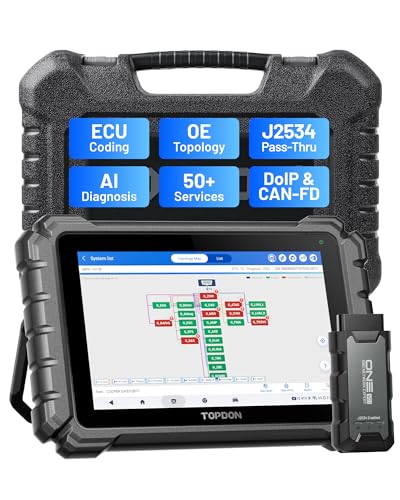
- Dual WiFi & 10.1" Touchscreen: Provides a stable, high-speed wireless link 3x faster than bluetooth, and a responsive, professional interface. Topdon ONE obd2 scanner diagnostic tool ensures smooth, non-lagging diagnostic scan, boosting mechanic efficiency
- J2534 Pass-Thru Support: The included ONE VCI supports the J2534 standard, allowing it to function as a pass-thru device when paired with OEM diagnostic software.Through TOPDON’s RLink platform, technicians can perform dealer-level coding, expanding in-house capabilities without investing in multiple factory automotive scan tools
- OE Topology Mapping: Visualize the vehicle’s ECU network exactly as it’s built.Zoom, pan, and highlight specific modules to pinpoint component issues with precision.Topology mapping displays real-time communication between modules
- 50+ Service Functions: Covers high-demand services like ADAS calibration, DPF regen, TPMS reset, ABS bleed, and throttle adaptation.Expands your service menu, allows you to charge premium rates, and turns away zero jobs due to lack of tooling. Vehicle-specific functionality may vary
- Advaned ECU Coding: 10 of the most serviced brands in North America, including full ECU coding and flash hidden support for BMW, VW, Au-di, Benz, Porsche, Toyota, Ni ssan and more. Enables module replacement, feature customization, and personal settings with automatic backup or restore.Lets your shop safely offer high-margin customization services, attracting more customers and boosting profit

- [J2534 Pass-Thru Programmer] - TOPDON RLink J2534 is engineered for professional technicians, delivering OEM diagnostic and reprogramming capabilities. It supports all J2534 protocols, CAN-FD, DoIP, D-PDU. Compatible with 17 vehicle brands—such as Chrysler, Ford, GM, KIA, Hyundai, Nissan, Toyota, Honda, Subaru, Mitsubishi, MAZDA, Land Rover/Jaguar, Volvo, Volkswagen/Audi, Mercedes-Benz, and BMW. RLink J2534 can help reduce the cost of purchasing equipment from different brands.
- [All-in-One OEM Reprogramming and Diagnostics] - When seamlessly integrated with OEM diagnostic software, this dongle enables you to perform a wide range of functions, including ECU programming and coding, DTC reading and clearing, active tests, component matching, adaptations, rewriting, guided troubleshooting, and more. This all-in-one tool eliminates the need for multiple OEM devices, significantly boosting work efficiency.
- [Tested, Trusted, and Proven for Accuracy] - TOPDON RLink J2534 is renowned for its reliability, having successfully completed over 10,000 real-vehicle tests. The wealth of data and hands-on experience behind it ensures consistent performance and accurate results. You can trust this tool to deliver optimal performance.
- [One-Click Installation, Continuous Updates] - The exclusive TOPDON RLink platform streamlines installation with a one-click driver setup, allowing you to quickly access OEM software for diagnostic and reprogramming tasks. With lifetime free updates, your RLink J2534 stays current without any additional cost, ensuring reliable performance for the long term. *We don't provide extra OE software.
- [Works with Windows Compatibility and OEM Software Subscription] - The RLink J2534 supports three CAN channels - including CAN FD and CAN-CC, providing advantages in the process of rapid troubleshooting. Compatible with Windows 7, 8 and 10 (64-bit) and higher versions of the system. For full functionality, an active OEM software subscription is required for each supported vehicle brand. Please note that the dongle does not include OEM software, which must be purchased separately to access brand-specific diagnostic and reprogramming features.
- 💯【Conta.ct us for Support Directly】For any issues experienced after purchase, please reach out to: 📞autelsupply@ outlook. com🛣️. Our team will provide perfect solution for you. For tech support or [explore additional accessory], please cont.act our team: 📞autelsupply@ outlook. com🛣️.
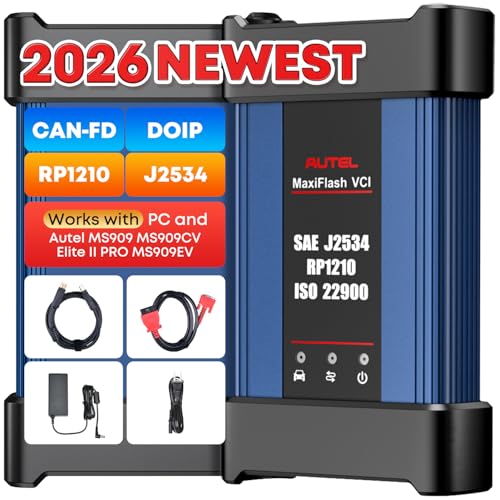
- 🌎【Autel J2534 Pass-Thru Progra.mmer】As an OEM Pass-Thru Progra.mmer Vehicle interface for multiple makes, Autel MaxiFlash J2534 support all J2534 protocols, D-PDU, CAN-FD and DoIP protocols. 2026 newer Autel MaxiFlash J2534 VCI can works with P-C and download OEM vehicle software, seamlessly conduct OE-level diagnostic-progra.mming-c0ding. Also, Work with Elite II Pro/ Ultra Lite/ MS909/ MS909CV/ MS909EV to directly pro.gram on Merce.des-Be.nz & BM.W. Autel J2534 Progr.ammer is a multi-functional device and supports 10+ major brands, including for Hond.a, G.M, LandRo.ver, BM.W, Chrysl.er, For.d, Hyun.dai, Ki.a, Merc.edes B.enz, Toyot.a, Volksw.agen etc.
- 🌎【Enhanced Protocol: J2534/D-PDU/RP1210/CAN FD/DoIP】Autel MaxiFlash JVCI is a blueto.oth communicate device, it supports latest CAN FD DoIP CAN protocols, compliant with automotive D-PDU/ J2534/ RP1210 standards. It can perform standard PassThru J2534 functions: compatible with Toyota Techstream, Volvo VIDA, Honda HDS, Jaguar Land Rover IDS and BM.W 3G for OEM diagnostics. CAN FD protocol is mainly for GM 2019+, DoIP protocol is mainly for Volvo 2018+, for L-and Rover/for Jaguar 2017+, for BM.W F chassis and G chassis.
- 🌎【Compatible with P-C/ WIND.OWS 】The Autel J2534 VCI can be connected to a compu.ter via a data cable; once the corresponding OEM software is installed, it enables do advanced progr.amming and c0ding on your vehicles. Easy Steps: 1) Connect to P-C via a USB cable 2) download OEM vehicle software 3) Start Diagnose. Take For.d for example, you can download OEM software on mot.orcraft.erservi.ce website, such as: For.d Diagnostic Software downloads, As B.uilt Data, Updated Cali.bration information, then use different software do relevant features.
- 🌎【Work with Autel Elite II Pro/ Ultra Lite/ MS909/ MS909CV/ MS909EV】This 2026 latest Autel J2534 Pass-Thru VCI is 100% compatible with Autel Elite II Pro Ultra Lite MS909 MS909CV MS909EV to perform advanced functions from diagnose to progra.mming.
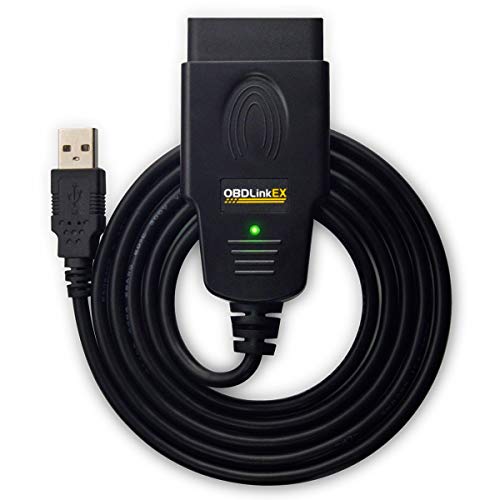
- CUSTOM-DESIGNED FOR USE WITH FORSCAN: Works with all FORScan compatible vehicles and is recommended by the FORScan Team
- DEALERSHIP-LEVEL DIAGNOSTICS: OBDLink EX supports all Ford protocols, modules, and advanced features of FORScan
- ELECTRONIC SWITCH allows FORScan to access all CAN buses simultaneously and enables advanced functions not possible with “toggle switch” adapters
- MAXIMUM THROUGHPUT -- up to 20 times faster than “toggle switch” adapters
- ROCK-SOLID CONNECTION avoids data corruption and dropped packets
This product presentation was made with AAWP plugin.