
NHTSA ID Number: 10242851
Manufacturer Communication Number: TSB 23-2279
Summary
Some 2021-2023 F-150 vehicles equipped with a 3.5L hybrid engine, 2020-2023 Explorer vehicles equipped with a 3.3L hybrid engine and 2020-2023 Aviator vehicles equipped with a 3.0L hybrid engine may exhibit a powertrain malfunction indicator lamp with diagnostic trouble code (DTC) P0A1E stored in the powertrain control module (PCM). This may be due to the belt integrated starter generator (BISG). To correct this condition, follow the Service Procedure to diagnose and repair this symptom.
Model:
Ford
2020-2023 Explorer |
Engine: 3.3L Hybrid
|
| 2021-2023 F-150 |
Engine: 3.5L Hybrid
|
| Lincoln
2020-2023 Aviator |
Engine: 3.0L Hybrid
|
Issue: Some 2021-2023 F-150 vehicles equipped with a 3.5L hybrid engine, 2020-2023 Explorer vehicles equipped with a 3.3L hybrid engine and 2020-2023 Aviator vehicles equipped with a 3.0L hybrid engine may exhibit a powertrain malfunction indicator lamp with diagnostic trouble code (DTC) P0A1E stored in the powertrain control module (PCM). This may be due to the belt integrated starter generator (BISG). To correct this condition, follow the Service Procedure to diagnose and repair this symptom.
Action: Follow the Service Procedure to correct the condition on vehicles that meet all of the following criteria:
- One of the following vehicles:
- 2021-2023 F-150 equipped with a 3.5L hybrid engine
- 2020-2023 Explorer equipped with a 3.3L hybrid engine
- 2020-2023 Aviator equipped with a 3.0L hybrid engine
- Has DTC P0A1E stored in the PCM
Parts
| Service Part Number | Package Order Quantity | Description |
| BAGM-94RH7-800 | 1 | Battery (800 Amp) – Refer To The Parts Catalog For The VIN Specific Application |
| BAGM-48H6-760 | 1 | Battery (760 Amp) – Refer To The Parts Catalog For The VIN Specific Application |
| BAGM-49H8 | 1 | Battery (850 Amp) – Refer To The Parts Catalog For The VIN Specific Application |
| BXT-94RH7-730 | 1 | Battery (730 Amp) – Refer To The Parts Catalog For The VIN Specific Application |
| 11A213 | 1 | Starter And Alternator Assembly – Refer To The Parts Catalog For The VIN Specific Application |
Service Procedure
1. Perform only the first step of the Workshop Manual (WSM) pinpoint test for P0A1E:00.
- For F-150 vehicles, perform WSM, Section 303-06 Starting System, Diagnosis and Testing, Starting System, Pinpoint Test G, Step G1.
- For Explorer/Aviator vehicles, WSM, Section 303-06 Starting System, Diagnosis and Testing, Starting System, perform Pinpoint Test I, Step I1.
2. Was the BISG replaced in WSM Step G1/I1?
(1). Yes – repair is complete.
(2). No – proceed to Step 3.
3. Perform the second step of the WSM pinpoint test for P0A1E:00.
- For F-150 vehicles, perform WSM, Section 303-06 Starting System, Diagnosis and Testing, Starting System, Pinpoint Test G, Step G2.
- For Explorer/Aviator vehicles, WSM, Section 303-06 Starting System, Diagnosis and Testing, Starting System, perform Pinpoint Test I, Step I2.
4. Was the battery replaced during Step G2/I2?
(1). Yes – repair is complete.
(2). No – proceed to Step 5.
5. At the 12V battery negative post, inspect the nut securing the battery monitoring sensor to the negative battery post. (Figures 1-2) If it is loose, tighten the nut to the specified tightening value. Refer to WSM, Section 414-01 Battery, Mounting and Cables, General Procedures, Battery Disconnect and Connect.
- For F-150 vehicles with a 3.5L hybrid engine, tighten to 55 lb.in (6.2 Nm).
-
- For Explorer/Aviator vehicles equipped with a hybrid engine, tighten to 48 lb.in (5.4 Nm).
Figure 1 – F-150
Figure 2 – Explorer/Aviator
6. At the battery monitoring sensor, inspect the nut attaching the sensor to the ground cable. (Figure 3) If it is loose, tighten the nut to the specified tightening value. Refer to WSM, Section 414-01 Battery, Mounting and Cables, Removal and Installation, Battery Monitoring Sensor.
- For F-150 vehicles with a 3.5L hybrid engine, tighten to 97 lb.in (11 Nm).
-
- For Explorer/Aviator vehicles equipped with a hybrid engine, tighten to 80 lb.in (9 Nm).
Figure 3
7. At the 12V battery positive post, inspect the nut securing the positive battery cable to the post. (Figures 4-5) If it is loose, tighten the nut to the specified tightening value. Refer to WSM, Section 414-01 Battery, Mounting and Cables, General Procedures, Battery Disconnect and Connect.
- For F-150 vehicles with a 3.5L hybrid engine, tighten to 55 lb.in (6.2 Nm).
-
- For Explorer/Aviator vehicles equipped with a hybrid engine, tighten to 48 lb.in (5.4 Nm).
Figure 4 – F-150
Figure 5 – Explorer/Aviator
8. At the 12V battery positive post, inspect the nut securing the positive cable eyelet lug. (Figures 6-7) If it is loose, tighten the nut to the specified tightening value. Refer to 414-01, Battery, Mounting and Mounting Cables, Removal and Installation.
- For F-150 vehicles with a 3.5L hybrid engine, tighten to 80 lb.in (9 Nm).
-
- For Explorer/Aviator vehicles equipped with a hybrid engine: 80 lb.in (9 Nm).
Figure 6 – F-150
Figure 7 – Explorer/Aviator
9. Inspect engine ground G105. (Figures 8-10) Refer to Wiring Diagram, Cell 010, G105. If it is loose, tighten the bolt to the specified tightening value.
- For F-150 vehicles with a 3.5L hybrid engine, tighten to 35 lb.ft (48 Nm).
-
- For Explorer/Aviator vehicles equipped with a hybrid engine, tighten to 106 lb.in (12 Nm).
Figure 8 – F-150
Figure 9 – Explorer
Figure 10 – Aviator
10. Were any of the nuts/bolts inspected in Steps 3-7 loose or less than their specified tightening value?
- Yes – connections were repaired, repair is complete.
- No – replace the BISG. Refer to WSM, Section 414-02 Generator and Regulator, Removal and Installation.
11 Affected Products
Vehicles
1 Associated Document
Manufacturer Communications
23-2279
31 August 2023
MC-10242851-0001.pdf 412.976KB
NHTSA ID Number: 10250306
Manufacturer Communication Number: SSM 52244
Summary
Some 2021-2023 F-150 vehicles equipped with a 3.5L PowerBoost hybrid engine, 2020-2023 Explorer vehicles equipped with a 3.3L hybrid engine and 2020-2023 Aviator vehicles equipped with a 3.0L hybrid engine may exhibit a malfunction indicator lamp (MIL) with diagnostic trouble code (DTC) P0A1E stored in the powertrain control module (PCM) and auto start/stop disabled. This may be due to a loose wiring connection to the belt integrated starter generator (BISG). The Workshop Manual (WSM) has recently been updated to provide new direction for DTC P0A1E. Refer to the WSM, Section 303-06 Starting System, Diagnosis and Testing, Starting System for applicable diagnosis.
1 Associated Document
Manufacturer Communications
SSM 52244 2021-2023 F-150, 2020-2023 Explorer/Aviator – Equipped With Hybrid Engines – Illuminated MIL With DTC P0A1E In The PCM

- 【Warm Tips】Dear friend, we've built this product to last, but in the unlikely event you encounter any technical hiccups, functions not support, received a used product, or just a simple question, please directly c0ntact us via Amazon Message and support @ mythinkcar. com, we're here to help and get it sorted in no time. Not sure if this product is compatible with your vehicle? Just e.mail your VIN at support @ mythinkcar. com for technical support. Note: FCA AutoAuth is a third-party service, additional cost may require.
- 【Professional Car Diagnostic Tool】Tired of renew fees? Thinkscan 689 scanner provides dealer-level advanced functions without annual fees for auto mechanics and repair shops. 34+ Services, 3000+ Active Test, ECU Coding, 140+ Brands Coverage, FCA AutoAuth, CANFD&DOIP Protocol, Component Matching, Power Balance, V.A.G Guided, Compatible with Google Chrome integration, etc. With strong hardware backing, 64G Memory, Android 10, 4-core processors, and 4150mAh battery. Thinkscan 689 brings you the best as your daily business helper and never lets you drop the ball!
- 【34+ Reset Service, Adaptation, Relearn, Calibration, Initialization, Matching】Made for workshops, Thinkscan 689 scanner provides 34+ services for worldwide vehicles: such as Gear/SAS/EPB/TPMS/D.P.F/BMS/ETS/Oil/Brake/AFS/GEARB0X/SUNROOF/SUS Reset, ABS Bleed, Injector coding, etc. Warm tips: Compatibility varies by car model, please reach out to us directly to make sure it works well on your cars.
- 【Real Active Test】Thinkscan 689 scan tool features over 3000+ full bi-directional control ability, to send commands to vehicle’s systems/components, to verify system input/output without using the vehicle's controls, e.g. turn on the radiator fan, modulate the throttle, open/close windows, operate mirrors, Injector Buz Test, turn on interior&exterior lights, sound horn, test door lock actuators, turn on/off front/rear side ACM Solenoid, Vehicle level position calibration, Wheel Speed Sensor Supply.
- 【Comprehensive Solutions with Advanced Features】Take your vehicle customization to the next level with the Thinkscan 689's advanced ECU coding capabilities. This scan tool provides power balance, PMI, unlock hidden features and enhance performance by activating dormant functions, customizing OE settings, matching replaced components, and reprogramming adaptive data to elevate your driving experience. Note: Compatibility varies by car models, please check before order.


- CEL Doctor: The ANCEL AD310 is one of the best-selling OBD II scanners on the market and is recommended by Scotty Kilmer, a YouTuber and auto mechanic. It can easily determine the cause of the check engine light coming on. After repairing the vehicle's problems, it can quickly read and clear diagnostic trouble codes of emission system, read live data & hard memory data, view freeze frame, I/M monitor readiness and collect vehicle information.
- Sturdy and Compact: Equipped with a 2.5 foot cable made of very thick, flexible insulation. It is important to have a sturdy scanner as it can easily fall to the ground when working in a car. The AD310 OBD2 scanner is a well-constructed mechanic tool with a sleek design. It weighs 12 ounces and measures 8.9 x 6.9 x 1.4 inches. Thanks to its compact design and light weight, transporting the device is not a problem. The buttons are clearly labelled and the screen is large and displays results clearly.
- Accurate Fast and Easy to Use: The AD310 scanner can help you or your mechanic understand if your car is in good condition, provides exceptionally accurate and fast results, reads and clears engine trouble emission codes in seconds after you fixed the problem. This device will let you know immediately and fix the problem right away without any car knowledge. No need for batteries or a charger, get power directly from the OBDII Data Link Connector in your vehicle.
- OBDII Protocols and Car Compatibility: Many cheap scan tools do not really support all OBD2 protocols. AD310 scanner as it can support all OBDII protocols such as KWP2000, J1850 VPW, ISO9141, J1850 PWM and CAN. This device also has extensive vehicle compatibility with 1996 US-based, 2000 EU-based and Asian cars, light trucks, SUVs, as well as newer OBD2 and CAN vehicles both domestic and foreign. Pls confirm with our customer service whether it is compatible with your vehicle before purchasing.
- Home Necessity and Worthy to Own: This is an excellent code reader to travel or home with as it weighs less and it is compact in design. You can easily slide it in your backpack as you head to the garage, or put it on the dashboard, this will be a great fit for you. The AD310 is not only portable, but also accurate and fast in performance. Moreover, it covers various car brands and is suitable for people who just need a code reader to check their car.

- [Easy to Use—Work Out of the Box] + [FOXWELL 2026 New Version] FOXWELL NT604 Elite scan tool is the 2026 new version from FOXWELL, designed for car owners who want to figure out the cause of issues before fixing car problems by scanning common systems like ABS, SRS, engine, and transmission. The NT604 Elite obd2 scanner diagnostic tool comes with the latest software—no need to waste time downloading software first. Plug the scanner into the OBDII port with OBDII cable to start the diagnosis.
- [Affordable] + [Reliable Car Health Monitor] Will you be confused what happens when the warning light of ABS/SRS/transmission/check engine flashes? Instead of taking your cars to dealership, this FOXWELL scanner will help you do a thorough scanning and detection for your cars and pinpoint the root cause. Note:The device is a diagnostic tool, not a repair tool. To turn off a warning light, you must first physically repair the issue causing it. Only then can the scanner be used to clear the corresponding fault code.
- [5 in 1 Car Diagnostic Scanner] Compared with obd scanners (50-100), NT604 Elite code scanner not only includes their OBDII diagnosis but also serves as ABS/SRS scanner, transmission and check engine code reader. When it’s an odb2 scanner, you can use it to check if your car is ready for annual test through I/M readiness menu. In addition, live data stream, built-in DTC library, data play back and print, all these features are a big plus for it. Note: doesn't support maintenance functions like reset or relearn. For the SRS system, NT604 Elite can read and clear common fault codes not caused by a crash, but crash/collision data cannot be cleared.
- [Fantastic AUTOVIN] + [No extra software fee] Through the AUTOVIN menu, this NT604 Elite car scanner allows you to get your V-IN and vehicle info rapidly, no need to take time to find your V-IN and input one by one. What's more, the NT604 Elite ABS SRS scanner supports 60+ car brands from worldwide (America/Asia/Europe). You don’t need to pay extra software fee. AUTOVIN may not work on some older vehicles or certain vehicle brands. If AUTOVIN fails, please input the vin code manually or go to the Diagnostic Menu to select your vehicle model.
- [Solid protective case KO plastic carrying bag] + [Lifetime update] Almost all same price-level car scanner diagnostic tool only offers plastic bag to hold the scanner.However, NT604 Elite automotive scanner is equipped with solid protective case, preventing your obd2 scanner from damage. Then you don’t need to pay extra money to buy a solid toolbox.

- 【Diagnose Check Engine Light in Seconds – No Mechanic Needed】The FOXWELL NT301 OBD2 scanner instantly reads & clears engine fault codes (DTCs) with one click. Simply plug into the 16-pin DLC port, turn ignition on, and get accurate results within seconds—No prior car knowledge required. Save hundreds on dealership fees by knowing exactly what’s wrong before you visit a shop. The #1 choice car scanner for DIYers and car owners who want to take control of their vehicle’s health
- 【Clear & Reset CEL with Confidence】Unlike cheap code readers that just erase codes temporarily, NT301 works like all professional vehicle code readers: It clears the check engine light only after you’ve fixed the underlying issue. If the problem isn’t fully repaired, the fault code will reappear. So you’ll never get a false pass. Use the foxwell scanner to verify your repair work and drive with peace of mind
- 【Sm-og Check Helper – Know Your Pass/Fail Status Before the Test】With dedicated one-click I/M readiness hotkeys and a simple Red-Yellow-Green LED indicator, you’ll instantly know if your vehicle is ready for annual testing. Built-in speaker provides clear audio feedback. No guesswork—just confidence before you head to the test center. One less thing to worry about when inspection day comes
- 【Advanced OBDII Modes – O- 2 Sensor & EVAP Testing】NT301 go beyond basic code reading with enhanced OBD2 modes. Run an EVAP system check to assess fuel tank condition, and use the O- 2 sensor test to optimize air-fuel ratio, boosting fuel economy, cutting em- issions, and saving you money at the pump. The code reader for cars and trucks is like having a mini em-issions lab in your glove box
- 【Live Data Graphing – Spot Engine Issues in Real Time】View and log live sensor data in easy-to-read graphs with this OBD2 scanner diagnostic tool. Monitor ox- ygen sensors, fuel trims, coolant temperature, RPM, and more to spot suspicious values instantly. This obd scanner gives you professional-grade insight without the pro price tag—a feature you won’t find on basic $20 car code readers
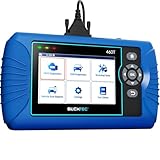
- [All System Diagnostics, Professional-Level Scanner] - BLCKTEC 460T is the ultimate OBD2 diagnostic tool for home mechanics and professionals. It supports all 10 OBD2 modes, reads and clears Engine/Transmission/ABS/SRS codes, performs All-System Diagnostics, offers workshop reset tools, and provides real-time live data. It helps you pinpoint issues, assess your car's condition, and prepare for SMOG checks with ease. NOTE: Function availability depends on your vehicle. Before you buy, be sure to use the Compatibility Checker on BLCKTEC website or contact our customer support to verify that the features you need are supported for your vehicle’s specific year, make, and model.
- [12+ Most Popular Reset Functions] - BLCKTEC 460T OBD2 scanner offers 12+ dealer-level service functions, including Oil Maintenance Reset, ABS Bleeding, EPB Reset, SAS(Steering Angle Sensor) Recalibration, DPF(Diesel Particulate Filter) Reset, Throttle Body Relearn, Battery Reset/Initialization, TPMS Relearn, Transmission Reset, Fluid Change Reset, Maintenance Reset and more, enabling you to perform workshop services like a pro. NOTE: Function availability depends on your vehicle. Be sure to use the Compatibility Checker on BLCKTEC website to verify that the features you need are supported for your vehicle.
- [Real-Time OBD2 and OEM Live Data, Freeze Frame Data] - BLCKTEC 460T helps diagnose vehicle issues when warning lights like Check Engine Light or ABS/SRS Light appear. It offers detailed DTC info, ECU Freeze Frame Data, and real-time OBD2 and advanced OEM live data, including Engine, Transmission, ABS, SRS, and more, making it easy to diagnose and resolve vehicle problems. You can view, graph, record, replay, and overlay up to four live data streams in a single graph for better analysis.
- [AutoVIN, AutoReLink, AutoScan, 3X Faster] - Equipped with AutoVIN technology, 460T automatically retrieves the VIN to save you time. Its AutoScan and AutoReLink features scan all of the vehicle's ECUs and detect any fault codes immediately after you plug the scanner into the vehicle's OBD2 port - no button presses required. Additionally, it regathers DTC and I/M readiness information every 30 seconds, simplifying monitor tests. 460T's advanced technology makes it 3X faster than other products.
- [Get RepairSolutions2, the #1 Auto Repair App for Free] - When paired with RepairSolutions2(RS2) App, 460T becomes even more powerful. RS2's Verified Fix Database built by master technicians, provides the parts needed for the repair. Additionally, RS2 gives you access to OEM warranty info, maintenance schedules, TSB, and dealership recall info, making car care easier than ever. RS2 is free with no subscription fees and it stores your car scan reports in the cloud, allowing you to access, share, or print them anytime and anywhere.
SEOCONTENT-START
TECHNICAL SERVICE BULLETIN
Equipped With Hybrid Engines – Illuminated Powertrain Malfunction Indicator Lamp With DTC P0A1E In The PCM
23-2279
31 August
2023 Model:
Ford
2020-2023 Explorer Engine: 3.3L Hybrid 2021-2023 F-150
Lincoln
2020-2023 Aviator Engine: 3.5L Hybrid Engine: 3.0L Hybrid Issue: Some 2021-2023 F-150 vehicles equipped with a 3.5L hybrid engine, 2020-2023 Explorer vehicles equipped with a 3.3L hybrid engine and 2020-2023 Aviator vehicles equipped with a 3.0L hybrid engine may exhibit a powertrain malfunction indicator lamp with diagnostic trouble code (DTC) P0A1E stored in the powertrain control module (PCM). This may be due to the belt integrated starter generator (BISG). To correct this condition, follow the Service Procedure to diagnose and repair this symptom.
Action: Follow the Service Procedure to correct the condition on vehicles that meet all of the following criteria:
• One of the following vehicles:
– 2021-2023 F-150 equipped with a 3.5L hybrid engine
– 2020-2023 Explorer equipped with a 3.3L hybrid engine
– 2020-2023 Aviator equipped with a 3.0L hybrid engine
• Has DTC P0A1E stored in the PCM Parts
Service Part Number Package Order Quantity Description BAGM-94RH7- 800
BAGM-48H6-760 BAGM-49H8 BXT-94RH7-730 11A213 1 Battery (800 Amp) – Refer To The Parts Catalog For The VIN Specific Application
1 Battery (760 Amp) – Refer To The Parts Catalog For The VIN Specific Application
1 Battery (850 Amp) – Refer To The Parts Catalog For The VIN Specific Application
1 Battery (730 Amp) – Refer To The Parts Catalog For The VIN Specific Application
1 Starter And Alternator Assembly – Refer To The Parts Catalog For The VIN Specific Application Warranty Status: Eligible under provisions of New Vehicle Limited Warranty (NVLW)/Emissions Warranty/Service Part Warranty (SPW)/Special Service Part (SSP)/Extended Service Plan (ESP) coverage. Limits/policies/prior approvals are not altered by a TSB. NVLW/Emissions Warranty/SPW/SSP/ESP coverage limits are determined by the identified causal part and verified using the OASIS part coverage tool.
Labor Times Description Diagnose And Repair Vehicle Following The Service Procedure (Do Not Use With Any Other Labor Operations) Operation No.
MT232279 Time Actual Time
Repair/Claim Coding Causal Part: Condition Code: 11A213
42 Service Procedure
1. Perform only the first step of the Workshop Manual (WSM) pinpoint test for P0A1E:00.
For F-150 vehicles, perform WSM, Section 303-06 Starting System, Diagnosis and Testing, Starting System, Pinpoint Test G, Step G1.
For Explorer/Aviator vehicles, WSM, Section 303-06 Starting System, Diagnosis and Testing, Starting System, perform Pinpoint Test I, Step I1.
2. Was the BISG replaced in WSM Step G1/I1? (1). Yes – repair is complete.
(2). No – proceed to Step 3.
3. Perform the second step of the WSM pinpoint test for P0A1E:00.
For F-150 vehicles, perform WSM, Section 303-06 Starting System, Diagnosis and Testing, Starting System, Pinpoint Test G, Step G2.
For Explorer/Aviator vehicles, WSM, Section 303-06 Starting System, Diagnosis and Testing, Starting System, perform Pinpoint Test I, Step I2.
4. Was the battery replaced during Step G2/I2? (1). Yes – repair is complete.
(2). No – proceed to Step 5.
5. At the 12V battery negative post, inspect the nut securing the battery monitoring sensor to the negative battery post. (Figures 1-2) If it is loose, tighten the nut to the specified tightening value. Refer to WSM, Section 414-01 Battery, Mounting and Cables, General Procedures, Battery Disconnect and Connect.
For F-150 vehicles with a 3.5L hybrid engine, tighten to 55 lb.in (6.2 Nm).
For Explorer/Aviator vehicles equipped with a hybrid engine, tighten to 48 lb.in (5.4 Nm). Figure 1 – F-150 Figure 2 – Explorer/Aviator 6. At the battery monitoring sensor, inspect the nut attaching the sensor to the ground cable. (Figure 3) If it is loose, tighten the nut to the specified tightening value. Refer to WSM, Section 414-01 Battery, Mounting and Cables, Removal and Installation, Battery Monitoring Sensor.
For F-150 vehicles with a 3.5L hybrid engine, tighten to 97 lb.in (11 Nm).
For Explorer/Aviator vehicles equipped with a hybrid engine, tighten to 80 lb.in (9 Nm). Figure 3 7. At the 12V battery positive post, inspect the nut securing the positive battery cable to the post. (Figures 4-5) If it is loose, tighten the nut to the specified tightening value. Refer to WSM, Section 414-01 Battery, Mounting and Cables, General Procedures, Battery Disconnect and Connect.
For F-150 vehicles with a 3.5L hybrid engine, tighten to 55 lb.in (6.2 Nm).
For Explorer/Aviator vehicles equipped with a hybrid engine, tighten to 48 lb.in (5.4 Nm). Figure 4 – F-150 Figure 5 – Explorer/Aviator 8. At the 12V battery positive post, inspect the nut securing the positive cable eyelet lug. (Figures 6-7) If it is loose, tighten the nut to the specified tightening value. Refer to 414-01, Battery, Mounting and Mounting Cables, Removal and Installation.
For F-150 vehicles with a 3.5L hybrid engine, tighten to 80 lb.in (9 Nm).
For Explorer/Aviator vehicles equipped with a hybrid engine: 80 lb.in (9 Nm). Figure 6 – F-150 Figure 7 – Explorer/Aviator 9. Inspect engine ground G105. (Figures 8-10) Refer to Wiring Diagram, Cell 010, G105. If it is loose, tighten the bolt to the specified tightening value.
For F-150 vehicles with a 3.5L hybrid engine, tighten to 35 lb.ft (48 Nm).
For Explorer/Aviator vehicles equipped with a hybrid engine, tighten to 106 lb.in (12 Nm). Figure 8 – F-150 Figure 9 – Explorer Figure 10 – Aviator 10. Were any of the nuts/bolts inspected in Steps 3-7 loose or less than their specified tightening value? Yes – connections were repaired, repair is complete.
No – replace the BISG. Refer to WSM, Section 414-02 Generator and Regulator, Removal and Installation. © 2023 Ford Motor Company All rights reserved.
NOTE: The information in Technical Service Bulletins is intended for use by trained, professional technicians with the knowledge, tools, and equipment to do the job properly and safely. It informs these technicians of conditions that may occur on some vehicles, or provides information that could assist in proper vehicle service. The procedures should not be performed by “do-it-yourselfers”. Do not assume that a condition described affects your car or truck. Contact a Ford or Lincoln dealership to determine whether the Bulletin applies to your vehicle. Warranty Policy and Extended Service Plan documentation determine Warranty and/or Extended Service Plan coverage unless stated otherwise in the TSB article. The information in this Technical Service Bulletin (TSB) was current at the time of printing. Ford Motor Company reserves the right de this information with updates. The most recent information is available through Ford Motor Company’s on-line technical resources.
**************************************************************************************************************
**************************************************************************************************************
SEOCONTENT-END
This product presentation was made with AAWP plugin.