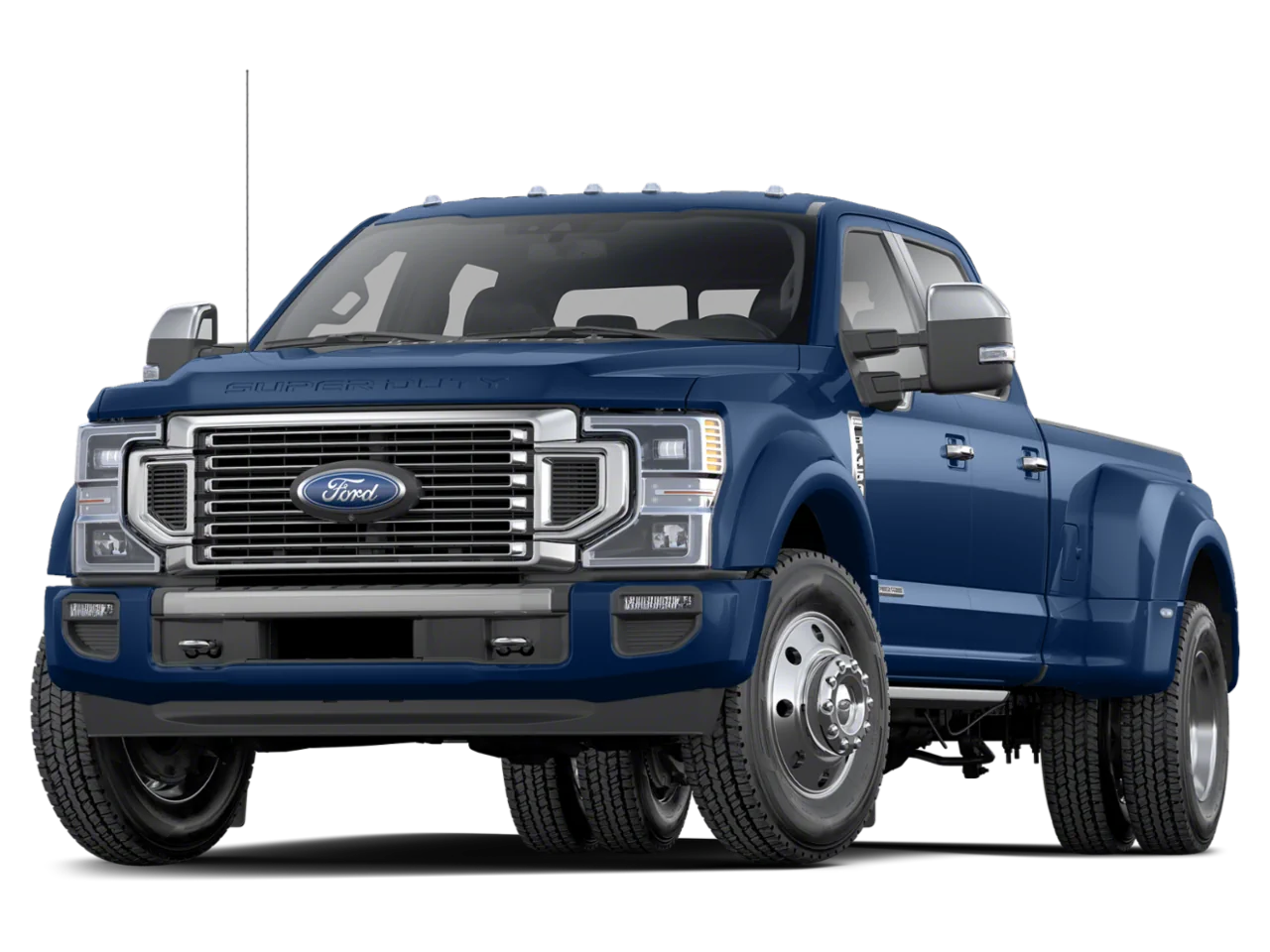
NHTSA ID Number: 10232594
Manufacturer Communication Number: 23P01
Summary
Certain 2022 Model Year Super Duty Vehicles Equipped with Sync4
Body Control Module Software Update In some of the affected vehicles, the vehicle may enter a deep sleep state when powered off.
February 17, 2023
NEW VEHICLE RECOMMENDED DELIVERY HOLD
Customer Satisfaction Program 23P01
Certain 2022 Model Year Super Duty Vehicles Equipped with Sync4
Body Control Module Software Update
PROGRAM TERMS
This program will be in effect through February 17, 2024, for vehicles within the new bumper-to-bumper warranty coverage period (3 years, 36,000 miles).
AFFECTED VEHICLES
| Vehicle | Model Year | Assembly Plant | Build Dates |
| Super Duty | 2022 | Kentucky Truck | June 15, 2022 through November 3, 2022 |
Affected vehicles are identified in OASIS and FSA VIN Lists.
REASON FOR THIS PROGRAM
In some of the affected vehicles, the vehicle may enter a deep sleep state when powered off. While in this state, the vehicle is unable to receive over-the-air updates or transmit connected vehicle data. Customers may also receive a message in the Ford Pass phone application that states, “Your Ford, F350, 2022 equipped with FordPass™ Connect has entered Deep Sleep mode to conserve battery energy.” Other FordPass features, such as Remote Start and remote viewing of the fuel level, are disabled. Customers are receiving this message in error and their 12V battery is functioning as intended.
SERVICE ACTION
Before delivering any new in-stock vehicles involved in this program, dealers are recommended to update the body control module (BCM) software. This service must be performed on all affected vehicles at no charge to the vehicle owner.
OWNER NOTIFICATION MAILING SCHEDULE
Owner letters will not be mailed for this program.
SOLD VEHICLES
- Correct affected vehicles identified in OASIS which are brought to your dealership within the applicable bumper-to-bumper warranty coverage period.
- Dealers are to prioritize repairs of customer vehicles over repairs of new and used vehicle inventory.
STOCK VEHICLES
- Correct all affected units in your new vehicle inventory before delivery.
- Use OASIS to identify any affected vehicles in your used vehicle inventory.
TITLE BRANDED / SALVAGED VEHICLES
Affected title branded and salvaged vehicles are eligible for this service action.
OWNER REFUNDS
Refunds are not approved for this program.
RENTAL VEHICLES
Rental vehicles are not approved for this program.
PARTS REQUIREMENTS / ORDERING INFORMATION
Parts are not required to complete this repair.
CERTAIN 2022 MODEL YEAR SUPER DUTY VEHICLES EQUIPPED WITH SYNC4— BODY CONTROL MODULE SOFTWARE UPDATE
SERVICE PROCEDURE
Module Programming
In PDF Bellow…
4 Affected Products
Vehicles
| MAKE | MODEL | YEAR |
| FORD | F-250 SD | 2022 |
| FORD | F-350 SD | 2022 |
| FORD | F-450 SD | 2022 |
| FORD | F-550 SD | 2022 |
1 Associated Document
Manufacturer Communications
February 17, 2023
Customer Satisfaction Program 23P01
MC-10232594-0001.pdf 350.511KB
Reprogramming
Service Information & Reprogramming
Module Reprogramming
| Diagnostic Software | Interface Device | Complete Vehicle Diagnostics | Module Programming | ||
| 1996-2017 Model Year |
2018-Present Model Year |
1996-2017 Model Year |
2018-Present Model Year |
||
| IDS/FDRS | VCM, VCM II , VCMM , VCMM |
X | X | X | X |
| FJDS/FDRS | Compatible J2534 Devices (Including VCM II and VCMM) |
X | X | X | |
Detailed system requirements, installation, and support information for each product is located under the diagnostics tool support tab for each product.
Integrated Diagnostic Software (IDS) / Ford Diagnosis & Repair System (FDRS)
For use with VCM I, VCM II, VMM and VCMM hardware devices only. The complete factory Ford Motor Company vehicle diagnostic tool that provides complete dealership level vehicle diagnostic coverage for all 1996 to present Ford, Lincoln and Mercury vehicles. The IDS software includes time based access to the IDS software, software updates and calibration files.
Ford J2534 Diagnostic Software (FJDS) / Ford Diagnosis & Repair System (FDRS)
For use with compatible J2534 hardware devices. FJDS software provides Ford Module Programming functionality that covers 1996 to present Ford, Lincoln and Mercury module reprogramming functions, plus complete dealership level vehicle diagnostic software for all 2018 to present Ford and Lincoln vehicles. The FJDS software license includes time based access to the FJDS software, software updates and calibration files.
Latest Calibration Information
Module Build Data (As-Built)
Use VIN to obtain As-Built data

- J2534 Pass-Thru Programmer: TOPDON RLink J2534 is an advanced diagnostic and reprogramming tool that support all J2534 protocols, as well as D-PDU, CAN-FD and DoIP, ensuring compatibility with a wide range of modern vehicles. It offers extensive versatility with support for over 18 major automotive brands, including Chrysler, Ford, GM, Nissan, Toyota, Honda, Subaru, Land Rover/Jaguar, Volvo, Wuling, Volkswagen/Audi, Mercedes-Benz, and BMW. NOTE: Not compatible with Ford IDS diagnostic software
- All-in-One OEM Diagnostics: This J2534 ECU programming tool elevates your automotive repair capabilities to new heights by delivering complete OEM diagnosis. Boasting comprehensive full-system diagnostics, intuitive repair guides, advanced ECU programming and coding, common reset services, a vast library of repair information and more, this all-in-one solution empowers technicians to effortlessly tackle complex vehicle issues with ease. *Not compatible with 24V vehicles
- Proven Performance You Can Trust: Backed by over 10000 real vehicle tests and benefit from a wealth of practical experience, this OEM reprogramming tool guarantees stable and exceptional performance. Supported by TOPDON's dedicated technical experts with in-depth knowledge of both auto repair and J2534 Pass-Thru programming, the RLink J2534 provides prompt and professional assistance, ensuring a smooth setup and reliable compatibility
- Integrated Excellence, Always Up-to-Date: Featuring the exclusive RLink Platform to provide a streamlined experience with one-click driver installation and management, ensuring flawless integration with your OE software, maintaining the original performance quality. The built-in operation guide makes mastering OE software quick and easy, so you can get started right away. Plus, with lifetime free updates, your diagnostics will stay current with the latest drivers and innovations
- Efficiency Meets Versatility: Engineered to support three CAN channels simultaneously - CAN FD and CAN-CC included, giving you the edge in fast troubleshooting. To perfectly synchronized with the OE software, please diagnose with active subscriptions and make sure your computer system is running a compatible 64-bit Windows version (7, 8, 10 or later) to fully leverage the power of RLink J2534. *We don't provide extra OE software

- Advanced VCI Box, Industry-leading J2534 Pass-Thru Technology: This J2534 Pass-Thru Programmer is designed espically for technicians, independent shop owners, and DIY enthusiasts, enables fast, reliable computer-based programming. It supports all J2534 protocols—including the latest DoIP and CAN FD—ensuring full compatibility with both legacy and next-generation vehicles.
- High-Speed OEM-Level Diagnostics & Programming: Unlock true OEM functionality with comprehensive system diagnostics, guided troubleshooting, coding, adaptations, resets, and programming—all designed to slash repair time. This all-in-one tool eliminates the need for multiple OEM devices, boosting efficiency and cutting costs. Equipped with High-Speed USB, it delivers 10x more data per second than competing solutions
- Coverage for 17 Car Brands & Ultra Reliability: Works seamlessly for Chrysler, for Ford(Forscan), for GM, for Nissan, for Toyota, for Honda, for Subaru(SSM4), for Land Rover/Jaguar, for Volvo, for Wuling, for Volkswagen, for Mercedes-Benz, and for BMW. Backed by over 10000 real vehicle tests and benefit from a wealth of practical experience, this OEM reprogramming tool guarantees stable and exceptional performance
- User-Friendly RLink Platform & Expert Support: TOPDON’s proprietary driver management platform offers a clean interface and lifetime free updates. Access a rich library of real-world case studies to stay ahead of the curve. Backed by a support team with 10+ years of J2534 and automotive repair experience, we provide one-on-one assistance to resolve any technical issue.
- 6.6 ft USB-C Cable & Portable Storage Case: The RLink J2534 diagnostic tool features a 6.6ft USB 2.0 Cable and a 1.2 ft OBDII Extension Cable, allows to connection your computer easily outside the vehicle. The included handled carry case offers easy portability, storage, and hanging options—keeping your gear clean and ready to go, anywhere.

- 【J2534 Pass-Thru Device】 This budget-friendly J2534 pass-thru device delivers OEM diagnostics and reprogramming capabilities for dealerships, repair shops and automotive DIY enthuisasts, enables you diagnose, program and repair the vehicles more efficiently and precisely. Supporting J2534, D-PDU, CAN-FD and DoIP, this J2534 passthru tool ensures wide vehicle coverage. It's compatible with OE software application, ensuring seamless integration and original performance quality
- 【All-in-One Diagnostic Tool】 Simplify your workflow and tackle the complex diagnostics and repairs with confidence! This J2534 passthrough tool provides full system diagnosis, bi-directional control, maintenance reset services, ECU programming and ECU coding to run advanced diagnostics and programming. Equipped with the specialized platform, this J2534 pass-thru tool is fully compatible with OE software that helps technicians confidently handle complicated vehicle repair issues
- 【J2534 Diagnostic Tool】 The Tabscan J2534 pass-thru device is built with a dedicated platform, making it ideal for both professional and personal use. Simply download the driver for your ford vehicle within the platform—ensuring only one driver is installed at a time. Then connect the device to your vehicle’s OBD2 port and link it to your computer using the included USB A to USB C cable. Finally launch your OE software, select Tabscan J2534 VCI as interface, and begin diagnose and program
- 【Universal Compatibility】 Tabscan J2534 reprogramming tool is designed to be compatible with Ford vehicles for advanced diagnostics and programming. It supports J2534 protocols, along with D-PDU, CAN-FD and DoIP, ensuring seamless connectivity with older or modern vehicles. This J2534 diagnostic tool only works with computer running on windows 7/10/11. Vehicle compatibility varies by model or year, please confirm with us before purchase. Note: It's not compatible with 24V vehicles
- 【Professional Technical Support】 Tabscan J2534 pass-thru device provides a stable and seamless connection between your vehicle and computer for diagnostics, programming, and coding. But that's not all—we go beyond hardware. Our dedicated technical support team brings deep expertise in automotive diagnostics and programming. Whether you need help with setup, troubleshooting or latest diagnostic resources and upgrades, we provide fast, professional and reliable support every step of the way

- [J2534 Pass-Thru Programmer] - TOPDON RLink J2534 is engineered for professional technicians, delivering OEM diagnostic and reprogramming capabilities. It supports all J2534 protocols, CAN-FD, DoIP, D-PDU. Compatible with 17 vehicle brands—such as Chrysler, Ford, GM, KIA, Hyundai, Nissan, Toyota, Honda, Subaru, Mitsubishi, MAZDA, Land Rover/Jaguar, Volvo, Volkswagen/Audi, Mercedes-Benz, and BMW. RLink J2534 can help reduce the cost of purchasing equipment from different brands.
- [All-in-One OEM Reprogramming and Diagnostics] - When seamlessly integrated with OEM diagnostic software, this dongle enables you to perform a wide range of functions, including ECU programming and coding, DTC reading and clearing, active tests, component matching, adaptations, rewriting, guided troubleshooting, and more. This all-in-one tool eliminates the need for multiple OEM devices, significantly boosting work efficiency.
- [Tested, Trusted, and Proven for Accuracy] - TOPDON RLink J2534 is renowned for its reliability, having successfully completed over 10,000 real-vehicle tests. The wealth of data and hands-on experience behind it ensures consistent performance and accurate results. You can trust this tool to deliver optimal performance.
- [One-Click Installation, Continuous Updates] - The exclusive TOPDON RLink platform streamlines installation with a one-click driver setup, allowing you to quickly access OEM software for diagnostic and reprogramming tasks. With lifetime free updates, your RLink J2534 stays current without any additional cost, ensuring reliable performance for the long term. *We don't provide extra OE software.
- [Works with Windows Compatibility and OEM Software Subscription] - The RLink J2534 supports three CAN channels - including CAN FD and CAN-CC, providing advantages in the process of rapid troubleshooting. Compatible with Windows 7, 8 and 10 (64-bit) and higher versions of the system. For full functionality, an active OEM software subscription is required for each supported vehicle brand. Please note that the dongle does not include OEM software, which must be purchased separately to access brand-specific diagnostic and reprogramming features.

- Dual WiFi & 10.1" Touchscreen: Provides a stable, high-speed wireless link 3x faster than bluetooth, and a responsive, professional interface. Topdon ONE obd2 scanner diagnostic tool ensures smooth, non-lagging diagnostic scan, boosting mechanic efficiency
- J2534 Pass-Thru Support: The included ONE VCI supports the J2534 standard, allowing it to function as a pass-thru device when paired with OEM diagnostic software.Through TOPDON’s RLink platform, technicians can perform dealer-level coding, expanding in-house capabilities without investing in multiple factory automotive scan tools
- OE Topology Mapping: Visualize the vehicle’s ECU network exactly as it’s built.Zoom, pan, and highlight specific modules to pinpoint component issues with precision.Topology mapping displays real-time communication between modules
- 50+ Service Functions: Covers high-demand services like ADAS calibration, DPF regen, TPMS reset, ABS bleed, and throttle adaptation.Expands your service menu, allows you to charge premium rates, and turns away zero jobs due to lack of tooling. Vehicle-specific functionality may vary
- Advaned ECU Coding: 10 of the most serviced brands in North America, including full ECU coding and flash hidden support for BMW, VW, Au-di, Benz, Porsche, Toyota, Ni ssan and more. Enables module replacement, feature customization, and personal settings with automatic backup or restore.Lets your shop safely offer high-margin customization services, attracting more customers and boosting profit

- 💯【Conta.ct us for Support Directly】For any issues experienced after purchase, please reach out to: 📞autelsupply@ outlook. com🛣️. Our team will provide perfect solution for you. For tech support or [explore additional accessory], please cont.act our team: 📞autelsupply@ outlook. com🛣️.
- 🌎【Autel J2534 Pass-Thru Progra.mmer】As an OEM Pass-Thru Progra.mmer Vehicle interface for multiple makes, Autel MaxiFlash J2534 support all J2534 protocols, D-PDU, CAN-FD and DoIP protocols. 2026 newer Autel MaxiFlash J2534 VCI can works with P-C and download OEM vehicle software, seamlessly conduct OE-level diagnostic-progra.mming-c0ding. Also, Work with Elite II Pro/ Ultra Lite/ MS909/ MS909CV/ MS909EV to directly pro.gram on Merce.des-Be.nz & BM.W. Autel J2534 Progr.ammer is a multi-functional device and supports 10+ major brands, including for Hond.a, G.M, LandRo.ver, BM.W, Chrysl.er, For.d, Hyun.dai, Ki.a, Merc.edes B.enz, Toyot.a, Volksw.agen etc.
- 🌎【Enhanced Protocol: J2534/D-PDU/RP1210/CAN FD/DoIP】Autel MaxiFlash JVCI is a blueto.oth communicate device, it supports latest CAN FD DoIP CAN protocols, compliant with automotive D-PDU/ J2534/ RP1210 standards. It can perform standard PassThru J2534 functions: compatible with Toyota Techstream, Volvo VIDA, Honda HDS, Jaguar Land Rover IDS and BM.W 3G for OEM diagnostics. CAN FD protocol is mainly for GM 2019+, DoIP protocol is mainly for Volvo 2018+, for L-and Rover/for Jaguar 2017+, for BM.W F chassis and G chassis.
- 🌎【Compatible with P-C/ WIND.OWS 】The Autel J2534 VCI can be connected to a compu.ter via a data cable; once the corresponding OEM software is installed, it enables do advanced progr.amming and c0ding on your vehicles. Easy Steps: 1) Connect to P-C via a USB cable 2) download OEM vehicle software 3) Start Diagnose. Take For.d for example, you can download OEM software on mot.orcraft.erservi.ce website, such as: For.d Diagnostic Software downloads, As B.uilt Data, Updated Cali.bration information, then use different software do relevant features.
- 🌎【Work with Autel Elite II Pro/ Ultra Lite/ MS909/ MS909CV/ MS909EV】This 2026 latest Autel J2534 Pass-Thru VCI is 100% compatible with Autel Elite II Pro Ultra Lite MS909 MS909CV MS909EV to perform advanced functions from diagnose to progra.mming.
SEOCONTENT-START
Copyright 2023 Ford Motor Company Stacy L. Balzer Ford Motor Company Operating Director P. O. Box 1904 Service Engineering Operations Dearborn, Michigan 48121 Ford Customer Service Division February 17, 2023 TO: All U.S. Ford and Lincoln Dealers SUBJECT: NEW VEHICLE RECOMMENDED DELIVERY HOLD Customer Satisfaction Program 23P01 Certain 2022 Model Year Super Duty Vehicles Equipped with Sync4 Body Control Module Software Update PROGRAM TERMS This program will be in effect through February 17, 2024, for vehicles within the new bumper-tobumper warranty coverage period (3 years, 36,000 miles). AFFECTED VEHICLES Vehicle Model Year Assembly Plant Build Dates Super Duty 2022 Kentucky Truck June 15, 2022 through November 3, 2022 Affected vehicles are identified in OASIS and FSA VIN Lists. REASON FOR THIS PROGRAM In some of the affected vehicles, the vehicle may enter a deep sleep state when powered off. While in this state, the vehicle is unable to receive over-the-air updates or transmit connected vehicle data. Customers may also receive a message in the Ford Pass phone application that states, “Your Ford, F350, 2022 equipped with FordPass™ Connect has entered Deep Sleep mode to conserve battery energy.” Other FordPass features, such as Remote Start and remote viewing of the fuel level, are disabled. Customers are receiving this message in error and their 12V battery is functioning as intended. SERVICE ACTION Before delivering any new in-stock vehicles involved in this program, dealers are recommended to update the body control module (BCM) software. This service must be performed on all affected vehicles at no charge to the vehicle owner. OWNER NOTIFICATION MAILING SCHEDULE Owner letters will not be mailed for this program. ATTACHMENTS Attachment I: Administrative Information Attachment II: Labor Allowances and Parts Ordering Information Attachment III: Technical Information Copyright 2023 Ford Motor Company QUESTIONS & ASSISTANCE For questions and assistance, contact the Special Service Support Center (SSSC) via the SSSC Web Contact Site. The SSSC Web Contact Site can be accessed through the Professional Technician System (PTS) website using the SSSC link listed at the bottom of the OASIS VIN report screen or listed under the SSSC tab. Sincerely, Stacy L. Balzer Copyright 2023 Ford Motor Company ATTACHMENT I Page 1 of 2 NEW VEHICLE RECOMMENDED DELIVERY HOLD Customer Satisfaction Program 23P01 Certain 2022 Model Year Super Duty Vehicles Equipped with Sync4 Body Control Module Software Update OASIS ACTIVATION OASIS will be activated on February 17, 2023. FSA VIN LISTS ACTIVATION FSA VIN Lists will not be activated for this service action. SOLD VEHICLES • Correct affected vehicles identified in OASIS which are brought to your dealership within the applicable bumper-to-bumper warranty coverage period. • Dealers are to prioritize repairs of customer vehicles over repairs of new and used vehicle inventory. STOCK VEHICLES • Correct all affected units in your new vehicle inventory before delivery. • Use OASIS to identify any affected vehicles in your used vehicle inventory. TITLE BRANDED / SALVAGED VEHICLES Affected title branded and salvaged vehicles are eligible for this service action. OWNER REFUNDS Refunds are not approved for this program. RENTAL VEHICLES Rental vehicles are not approved for this program. ADDITIONAL REPAIR (LABOR TIME AND/OR PARTS) Additional repairs identified as necessary to complete the FSA should be managed as follows: • For related damage and access time requirements, refer to the Warranty and Policy Manual / Section 6 – Ford & Lincoln Program Policies / General Information & Special Circumstances for FSAs / Related Damage. • For vehicles within new vehicle bumper-to-bumper warranty coverage, no SSSC approval is required, although related damage must be on a separate repair line with the “Related Damage” radio button checked. o Ford vehicles – 3 years or 36,000 miles • For vehicles outside new vehicle bumper-to-bumper warranty coverage, submit an Approval Request to the SSSC Web Contact Site prior to completing the repair. Copyright 2023 Ford Motor Company ATTACHMENT I Page 2 of 2 NEW VEHICLE RECOMMENDED DELIVERY HOLD Customer Satisfaction Program 23P01 Certain 2022 Model Year Super Duty Vehicles Equipped with Sync4 Body Control Module Software Update CLAIMS PREPARATION AND SUBMISSION • Claim Entry: Enter claims using Dealer Management System (DMS) or One Warranty Solution (OWS) online. o When entering claims: Claim type 31: Field Service Action Sub Code: 23P01 Customer Concern Code (CCC): C27 Power Supply Condition Code (CC): 04 Software Revision, Flash Module Causal Part Number: 15604 Body Control Module, Quantity 0 o For additional claims preparation and submission information, refer to the Recall and Customer Satisfaction Program (CSP) Repairs in the OWS User Guide. • Related Damage/Additional labor and/or parts: Must be claimed as Related Damage on a separate repair line from the FSA with same claim type and sub code as described in Claim Entry above. IMPORTANT: Click the Related Damage Indicator radio button. Copyright 2023 Ford Motor Company ATTACHMENT II Page 1 of 1 NEW VEHICLE RECOMMENDED DELIVERY HOLD Customer Satisfaction Program 23P01 Certain 2022 Model Year Super Duty Vehicles Equipped with Sync4 Body Control Module Software Update LABOR ALLOWANCES Description Labor Operation Labor Time Update the BCM. 23P01B 0.3 Hours PARTS REQUIREMENTS / ORDERING INFORMATION Parts are not required to complete this repair. ATTACHMENT III PAGE 1 OF 2 CUSTOMER SATISFACTION PROGRAM 23P01 CPR © 2023 FORD MOTOR COMPANY DEARBORN, MICHIGAN 48121 02/2023 CERTAIN 2022 MODEL YEAR SUPER DUTY VEHICLES EQUIPPED WITH SYNC4— BODY CONTROL MODULE SOFTWARE UPDATE SERVICE PROCEDURE Module Programming NOTE: Program appropriate vehicle modules before performing diagnostics and clear all DTCs after programming. For DTCs generated after programming, follow normal diagnostic service procedures. 1. Connect a battery charger to the 12V battery. NOTE: Verify that the negative cable of the charger is installed on a chassis or engine ground, and not the 12 volt battery negative terminal to prevent the battery saver mode from activating on the vehicle. NOTE: If the diagnostic software does not load or if the vehicle cannot be identified properly, make sure there is a good internet connection and the Vehicle Control Module (VCM) is properly connected to the Data Link Connector (DLC). 2. Log into Ford Diagnostic and Repair System (FDRS). NOTE: Vehicle information is automatically retrieved by the diagnostic software and a Network Test is run. Vehicle identification data appears on the screen when this is complete. 3. Click ‘Read VIN from Vehicle’ or manually enter the VIN. NOTE: Available modules are shown on the LH side of the screen, and available procedures are listed on the RH side of the screen. Modules that are communicating are highlighted in green. 4. Select Toolbox tab. 5. From the list on the LH side of the screen, select the BCM. 6. From the list on the RH side of the screen, select BCM – Body Control Module (BCM) Software Update. 7. Click RUN. Follow all on-screen instructions carefully. 8. From the list on the LH side of the screen, select the BCM. 9. From the list on the RH side of the screen, select BCM – BCM – Tire Pressure Monitoring System (TPMS) Initialization. 10. Click Download. Follow all on-screen instructions carefully. 11. From the list on the RH side of the screen, select Self-Test and click RUN. ATTACHMENT III PAGE 2 OF 2 CUSTOMER SATISFACTION PROGRAM 23P01 CPR © 2023 FORD MOTOR COMPANY DEARBORN, MICHIGAN 48121 02/2023 12. Click the Run Selected Tests button in the lower right. 13. Click the Clear & Retest button at the top of the screen to clear DTCs in all modules. 14. Disconnect the battery charger from the 12V battery once the programming has completed. Important Information for Module Programming NOTE: When programming a module, use the following basic checks to ensure programming completes without errors. • Make sure the 12V battery is fully charged before carrying out the programming steps and connect FDRS/scan tool to a power source. NOTE: A good internet connection is necessary to identify the vehicle and to load the diagnostic software. • Inspect Vehicle Communication Module II (VCM II)/Vehicle Communication and Measurement Module (VCMM) and cables for any damage. Make sure scan tool connections are not interrupted during programming. • A hardwired connection is strongly recommended. • Turn off all unnecessary accessories (radio, heated/cooled seats, headlamps, interior lamps, HVAC system, etc.) and close doors. • Disconnect/depower any aftermarket accessories (remote start, alarm, power inverter, CB radio,etc.). • Follow all scan tool on-screen instructions carefully. • Disable FDRS/scan tool sleep mode, screensaver, hibernation modes. • Create all sessions key on engine off (KOEO). Starting the vehicle before creating a session will cause errors within the programming inhale process. Recovering a module when programming has resulted in a blank module a. Disconnect the VCMII or VCMM from the data link connector (DLC) and your PC. b. After ten seconds, reconnect the VCMII/VCMM to the DLC and the PC. Launch FDRS. The VCMII/VCMM icon should turn green in the bottom right corner of the screen. If it does not, troubleshoot the FDRS to VCM connection. c. If you are using the same FDRS as the initial programming attempt, select the appropriate VIN from the Vehicle Identification menu. If you are using a different FDRS, select “Read VIN from Vehicle” and proceed through the Network Test. d. In the Toolbox menu, navigate to the failed module and Download/Run Programmable Module Installation (PMI). Follow the on-screen prompts. When asked if the original module is installed, select “No” and continue through the installation application. e. Once programming has completed, a screen may list additional steps required to complete the programming process. Make sure all applicable steps are followed in order.
**************************************************************************************************************
**************************************************************************************************************
SEOCONTENT-END
This product presentation was made with AAWP plugin.