NHTSA ID Number: 10204993
Manufacturer Communication Number: CSC15B32
Summary
Demonstration/Delivery Hold – Customer Satisfaction Program 15B32 Certain 2015 Model Year F-150, MKS, and 2016 Explorer, F-Super Duty, and
PROGRAM TERMS
This program will be in effect through April 15, 2016. There is no mileage limit for this program.
AFFECTED VEHICLES
| Vehicle | Model Year | Assembly Plant | Build Dates |
| F-150 | 2015 | Dearborn | September 25, 2015 through September 27, 2015 |
| Kansas City | September 20, 2015 through September 26, 2015 | ||
| MKS | 2015 | Chicago | September 10, 2015 through September 25, 2015 |
| Taurus | 2015 | Chicago | September 10, 2015 through September 25, 2015 |
| Explorer | 2016 | Chicago | September 8, 2015 through September 29, 2015 |
| F-Super Duty | 2016 | Kentucky | August 3, 2015 through September 25, 2015 |
| Fusion | 2016 | Flat Rock | September 9, 2015 through September 25, 2015 |
| Hermosillo | September 22, 2015 through September 25, 2015 |
REASON FOR THIS PROGRAM
In some of the affected vehicles, the Traffic, Directions, and Information (TDI) application for SYNC services may not be correct for the vehicle.
For vehicles with navigation, this may result in one or more of the following conditions:
- a yellow question mark appearing in place of the compass on the home screen
- the Voice/Push-to-Talk button becoming inoperative/unresponsive
- if a phone is paired, inadvertent dialing of the SYNC services number without the customer initiating the SYNC services feature
For vehicles without navigation, this may result in one or more of the following conditions:
- the Voice/Push-to-Talk button becoming inoperative/unresponsive
- TDI/SYNC services becoming inoperative
SERVICE ACTION
Before demonstrating or delivering any of the vehicles involved in this program, dealers are to update the TDI application in the Accessory Protocol Interface Module (APIM) using a USB drive. This service must be performed on all affected vehicles at no charge to the vehicle owner.
OWNER NOTIFICATION AND MAILING SCHEDULE
Owner Letters are expected to be mailed the week of October 26, 2015. Dealers should repair any affected vehicles that arrive at their dealerships, whether or not the customer has received a letter.
STOCK VEHICLES
Correct all affected units in your new vehicle inventory before delivery.
SOLD VEHICLES
- Owners of affected vehicles will be directed to dealers for repairs.
- Immediately contact any of your affected customers whose vehicles are not on your VIN list but are identified in OASIS. Give the customer a copy of the Owner Notification Letter (when available) and schedule a service date.
- Correct other affected vehicles identified in OASIS which are brought to your dealership.
TITLE BRANDED / SALVAGED VEHICLES
Affected title branded and salvaged vehicles are eligible for this service action.
OWNER REFUNDS
Refunds are not approved for this program.
RENTAL VEHICLES
The use of rental vehicles is not approved for this program.
LINCOLN CLIENT SPECIAL HANDLING
To ensure the best possible experience for Lincoln owners, Lincoln Dealers are encouraged to utilize the Lincoln Loyalty Program to provide clients with surprise and delight offerings, including:
- Fuel fill
- Transportation assistance
- Courtesy pick-up and delivery of client vehicles
The Lincoln Loyalty Program is exclusive to Lincoln Dealers. Owners will not be notified of this service in owner mailings. Reference EFC03578, Lincoln Loyalty Program Announcement for additional details.
Instructions for Updating a USB Drive with the Correct APIM Software Level
Minimum 2 gigabyte (GB) USB drive required. USB drives previously provided for FSAs 11A02 and 11A03 are preferred for compatibility. This procedure will clear any saved data stored on the USB flash drive. Save any important data stored on the USB drive to another location prior to starting this procedure.
- Format the USB Drive.
- Insert USB Flash drive into computer.
- From Windows start button or desktop, select my computer.
- Right click on the USB drive/temporary disk.
- Select “Format”.
- Under File System, select “FAT32”.
- Under Allocation Unit Size, select Default allocation size.
- Under Format Options, select “Quick Format”.
- Select “start” to reformat.
- Select “OK”, for pop up warning, “Reformatting will erase all data stored on this disk.”
- Close all open pop-up windows once complete.
- Tag the USB Drive to identify the new software level it will contain.
- Download the software. A hard wired internet connection is recommended.
- http://givisivsustorageprod.blob.core.windows.net/swparts/Gen2v38TDIRepairUSRev2.exe
- A download pop-up window will appear with selections “Run, Save, or Cancel”. Select “Save”.
- A “Save-As” pop up window will appear. Choose a folder on your computer to save the file temporarily.
- Select “Save”.
- When the “Download Complete” pop up window appears, select “Open folder”.
- The file will be highlighted. Double click on the file.
- A download warning may appear. If so, agree to continue by choosing “Yes”, “OK”, or “Run”.
- An extract pop up window will appear. The extract destination to the USB drive will need to be selected.
- To browse for the USB drive, select the button with three dots located to the right of the pop up window.
- Scroll down and select “Computer”
- Select the USB drive/removable disk and click “OK”. USB drives previously provided for FSA 11A02 and 11A03 will be titled “SYNC”.
- Select Extract.
- Confirm USB drive contents. Select USB drive located under “My Computer”. A folder named “SyncMyRide” and two files (autoinstall.lst and DONTINDX.msa) will be present on the USB drive; it is now ready for the USB upgrade procedure located in Attachment IV.
CERTAIN 2015 MODEL YEAR F-150, MKS, AND TAURUS VEHICLES AND 2016 EXPLORER, F- SUPER DUTY, AND FUSION VEHICLES EQUIPPED WITH SYNC® WITH MYFORD TOUCH™ / MYLINCOLN TOUCH™ — TRAFFIC, DIRECTIONS, AND INFORMATION APPLICATION UPDATE
OVERVIEW
In some of the affected vehicles, the Traffic, Directions, and Information (TDI) application for SYNC® Services may not be correct for the vehicle. Before demonstrating or delivering any of the vehicles involved in this program, dealers are to update the TDI application in the Accessory Protocol Interface Module (APIM) using a USB drive.
APIM Software Update
NOTE: The installation procedure takes less than 10 minutes. Do not remove the USB drive or turn the vehicle off until the “Installation Complete!” screen appears.
1. Verify the vehicle is not in transport mode. If the vehicle is in transport mode, please follow the Workshop Manual (WSM) procedures in Section 419-10 to deactivate.
2. Start the vehicle and allow it to idle for 30 seconds.
3. Disconnect any USB devices or cables connected to the vehicle USB ports and press the home button located at the bottom/center of the screen. See Figure 1.
4. Install the USB flash drive into one of the vehicle’s media hub USB ports. The reprogramming procedure will start automatically. See Figure 2.
NOTE: It is normal for the system to reboot several times and/or for the screen to go dark/blank at times. The USB drive must remain installed during this time, and should not be removed until the “Installation Complete!” screen appears.
5. When the programming is complete, “Installation Complete!” will appear on the screen. Press “OK” and remove the USB flash drive from the USB port. See Figure 3.
11 Affected Products
Vehicles
| MAKE | MODEL | YEAR |
| FORD | EXPLORER | 2016 |
| FORD | F-150 | 2015 |
| FORD | F-250 SD | 2016 |
| FORD | F-350 SD | 2016 |
| FORD | F-450 SD | 2016 |
| FORD | F-550 SD | 2016 |
| FORD | F-650 SD | 2016 |
| FORD | F-750 SD | 2016 |
| FORD | FUSION | 2016 |
| FORD | TAURUS | 2015 |
| LINCOLN | MKS | 2015 |
1 Associated Document
Manufacturer Communications
Customer Satisfaction Program 15B32
October 14, 2015
MC-10204993-9999.pdf 344.384KB

- 【LATEST A15 NAVIGATION SD CARD UPDATE】Stay ahead with the newest 2026 A15 navigation SD card that updates all previous versions including A14 and earlier, providing the most comprehensive map coverage for the entire United States and Canada with millions of updated points of interest such as gas stations, hotels, restaurants and newly added highways, ensuring reliable guidance for both city driving and cross-country adventures.
- 【WIDE COMPATIBILITY WITH FORD MODELS】This navigation SD card part number GM5T-19H449-AJ is designed to fit Ford vehicles including F-150 2013-2015, Explorer 2011-2016, Fusion 2013-2016, Expedition 2015, Escape 2013-2015, Edge 2011-2015, Focus 2012-2015, C-MAX 2013-2015, Escape Hybrid 2013-2015, Expedition XT 2015, Fiesta 2014-2015, Flex 2013-2015, Mustang 2015, Super Duty F-250/F-350/F-450 2013-2016, Taurus 2013-2015, Transit 2013-2015, Transit Connect 2014-2016.
- 【WIDE COMPATIBILITY WITH LINCOLN MODELS】 This navigation SD card compatible with Lincoln Accessories Fits Lincoln MKZ (2013 - 2016), MKX (2011 - 2016), MKC (2015), MKS (2013 - 2015), MKT (2013 - 2015), NAVIGATOR (2015). Reliable Lincoln navigation accessories that update your vehicle’s SYNC 2 system for accurate routing across USA & Canada.
- 【EASY PLUG AND PLAY INSTALLATION】You need to check if the CCPU of Ford/Lincoln SYNC system is compatible or needs to be updated first, check the product image corresponding to the CCPU version. To install: 1. Turn engine OFF 20+ mins. 2. Locate the SD card slot and remove the old navigation card. 3. Insert the new Navigation SD Card untll it clicks. 4.Start the engine to ensure, the “Navigation” icon should appear in the top-right corner (Auto-updates in 10-20 mins Never interrupt the process!).
- 【RELIABLE OFFLINE GPS NAVIGATION】Unlike smartphone navigation apps that depend on cellular data signals this Lincoln/Ford navigation SD card stores all map data directly on the card providing uninterrupted turn-by-turn directions even in remote areas mountains or deserts with no internet connection, perfect for long road trips across the United States and Canada with no data usage no signal issues and no roaming charges ensuring you always find your way regardless of your location.

- 2026 Latest Navigation GPS Maps sd Card A15 newest updated includes New Roads USA and Canada
- Compatible with Ford Navigation: f150 (2013-2015), Super Duty f250/350/450 (2013-2016), Explorer (2011-2016), Escape (2013-2015),FOCUS 2012 - 2015,FUSION 2013 - 2016
- Compatible with Ford Navigation: Expedition (2015), Mustang (2015), Transit (2013-2015), TRANSIT CONNECT (2014 - 2016),Taurus (2013-2015)
- Compatible with Lincoln Navigation MKC 2015, MKS (2013-2015), MKT (2013-2015), MKX (2011-2016,) MKZ (2013-2016),NAVIGATOR (2015)
- Compatible with C-MAX 2013 - 2015, EDGE 2011 - 2015,ESCAPE 2013 - 2015,ESCAPE HYBRID 2013 - 2015,EXPEDITION XT 2015,FIESTA 2014 - 2015,FLEX 2013 - 2015

- Note: Navigation sd card for database version A15 map library coverage for the United States and Canada. Note, please refer to the system version description in the attached picture to confirm that your car with Sync2 systems that use the embedded SD card
- Suitable Vehicles: The GPS navigation SD card is OEM GM5T-19H449-AJ, compatible with Ford 2013-2015 C-Max, 2013-2016 Fusion, compatible with Lincoln 2013-2015 MKS, and more. Please refer to the details page for more specific information on the fit models
- Clear Navigation: Our truck gps navigation SD card encompassing detailed map data and comprehensive road information, has undergone recent updates to incorporate the most current map database, enables you to arrive at your destination swiftly
- Easy to Install: Simply turn off the vehicle power, identify the SD card slot, typically positioned in the central console or concealed behind a dashboard access panel, eject the existing SD card and insert the new SD card until you hear the slot clic
- Usage Guidelines: When the latest version navigation SD card fault message is displayed, firstly eject the SD card and inspect it for breakage, if not perform a system factory reset or master reset according to the instructions in the detailed description
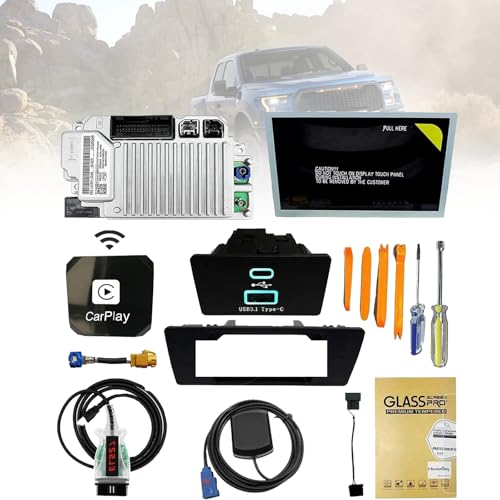
- [Precautions purchase]:Please contact and tell us your car's model, year and VIN number before or after you place order, and we will provide "free pre-programming" based on your vehicle's VIN.
- [Fitment]:Sync 3 Upgrade Kit Fits for Ford 2011-2016 F150, F250, F350, F450, F550, Edge, C-MAX, Escape, Expedition, Flex, Explorers, Focus, Fusion, Mustang, Super Duty, Taurus, Transit, Transit Connect; Fits for Lincoln MKC, MKS, MKT, MKX, MKZ, Navigator. (Specifically judged by VIN)
- [Retain all]:Sync 2 to sync 3 upgrade kit retaining all factory features (audio radio, rear camera, climate control, steering wheel controls, heated and cooled seats, etc.) With the latest map version na220.Support Wireless CarPlay.
- [Kit Includes]:1.Ford SYNC3 APIM module 2.Genuine Ford 8" Capacitive Touchscreen 3.Screen to module cable 4.GPS antenna 5.USB-A HUB 6.USB power harness 7.USB bracket 8.ELM27 blinker 9.Replacement tools
- [Easy Installation]:The perfect design of SYNC 2 to SYNC 3 is rigorously tested before leaving the factory to ensure that there are no product defects and to provide you with better service.
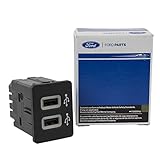
- OEM Genuine Ford Parts only at Rod Baker Ford!
- Requires Updating Sync 3 to the Latest Compatible Version!
- Required for Upgrading Sync 3 to unlock Carplay Feature
- SEE Description for Compatible Models!!!
- If you are unsure about fitment, please contact us with your VIN to confirm!
SEOCONTENT-START
Copyright 2015 Ford Motor Company Michael A. Berardi Ford Motor Company Director P. O. Box 1904 Service Engineering Operations Dearborn, Michigan 48121 Ford Customer Service Division October 14, 2015 TO: All U.S. Ford and Lincoln Dealers SUBJECT: DEMONSTRATION / DELIVERY HOLD – Customer Satisfaction Program 15B32 Certain 2015 Model Year F-150, MKS, and Taurus Vehicles and 2016 Explorer, F- Super Duty, and Fusion Vehicles Equipped with SYNC® with MyFord Touch™ / MyLincoln Touch™ Traffic, Directions, and Information Application Update REF : Technical Service Bulletin (TSB) 15-0153 – MyFord Touch™ / MyLincoln Touch™ – Various Functional Concerns PROGRAM TERMS This program will be in effect through April 15, 2016. There is no mileage limit for this program. AFFECTED VEHICLES Vehicle Model Year Assembly Plant Build Dates F-150 2015 Dearborn September 25, 2015 through September 27, 2015 Kansas City September 20, 2015 through September 26, 2015 MKS 2015 Chicago September 10, 2015 through September 25, 2015 Taurus 2015 Chicago September 10, 2015 through September 25, 2015 Explorer 2016 Chicago September 8, 2015 through September 29, 2015 F-Super Duty 2016 Kentucky August 3, 2015 through September 25, 2015 Fusion 2016 Flat Rock September 9, 2015 through September 25, 2015 Hermosillo September 22, 2015 through September 25, 2015 Affected vehicles are identified in OASIS and FSA VIN Lists. REASON FOR THIS PROGRAM In some of the affected vehicles, the Traffic, Directions, and Information (TDI) application for SYNC services may not be correct for the vehicle. For vehicles with navigation, this may result in one or more of the following conditions: 1. a yellow question mark appearing in place of the compass on the home screen 2. the Voice/Push-to-Talk button becoming inoperative/unresponsive 3. if a phone is paired, inadvertent dialing of the SYNC services number without the customer initiating the SYNC services feature For vehicles without navigation, this may result in one or more of the following conditions: 1. the Voice/Push-to-Talk button becoming inoperative/unresponsive 2. TDI/SYNC services becoming inoperative Copyright 2015 Ford Motor Company SERVICE ACTION Before demonstrating or delivering any of the vehicles involved in this program, dealers are to update the TDI application in the Accessory Protocol Interface Module (APIM) using a USB drive. This service must be performed on all affected vehicles at no charge to the vehicle owner. OWNER NOTIFICATION MAILING SCHEDULE Owner Letters are expected to be mailed the week of October 26, 2015. Dealers should repair any affected vehicles that arrive at their dealerships, whether or not the customer has received a letter. ATTACHMENTS Attachment I: Administrative Information Attachment II: Labor Allowances and Parts Ordering Information Attachment III: Technical Information – Instructions to update a USB Drive Attachment IV: Technical Information – Instructions to install the application on the vehicle Owner Notification Letters QUESTIONS & ASSISTANCE For questions and assistance, contact the Special Service Support Center (SSSC) via the SSSC Web Contact Site. The SSSC Web Contact Site can be accessed through the Professional Technician Society (PTS) website using the SSSC link listed at the bottom of the OASIS VIN report screen or listed under the SSSC tab. Sincerely, Michael A. Berardi Copyright 2015 Ford Motor Company ATTACHMENT I Page 1 of 2 DEMONSTRATION / DELIVERY HOLD – Customer Satisfaction Program 15B32 Certain 2015 Model Year F-150, MKS, and Taurus Vehicles and 2016 Explorer, F-Super Duty, and Fusion Vehicles Equipped with SYNC® with MyFord Touch™ / MyLincoln Touch™ Traffic, Directions, and Information Application Update OASIS ACTIVATION OASIS will be activated on October 14, 2015. FSA VIN LISTS ACTIVATION FSA VIN Lists will be available through https://web.fsavinlists.dealerconnection.com on October 14, 2015. Owner names and addresses will be available by November 6, 2015. NOTE: Your FSA VIN Lists may contain owner names and addresses obtained from motor vehicle registration records. The use of such motor vehicle registration data for any purpose other than in connection with this program is a violation of law in several states, provinces, and countries. Accordingly, you must limit the use of this listing to the follow-up necessary to complete this service action. STOCK VEHICLES Correct all affected units in your new vehicle inventory before delivery. SOLD VEHICLES Owners of affected vehicles will be directed to dealers for repairs. Immediately contact any of your affected customers whose vehicles are not on your VIN list but are identified in OASIS. Give the customer a copy of the Owner Notification Letter (when available) and schedule a service date. Correct other affected vehicles identified in OASIS which are brought to your dealership. TITLE BRANDED / SALVAGED VEHICLES Affected title branded and salvaged vehicles are eligible for this service action. ADDITIONAL LABOR TIME AND/OR PARTS Submit a request to the SSSC Web Contact Site prior to the repair if you have any of the following: Damage that you believe was caused by the covered condition. A condition that requires additional labor and/or parts to complete the repair. Aftermarket equipment or non-Ford modifications to the vehicle which might prevent the repair of the covered condition. Requests for approval after completion of the repair may not be granted. Ford Motor Company reserves the right to deny coverage for related damage in cases where the vehicle owner has not had this recall performed on a timely basis. Additional related damage parts are subject to random selection for return to the Ford Warranty Parts Analysis Center (WPAC). OWNER REFUNDS Refunds are not approved for this program. RENTAL VEHICLES The use of rental vehicles is not approved for this program. Copyright 2015 Ford Motor Company ATTACHMENT I Page 2 of 2 DEMONSTRATION / DELIVERY HOLD – Customer Satisfaction Program 15B32 Certain 2015 Model Year F-150, MKS, and Taurus Vehicles and 2016 Explorer, F-Super Duty, and Fusion Vehicles Equipped with SYNC® with MyFord Touch™ / MyLincoln Touch™ Traffic, Directions, and Information Application Update LINCOLN CLIENT SPECIAL HANDLING To ensure the best possible experience for Lincoln owners, Lincoln Dealers are encouraged to utilize the Lincoln Loyalty Program to provide clients with surprise and delight offerings, including: • Fuel fill • Transportation assistance • Courtesy pick-up and delivery of client vehicles The Lincoln Loyalty Program is exclusive to Lincoln Dealers. Owners will not be notified of this service in owner mailings. Reference EFC03578, Lincoln Loyalty Program Announcement for additional details. CLAIMS PREPARATION AND SUBMISSION Enter claims using Direct Warranty Entry (DWE) or One Warranty Solution (OWS). o DWE: refer to ACESII manual for claims preparation and submission information. o OWS: when entering claims in DMS software, select claim type 31: Field Service Action. The FSA number (15B32) is the sub code. Additional labor and/or parts must be claimed as related damage on a separate repair line from which the FSA is claimed. Additional labor and/or parts require prior approval from the SSSC via the SSSC Web Contact Site. For Lincoln Client Special Handling, reference EFC03578, Lincoln Loyalty Program Announcement and EFC04165, Lincoln Loyalty Rental Claims for Requirements and Claiming Instructions. Claims for Lincoln Loyalty should be submitted as a separate line on the same Repair Order. PROGRAM TERMS: This program will be in effect through April 15, 2016. There is no mileage limit for this program. Copyright 2015 Ford Motor Company ATTACHMENT II Page 1 of 1 DEMONSTRATION / DELIVERY HOLD – Customer Satisfaction Program 15B32 Certain 2015 Model Year F-150, MKS, and Taurus Vehicles and 2016 Explorer, F-Super Duty, and Fusion Vehicles Equipped with SYNC® with MyFord Touch™ / MyLincoln Touch™ Traffic, Directions, and Information Application Update LABOR ALLOWANCES Description Labor Operation Labor Time Update TDI Application in APIM 15B32B 0.3 Hours PARTS REQUIREMENTS / ORDERING INFORMATION Parts are not required to complete this repair. Copyright 2015 Ford Motor Company ATTACHMENT III Page 1 of 1 DEMONSTRATION / DELIVERY HOLD – Customer Satisfaction Program 15B32 Certain 2015 Model Year F-150, MKS, and Taurus Vehicles and 2016 Explorer, Fusion, and Super Duty Vehicles Equipped with SYNC® with MyFord Touch™ / MyLincoln Touch™ Traffic, Directions, and Information Application Update Instructions for Updating a USB Drive with the Correct APIM Software Level Minimum 2 gigabyte (GB) USB drive required. USB drives previously provided for FSAs 11A02 and 11A03 are preferred for compatibility. This procedure will clear any saved data stored on the USB flash drive. Save any important data stored on the USB drive to another location prior to starting this procedure. 1. Format the USB Drive. a. Insert USB Flash drive into computer. b. From Windows start button or desktop, select my computer. c. Right click on the USB drive/temporary disk. d. Select “Format”. e. Under File System, select “FAT32”. f. Under Allocation Unit Size, select Default allocation size. g. Under Format Options, select “Quick Format”. h. Select “start” to reformat. i. Select “OK”, for pop up warning, “Reformatting will erase all data stored on this disk.” j. Close all open pop-up windows once complete. k. Tag the USB Drive to identify the new software level it will contain. 2. Download the software. A hard wired internet connection is recommended. a. http://givisivsustorageprod.blob.core.windows.net/swparts/Gen2v38TDIRepairUSRev2.exe b. A download pop-up window will appear with selections “Run, Save, or Cancel”. Select “Save”. c. A “Save-As” pop up window will appear. Choose a folder on your computer to save the file temporarily. d. Select “Save”. e. When the “Download Complete” pop up window appears, select “Open folder”. f. The file will be highlighted. Double click on the file. g. A download warning may appear. If so, agree to continue by choosing “Yes”, “OK”, or “Run”. h. An extract pop up window will appear. The extract destination to the USB drive will need to be selected. i. To browse for the USB drive, select the button with three dots located to the right of the pop up window. ii. Scroll down and select “Computer” iii. Select the USB drive/removable disk and click “OK”. USB drives previously provided for FSA 11A02 and 11A03 will be titled “SYNC”. i. Select Extract. j. Confirm USB drive contents. Select USB drive located under “My Computer”. A folder named “SyncMyRide” and two files (autoinstall.lst and DONTINDX.msa) will be present on the USB drive; it is now ready for the USB upgrade procedure located in Attachment IV. ATTACHMENT IV PAGE 1 OF 2 CUSTOMER SATISFACTION PROGRAM 15B32 CPR © 2015 FORD MOTOR COMPANY DEARBORN, MICHIGAN 48121 10/2015 CERTAIN 2015 MODEL YEAR F-150, MKS, AND TAURUS VEHICLES AND 2016 EXPLORER, F- SUPER DUTY, AND FUSION VEHICLES EQUIPPED WITH SYNC® WITH MYFORD TOUCH™ / MYLINCOLN TOUCH™ — TRAFFIC, DIRECTIONS, AND INFORMATION APPLICATION UPDATE OVERVIEW In some of the affected vehicles, the Traffic, Directions, and Information (TDI) application for SYNC® Services may not be correct for the vehicle. Before demonstrating or delivering any of the vehicles involved in this program, dealers are to update the TDI application in the Accessory Protocol Interface Module (APIM) using a USB drive. APIM Software Update NOTE: The installation procedure takes less than 10 minutes. Do not remove the USB drive or turn the vehicle off until the “Installation Complete!” screen appears. 1. Verify the vehicle is not in transport mode. If the vehicle is in transport mode, please follow the Workshop Manual (WSM) procedures in Section 419-10 to deactivate. 2. Start the vehicle and allow it to idle for 30 seconds. 3. Disconnect any USB devices or cables connected to the vehicle USB ports and press the home button located at the bottom/center of the screen. See Figure 1. 1577C FIGURE 1 ATTACHMENT IV PAGE 2 OF 2 CUSTOMER SATISFACTION PROGRAM 15B32 CPR © 2015 FORD MOTOR COMPANY DEARBORN, MICHIGAN 48121 10/2015 5. When the programming is complete, “Installation Complete!” will appear on the screen. Press “OK” and remove the USB flash drive from the USB port. See Figure 3. 1577 FIGURE 2 4. Install the USB flash drive into one of the vehicle’s media hub USB ports. The reprogramming procedure will start automatically. See Figure 2. NOTE: It is normal for the system to reboot several times and/or for the screen to go dark/blank at times. The USB drive must remain installed during this time, and should not be removed until the “Installation Complete!” screen appears. 1577 FIGURE 3 Copyright 2015 Ford Motor Company Ford Motor Company Ford Customer Service Division P. O. Box 1904 Dearborn, Michigan 48121 October 2015 Customer Satisfaction Program 15B32 Programa de satisfacción del cliente 15B32 Mr. John Sample 123 Main Street Anywhere, USA 12345 Your Vehicle Identification Number (VIN): 12345678901234567 At Ford Motor Company, we are committed not only to building high quality, dependable products, but also to building a community of happy, satisfied customers. To demonstrate that commitment, we are providing a no-charge Customer Satisfaction Program for your vehicle with the VIN shown above. Why are you receiving this notice? On your vehicle, the Traffic, Directions, and Information (TDI) application for SYNC services may not be correct. For vehicles with navigation, this may result in one or more of the following conditions: 1. a yellow question mark appearing in place of the compass on the home screen 2. the Voice/Push-to-Talk button becoming inoperative/unresponsive 3. if a phone is paired, inadvertent dialing of the SYNC services number without the customer initiating the SYNC services feature For vehicles without navigation, this may result in one or more of the following conditions: 1. the Voice/Push-to-Talk button becoming inoperative/unresponsive 2. TDI/SYNC services becoming inoperative What will Ford and your dealer do? In the interest of customer satisfaction, Ford Motor Company has authorized your dealer to update the TDI application free of charge (parts and labor) under the terms of this program. This Customer Satisfaction Program will be in effect until April 15, 2016 regardless of mileage. Coverage is automatically transferred to subsequent owners. How long will it take? The time needed for this repair is less than one-half day. However, due to service scheduling requirements, your dealer may need your vehicle for a longer period of time What should you do? Please call your dealer without delay and request a service date for Customer Satisfaction Program 15B32. Provide the dealer with the VIN of your vehicle. The VIN is printed near your name at the beginning of this letter. Copyright 2015 Ford Motor Company What should you do? (continued) If you do not already have a servicing dealer, you can access www.Fordowner.com for dealer addresses, maps, and driving instructions. Ford Motor Company wants you to have this service action completed on your vehicle. The vehicle owner is responsible for making arrangements to have the work completed. What if you no longer own this vehicle? If you no longer own this vehicle, and have an address for the current owner, please forward this letter to the new owner. You received this notice because our records, which are based primarily on state registration and title data, indicate that you are the current owner. Can we assist you further? If you have difficulties getting your vehicle repaired promptly and without charge, please contact your dealership’s Service Manager for assistance. RETAIL OWNERS: If you have questions or concerns, please contact our Ford Customer Relationship Center at 1-866-436-7332 and one of our representatives will be happy to assist you. If you wish to contact us through the Internet, our address is: www.Fordowner.com. For the hearing impaired call 1-800-232-5952 (TDD). Representatives are available Monday through Friday: 8:00AM – 8:00PM (Eastern Time). Si necesita ayuda o tiene alguna pregunta, por favor llame al Centro de Relación con Clientes al 1-866-436-7332 y presione 2 para Español. FLEET OWNERS: If you have questions or concerns, please contact our Fleet Customer Information Center at 1-800-34-FLEET, choose Option #3, and one of our representatives will be happy to assist you. If you wish to contact us through the Internet, our address is: www.fleet.ford.com. Representatives are available Monday through Friday: 8:00AM – 8:00PM (Eastern Time). Thank you for your attention to this important matter. Ford Customer Service Division Copyright 2015 The Lincoln Motor Company – A Ford Motor Company Brand The Lincoln Motor Company P. O. Box 1904 Dearborn, Michigan 48121 October 2015 Customer Satisfaction Program 15B32 Programa de satisfacción del cliente 15B32 Mr. John Sample 123 Main Street Anywhere, USA 12345 Your Vehicle Identification Number (VIN): 12345678901234567 At The Lincoln Motor Company, we are committed not only to building high quality, dependable products, but also to building a community of happy, satisfied customers. To demonstrate that commitment, we are providing a no-charge Customer Satisfaction Program for your vehicle with the VIN shown above. Why are you receiving this notice? On your vehicle, the Traffic, Directions, and Information (TDI) application for SYNC services may not be correct. For vehicles with navigation, this may result in one or more of the following conditions: 1. a yellow question mark appearing in place of the compass on the home screen 2. the Voice/Push-to-Talk button becoming inoperative/unresponsive 3. if a phone is paired, inadvertent dialing of the SYNC services number without the customer initiating the SYNC services feature For vehicles without navigation, this may result in one or more of the following conditions: 1. the Voice/Push-to-Talk button becoming inoperative/unresponsive 2. TDI/SYNC services becoming inoperative What will Lincoln and your dealer do? In the interest of customer satisfaction, The Lincoln Motor Company has authorized your dealer to update the TDI application free of charge (parts and labor) under the terms of this program. This Customer Satisfaction Program will be in effect until April 15, 2016 regardless of mileage. Coverage is automatically transferred to subsequent owners. How long will it take? The time needed for this repair is less than one-half day. However, due to service scheduling requirements, your dealer may need your vehicle for a longer period of time What should you do? Please call your dealer without delay and request a service date for Customer Satisfaction Program 15B32. Provide the dealer with the VIN of your vehicle. The VIN is printed near your name at the beginning of this letter. Copyright 2015 The Lincoln Motor Company – A Ford Motor Company Brand What should you do? (continued) If you do not already have a servicing dealer, you can access www.Lincolnowner.com for dealer addresses, maps, and driving instructions. The Lincoln Motor Company wants you to have this service action completed on your vehicle. The vehicle owner is responsible for making arrangements to have the work completed. What if you no longer own this vehicle? If you no longer own this vehicle, and have an address for the current owner, please forward this letter to the new owner. You received this notice because our records, which are based primarily on state registration and title data, indicate that you are the current owner. Can we assist you further? If you have difficulties getting your vehicle repaired promptly and without charge, please contact your dealership’s Service Manager for assistance. RETAIL OWNERS: If you have questions or concerns, please contact our Customer Relationship Center at 1-866-436-7332 and one of our representatives will be happy to assist you. If you wish to contact us through the Internet, our address is: www.Lincolnowner.com. For the hearing impaired call 1-800-232-5952 (TDD). Representatives are available Monday through Friday: 8:00AM – 8:00PM (Eastern Time). Si necesita ayuda o tiene alguna pregunta, por favor llame al Centro de Relación con Clientes al 1-866-436-7332 y presione 2 para Español. FLEET OWNERS: If you have questions or concerns, please contact our Fleet Customer Information Center at 1-800-34-FLEET, Option #3 and one of our representatives will be happy to assist you. Representatives are available Monday through Friday: 8:00AM – 8:00PM (Eastern Time). If you wish to contact us through the Internet, our address is: www.fleet.ford.com. Thank you for your attention to this important matter. The Lincoln Motor Company Copyright 2015 Ford Motor Company Michael A. Berardi Ford Motor Company Director P. O. Box 1904 Service Engineering Operations Dearborn, Michigan 48121 Ford Customer Service Division October 23, 2015 TO: All U.S. Ford and Lincoln Dealers SUBJECT: DEMONSTRATION / DELIVERY HOLD – Customer Satisfaction Program 15B32 – Supplement #1 Certain 2015-2016 Model Year Vehicles Equipped with SYNC® with MyFord Touch™ / MyLincoln Touch™ Traffic, Directions, and Information Application Update REF : DEMONSTRATION / DELIVERY HOLD – Customer Satisfaction Program 15B32 Dated October 14, 2015 Technical Service Bulletin (TSB) 15-0153 – MyFord Touch™ / MyLincoln Touch™ – Various Functional Concerns New! REASON FOR THIS SUPPLEMENT Affected Vehicles: This supplement is being released to add incremental vehicles to the Customer Satisfaction Program. PROGRAM TERMS This program will be in effect through April 15, 2016. There is no mileage limit for this program. New! AFFECTED VEHICLES Vehicle Model Year Assembly Plant Build Dates Edge 2015-2016 Oakville August 11, 2015 through August 12, 2015 F-150 2015 Dearborn August 6, 2015 through September 27, 2015 Kansas City August 14, 2015 through September 26, 2015 Flex 2015 Oakville August 11, 2015 through August 12, 2015 MKS 2015 Chicago August 12, 2015 through September 25, 2015 Taurus 2015 Chicago August 12, 2015 through September 25, 2015 Explorer 2016 Chicago August 10, 2015 through September 29, 2015 F-Super Duty 2016 Kentucky August 3, 2015 through September 25, 2015 Fusion 2016 Flat Rock August 10, 2015 through September 25, 2015 Hermosillo July 23, 2015 through September 25, 2015 MKX 2016 Oakville August 12, 2015 Affected vehicles are identified in OASIS and FSA VIN Lists. Copyright 2015 Ford Motor Company REASON FOR THIS PROGRAM In some of the affected vehicles, the Traffic, Directions, and Information (TDI) application for SYNC services may not be correct for the vehicle. For vehicles with navigation, this may result in one or more of the following conditions: 1. a yellow question mark appearing in place of the compass on the home screen 2. the Voice/Push-to-Talk button becoming inoperative/unresponsive 3. if a phone is paired, inadvertent dialing of the SYNC services number without the customer initiating the SYNC services feature For vehicles without navigation, this may result in one or more of the following conditions: 1. the Voice/Push-to-Talk button becoming inoperative/unresponsive 2. TDI/SYNC services becoming inoperative SERVICE ACTION Before demonstrating or delivering any of the vehicles involved in this program, dealers are to update the TDI application in the Accessory Protocol Interface Module (APIM) using a USB drive. This service must be performed on all affected vehicles at no charge to the vehicle owner. OWNER NOTIFICATION MAILING SCHEDULE Owner Letters are expected to be mailed the week of October 26, 2015. Dealers should repair any affected vehicles that arrive at their dealerships, whether or not the customer has received a letter. ATTACHMENTS Attachment I: Administrative Information Attachment II: Labor Allowances and Parts Ordering Information Attachment III: Technical Information – Instructions to update a USB Drive Attachment IV: Technical Information – Instructions to install the application on the vehicle Owner Notification Letters QUESTIONS & ASSISTANCE For questions and assistance, contact the Special Service Support Center (SSSC) via the SSSC Web Contact Site. The SSSC Web Contact Site can be accessed through the Professional Technician Society (PTS) website using the SSSC link listed at the bottom of the OASIS VIN report screen or listed under the SSSC tab. Sincerely, Michael A. Berardi Copyright 2015 Ford Motor Company ATTACHMENT I Page 1 of 2 DEMONSTRATION / DELIVERY HOLD – Customer Satisfaction Program 15B32 – Supplement #1 Certain 2015-2016 Model Year Vehicles Equipped with SYNC® with MyFord Touch™ / MyLincoln Touch™ Traffic, Directions, and Information Application Update OASIS ACTIVATION OASIS was activated on October 14, 2015. FSA VIN LISTS ACTIVATION FSA VIN Lists were available through https://web.fsavinlists.dealerconnection.com on October 14, 2015. Owner names and addresses will be available by November 6, 2015. NOTE: Your FSA VIN Lists may contain owner names and addresses obtained from motor vehicle registration records. The use of such motor vehicle registration data for any purpose other than in connection with this program is a violation of law in several states, provinces, and countries. Accordingly, you must limit the use of this listing to the follow-up necessary to complete this service action. STOCK VEHICLES Correct all affected units in your new vehicle inventory before delivery. SOLD VEHICLES Owners of affected vehicles will be directed to dealers for repairs. Immediately contact any of your affected customers whose vehicles are not on your VIN list but are identified in OASIS. Give the customer a copy of the Owner Notification Letter (when available) and schedule a service date. Correct other affected vehicles identified in OASIS which are brought to your dealership. TITLE BRANDED / SALVAGED VEHICLES Affected title branded and salvaged vehicles are eligible for this service action. ADDITIONAL LABOR TIME AND/OR PARTS Submit a request to the SSSC Web Contact Site prior to the repair if you have any of the following: Damage that you believe was caused by the covered condition. A condition that requires additional labor and/or parts to complete the repair. Aftermarket equipment or non-Ford modifications to the vehicle which might prevent the repair of the covered condition. Requests for approval after completion of the repair may not be granted. Ford Motor Company reserves the right to deny coverage for related damage in cases where the vehicle owner has not had this recall performed on a timely basis. Additional related damage parts are subject to random selection for return to the Ford Warranty Parts Analysis Center (WPAC). OWNER REFUNDS Refunds are not approved for this program. RENTAL VEHICLES The use of rental vehicles is not approved for this program. Copyright 2015 Ford Motor Company ATTACHMENT I Page 2 of 2 DEMONSTRATION / DELIVERY HOLD – Customer Satisfaction Program 15B32 – Supplement #1 Certain 2015-2016 Model Year Vehicles Equipped with SYNC® with MyFord Touch™ / MyLincoln Touch™ Traffic, Directions, and Information Application Update LINCOLN CLIENT SPECIAL HANDLING To ensure the best possible experience for Lincoln owners, Lincoln Dealers are encouraged to utilize the Lincoln Loyalty Program to provide clients with surprise and delight offerings, including: • Fuel fill • Transportation assistance • Courtesy pick-up and delivery of client vehicles The Lincoln Loyalty Program is exclusive to Lincoln Dealers. Owners will not be notified of this service in owner mailings. Reference EFC03578, Lincoln Loyalty Program Announcement for additional details. CLAIMS PREPARATION AND SUBMISSION Enter claims using Direct Warranty Entry (DWE) or One Warranty Solution (OWS). o DWE: refer to ACESII manual for claims preparation and submission information. o OWS: when entering claims in DMS software, select claim type 31: Field Service Action. The FSA number (15B32) is the sub code. Additional labor and/or parts must be claimed as related damage on a separate repair line from which the FSA is claimed. Additional labor and/or parts require prior approval from the SSSC via the SSSC Web Contact Site. For Lincoln Client Special Handling, reference EFC03578, Lincoln Loyalty Program Announcement and EFC04165, Lincoln Loyalty Rental Claims for Requirements and Claiming Instructions. Claims for Lincoln Loyalty should be submitted as a separate line on the same Repair Order. PROGRAM TERMS: This program will be in effect through April 15, 2016. There is no mileage limit for this program. Copyright 2015 Ford Motor Company ATTACHMENT II Page 1 of 1 DEMONSTRATION / DELIVERY HOLD – Customer Satisfaction Program 15B32 – Supplement #1 Certain 2015-2016 Model Year Vehicles Equipped with SYNC® with MyFord Touch™ / MyLincoln Touch™ Traffic, Directions, and Information Application Update LABOR ALLOWANCES Description Labor Operation Labor Time Update TDI Application in APIM 15B32B 0.3 Hours PARTS REQUIREMENTS / ORDERING INFORMATION Parts are not required to complete this repair. © Copyright 2015 Ford Motor Company ATTACHMENT III Page 1 of 1 DEMONSTRATION / DELIVERY HOLD – Customer Satisfaction Program 15B32 – Supplement #1 Certain 2015-2016 Model Year Vehicles Equipped with SYNC® with MyFord Touch™ / MyLincoln Touch™ Traffic, Directions, and Information Application Update Instructions for Updating a USB Drive with the Correct APIM Software Level Minimum 2 gigabyte (GB) USB drive required. USB drives previously provided for FSAs 11A02 and 11A03 are preferred for compatibility. This procedure will clear any saved data stored on the USB flash drive. Save any important data stored on the USB drive to another location prior to starting this procedure. 1. Format the USB Drive. a. Insert USB Flash drive into computer. b. From Windows start button or desktop, select my computer. c. Right click on the USB drive/temporary disk. d. Select “Format”. e. Under File System, select “FAT32”. f. Under Allocation Unit Size, select Default allocation size. g. Under Format Options, select “Quick Format”. h. Select “start” to reformat. i. Select “OK”, for pop up warning, “Reformatting will erase all data stored on this disk.” j. Close all open pop-up windows once complete. k. Tag the USB Drive to identify the new software level it will contain. 2. Download the software. A hard wired internet connection is recommended. a. http://givisivsustorageprod.blob.core.windows.net/swparts/Gen2v38TDIRepairUSRev2.exe b. A download pop-up window will appear with selections “Run, Save, or Cancel”. Select “Save”. c. A “Save-As” pop up window will appear. Choose a folder on your computer to save the file temporarily. d. Select “Save”. e. When the “Download Complete” pop up window appears, select “Open folder”. f. The file will be highlighted. Double click on the file. g. A download warning may appear. If so, agree to continue by choosing “Yes”, “OK”, or “Run”. h. An extract pop up window will appear. The extract destination to the USB drive will need to be selected. i. To browse for the USB drive, select the button with three dots located to the right of the pop up window. ii. Scroll down and select “Computer” iii. Select the USB drive/removable disk and click “OK”. USB drives previously provided for FSA 11A02 and 11A03 will be titled “SYNC”. i. Select Extract. j. Confirm USB drive contents. Select USB drive located under “My Computer”. A folder named “SyncMyRide” and two files (autoinstall.lst and DONTINDX.msa) will be present on the USB drive; it is now ready for the USB upgrade procedure located in Attachment IV. C 1 C C 15 -S1 CP 2015 FO D MOTO COMPANY D A BO N, MIC I AN 4 121 10/2015 CERTAIN 2015-2016 MODEL YEAR VEHICLES EQUIPPED WITH SYNC® WITH MYFORDTOUCH™ / MYLINCOLN TOUCH™ C C C In some of the affected vehicles, the Traffic, Directions, and Information (TDI) application for SYNC® Services may not be correct for the vehicle. Before demonstrating or delivering any of the vehicles involved in this program, dealers are to update the TDI application in the Accessory Protocol Interface Module (APIM) using a USB drive. The installation procedure takes less than 10 minutes. Do not remove the USB drive or turn the vehicle off until the “Installation Complete!” screen appears. 1. Verify the vehicle is not in transport mode. If the vehicle is in transport mode, please follow the Workshop Manual (WSM) procedures in Section 419-10 to deactivate. 2. Start the vehicle and allow it to idle for 30 seconds. 3. Disconnect any USB devices or cables connected to the vehicle USB ports and press the home button located at the bottom/center of the screen. See Figure 1. 1577C 1 C C C 15 -S1 CP 2015 FO D MOTO COMPANY D A BO N, MIC I AN 4 121 10/2015 5. When the programming is complete, “Installation Complete!” will appear on the screen. Press “OK” and remove the USB flash drive from the USB port. See Figure 3. 1577 4. Install the USB flash drive into one of the vehicle’s media hub USB ports. The reprogramming procedure will start automatically. See Figure 2. It is normal for the system to reboot several times and/or for the screen to go dark/blank at times. The USB drive must remain installed during this time, and should not be removed until the “Installation Complete!” screen appears. 1577
**************************************************************************************************************
SEOCONTENT-END
This product presentation was made with AAWP plugin.