
NHTSA ID Number: 10201081
Manufacturer Communication Number: 21B47
Summary
In all of the affected vehicles, a one-speed transfer case was installed instead of the two-speed transfer case that was intended to be installed with the heavy duty trailer tow package. As a result, the Slow Climb drive mode and the Neutral Tow setting will not be available on the Instrument Panel Cluster (IPC) message center display. This will prohibit the vehicle from being flat-towed and may cause poor drivability in extreme off-road conditions.
1 Affected Product
Vehicle
| MAKE | MODEL | YEAR |
LINCOLN | NAVIGATOR | 2021 |
PROGRAM TERMS
This program will be in effect through August 31, 2025. There is no mileage limit for this program.
AFFECTED VEHICLES
| Vehicle | Model Year | Assembly Plant | Build Dates |
| Navigator | 2021 | Kentucky Truck | December 2, 2020 through March 9, 2021 |
REASON FOR THIS PROGRAM
In all of the affected vehicles, a one-speed transfer case was installed instead of the two-speed transfer case that was intended to be installed with the heavy duty trailer tow package. As a result, the
Slow Climb drive mode and the Neutral Tow setting will not be available on the Instrument Panel Cluster (IPC) message center display. This will prohibit the vehicle from being flat-towed and may cause poor drivability in extreme off-road conditions.
UNIQUE REQUIREMENTS
Prior to scheduling customer appointments or beginning repairs, submit a Special Service Support Center (SSSC) Module Update type contact for parts ordering and to initiate the as-built data change request. Processing this request is expected to take 2-4 days. Therefore, proceed with customer appointments or repairs only after receiving confirmation from the SSSC.
IMPORTANT: Once the as-built request has been made to the SSSC, DO NOT connect a diagnostic scan tool to the vehicle as this may cause the new module configuration data to be deleted.
SERVICE ACTION
Before delivering any new in-stock vehicles involved in this program, dealers are to first initiate a SSSC contact for parts and as-built data change request. Then dealers are to replace the transfer case, transfer case wiring harness and the Transfer Case Control Module (TCCM) and reconfigure the following modules using the Ford Diagnosis and Repair System (FDRS):
- Anti-lock Braking System (ABS) module
- Instrument Panel Cluster (IPC) module
- Power Train Control Module (PCM) and
- Transmission Control Module (TCM)
This service must be performed, on all vehicles in dealer stock and on sold units at no charge to the vehicle owner.
NOTE: Integrated Diagnostic Software (IDS) cannot be used for programming on the 2021 Navigator vehicles.
OWNER NOTIFICATION AND MAILING SCHEDULE
Owner letters are expected to be mailed the week of September 6, 2021. Dealers should repair any affected vehicles that arrive at their dealerships, whether or not the customer has received a letter.
PARTS REQUIREMENTS
| Part Number | Description | Order Quantity | Claim Quantity |
| JL1Z-7A195-C | Transfer Case | 1 | 1 |
| JL1Z-7C078-C | Transfer Case Wiring Harness | 1 | 1 |
| ML1Z-7E453-B | Transfer Case Control Module (TCCM) | 1 | 1 |
| Part Number | Description | Order Quantity | Claim Quantity |
| W520113-S440 | Front Sway/Stabilizer Bar Nuts (4 required, package of 4) | 1 | 4 |
7L1Z-4B496-C
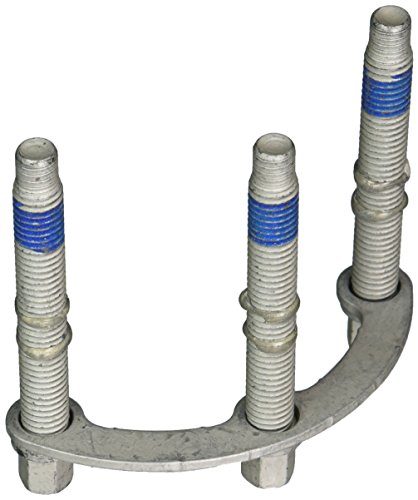
Genuine Ford 7L1Z-4B496-C Bolt
| Front Driveshaft to Pinion Flange Bolts with Retaining Straps (2 required, package of 1) | 2 | 2 |
| 7L1Z-4B496-D | Front Driveshaft to Transfer Case bolts w/retaining straps (3 required, package of 1) | 3 | 3 |
| N811880-S100 | Rear Driveshaft to Rear Pinion Flange bolts
(4 required, package of 4) | 1 | 4 |
| W716375-S900 | Transfer Case-to-Transmission Bolts
(9 required, package of 5) | 3 | 12 |
| Transfer Case Damper-to-Transfer Case Bolts
(3 required, package of 5) | |||
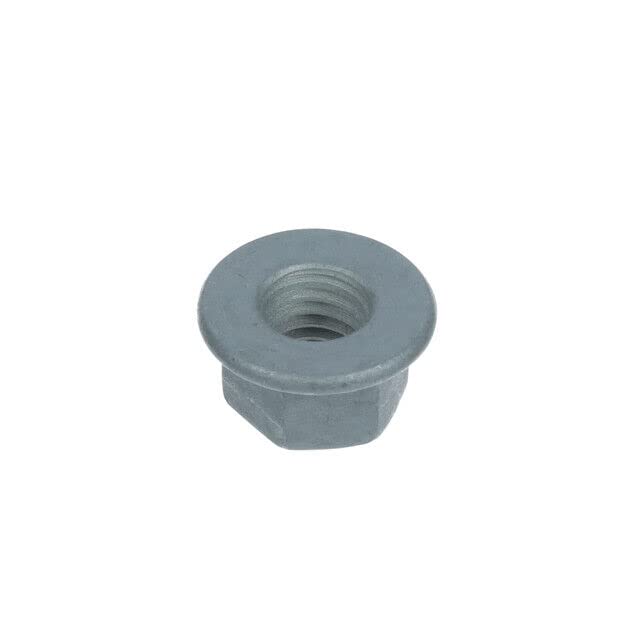
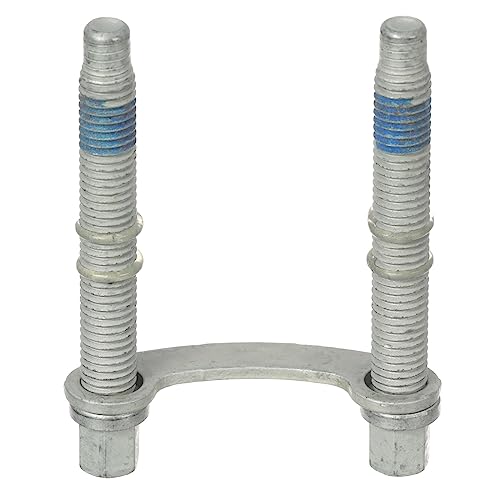
| W715131-S437
No products found. | Transmission Cooler Tube Bracket Bolts
(2 required, package of 4) | 1 | 2 |
| Part Number | Description | Order Quantity | Claim Quantity |
| W714418-S439 | Transmission Crossmember-to-Frame Bolts
(4 required, package of 4) | 1 | 4 |
| W520114-S442 | Transmission Crossmember-to-Frame Nuts
(4 required, package of 4) | 1 | 4 |
W709771-S440

Ford W709771-S440 Nut Adjust Screw
| Transmission Mount to Crossmember Nuts
(2 required, package of 1) | 2 | 2 |
| W718353-S900 | Transmission Support Isolator Mount Bolts
(4 required, package of 4) | 1 | 4 |
XT-10-QLVC
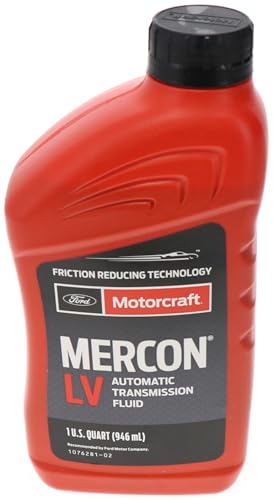
Ford Genuine Ford Fluid XT-10-QLVC MERCON-LV Automatic Transmission Fluid - 1 Quart
| Motorcraft® MERCON® LV Automatic Transmission Fluid* | MISC. OTHER | |
TA-24-B
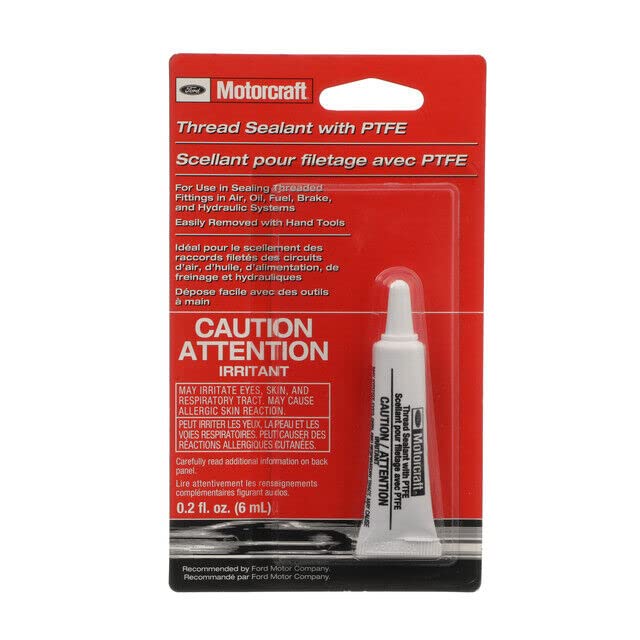
Genuine Ford Parts - Adhesive (TA-24-B)
| Motorcraft® Thread Sealant with PTFE* | ||
XT-12-QULV

MOTORCRAFT Mercon Ultra Low Viscosity Fluid Automatic Transmission Fluid for 2017 F-150, Black
| Motorcraft® MERCON® ULV Automatic Transmission Fluid* | ||
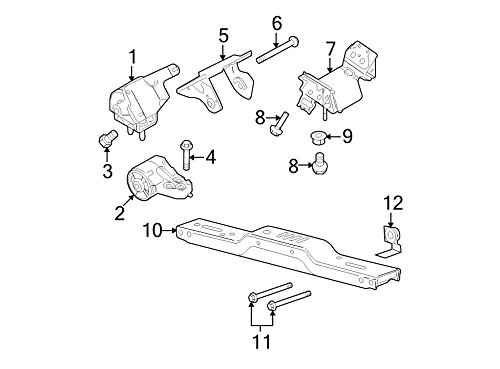
CERTAIN 2021 MODEL YEAR NAVIGATOR VEHICLES EQUIPPED WITH HEAVY DUTY TRAILER TOW PACKAGE — TWO-SPEED TRANSFER CASE INSTALLATION
UNIQUE REQUIREMENTS
Prior to scheduling customer appointments or beginning repairs, submit a Special Service Support Center (SSSC) Module Update type contact for parts ordering and to initiate the as-built data change request. Processing this request is expected to take 2-4 days. Therefore, proceed with customer appointments or repairs ONLY AFTER receiving confirmation from the SSSC.
SERVICE PROCEDURE
IMPORTANT: DO NOT connect a diagnostic scan tool to the vehicle as this may cause the new module configuration data to be deleted.
1. Remove the Transfer Case. Please follow the Workshop Manual (WSM) procedures in Section 307-07B.
2. Replace the Transfer Case Wiring Harness. See Figure 1.
NOTE: The replacement transfer case comes pre-filled with fluid. Top off as needed.
3. Install the new Transfer Case. Please follow the WSM procedures in Section 307-07B.
4. Remove and discard the Transfer Case Control Module (TCCM). Please follow the WSM procedures in Section 307-07A.
5. Install the new TCCM. Please follow the WSM procedures in Section 307-07A.
Module Programming
IMPORTANT: DO NOT allow the diagnostic scan tool to read the Vehicle Identification Number (VIN) automatically, MANUALLY enter the VIN ONLY.
6. Connect a battery charger to the 12V battery.
NOTE: Verify that the negative cable of the charger is installed on a chassis or engine ground, and not the 12 volt battery negative terminal to prevent the battery saver mode from activating on the vehicle.
NOTE: If the diagnostic software does not load make sure there is a good internet connection and the Vehicle communication module II (VCM II) is properly connected to the Data Link Connector (DLC).
7. Log into Ford Diagnostic and Repair System (FDRS).
NOTE: DO NOT allow the diagnostic scan tool to read the VIN automatically, MANUALLY enter the VIN ONLY.
8. Manually enter the VIN.
9. Select Toolbox tab.
NOTE: If the diagnostic scan tool prompts you with “This application will restore the as-built configuration.
Do you wish to continue?” select YES for any of the modules in this procedure.
10. From the list on the Left Hand (LH) side of the screen, select the ABS.
11. From the list on the Right Hand (RH) side of the screen, locate ABS – Anti-lock Brake System (ABS) Module Configuration and click “Download”.
12. Click “RUN”. Follow all on-screen instructions carefully.
13. From the list on the LH side of the screen, select the IPC.
14. From the list on the RH side of the screen, locate IPC – Instrument Panel Cluster (IPC) Configuration and click “Download”.
15. Click “RUN”. Follow all on-screen instructions carefully.
16. From the list on the LH side of the screen, select the PCM.
17. From the list on the RH side of the screen, locate PCM – Powertrain Control Module (PCM) Configuration and click “Download”.
18. Click “RUN”. Follow all on-screen instructions carefully.
19. From the list on the LH side of the screen, select the TCM.
20. From the list on the RH side of the screen, locate TCM – Transmission Control Module (TCM) Configuration and click “Download”.
21. Click “RUN”. Follow all on-screen instructions carefully.
22. From the list on the RH side of the screen, select Self-Test and click RUN.
23. Click the Run Selected Tests button in the lower right.
24. Click the Clear & Retest button at the top of the screen to clear DTC’s in all modules.
25. Disconnect the battery charger from the 12V battery once the programming has completed.
26. Verify the Slow Climb drive mode and Neutral Tow setting are available on the IPC message center display. Refer to the Owner’s Manual for additional information.
27. With the vehicle in Normal 4A drive mode, drive for a minimum of 1 mile at 40-45 miles per hour, conducting various heavy pedal (greater than 60%) tip ins in between steady state driving. Check for any driveline vibrations while in Normal 4A drive mode.
-Are there are any vibrations from the driveline coming through the accelerator pedal?
NO – Repair is complete.
YES – Contact the SSSC for assistance.
Important Information for Module Programming
NOTE: When programming a module, use the following basic checks to ensure programming completes without errors.
• Make sure the 12V battery is fully charged before carrying out the programming steps and connect FDRS/scan tool to a power source.
NOTE: A good internet connection is necessary to identify the vehicle and to load the diagnostic software.
• Inspect VCM II/Vehicle Communication and Measurement Module (VCMM) and cables for any damage.
Make sure scan tool connections are not interrupted during programming.
• A hardwired connection is strongly recommended.
• Turn off all unnecessary accessories (radio, heated/cooled seats, headlamps, interior lamps, HVAC system, etc.) and close doors.
• Disconnect/depower any aftermarket accessories (remote start, alarm, power inverter, CB radio, etc.).
• Follow all scan tool on-screen instructions carefully.
• Disable FDRS/scan tool sleep mode, screensaver, hibernation modes.
• Create all sessions Key On Engine Off (KOEO). Starting the vehicle before creating a session will cause errors within the programming inhale process.
Recovering a module when programming has resulted in a blank module
a. Disconnect the VCMII or VCMM from the DLC and from the diagnostic scan tool.
b. After ten seconds, reconnect the VCMII/VCMM to the DLC and diagnostic scan tool. Launch FDRS. The VCMII/VCMM icon should turn green in the bottom right corner of the screen. If it does not, troubleshoot the FDRS to VCM connection.
c. If you are using the same FDRS as the initial programming attempt, select the appropriate VIN from the Vehicle Identification menu. If you are using a different FDRS, select “Read VIN from Vehicle” and proceed through the Network Test.
d. In the Toolbox menu, navigate to the failed module and Download/Run Programmable Module Installation (PMI). Follow the on-screen prompts. When asked if the original module is installed, select “No” and continue through the installation application.
e. Once programming has completed, a screen may list additional steps required to complete the programming process. Make sure all applicable steps are followed in order.
IMPORTANT NOTE: Federal law prohibits selling motor vehicle parts or components that are under safety, compliance, or emissions recall. Unless a part is requested to be returned to Ford, all parts replaced under this FSA must be scrapped in accordance with all applicable local, state and federal environmental protection and hazardous material regulations. Refer to the Parts Retention, Return, & Scrapping section of the FSA dealer bulletin for further information.
SEOCONTENT-START
Copyright 2021 Ford Motor Company
David J. Johnson Ford Motor Company
Director P. O. Box 1904
Service Engineering Operations Dearborn, Michigan 48121
Ford Customer Service Division
August 19, 2021
TO: All U.S. Ford and Lincoln Dealers
SUBJECT: NEW VEHICLE DELIVERY HOLD – Customer Satisfaction Program 21B47
Certain 2021 Model Year Navigator Vehicles Equipped with Heavy Duty Trailer Tow
Package – Two-Speed Transfer Case Installation
PROGRAM TERMS
This program will be in effect through August 31, 2025. There is no mileage limit for this program.
AFFECTED VEHICLES
Vehicle Model Year Assembly Plant Build Dates
Navigator 2021 Kentucky Truck December 2, 2020 through March 9, 2021
Affected vehicles are identified in OASIS and FSA VIN Lists.
REASON FOR THIS PROGRAM
In all of the affected vehicles, a one-speed transfer case was installed instead of the two-speed
transfer case that was intended to be installed with the heavy duty trailer tow package. As a result, the
Slow Climb drive mode and the Neutral Tow setting will not be available on the Instrument Panel
Cluster (IPC) message center display. This will prohibit the vehicle from being flat-towed and may
cause poor drivability in extreme off-road conditions.
UNIQUE REQUIREMENTS
Prior to scheduling customer appointments or beginning repairs, submit a Special Service Support
Center (SSSC) Module Update type contact for parts ordering and to initiate the as-built data change
request. Processing this request is expected to take 2-4 days. Therefore, proceed with customer
appointments or repairs only after receiving confirmation from the SSSC.
IMPORTANT: Once the as-built request has been made to the SSSC, DO NOT connect a diagnostic
scan tool to the vehicle as this may cause the new module configuration data to be deleted.
SERVICE ACTION
Before delivering any new in-stock vehicles involved in this program, dealers are to first initiate a
SSSC contact for parts and as-built data change request. Then dealers are to replace the transfer
case, transfer case wiring harness and the Transfer Case Control Module (TCCM) and reconfigure
the following modules using the Ford Diagnosis and Repair System (FDRS):
• Anti-lock Braking System (ABS) module
• Instrument Panel Cluster (IPC) module
• Power Train Control Module (PCM) and
• Transmission Control Module (TCM)
This service must be performed, on all vehicles in dealer stock and on sold units at no charge to the
vehicle owner.
NOTE: Integrated Diagnostic Software (IDS) cannot be used for programming on the 2021 Navigator
vehicles.
Copyright 2021 Ford Motor Company
OWNER NOTIFICATION MAILING SCHEDULE
Owner letters are expected to be mailed the week of September 6, 2021. Dealers should repair any
affected vehicles that arrive at their dealerships, whether or not the customer has received a letter.
ATTACHMENTS
Attachment I: Administrative Information
Attachment II: Labor Allowances and Parts Ordering Information
Attachment III: Technical Information
Owner Notification Letter
QUESTIONS & ASSISTANCE
For questions and assistance, contact the SSSC via the SSSC Web Contact Site. The SSSC Web
Contact Site can be accessed through the Professional Technician System (PTS) website using the
SSSC link listed at the bottom of the OASIS VIN report screen or listed under the SSSC tab.
Sincerely,
David J. Johnson
ATTACHMENT III
PAGE 1 OF 4
CUSTOMER SATISFACTION PROGRAM 21B47
CPR © 2021 FORD MOTOR COMPANY
DEARBORN, MICHIGAN 48121
08/2021
CERTAIN 2021 MODEL YEAR NAVIGATOR VEHICLES EQUIPPED WITH HEAVY
DUTY TRAILER TOW PACKAGE — TWO-SPEED TRANSFER CASE INSTALLATION
UNIQUE REQUIREMENTS
Prior to scheduling customer appointments or beginning repairs, submit a Special Service
Support Center (SSSC) Module Update type contact for parts ordering and to initiate the as-built
data change request. Processing this request is expected to take 2-4 days. Therefore, proceed with
customer appointments or repairs ONLY AFTER receiving confirmation from the SSSC.
SERVICE PROCEDURE
IMPORTANT: DO NOT connect a diagnostic scan tool to the vehicle as this may cause the new
module configuration data to be deleted.
1. Remove the Transfer Case. Please follow the Workshop Manual (WSM) procedures in Section 307-07B.
2. Replace the Transfer Case Wiring Harness. See Figure 1.
STUD FOR
MISSING NUT
STUD FOR
MISSING NUT
STUD FOR
MISSING NUT
21155A
FRONT OF
VEHICLE
FIGURE 1
NOTE: The replacement transfer case comes pre-filled with fluid. Top off as needed.
3. Install the new Transfer Case. Please follow the WSM procedures in Section 307-07B.
4. Remove and discard the Transfer Case Control Module (TCCM). Please follow the WSM procedures in
Section 307-07A.
5. Install the new TCCM. Please follow the WSM procedures in Section 307-07A.
ATTACHMENT III
PAGE 2 OF 4
CUSTOMER SATISFACTION PROGRAM 21B47
CPR © 2021 FORD MOTOR COMPANY
DEARBORN, MICHIGAN 48121
08/2021
Module Programming
IMPORTANT: DO NOT allow the diagnostic scan tool to read the Vehicle Identification Number
(VIN) automatically, MANUALLY enter the VIN ONLY.
6. Connect a battery charger to the 12V battery.
NOTE: Verify that the negative cable of the charger is installed on a chassis or engine ground, and not
the 12 volt battery negative terminal to prevent the battery saver mode from activating on the
vehicle.
NOTE: If the diagnostic software does not load make sure there is a good internet connection and the
Vehicle communication module II (VCM II) is properly connected to the Data Link Connector
(DLC).
7. Log into Ford Diagnostic and Repair System (FDRS).
NOTE: DO NOT allow the diagnostic scan tool to read the VIN automatically, MANUALLY enter the
VIN ONLY.
8. Manually enter the VIN.
9. Select Toolbox tab.
NOTE: If the diagnostic scan tool prompts you with “This application will restore the as-built configuration.
Do you wish to continue?” select YES for any of the modules in this procedure.
10. From the list on the Left Hand (LH) side of the screen, select the ABS.
11. From the list on the Right Hand (RH) side of the screen, locate ABS – Anti-lock Brake System (ABS)
Module Configuration and click “Download”.
12. Click “RUN”. Follow all on-screen instructions carefully.
13. From the list on the LH side of the screen, select the IPC.
14. From the list on the RH side of the screen, locate IPC – Instrument Panel Cluster (IPC)
Configuration and click “Download”.
15. Click “RUN”. Follow all on-screen instructions carefully.
16. From the list on the LH side of the screen, select the PCM.
17. From the list on the RH side of the screen, locate PCM – Powertrain Control Module (PCM)
Configuration and click “Download”.
18. Click “RUN”. Follow all on-screen instructions carefully.
19. From the list on the LH side of the screen, select the TCM.
ATTACHMENT III
PAGE 3 OF 4
CUSTOMER SATISFACTION PROGRAM 21B47
CPR © 2021 FORD MOTOR COMPANY
DEARBORN, MICHIGAN 48121
08/2021
20. From the list on the RH side of the screen, locate TCM – Transmission Control Module (TCM)
Configuration and click “Download”.
21. Click “RUN”. Follow all on-screen instructions carefully.
22. From the list on the RH side of the screen, select Self-Test and click RUN.
23. Click the Run Selected Tests button in the lower right.
24. Click the Clear & Retest button at the top of the screen to clear DTC’s in all modules.
25. Disconnect the battery charger from the 12V battery once the programming has completed.
26. Verify the Slow Climb drive mode and Neutral Tow setting are available on the IPC message center
display. Refer to the Owner’s Manual for additional information.
27. With the vehicle in Normal 4A drive mode, drive for a minimum of 1 mile at 40-45 miles per hour,
conducting various heavy pedal (greater than 60%) tip ins in between steady state driving. Check
for any driveline vibrations while in Normal 4A drive mode.
-Are there are any vibrations from the driveline coming through the accelerator pedal?
NO – Repair is complete.
YES – Contact the SSSC for assistance.
Important Information for Module Programming
NOTE: When programming a module, use the following basic checks to ensure programming completes
without errors.
• Make sure the 12V battery is fully charged before carrying out the programming steps and connect
FDRS/scan tool to a power source.
NOTE: A good internet connection is necessary to identify the vehicle and to load the diagnostic software.
• Inspect VCM II/Vehicle Communication and Measurement Module (VCMM) and cables for any damage.
Make sure scan tool connections are not interrupted during programming.
• A hardwired connection is strongly recommended.
• Turn off all unnecessary accessories (radio, heated/cooled seats, headlamps, interior lamps, HVAC
system, etc.) and close doors.
• Disconnect/depower any aftermarket accessories (remote start, alarm, power inverter, CB radio,etc.).
• Follow all scan tool on-screen instructions carefully.
• Disable FDRS/scan tool sleep mode, screensaver, hibernation modes.
• Create all sessions Key On Engine Off (KOEO). Starting the vehicle before creating a session will cause
errors within the programming inhale process.
ATTACHMENT III
PAGE 4 OF 4
CUSTOMER SATISFACTION PROGRAM 21B47
CPR © 2021 FORD MOTOR COMPANY
DEARBORN, MICHIGAN 48121
08/2021
Recovering a module when programming has resulted in a blank module
a. Disconnect the VCMII or VCMM from the DLC and from the diagnostic scan tool.
b. After ten seconds, reconnect the VCMII/VCMM to the DLC and diagnostic scan tool. Launch FDRS. The
VCMII/VCMM icon should turn green in the bottom right corner of the screen. If it does not,
troubleshoot the FDRS to VCM connection.
c. If you are using the same FDRS as the initial programming attempt, select the appropriate VIN from
the Vehicle Identification menu. If you are using a different FDRS, select “Read VIN from Vehicle”
and proceed through the Network Test.
d. In the Toolbox menu, navigate to the failed module and Download/Run Programmable Module
Installation (PMI). Follow the on-screen prompts. When asked if the original module is installed,
select “No” and continue through the installation application.
e. Once programming has completed, a screen may list additional steps required to complete the
programming process. Make sure all applicable steps are followed in order.
IMPORTANT NOTE: Federal law prohibits selling motor vehicle parts or components that are
under safety, compliance, or emissions recall. Unless a part is requested to be returned to Ford, all
parts replaced under this FSA must be scrapped in accordance with all applicable local, state and
federal environmental protection and hazardous material regulations. Refer to the Parts Retention,
Return, & Scrapping section of the FSA dealer bulletin for further information.
Copyright 2021 Ford Motor Company
ATTACHMENT I
Page 1 of 2
NEW VEHICLE DELIVERY HOLD – Customer Satisfaction Program 21B47
Certain 2021 Model Year Navigator Vehicles Equipped with Heavy Duty Trailer Tow Package
Two-Speed Transfer Case Installation
OASIS ACTIVATION
OASIS will be activated on August 19, 2021.
FSA VIN LISTS ACTIVATION
FSA VIN Lists will be available through https://web.fsavinlists.dealerconnection.com on August 19,
2021. Owner names and addresses will be available by September 21, 2021.
NOTE: Your FSA VIN Lists may contain owner names and addresses obtained from motor vehicle
registration records. The use of such motor vehicle registration data for any purpose other than in
connection with this program is a violation of law in several states, provinces, and countries.
Accordingly, you must limit the use of this listing to the follow-up necessary to complete this service
action.
SOLD VEHICLES
• Owners of affected vehicles will be directed to dealers for repairs.
• Immediately contact any of your affected customers whose vehicles are not on your VIN list
but are identified in OASIS. Give the customer a copy of the Owner Notification Letter (when
available) and schedule a service date.
• Correct other affected vehicles identified in OASIS which are brought to your dealership.
• Dealers are to prioritize repairs of customer vehicles over repairs of new and used vehicle
inventory.
STOCK VEHICLES
• Correct all affected units in your new vehicle inventory before delivery.
• Use OASIS to identify any affected vehicles in your used vehicle inventory.
TITLE BRANDED / SALVAGED VEHICLES
Affected title branded and salvaged vehicles are eligible for this service action.
OWNER REFUNDS
Refunds are not approved for this program.
RENTAL VEHICLES
Dealers are pre-approved for up to 2 days for a comparable rental vehicle. Follow Extended Service
Plan (ESP) guidelines for dollar amounts. Rentals will only be reimbursed for the day(s) the vehicle is
at the dealership for part replacement. Prior approval for more than 2 rental days is required from the
SSSC via the SSSC Web Contact Site.
LINCOLN PICKUP AND DELIVERY
Owners of 2017 MY and newer Lincoln vehicles have the option of requesting pickup and delivery
service with a Lincoln loaner (up to 2 days), from their dealership. For details, reference EFC08708,
2021 Lincoln Pickup & Delivery Updates. Claim the difference of pre-approved days, or any additional
rental days approved by the SSSC as instructed.
Copyright 2021 Ford Motor Company
ATTACHMENT I
Page 2 of 2
NEW VEHICLE DELIVERY HOLD – Customer Satisfaction Program 21B47
Certain 2021 Model Year Navigator Vehicles Equipped with Heavy Duty Trailer Tow Package
Two-Speed Transfer Case Installation
ADDITIONAL REPAIR (LABOR TIME AND/OR PARTS)
Additional repairs identified as necessary to complete the FSA should be managed as follows:
• For related damage and access time requirements, refer to the Warranty and Policy Manual /
Section 6 – Ford & Lincoln Program Policies / General Information & Special Circumstances
for FSA’s / Related Damage.
• For vehicles within new vehicle bumper-to-bumper warranty coverage, no SSSC approval is
required, although related damage must be on a separate repair line with the “Related
Damage” radio button checked.
o Lincoln vehicles – 4 years or 50,000 miles
• For vehicles outside new vehicle bumper-to-bumper warranty coverage, submit an Approval
Request to the SSSC Web Contact Site prior to completing the repair.
CLAIMS PREPARATION AND SUBMISSION
• Claim Entry: Enter claims using Dealer Management System (DMS) or One Warranty
Solution (OWS) online.
o When entering claims:
Claim type 31: Field Service Action. The FSA number (21B47) is the sub code.
Customer Concern Code (CCC): A99 – Administrative, Maintenance, Misbuilt, etc.
Condition Code (CC): 38 – Wrong Part
Causal Part Number: 7A195 – Transfer Case
Part Quantity: 0
o For additional claims preparation and submission information, refer to the Recall and
Customer Satisfaction Program (CSP) Repairs in the OWS User Guide.
• Related Damage/Additional labor and/or parts: Must be claimed as Related Damage on a
separate repair line from the FSA with same claim type and sub code as described in Claim
Entry above.
IMPORTANT: Click the Related Damage Indicator radio button.
• Provision for Locally Obtained Supplies: Includes XT-10-QLVC, TA-24-B and XT-12-
QULV.
NOTE: The listed chemicals can be used on multiple vehicles.
o Program Code: 21B47
o Misc Expense: OTHER
o Amount: Actual cost up to $15.00
• Rentals: For rental vehicle claiming, follow Extended Service Plan (ESP) guidelines for dollar
amounts. Enter the total amount of the rental expense under Miscellaneous Expense code
RENTAL.
• Lincoln Pickup & Delivery: Claims for Lincoln Pickup & Delivery with a Lincoln loaner (up to
2 days) should be submitted on a separate line from the FSA. Refer to EFC08708, 2021
Lincoln Pickup & Delivery Updates for details.
Copyright 2021 Ford Motor Company
ATTACHMENT II
Page 1 of 3
NEW VEHICLE DELIVERY HOLD – Customer Satisfaction Program 21B47
Certain 2021 Model Year Navigator Vehicles Equipped with Heavy Duty Trailer Tow Package
Two-Speed Transfer Case Installation
LABOR ALLOWANCES
IMPORTANT: Once the as-built request has been made to the SSSC, DO NOT connect a
diagnostic scan tool to the vehicle as this may cause the new module configuration data to be
deleted. IDS cannot be used on the affected vehicles.
Description Labor Operation Labor Time
– Submit a SSSC Module Update type contact for parts ordering
and as-built data change request.
– Replace transfer case, transfer case wiring harness and TCCM.
– Reconfigure the ABS, IPC, PCM and TCM using the FDRS.
– Perform a road test to validate the repair.
21B47B 5.0 Hours
PARTS REQUIREMENTS / ORDERING INFORMATION
The transfer case, transfer case wiring harness, and TCCM parts order will be placed
by the SSSC on your behalf via the Module Update contact:
Part Number Description Order
Quantity
Claim
Quantity
JL1Z-7A195-C Transfer Case 1 1
JL1Z-7C078-C Transfer Case Wiring Harness 1 1
ML1Z-7E453-B Transfer Case Control Module (TCCM) 1 1
Dealers will be notified via a DOES II communication if circumstances warrant a change in part supply
strategy and when open ordering resumes.
Order the parts below through normal order processing channels:
Part Number Description Order
Quantity
Claim
Quantity
W520113-S440 Front Sway/Stabilizer Bar Nuts (4 required, package of 4) 1 4
7L1Z-4B496-C Front Driveshaft to Pinion Flange Bolts with Retaining
Straps (2 required, package of 1) 2 2
7L1Z-4B496-D Front Driveshaft to Transfer Case bolts w/retaining straps
(3 required, package of 1) 3 3
N811880-S100 Rear Driveshaft to Rear Pinion Flange bolts
(4 required, package of 4) 1 4
W716375-S900
Transfer Case-to-Transmission Bolts
(9 required, package of 5)
3 12
Transfer Case Damper-to-Transfer Case Bolts
(3 required, package of 5)
W715131-S437 Transmission Cooler Tube Bracket Bolts
(2 required, package of 4) 1 2
Parts Requirements/Ordering Information Continued on the Next Page
Copyright 2021 Ford Motor Company
ATTACHMENT II
Page 2 of 3
NEW VEHICLE DELIVERY HOLD – Customer Satisfaction Program 21B47
Certain 2021 Model Year Navigator Vehicles Equipped with Heavy Duty Trailer Tow Package
Two-Speed Transfer Case Installation
PARTS REQUIREMENTS / ORDERING INFORMATION (Continued)
Order the parts below through normal order processing channels:
Part Number Description Order
Quantity
Claim
Quantity
W714418-S439 Transmission Crossmember-to-Frame Bolts
(4 required, package of 4) 1 4
W520114-S442 Transmission Crossmember-to-Frame Nuts
(4 required, package of 4) 1 4
W709771-S440 Transmission Mount to Crossmember Nuts
(2 required, package of 1) 2 2
W718353-S900 Transmission Support Isolator Mount Bolts
(4 required, package of 4) 1 4
XT-10-QLVC Motorcraft® MERCON® LV Automatic Transmission
Fluid*
TA-24-B Motorcraft® Thread Sealant with PTFE* MISC. OTHER
XT-12-QULV Motorcraft® MERCON® ULV Automatic Transmission
Fluid*
* The listed chemicals can be used on multiple vehicles.
To guarantee the shortest delivery time, an emergency order for parts must be placed.
DEALER PRICE
For latest prices, refer to DOES II.
PARTS RETENTION, RETURN, & SCRAPPING
Follow the provisions of the Warranty and Policy Manual, Section 1 – WARRANTY PARTS
RETENTION AND RETURN POLICIES. If a replaced part receives a scrap disposition, the part must
be scrapped in accordance with all applicable local, state and federal environmental protection and
hazardous material regulations. Federal law prohibits selling motor vehicle parts or components that
are under safety, compliance, or emissions recall.
EXCESS STOCK RETURN
Excess stock returned for credit must have been purchased from Ford Customer Service Division in
accordance with Policy Procedure Bulletin 4000.
Copyright 2021 Ford Motor Company
ATTACHMENT II
Page 3 of 3
NEW VEHICLE DELIVERY HOLD – Customer Satisfaction Program 21B47
Certain 2021 Model Year Navigator Vehicles Equipped with Heavy Duty Trailer Tow Package
Two-Speed Transfer Case Installation
REPLACED FSA PARTS INSPECTION AND SIGN OFF
Effective March 1st 2021 all parts replaced as part of an FSA repair with a repair order open date of
March 1st 2021 or later must be inspected and signed off on the repair order by a member of your
dealers fixed operations management team or an employee the task has been delegated to. If the
task is to be delegated to a non-management employee, the employee needs to be someone other
than the technician who completed the repair and needs to understand the importance of completing
this task consistently and accurately.
• All parts replaced as part of an FSA repair should be returned to the parts department
following the Warranty Parts Retention and Return Policies.
• Inspect the replaced parts to verify the FSA repair was completed.
• If the FSA repair is found to be complete, the designated employee signs the repair order line
or parts return stamp area (electronic or hand signed) for the FSA repair indicating the parts
were inspected and validated to have been replaced.
• After the parts have been inspected, they should be handled based on the guidance in the
parts status report in the Online Warranty System (Hold, Return, CORE, Scrap, etc.).
• This process is subject to review during warranty audits for FSA repairs with a repair order
open date of March 1st 2021 or later. Any eligible FSA claims requiring parts replacement,
found not to have been inspected and signed off during a warranty audit will be subject to
chargeback and consideration for enrollment into the Dealer Incomplete Recall Repair
Process.
Note: Other approvals (electronic or handwritten) for add-on repair lines, dealer owned vehicle
repairs, and repeat repairs do not qualify as FSA parts inspection approvals. The post repair FSA
parts inspection process (electronic or handwritten) is independent from other warranty approval
requirements. The approval by the designated employee implies that the FSA parts were found to be
replaced and must be able to be clearly identified on the Repair Order. If multiple FSA’s require
approval on a single Repair Order, each applicable occurrence will require individual post repair
approval by the designated employee.
Copyright 2021 The Lincoln Motor Company – A Ford Motor Company Brand
The Lincoln Motor Company
P. O. Box 1904
Dearborn, Michigan 48121
September 2021
Customer Satisfaction Program 21B47
Mr. John Sample
123 Main Street
Anywhere, USA 12345
Your Vehicle Identification Number (VIN): 12345678901234567
At the Lincoln Motor Company, we are committed not only to building high quality, dependable
products, but also to building a community of happy, satisfied customers. To demonstrate that
commitment, we are providing a no-charge Customer Satisfaction Program for your vehicle with the
VIN shown above.
Why are you receiving
this notice?
On your vehicle, a one-speed transfer case was installed instead of the
two-speed transfer case that was intended to be installed with the heavy
duty trailer tow package.
What is the effect? This will result in the inability to select Slow Climb drive mode or the Neutral
Tow setting on the instrument panel cluster message center display. This will
prohibit the vehicle from being flat-towed and may cause poor drivability in
extreme off-road conditions.
What will Lincoln and
your dealer do?
In the interest of customer satisfaction, the Lincoln Motor Company has
authorized your dealer to replace the transfer case, transfer case wiring
harness, transfer case control module and reconfigure the affected modules
on your vehicle including the anti-lock braking system, instrument panel
cluster, power train control module and transmission control module free of
charge (parts and labor) under the terms of this program.
How long will it take? The time needed for this repair is less than one day. However, due to
service scheduling requirements, your dealer may need your vehicle for a
longer period of time.
What should you do?
Please call your dealer without delay to initiate the parts ordering process.
Provide the dealer with the VIN of your vehicle. The VIN is printed near your
name at the beginning of this letter. Your dealer will contact you back to
schedule a service appointment for Customer Satisfaction Program 21B47.
Copyright 2021 The Lincoln Motor Company – A Ford Motor Company Brand
What should you do?
(continued)
Lincoln owners of 2017 Model Year or later vehicles affected by this recall
have the option of requesting complimentary Pickup & Delivery service with
a Lincoln vehicle for use during service. Please request Lincoln Pickup &
Delivery through your dealership if you would like to take advantage of this
option.
If you do not already have a servicing dealer, you can access
owner.lincoln.com for dealer addresses, maps, and driving instructions.
The Lincoln Motor Company wants you to have this service action
completed on your vehicle. The vehicle owner is responsible for making
arrangements to have the work completed. The Lincoln Motor Company can
deny coverage for any vehicle damage that may result from the failure to
have this service action performed on a timely basis. Therefore, please have
this service action performed as soon as possible.
NOTE: You can receive information about Recalls and Customer
Satisfaction Programs through The Lincoln Way: Lincoln Owner App. The
app can be downloaded through the App Store or Google Play. In addition
there are other features such as reserving parking in certain locations and
controlling certain functions on your vehicle (lock or unlock doors, remote
start) if it is equipped to allow control.
COVID-19
(CORONAVIRUS)
Lincoln dealerships have implemented enhanced protocols to ensure both
your safety and the safety of dealership employees. This includes specific
procedures for cleaning and disinfecting client vehicles and vehicles used for
Pickup & Delivery* both before and after each vehicle is serviced. In most
places, vehicle service has been deemed a critical service. Please contact
your local dealer to confirm current service hours. For more information on
how Lincoln and your local dealer are working hard to keep you on the road
during these challenging times, please visit owner.lincoln.com.
*Complimentary Lincoln Pickup & Delivery Service is available for all 2017
model year and newer Lincoln vehicles within the 4-year/50,000 mile New
Vehicle Limited Warranty. Contact your preferred dealer for
important details. Mileage limitations may apply.
Do you need a rental
vehicle?
Your dealer is authorized to provide a rental vehicle for your personal
transportation at no charge (except for fuel, insurance, and tax) while your
vehicle is at the dealership for repairs. Please see your dealer for guidelines
and limitations.
What if you no longer
own this vehicle?
If you no longer own this vehicle, and have an address for the current owner,
please forward this letter to the new owner.
You received this notice because our records, which are based primarily on
state registration and title data, indicate that you are the current owner.
Can we assist you
further?
If you have difficulties getting your vehicle repaired promptly and without
charge, please contact your dealership’s Service Manager for assistance.
Copyright 2021 The Lincoln Motor Company – A Ford Motor Company Brand
Can we assist you
further?
(continued)
RETAIL OWNERS: If you have questions or concerns, please contact our
Customer Relationship Center at 1-866-436-7332 and one of our
representatives will be happy to assist you. If you wish to contact us through
the Internet, our address is: owner.lincoln.com.
For the hearing impaired call 1-800-232-5952 (TDD). Representatives are
available Monday through Friday: 8:00AM – 8:00PM (Eastern Time).
FLEET OWNERS: If you have questions or concerns, please contact our
Fleet Customer Information Center at 1-800-34-FLEET, choose Option
#3, and one of our representatives will be happy to assist you. If you wish to
contact us through the Internet, our address is: fleet.ford.com.
Representatives are available Monday through Friday: 8:00AM – 8:00PM
(Eastern Time).
Thank you for your attention to this important matter.
The Lincoln Motor Company
SEOCONTENT-END
1 Associated Document
Manufacturer Communications
Customer Satisfaction Program 21B47
August 19, 2021
MC-10201081-0001.pdf 662.962KB


- Exceeds OEM specs Dexron ULV, Mercon ULV, Mercedes Benz 236.17, Nissan Matic P, JATCO 9 Speed, BMW 83-22-2-413-477 ATF 7 and many other ULV application - Silverado, Escalade, Yukon, Tahoe, Suburban, Escalade, BMWs, Ford Mustang, Ford Super Duty F250, F350, F-550, Raptor, Lincon, Ford Explorer, Navigator, GMC Sierra, Chevrolet Camaro SS, BMW / Mini
- EXCEPTIONALLY SMOOTH SHIFTING:: Delivers ultra-smooth shifting, long-term stability, high shear and oxidation stability, and eliminates shudder, slipping, or gear sticking even under severe loads such a towing or hauling - EXTENDED DRAIN: Long drain intervals of up to 100,000 miles+ for standard driving and 70,000 miles for heavy-duty applications
- TRUE ALL SEASON - ALL SERVICE: Engineered for extreme conditions with a pour point down to -50°F, very high thermal stability for hot weather and high film strength for continuous severe service use like towing, hauling in modern trucks.
- GM 10L80/10L90, Escalade (2021+ with 10L80), CT6 3.0TT and 4.2TT (2019+ with 10L80), Silverado 1500 (2019+ with 10L80), Camaro SS / ZL1 (2017+ with 10L80/90), Tahoe and Suburban (2021+ with 10-speed), Sierra 1500 (2019+ with 10L80), and Yukon and Yukon XL with 10 speed transmissions

- 1. Very low viscosity fluid improves fuel economy in vehicles requiring this fluid
- 2. Enhanced shear stability provides less viscosity loss for consistent operation and durability
- 3. Improved low temperature performance ensures proper transmission function at all temperatures


- Formulated with premium synthetic base oils to achieve low viscosity and minimize deposits
- Provides excellent thermal and oxidation performance
- Durable friction modifiers help prevent shudder
- Advanced anti-wear technology to better prevent gear wear

This product presentation was made with AAWP plugin.