
NHTSA ID Number: 10179137
Manufacturer Communication Number: TSB 20-2270
Summary
Some 2017 F-Super Duty vehicles equipped with a 6.7L diesel engine built on or before 04-Aug-2017 may exhibit an illuminated malfunction indicator lamp (MIL) with diagnostic trouble code (DTC) P203B. This may be due to a low voltage condition during engine cranking. To correct this condition, reflash the diesel exhaust fluid (DEF) reductant level sensor/quality module using the Urea Sensor Reprogramming tool.
This bulletin supersedes 17-0067 . Reason for update: New Part/Procedure For Same Condition
Model:
2017 F-Super Duty
Engine: 6.7L
Summary
This article supersedes TSB 17-0067 to update the Service Procedure and Parts List.
Issue: Some 2017 F-Super Duty vehicles equipped with a 6.7L diesel engine built on or before 04-Aug-2017 may exhibit an illuminated malfunction indicator lamp (MIL) with diagnostic trouble code (DTC) P203B. This may be due to a low voltage condition during engine cranking. To correct the condition, reflash the diesel exhaust fluid (DEF) reductant level sensor/quality module using the Urea Sensor Reprogramming tool.
Action: Follow the Service Procedure steps to correct the condition on vehicles that meet all of the following criteria:
- 2017 F-Super Duty
- 6.7L diesel
- Built on or before 04-Aug-2017
- Illuminated MIL with DTC P203B
Service Procedure
- Turn the ignition to the OFF position.
- Locate the reductant tank.
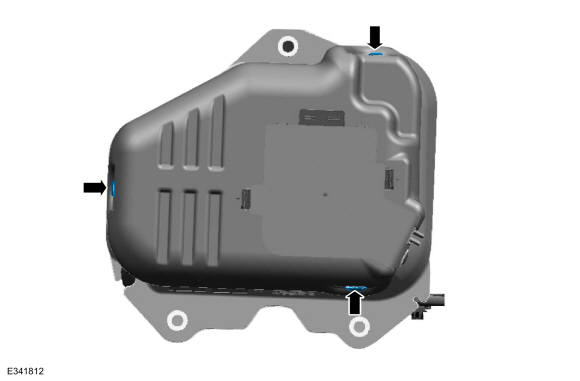
- For pickup vehicles, remove the 3 pushpins securing the tank shield around the perimeter of the tank. It is not necessary to remove the 4th pushpin on the access panel or the DEF line. The tank shield will lower enough to gain access to the reductant quality / level sensor. (Figure 1)
Figure 1 – Arrows indicate pushpin locations
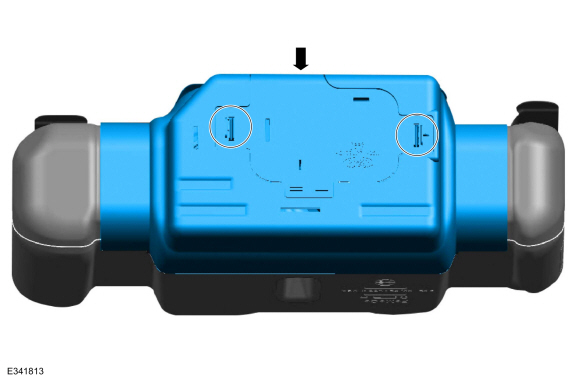
- For chassis cab vehicles, remove the pushpin and pinch the tabs to open the access cover in the reductant tank cover to access the reductant level sensor/quality module. (Figure 2)
Figure 2 – Arrow indicates pushpin location, circles are the pinch tab locations
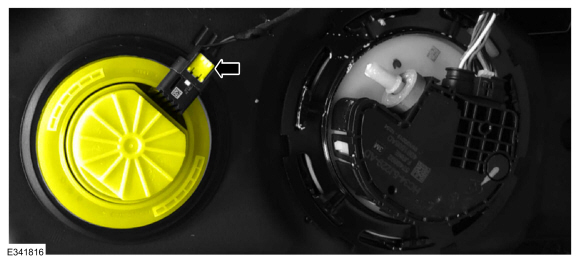
- Locate the reductant level sensor/quality module. Carefully unlatch the white secondary lock, press the tab and disconnect the electrical connector from the reductant level sensor/quality module.
NOTE: Use of a metal pick tool can allow for access to unlatch the white secondary lock and then press the tab by hand. (Figure 3)
Figure 3 – Chassis cab shown, pickup similar – reductant level sensor/quality module highlighted with arrow pointing to white secondary lock tab
- Is part number GC4A-5J242-AD printed on the component side of the reductant level sensor/quality module connector?
(1). Yes – proceed to Step 7.
(2). No – this article does not apply. Refer to the Powertrain Control and Emissions Diagnosis (PC/ED) manual for additional diagnostics.
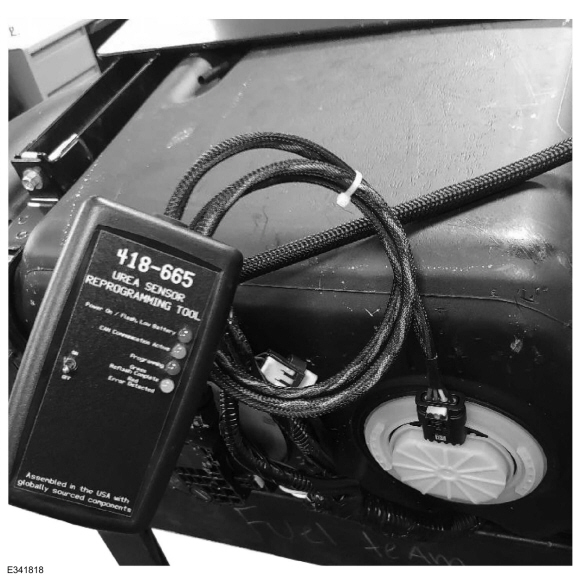
- Connect the Urea Sensor Reprogramming tool (Rotunda tool number 418-665) into the reductant level sensor/quality module on the reductant tank.
NOTE: When using the Urea Sensor Reprogramming tool for the first time, remove the plastic tab from the battery compartment to power the tool. (Figures 4-5)
Figure 4 – Urea Sensor Reprogramming tool connector that goes to reductant level sensor/quality module
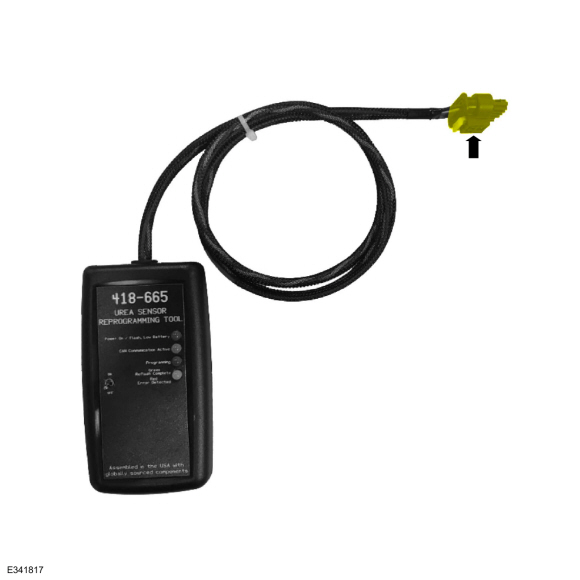
Figure 5 – Urea Sensor Reprogramming tool connected to reductant level sensor/quality module
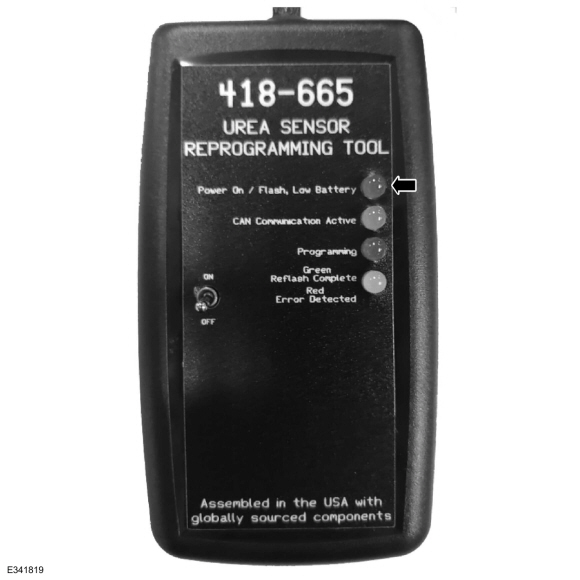
- Once the Urea Sensor Reprogramming tool is connected, move the toggle switch to the ON position. The top green LED light will illuminate and the software reprogramming process for the reductant level sensor/quality module will begin automatically. (Figure 6)
Figure 6 – Arrow indicates top green LED
- Allow up to 60 seconds for the tool to complete reprogramming the reductant level sensor/quality module.
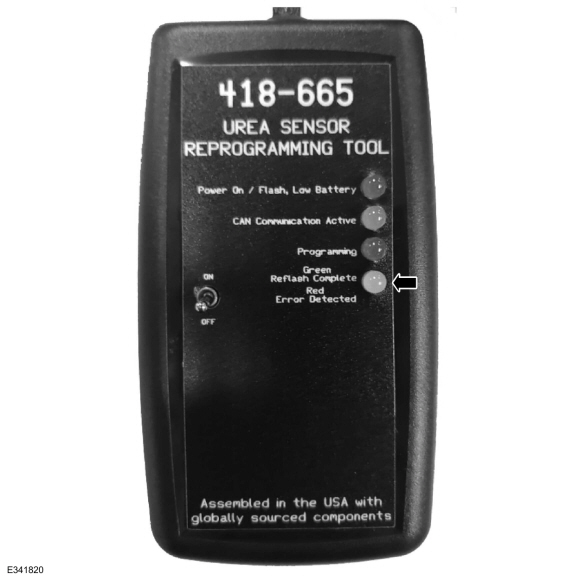
- Does the bottom LED on the Urea Sensor Reprogramming tool illuminate green? (Figure 7)
(1). Yes – the reductant level sensor/quality module has been successfully reflashed. Disconnect the Urea Sensor Reprogramming tool and reconnect the reductant level sensor/quality module wire harness. Install the reductant tank cover or reductant tank access cover onto the reductant tank. Repair is complete.
(2). No – proceed to Step 11.
Figure 7 – Arrow indicates bottom LED
- Is the bottom LED illuminated red?
(1). Yes – make sure the Urea Sensor Reprogramming tool is securely connected to the urea sensor and turn the reprogramming tool off then turn it back on to restart the reprogramming process. Allow up to 60 seconds for the tool to complete reprogramming the reductant level sensor/quality module. Return to step 10.
(2). No – proceed to step 12.
- Are both the red and green LEDs flashing?
(1). Yes – replace the 9 volt battery in the Urea Sensor Reprogramming tool. Make sure the Urea Sensor Reprogramming tool is securely connected to the urea sensor and turn the reprogramming tool off then turn it back on to restart the reprogramming process. Allow up to 60 seconds for the tool to complete reprogramming the reductant level sensor/quality module. Return to Step 10.
(2). No – the reductant level sensor/quality module has been successfully reflashed. Disconnect the Urea Sensor Reprogramming tool and reconnect the reductant level sensor/quality module wire harness. Install the stone shield on the tank assembly using the 3 pushpins. Repair is complete.
4 Affected Products
Vehicles
1 Associated Document
Manufacturer Communications
20-2270
17 August 2020
MC-10179137-0001.pdf 742.338KB

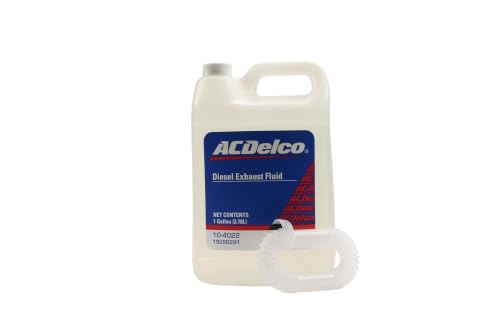
- Meets GM Original Equipment specifications to be approved for use in GM vehicles as well as in non-GM diesel vehicles that have an SCR (Selective Catalytic Reduction) system to meet regulated NOx emissions (Based on EPA certification testing. Your actual emissions will vary based on several factors including temperature, terrain, and driving conditions).
- High quality formula is made from high purity urea and deionized water.
- Meets API regulations and ISO 22241 standard for purity and concentration
- Nozzles sold separately


- Blue Def DEF002-2PK Diesel Exhaust Fluid, 2.5 Gallon, 2 Pack

SEOCONTENT-START
Warranty Status: Eligible under provisions of New Vehicle Limited Warranty (NVLW)/Emissions Warranty/Service Part Warranty (SPW)/Special Service Part (SSP)/Extended Service Plan (ESP) coverage. Limits/policies/prior approvals are not altered by a TSB. NVLW/Emissions Warranty/SPW/SSP/ESP coverage limits are determined by the identified causal part and verified using the OASIS part coverage tool. Labor Times Description Operation No. Time 2017 F-Super Duty 6.7L: Retrieve DTCs And Reprogram The Urea Sensor (Do Not Use With Any Other Labor Operations) 202270A 0.4 Hrs. Repair/Claim Coding Causal Part: 5J250 Condition Code: 04
**************************************************************************************************************
SEOCONTENT-END
This product presentation was made with AAWP plugin.