
| General Service Bulletin (GSB): | DPS6 Clutch Adaptive Learn Tips And Error Resolution |
| GSB Overview: | This bulletin is intended to provide tips for completing the clutch adaptive relearn procedure, as well as information on resolving errors. |
| NOTE: This information is not intended to replace or supersede any warranty, parts and service policy, Work Shop Manual (WSM) procedures or technical training or wiring diagram information. | |
Note: While this article will cover many of the common faults associated with the DPS6 clutch adaptive learn procedure, it does not cover all possible faults. Furthermore the software associated with the Transmission Control Module (TCM) and IDS may change or be updated, always refer to the Workshop Manual (WSM) for additional information.
Introduction
Accessing the Tool Functions within the IDS menu Structure:
Toolbox > Powertrain > Transmission > TCM Adaptive Learning
Routine Selection Description
- The TR Sensor Learn: Used to calibrate the transmission range sensor to the selected shifter detent positions. This operation must be performed in the event of replacement or removal/installation of the following components:
- Transmission Assembly – this would include removal, replacement or internal transmission service
- Removal or replacement of the transmission TR sensor
- Removal or replacement of the shifter cable or shifter handle assembly
- Replacement of the Transmission Control Module
 (TCM)
(TCM)
- Shift Drum Learn: Used to calibrate the TCM shift drum actuators so that the TCM can identify the proper shift drum angle to gear position.
- Tool is NOT directly required to be used for every transmission service operation, as the Shift drum learn is included within the Clutch Adaptive learn Function.
- This function can be used in the event that the shift drum portion does not complete during the clutch adaptive learn routine.
- This would allow the tool user to focus their attention towards the Shift drum mechanisms themselves without the need of relearning all of the clutch parameters. (used for shift drum diagnostics only)
- Clutch Adaptive Learn: Used to clear and relearn basic mandatory clutch functions. Routine also includes Shift Drum Adaptive learn as part of the process.
- Routine is required any time that the TCM, transmission assembly, clutch, clutch actuator, or any component related to the clutch engagement system is serviced or replaced. Routine will also be required by workshop manual or TSB procedure.
- This routine will be the focus of this document.
Functionality of the Clutch Adaptive Learn Routine (Behind the scenes)
- The Clutch Adaptive Learn Routine can be viewed as three separate parts or phases. Phase one is for the adaptive memory clear, preliminary learn activities and the Clutch Travel Test. Phase two is for the clutch pressure plate adjustment and Phase three is the Clutch Touch Point Learn process. Each of the three phases will be described in detail in this document.
| Phase One: TCM Module Resets | ||
| Phase Two: Initial Clutch Adjustment | ||
| Phase Three: Clutch
Touch Point Adaptive Learn. |
PHASE ONE: Memory Reset and Preliminary Learn
- Touch Point Adaptive tables for clutches A+B are reset
- Friction General Coefficients A+B are reset
- Friction Shape Coefficients A+B are reset
- Clutch Actuator Closing Compensation reset
- Clutch Position Hysteresis Compensation reset
- Clutch Torque Hysteresis Compensation reset
Following verification by the TCM that the memory reset steps have been performed, the scan tool (IDS) will initiate some basic learn functions. This includes the following tasks:
- Clutch Teach-In: (Reference Clutch Position). This is when the TCM establishes the starting point for clutch throw-out actuators. Provides point of origin for clutch throw-out stepper motor actuators.
- Shift Drum Teach-In. TCM performs the operations required to establish the exact positioning of shift drums A and B.
IMPORTANT NOTE: This is why a technician does not need to perform all three transmission Learn Functions found in the IDS Learn menu (TR learn, Shift Drum and Clutch Adaptive Learn). The Clutch Adaptive Learn will perform the Shift Drum Learn automatically.
- Gear Command for Neutral State for Both Transmission Shafts. (audible to user)
- Clutch Travel Test. (audible to user). This test verifies that the TCM can move the clutch throw-out mechanisms through a full range of travel. Test will fail if the actuators are jammed or if throw-out components do not meet a calibrated travel range. This is an important tool that will help the technician know whether or not something is broken, failed or improperly assembled within the transaxle clutch system.
IMPORTANT NOTE: It is possible to have an engagement bearing out of position or a clutch retainer snap ring left out and still pass the clutch travel test. Such errors typically cause abnormally low learned touch Point travel ranges. Learned travel ranges will be explained later in this document.
- Error Storage Deletion.
- Green Clutch Flag Reset (Not Listed on IDS Application screen) TCM flag reset is used to aid in clutch break-in/burnishing. This function will allow additional clutch slip during vehicle operation to aid in burnishing/break-in of new clutch assemblies. The green clutch process duration is mileage and driving style dependent. (Prolonged highway driving will increase the duration of the burnishing process.)
Clutch Adaptive Learn Phase One Errors
If the reset/learn commands to the TCM are successful, no user notification will be present. However, if the TCM responds back to the IDS with an unsuccessful response for the “Reset Clutch Friction General Coefficients”, the failed step will be indicated with a RED failed indicator box. Any steps prior to the failed step will be reported as successful.
- Phase One Part 1: Module Reset faults
- Module Adaptive memory unable to complete. Shut the vehicle off and allow it to power down for more than 30 seconds. If vehicle power down does not help the module reset process, restart the laptop and communications device (VCM1 or II) and reattempt (laptop software may be influencing the routine functions). If this procedure is still unsuccessful, disconnect the negative battery cable for 10 minutes to reset the TCM.
- Phase One Part 2: Performing Functions Errors
- Subroutine: Reference Clutch Position
- Error: IDS indicates that TCM cannot identify the open position of one or both of the clutch actuators.
- Action: Restart laptop and IDS software and power down vehicle for 30 seconds or greater and retest. Ensure brake pedal is held consistently, transmission range state is steady, and vehicle is in KOEO state.
- Subroutine: Shift Drum Adaptive Learn
- Error: Fails to complete shift drum learn from TCM Adaptive Learning menu.
- It is critical that the vehicle battery be at good charge level as the TCM uses a large amount of amperage to operate the shift motors.
- Poor grounds have also been identified to cause this subroutine to fail (poor main TCM ground or poor transmission to chassis ground).
- Action: Perform Shift Drum Adaptive Learn from TCM Adaptive Learning menu
- Will the Shift Drum Adaptive Learn complete by itself?
- Yes: Power vehicle off for 30 seconds and re-perform Clutch Adaptive Learn process.
- No: Restart Laptop and IDS Software, power down vehicle for 30 seconds or greater and retest. If the Shift Drum Learn is still unsuccessful, there is likely a fault within the shift drum system. This could include:
- Damaged faulty shift actuators (TCM)
- Damaged shift actuator gear-train
- Damaged/worn/binding shift forks, shift drums, gear synchronizers
- Error: Fails to complete shift drum learn from TCM Adaptive Learning menu.
- Subroutine: Select Gears (neutral state)
- Error: Failure to obtain neutral state for both shafts.
- Action: Restart laptop and IDS Software, power down vehicle for 30 seconds or greater and retest.
- Further Information: TCM is attempting to shift transmission into neutral state for both main shafts; error in this stage indicates that transmission is unable to establish gear position.
- Error should not occur unless intermittent binding is present in transaxle shifting components (shift drum learning has already occurred). Attempt to verify shift drum position within data logger when moving shifter lever. Workshop manual (307-01 under specifications) will indicate shift drum angle degrees to gear range selected (1st, 2nd, reverse, etc.) and PIDs to view.
- Clutch Travel Test (available separately from clutch adaptive learn)
- This function verifies that the TCM can operate the clutch engagement system (clutch actuators, actuator motor, engagement bearings, and guide sleeve) through their full range of travel. Failure within this test step indicates that the clutch actuators, jackscrews, fork ramp assembly, or engagement bearing are seized/nonfunctional. This error can also be caused by faulted circuits to either of the clutch actuator motors.
- Before any diagnosis is performed, power down vehicle for 30-60 seconds. Enter Clutch Test from the IDS Transmission menu. This test has additional clutch diagnostic capability not currently enabled within the Clutch Adaptive Routine. If this test fails, the vehicle does have a clutch engagement component (clutch actuator, actuator motor, engagement bearing, and guide sleeve) fault.
- Clutch Assembly Function (available separately from clutch adaptive learn)
- Routine uses both clutch actuators to push against pressure plate diaphragm fingers at the same time. This will ensure that the clutch pressure plate is properly seated against clutch to input shaft retaining ring.
- Before any diagnosis is performed, power down vehicle for 30-60 seconds. Enter the Clutch Test from the IDS Transmission menu. This test has additional clutch diagnostic capability not currently enabled within the Clutch Adaptive Routine. If this test fails, the vehicle does have a clutch engagement component (clutch actuator, actuator motor, engagement bearing, and guide sleeve) fault. If the test is successful, power the vehicle down and wait 30-60 seconds, re-perform Clutch Adaptive Learn.
PHASE TWO: Initial Clutch Adjustment
Phase two is required to ratchet/adjust the clutch pressure plate wear adjusters out of the full open state and down to the proper friction disc to pressure plate clearance.
IMPORTANT NOTE: The scan tool is making the assumption that a recently unlocked clutch (new or seasoned) has been installed. All clutches have the wear adjusters set to the full open position during the clutch locking and installation process.
Phase two entry will be indicated by the IDS prompting for the engine to be started. Once the run state is confirmed, the IDS will shift both shafts
A/B into the neutral state and then will prompt for the user to hold the accelerator pedal to the Wide Open Throttle (WOT) state. During this high
RPM condition (3000-3500 RPM), the TCM will rapidly cycle each clutch engagement assemblies 3-4 times to engage, release, engage clutches A+B. This rapid clutch cycling will enable the wear adjusters to reduce the excess clutch clearance. Confirmation to the user that clutch adjustment is in process is that the initial engagement for each clutch can be identified by a momentary drop in engine RPM as the transmission gear-train is brought up to engine speed.
Clutch Adaptive Routine Phase Two Errors
- Phase Two: Initial Clutch Adjustment
- Routine abortion can occur for these reasons:
- User failed to start engine when requested by scan tool.
- Certain remote start systems will prevent engine startup following a prolonged KOEO state (greater than 10 seconds). In this situation, if the ignition is cycled to allow the vehicle to start, the PCM/TCM will exit learning/diagnostic mode. Locate and remove any aftermarket remote start systems or GPS trackers to alleviate the need to cycle the key resulting in abortion of the adaptive learn procedure.
- User failure to bring engine to WOT state. (may also be serious engine performance concern) Ø User failure to maintain brake pedal application or inconsistent module input
- IDS communication loss
- Transmission unable to shift into neutral state
- Potential for intermittent circuit, mechanical binding or actuator concerns
- Transmission range status change: Erroneous trans range input or user error
- NOTICE: It has been verified that add on vehicle accessories such as GPS tracking devices (typically seen on fleet vehicles) will commonly cause failures in this phase.
- This is due to unexpected network traffic that interferes with the IDS/vehicle communication.
PHASE THREE: Clutch Adaptive Touch-Point Learn
Phase three intent is to perform the Clutch Touch Point Learn so the TCM can identify the exact clutch stepper actuator travel required to provide a zero clearance state within both clutches A+B. The identification of this friction point eliminates the need for the previously mandatory adaptive drive cycle.
During this phase of the transmission service function, the IDS will request a specific RPM idle target from the PCM. (Note: This idle target can be different based on vehicle, engine, and calibration type). Once the vehicle PCM acknowledges that the RPM target has been achieved, the IDS will perform an idle stabilization process. In some cases, slight idle hunting can occur immediately following the idle speed request. This stabilization period provides time for the engine to settle into the commanded RPM and should eliminate the idle fluctuation.
Immediately following the completion of the idle stabilization timer, the IDS will request gear changes on transmission main shafts A+B. Brake pedal must be held consistently during the course of this routine as requested by the IDS directions. For Touch Point Learning for clutch A, main shaft A is shifted into 5th while main shaft B is shifted into neutral. As in the previous steps, when the TCM reports back to the IDS that the shift operations are successful, the touch point for A clutch request is made and the process is initiated. To perform the learning on clutch B, main shaft A is shifted into neutral and shaft B is shifted into 6th. Once shifting is confirmed, touch point for clutch B is started.
The TCM will begin to increment the stepper motor (for clutch A) in a slow counter-clockwise direction which will push the throw-out ramp roller against the engagement fork (actuator). During this period the TCM is monitoring the engine calculated torque value sent from the PCM. When the clutch friction contact point is achieved, the engine torque value will increase from the frictional load. For the DPS6, the TCM is looking for a torque increase over the filtered no load idle state. When the proper torque value is achieved, it will be held for 5-6 seconds. If the load is stable, the clutch actuator travel is stored within the TCM for clutch A. The process is then repeated for clutch B after shifting into 6th gear.
If the touch point processes are successful, the IDS will display the travel ranges for clutches A+B in millimeters. Typical travel ranges will be 914mm.
IMPORTANT NOTE: These reported travel ranges can be helpful in identifying clutch faults. Such an example would include cases where the clutch retaining ring was left out or broken. When this occurs, the clutch travel ranges will be abnormally low and may also exhibit severe variation from routine completion to routine completion. It is important to note that not all vehicles will report travel ranges as some TCMs do not support this feature. This does not indicate a fault with either the IDS or the TCM.
Routine aborts that can occur for PHASE 3: Touch Point Learn
In the event that the touch point does not pass, it will signal an abort error back to the scan tool. This abortion is not triggered by the scan tool (IDS), but triggered by the vehicle itself. When the abort response is sent to the IDS, the IDS will indicate: “Clutch Touch Point Learn is Unsuccessful”.
IMPORTANT NOTE: IDS release 89.01 and later will provide the error response reported by the TCM to aid the servicing technician in identifying why the TCM aborted the learn process. Termination error response example identified in red as seen in the illustration below.
Clutch Adaptive Routine Phase Three Errors
When Phase three is iniated, the first action taken by the IDS is to request a specific idle speed from the PCM/ECM. RPM request again will be dependent on vehicle and engine type. The PCM will acknowlege the IDS request following receipt of the message from the scan tool. In some cases, this process can be disturbed. The following are possible causes for errors during Phase 3:
- IDS connectivity (this includes USB and or DLC cable or pin fit concerns)
- Tool user has provided some APP input
- The TCM sees a gear engagement request
- Powertrain sees a vehicle speed input: Although vehicle may be stationary in bay, ABS faults may create inaccurate VSS information Ø Poor ETC/electronic throttle control
- Failure to maintain brake pedal application (User Error or potential input failure)
- Engine NOT running (User error or severe engine performance concern)
- Inactive Clutch Operation (Mechanical binding/failed actuator motor, defective clutch, failed clutch actuator and/or related circuits)
- Clutch did not open (Mechanical binding/failed clutch engagement drive, defective clutch)
- Accelerator Pedal Depressed (User Error or signal irregularity in APP sensor/circuits)
- Gear Not Engaged (Internal transmission/shift actuator, damaged gear-train, damaged shift fork/synchronizer)
- Gear Changed (Transmission Gear State changed during the routine from driver input, failed TCM)
- No Position Confidence (Failed TCM/Actuator, intermittent binding in clutch throw-out mechanism)
- Engine Torque not Plausible (damaged clutch, engine load calculation error due to PCM/TCM input signals)
- Touch Point Out of Range (actuator, clutch engagement assembly, improper assembly)
- Engine Torque Disturbance (Most likely vehicle induced failure. Examples include AC compressor cycling, radiator fan cycling, APP command, sudden significant electrical loads, MAF signal disruption, poor engine performance, poor throttle control)
- Engine Torque Disturbed is likely the most common and potentially frustrating routine abortion error that the field user will experience.
- Error is caused by a fluctuation in the calculated engine torque during the Touch Point Learn process (Phase 3)
- Calculated load has to be inconsistent to cause routine abortion. For example, leaving headlamps on is a steady load, not likely triggering a torque disturbance response from the TCM.
- Error is caused by a fluctuation in the calculated engine torque during the Touch Point Learn process (Phase 3)
- Torque fluctuations can be caused by:
- Running routine on cold engines which can exhibit an unstable idle (gasoline direct injection engines are more susceptible)
- Leaving the AC/HVAC system on
- Sudden activation or deactivation of high current electrical loads (This includes seat heaters, rear defrost grid, radiator fan cycling, operating power steering (EPAS), etc. during touch point)
- Poor engine performance (includes poor throttle control, vacuum leaks, etc. creating idle fluctuation)
- Fluctuating PCM inputs used for load calculations (MAF, IAT, EOT, RPM, Electronic throttle control)
- Pumping the brakes against the brake booster. Booster vacuum recharging can influence airflow across the MAF
- Physical binding/severe shudder of clutch during engagement. This can occur if severe oil contamination is present
- Recommendations to help alleviate Torque Disturbance errors:
- Warm engine to operating temp before the routine is attempted. Usually running the routine at ⅓ to ½ on temp gauge is adequate. Technician/tool user needs to be careful not to allow the engine to run too long as excessive engine heat will cause radiator fan cycling. Fan cycling will induce significant load transients to the powertrain due to the alternator reacting to the electrical loading.
- Preferred Method: Upon a cold start (following a transmission repair and vehicle is fully assembled), connect the scan tool, ID vehicle and start engine. With engine running, Apply WOT to the APP and let engine run at 30003500 rpm until temp gauge reaches ⅓ to ½ on the Instrument cluster (this temperature range will prevent cycling of the cooling fan). Return to KOEO and initiate the routine.
- Revving the engine can help clear potential engine carbon and potentially improve injection response.
- Preferred Method: Upon a cold start (following a transmission repair and vehicle is fully assembled), connect the scan tool, ID vehicle and start engine. With engine running, Apply WOT to the APP and let engine run at 30003500 rpm until temp gauge reaches ⅓ to ½ on the Instrument cluster (this temperature range will prevent cycling of the cooling fan). Return to KOEO and initiate the routine.
- Remain steady on the brake pedal, as varying the brake pedal force will cause airflow transients across the MAF as the brake booster vacuum is recharged.
- If touch point fails on the first attempt, the scan tool will automatically attempt a 2nd and 3rd attempt if required. When the IDS tools prompts for an engine restart, it will then indicate that it is setting RPM to a calibrated value. Immediately following the RPM output state control, the tool will then allow for a 15 second idle stabilization period. At this time, the technician/user should turn the headlights on (high beams); turn the rear window defroster on and both front seat heaters (if equipped). Adding these loads will often dampen the torque fluctuations exhibited by some vehicles. Following the idle stabilization, remain steady on the brake pedal and leave the electrical loads on.
- Warm engine to operating temp before the routine is attempted. Usually running the routine at ⅓ to ½ on temp gauge is adequate. Technician/tool user needs to be careful not to allow the engine to run too long as excessive engine heat will cause radiator fan cycling. Fan cycling will induce significant load transients to the powertrain due to the alternator reacting to the electrical loading.
G0000089
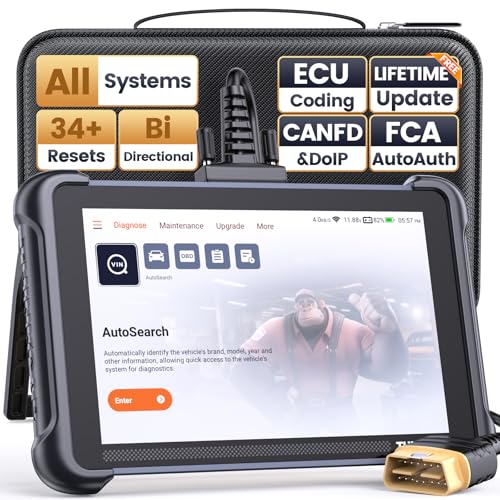
- 【Warm Tips】Dear friend, we've built this product to last, but in the unlikely event you encounter any technical hiccups, functions not support, received a used product, or just a simple question, please directly c0ntact us via Amazon Message and support @ mythinkcar. com, we're here to help and get it sorted in no time. Not sure if this product is compatible with your vehicle? Just e.mail your VIN at support @ mythinkcar. com for technical support. Note: FCA AutoAuth is a third-party service, additional cost may require.
- 【Professional Car Diagnostic Tool】Tired of renew fees? Thinkscan 689 scanner provides dealer-level advanced functions without annual fees for auto mechanics and repair shops. 34+ Services, 3000+ Active Test, ECU Coding, 140+ Brands Coverage, FCA AutoAuth, CANFD&DOIP Protocol, Component Matching, Power Balance, V.A.G Guided, Compatible with Google Chrome integration, etc. With strong hardware backing, 64G Memory, Android 10, 4-core processors, and 4150mAh battery. Thinkscan 689 brings you the best as your daily business helper and never lets you drop the ball!
- 【34+ Reset Service, Adaptation, Relearn, Calibration, Initialization, Matching】Made for workshops, Thinkscan 689 scanner provides 34+ services for worldwide vehicles: such as Gear/SAS/EPB/TPMS/D.P.F/BMS/ETS/Oil/Brake/AFS/GEARB0X/SUNROOF/SUS Reset, ABS Bleed, Injector coding, etc. Warm tips: Compatibility varies by car model, please reach out to us directly to make sure it works well on your cars.
- 【Real Active Test】Thinkscan 689 scan tool features over 3000+ full bi-directional control ability, to send commands to vehicle’s systems/components, to verify system input/output without using the vehicle's controls, e.g. turn on the radiator fan, modulate the throttle, open/close windows, operate mirrors, Injector Buz Test, turn on interior&exterior lights, sound horn, test door lock actuators, turn on/off front/rear side ACM Solenoid, Vehicle level position calibration, Wheel Speed Sensor Supply.
- 【Comprehensive Solutions with Advanced Features】Take your vehicle customization to the next level with the Thinkscan 689's advanced ECU coding capabilities. This scan tool provides power balance, PMI, unlock hidden features and enhance performance by activating dormant functions, customizing OE settings, matching replaced components, and reprogramming adaptive data to elevate your driving experience. Note: Compatibility varies by car models, please check before order.


- CEL Doctor: The ANCEL AD310 is one of the best-selling OBD II scanners on the market and is recommended by Scotty Kilmer, a YouTuber and auto mechanic. It can easily determine the cause of the check engine light coming on. After repairing the vehicle's problems, it can quickly read and clear diagnostic trouble codes of emission system, read live data & hard memory data, view freeze frame, I/M monitor readiness and collect vehicle information
- Sturdy and Compact: Equipped with a 2.5 foot cable made of very thick, flexible insulation. It is important to have a sturdy scanner as it can easily fall to the ground when working in a car. The AD310 OBD2 scanner is a well-constructed mechanic tool with a sleek design. It weighs 12 ounces and measures 8.9 x 6.9 x 1.4 inches. Thanks to its compact design and light weight, transporting the device is not a problem. The buttons are clearly labelled and the screen is large and displays results clearly
- Accurate Fast and Easy to Use: The AD310 scanner can help you or your mechanic understand if your car is in good condition, provides exceptionally accurate and fast results, reads and clears engine trouble emission codes in seconds after you fixed the problem. This device will let you know immediately and fix the problem right away without any car knowledge. No need for batteries or a charger, get power directly from the OBDII Data Link Connector in your vehicle
- OBDII Protocols and Car Compatibility: Many cheap scan tools do not really support all OBD2 protocols. AD310 scanner as it can support all OBDII protocols such as KWP2000, J1850 VPW, ISO9141, J1850 PWM and CAN. This device also has extensive vehicle compatibility with 1996 US-based, 2000 EU-based and Asian cars, light trucks, SUVs, as well as newer OBD2 and CAN vehicles both domestic and foreign. Pls confirm with our customer service whether it is compatible with your vehicle before purchasing
- Home Necessity and Worthy to Own: This is an excellent code reader to travel or home with as it weighs less and it is compact in design. You can easily slide it in your backpack as you head to the garage, or put it on the dashboard, this will be a great fit for you. The AD310 is not only portable, but also accurate and fast in performance. Moreover, it covers various car brands and is suitable for people who just need a code reader to check their car

- [Easy to Use—Work Out of the Box] + [FOXWELL 2026 New Version] FOXWELL NT604 Elite scan tool is the 2026 new version from FOXWELL, designed for car owners who want to figure out the cause of issues before fixing car problems by scanning common systems like ABS, SRS, engine, and transmission. The NT604 Elite obd2 scanner diagnostic tool comes with the latest software—no need to waste time downloading software first. Plug the scanner into the OBDII port with OBDII cable to start the diagnosis.
- [Affordable] + [Reliable Car Health Monitor] Will you be confused what happens when the warning light of ABS/SRS/transmission/check engine flashes? Instead of taking your cars to dealership, this FOXWELL scanner will help you do a thorough scanning and detection for your cars and pinpoint the root cause. Note:The device is a diagnostic tool, not a repair tool. To turn off a warning light, you must first physically repair the issue causing it. Only then can the scanner be used to clear the corresponding fault code.
- [5 in 1 Car Diagnostic Scanner] Compared with obd scanners (50-100), NT604 Elite code scanner not only includes their OBDII diagnosis but also serves as ABS/SRS scanner, transmission and check engine code reader. When it’s an odb2 scanner, you can use it to check if your car is ready for annual test through I/M readiness menu. In addition, live data stream, built-in DTC library, data play back and print, all these features are a big plus for it. Note: doesn't support maintenance functions like reset or relearn. For the SRS system, NT604 Elite can read and clear common fault codes not caused by a crash, but crash/collision data cannot be cleared.
- [Fantastic AUTOVIN] + [No extra software fee] Through the AUTOVIN menu, this NT604 Elite car scanner allows you to get your V-IN and vehicle info rapidly, no need to take time to find your V-IN and input one by one. What's more, the NT604 Elite ABS SRS scanner supports 60+ car brands from worldwide (America/Asia/Europe). You don’t need to pay extra software fee. AUTOVIN may not work on some older vehicles or certain vehicle brands. If AUTOVIN fails, please input the vin code manually or go to the Diagnostic Menu to select your vehicle model.
- [Solid protective case KO plastic carrying bag] + [Lifetime update] Almost all same price-level car scanner diagnostic tool only offers plastic bag to hold the scanner.However, NT604 Elite automotive scanner is equipped with solid protective case, preventing your obd2 scanner from damage. Then you don’t need to pay extra money to buy a solid toolbox.

- [All System Diagnostics, Professional-Level Scanner] - BLCKTEC 460T is the ultimate OBD2 diagnostic tool for home mechanics and professionals. It supports all 10 OBD2 modes, reads and clears Engine/Transmission/ABS/SRS codes, performs All-System Diagnostics, offers workshop reset tools, and provides real-time live data. It helps you pinpoint issues, assess your car's condition, and prepare for SMOG checks with ease. NOTE: Function availability depends on your vehicle. Before you buy, be sure to use the Compatibility Checker on BLCKTEC website or contact our customer support to verify that the features you need are supported for your vehicle’s specific year, make, and model.
- [12+ Most Popular Reset Functions] - BLCKTEC 460T OBD2 scanner offers 12+ dealer-level service functions, including Oil Maintenance Reset, ABS Bleeding, EPB Reset, SAS(Steering Angle Sensor) Recalibration, DPF(Diesel Particulate Filter) Reset, Throttle Body Relearn, Battery Reset/Initialization, TPMS Relearn, Transmission Reset, Fluid Change Reset, Maintenance Reset and more, enabling you to perform workshop services like a pro. NOTE: Function availability depends on your vehicle. Be sure to use the Compatibility Checker on BLCKTEC website to verify that the features you need are supported for your vehicle.
- [Real-Time OBD2 and OEM Live Data, Freeze Frame Data] - BLCKTEC 460T helps diagnose vehicle issues when warning lights like Check Engine Light or ABS/SRS Light appear. It offers detailed DTC info, ECU Freeze Frame Data, and real-time OBD2 and advanced OEM live data, including Engine, Transmission, ABS, SRS, and more, making it easy to diagnose and resolve vehicle problems. You can view, graph, record, replay, and overlay up to four live data streams in a single graph for better analysis.
- [AutoVIN, AutoReLink, AutoScan, 3X Faster] - Equipped with AutoVIN technology, 460T automatically retrieves the VIN to save you time. Its AutoScan and AutoReLink features scan all of the vehicle's ECUs and detect any fault codes immediately after you plug the scanner into the vehicle's OBD2 port - no button presses required. Additionally, it regathers DTC and I/M readiness information every 30 seconds, simplifying monitor tests. 460T's advanced technology makes it 3X faster than other products.
- [Get RepairSolutions2, the #1 Auto Repair App for Free] - When paired with RepairSolutions2(RS2) App, 460T becomes even more powerful. RS2's Verified Fix Database built by master technicians, provides the parts needed for the repair. Additionally, RS2 gives you access to OEM warranty info, maintenance schedules, TSB, and dealership recall info, making car care easier than ever. RS2 is free with no subscription fees and it stores your car scan reports in the cloud, allowing you to access, share, or print them anytime and anywhere.

- 【Diagnose Check Engine Light in Seconds – No Mechanic Needed】The FOXWELL NT301 OBD2 scanner instantly reads & clears engine fault codes (DTCs) with one click. Simply plug into the 16-pin DLC port, turn ignition on, and get accurate results within seconds—No prior car knowledge required. Save hundreds on dealership fees by knowing exactly what’s wrong before you visit a shop. The #1 choice car scanner for DIYers and car owners who want to take control of their vehicle’s health
- 【Clear & Reset CEL with Confidence】Unlike cheap code readers that just erase codes temporarily, NT301 works like all professional vehicle code readers: It clears the check engine light only after you’ve fixed the underlying issue. If the problem isn’t fully repaired, the fault code will reappear. So you’ll never get a false pass. Use the foxwell scanner to verify your repair work and drive with peace of mind
- 【Sm-og Check Helper – Know Your Pass/Fail Status Before the Test】With dedicated one-click I/M readiness hotkeys and a simple Red-Yellow-Green LED indicator, you’ll instantly know if your vehicle is ready for annual testing. Built-in speaker provides clear audio feedback. No guesswork—just confidence before you head to the test center. One less thing to worry about when inspection day comes
- 【Advanced OBDII Modes – O- 2 Sensor & EVAP Testing】NT301 go beyond basic code reading with enhanced OBD2 modes. Run an EVAP system check to assess fuel tank condition, and use the O- 2 sensor test to optimize air-fuel ratio, boosting fuel economy, cutting em- issions, and saving you money at the pump. The code reader for cars and trucks is like having a mini em-issions lab in your glove box
- 【Live Data Graphing – Spot Engine Issues in Real Time】View and log live sensor data in easy-to-read graphs with this OBD2 scanner diagnostic tool. Monitor ox- ygen sensors, fuel trims, coolant temperature, RPM, and more to spot suspicious values instantly. This obd scanner gives you professional-grade insight without the pro price tag—a feature you won’t find on basic $20 car code readers
This product presentation was made with AAWP plugin.