NHTSA ID Number: 10243425
Manufacturer Communication Number: 23L04
Summary
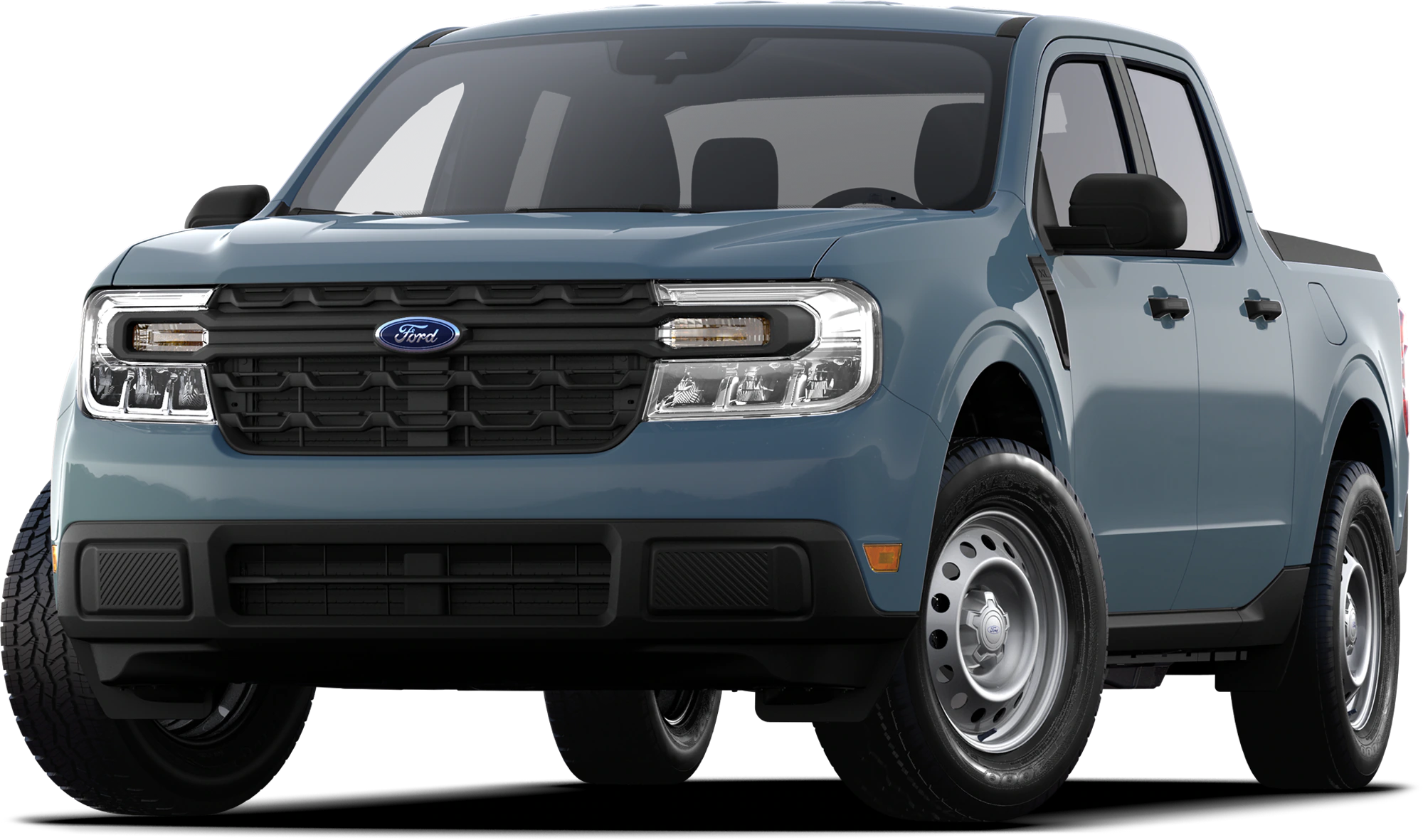
Certain 2022 Maverick Vehicles Equipped With a 2.5L I4 Gas/Electric Engine – Vehicle Emissions Control Information (VECI) Label Update
In the affected vehicles, the VECI label lists an incorrect EPA test group.
September 26, 2023
Special Field Action 23L04
Certain 2022 Maverick Vehicles Equipped With a 2.5L I4 Gas/Electric Engine
Vehicle Emissions Control Information (VECI) Label Update
AFFECTED VEHICLES
| Vehicle | Model Year | Assembly Plant | Build Dates |
| Maverick | 2022 | Hermosillo | August 30, 2022 through August 31, 2022 |
US population of affected vehicles: 109. Affected vehicles are identified in OASIS and FSA VIN Lists.
REASON FOR THIS ACTION
In the affected vehicles, the VECI label lists an incorrect EPA test group.
SERVICE ACTION
Dealers are to install a corrected VECI label directly over the existing VECI label on affected vehicle inventory. Dealers are also to install the corrected VECI label on sold vehicles when requested by a customer. The correct VECI label will be mailed directly to the customer. Please remind the customer to bring the VECI label with them if they choose to schedule an appointment. Mobile repair is also approved for customers that request dealer installation of the label.
This service must be performed at no charge to the vehicle owner. For new vehicle storage guidelines, refer to EFC13033.
NOTE: The owner letter will include instructions for the owner on how to install the new VECI label.
OWNER NOTIFICATION AND MAILING SCHEDULE
Owners of affected vehicles will be mailed the VECI label and installation instructions during the week of January 8, 2024.
EXPIRATION DATE
This program has no expiration date. We encourage dealers and customers to complete this service as soon as possible.
ADDITIONAL LABELS
To assist customers who prefer to have this service completed at the dealership and arrive without the label or for stock vehicles, please contact the Special Service Support Center (SSSC) via the SSSC Web Contact Site.
MOBILE SERVICE REPAIR ASSESSMENT LEVEL
- All repairs in this program have the following assessment level:
– Mobile Reprogramming
MOBILE REPAIR RECOMMENDATIONS
- Confirm with the customer a mobile repair is feasible.
- Check OASIS before going to the customer’s home or business to confirm if any other outstanding FSA needs to be completed.
- Transportation – due to the simplicity of this repair, a specialty vehicle is not required.
MOBILE REPAIR ADDITIONAL INFORMATION
Please ensure the technician brings the following to the mobile repair destination:
- Printed Technical Instructions
- Printed Repair/Work Order or any other necessary documentation as customer copy(s) o Documents could also be emailed to the customer.
- Shirt/uniform and vehicle graphic with the dealership or Ford logos are recommended.
- Recommended specialty tools: Supplies needed for cleaning the label installation area.
SOLD VEHICLES
- Label(s) are being mailed to owners, however, owners may choose to have the dealer install the label(s).
- Owners of affected vehicles will be directed to dealers for repairs.
- Correct other affected vehicles identified in OASIS which are brought to your dealership.
- Dealers are to prioritize repairs of customer vehicles over repairs of new and used vehicle inventory.
BRANDED / SALVAGED TITLE VEHICLES
Affected title branded and salvaged vehicles are eligible for this Field Service Action.
PARTS REQUIREMENTS
Ordering Instructions for Additional Labels.
Labels for this program are being sent directly to customers of the affected vehicles. Additional labels for customers who prefer to have this label installed at the dealership and arrive without the label may be ordered from the SSSC via the SSSC Web Contact Site:
- Ask for an additional label for program 23L04.
- Provide your name, dealership P/A code, and mailing address.
- Provide vehicle model year and make of vehicle(s).
Sold Vehicles: Labels and installation instructions are being mailed directly to customers of the affected vehicles.
A small quantity of replacement labels has been set aside at the SSSC if a label is misplaced. A VIN will be required for each replacement label ordered. To order an additional label, contact SSSC via the SSSC Web Contact Site.
CERTAIN 2022 MODEL YEAR MAVERICK VEHICLES EQUIPPED WITH A 2.5L I4 GAS/ELECTRIC ENGINE — VEHICLE EMISSIONS CONTROL INFORMATION LABEL UPDATE
SERVICE PROCEDURE
1. Open the left-hand front door.
2. Fully pull the hood release lever and let it completely retract. See Figure 1.
NOTE: This action releases the hood latch.
3. Fully pull the hood release lever for a second time.
NOTE: This action fully releases the hood.
4. Open the hood.
NOTE: There is no secondary latch under the hood.
5. If equipped, support the hood with the prop rod. See Figure 2.
6. Locate the existing VECI label on the inside of the hood. See Figure 3.
7. Use a cleaner/degreaser and a clean shop towel to clean the existing label and the area around it.
8. Use a lint free shop towel and wipe dry the existing label and the area around it.
9. Apply the new VECI label directly over the original label. See Figure 4.
10. If equipped, fully stow the prop rod prior to lowering the hood.
11. Lower the hood and allow it to drop under its own weight for the last 10-14 in (25-35 cm).
WARNING: Make sure that you fully latch the hood before driving. Failure to follow this instruction could result in personal injury or death.
1 Affected Product
Vehicle
| MAKE | MODEL | YEAR |
FORD | MAVERICK | 2022 |
1 Associated Document
Manufacturer Communications
September 26, 2023
Vehicle Emissions Control Information (VECI) Label Update
MC-10243425-0001.pdf 942.574KB

- CEL Doctor: The ANCEL AD310 is one of the best-selling OBD II scanners on the market and is recommended by Scotty Kilmer, a YouTuber and auto mechanic. It can easily determine the cause of the check engine light coming on. After repairing the vehicle's problems, it can quickly read and clear diagnostic trouble codes of emission system, read live data & hard memory data, view freeze frame, I/M monitor readiness and collect vehicle information
- Sturdy and Compact: Equipped with a 2.5 foot cable made of very thick, flexible insulation. It is important to have a sturdy scanner as it can easily fall to the ground when working in a car. The AD310 OBD2 scanner is a well-constructed mechanic tool with a sleek design. It weighs 12 ounces and measures 8.9 x 6.9 x 1.4 inches. Thanks to its compact design and light weight, transporting the device is not a problem. The buttons are clearly labelled and the screen is large and displays results clearly
- Accurate Fast and Easy to Use: The AD310 scanner can help you or your mechanic understand if your car is in good condition, provides exceptionally accurate and fast results, reads and clears engine trouble emission codes in seconds after you fixed the problem. This device will let you know immediately and fix the problem right away without any car knowledge. No need for batteries or a charger, get power directly from the OBDII Data Link Connector in your vehicle
- OBDII Protocols and Car Compatibility: Many cheap scan tools do not really support all OBD2 protocols. AD310 scanner as it can support all OBDII protocols such as KWP2000, J1850 VPW, ISO9141, J1850 PWM and CAN. This device also has extensive vehicle compatibility with 1996 US-based, 2000 EU-based and Asian cars, light trucks, SUVs, as well as newer OBD2 and CAN vehicles both domestic and foreign. Pls confirm with our customer service whether it is compatible with your vehicle before purchasing
- Home Necessity and Worthy to Own: This is an excellent code reader to travel or home with as it weighs less and it is compact in design. You can easily slide it in your backpack as you head to the garage, or put it on the dashboard, this will be a great fit for you. The AD310 is not only portable, but also accurate and fast in performance. Moreover, it covers various car brands and is suitable for people who just need a code reader to check their car

- Multi-Functions - Practical Multi-Functions OBD2 code reader features built-in OBD2 DTC lookup library, which help you to determine the cause of the engine light, read code, erase code, view freeze frame, I/M ready, vehicle information, data flow, real-time curve, get vehicle speed information, calculate load value, engine coolant temperature, get engine speed.
- Wide Capability - Supports 9 protocols compatible with most 1996 US-Based, 2000 EU-Based and Asian cars, and newer OBD II & CAN domestic or import vehicles. Supports 6 languages - English,German, Dutch, Spanish, French, Italian.
- 2.8" LCD Display - Designed with a clear display 2.8" Large LCD screen - white backlight and contrast adjustment. No need any battery or charger, OBD reader gets the power directly from your vehicle through the OBDII Data Link Connector.
- Compact Design - Car diagnostic scanner is equipped with a 2.5 feet long cable and made of a very thick flexible insulator.There are 6 buttons on OBD2 Scanner:scroll up/down,enter/exit and buttons that quick query VIN vehicle number& the DTC fault code.
- ABS / Airbag codes NOT Supported - It is able to read and clear check engine information which is part of OBDII system, but it cannot work with non-OBDII systems, including ABS / Airbag / Oil Service Light, etc.

- 【Diagnose Check Engine Light in Seconds – No Mechanic Needed】The FOXWELL NT301 OBD2 scanner instantly reads & clears engine fault codes (DTCs) with one click. Simply plug into the 16-pin DLC port, turn ignition on, and get accurate results within seconds—No prior car knowledge required. Save hundreds on dealership fees by knowing exactly what’s wrong before you visit a shop. The #1 choice car scanner for DIYers and car owners who want to take control of their vehicle’s health
- 【Clear & Reset CEL with Confidence】Unlike cheap code readers that just erase codes temporarily, NT301 works like all professional vehicle code readers: It clears the check engine light only after you’ve fixed the underlying issue. If the problem isn’t fully repaired, the fault code will reappear. So you’ll never get a false pass. Use the foxwell scanner to verify your repair work and drive with peace of mind
- 【Sm-og Check Helper – Know Your Pass/Fail Status Before the Test】With dedicated one-click I/M readiness hotkeys and a simple Red-Yellow-Green LED indicator, you’ll instantly know if your vehicle is ready for annual testing. Built-in speaker provides clear audio feedback. No guesswork—just confidence before you head to the test center. One less thing to worry about when inspection day comes
- 【Advanced OBDII Modes – O- 2 Sensor & EVAP Testing】NT301 go beyond basic code reading with enhanced OBD2 modes. Run an EVAP system check to assess fuel tank condition, and use the O- 2 sensor test to optimize air-fuel ratio, boosting fuel economy, cutting em- issions, and saving you money at the pump. The code reader for cars and trucks is like having a mini em-issions lab in your glove box
- 【Live Data Graphing – Spot Engine Issues in Real Time】View and log live sensor data in easy-to-read graphs with this OBD2 scanner diagnostic tool. Monitor ox- ygen sensors, fuel trims, coolant temperature, RPM, and more to spot suspicious values instantly. This obd scanner gives you professional-grade insight without the pro price tag—a feature you won’t find on basic $20 car code readers
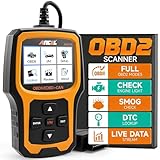
- Understand Your Check Engine Light – The ANCEL AD410 OBD2 scanner helps everyday drivers quickly read and clear engine-related fault codes, view code definitions, and understand why the check engine light is on before visiting a repair shop. With 42,000+ built-in DTC lookups, this car code reader helps reduce guesswork and makes basic vehicle diagnostics easier for beginners and DIY users
- Full OBD2 Diagnostics Made Simple – More than a basic engine code reader, this OBD2 scanner diagnostic tool supports key OBDII functions including reading/clearing codes, live data, freeze frame, I/M readiness, O2 sensor test, EVAP test, vehicle information, and MIL status. It helps you check your car’s condition, verify repairs after the issue is fixed, and communicate with mechanics more confidently
- Live Date & Real-time Vehicle Insights – View real-time engine data such as RPM, coolant temperature, fuel trim, oxygen sensor readings, and other available OBD2 parameters directly on the screen. These live data readings help you better understand how your vehicle is running, spot abnormal patterns, and make more informed repair decisions instead of relying only on a warning light
- Smog Check Readiness At A Glance – Use the I/M readiness function before a smog check or emissions inspection to see whether your vehicle’s monitors are ready. This OBD2 code scanner helps you confirm if recent repairs have brought the system back to a ready state, reducing the chance of failed inspections, retests, wasted trips, and unnecessary inspection fees
- Works With Most OBD2 Vehicles – Compatible with most 1996 and newer U.S.-based OBD2 cars, SUVs, and light trucks, as well as many 2000 and newer EU/Asian OBD2 vehicles. Supports major OBDII protocols including CAN, ISO9141, KWP2000, J1850 VPW, and J1850 PWM. This automotive diagnostic scanner is designed for wide vehicle coverage; please check compatibility with your vehicle before purchase

- 【TURN OFF CEL】 This AL319 car scanner diagnostic tool supports Reading and Clearing DTCs, DTC Look Up, displaying Live Data, Freeze Frame & I/M Readiness, view vehicle information, etc., to figure out the root cause of the Check Engine Light (CEL) and turn it off, helping you catch any potential issues early and avoid excessive costs from unnecessary repairs.
- 【EXTENSIVE APPLICATION】 Autel AL319 Compatible with 7 languages (English, French, Spanish, etc.) and various post-1996 OBD II protocol vehicles (Toyota, Nissan, Honda, Ford
 , etc.), this OBD II scanner provides accurate and fast diagnosis for worldwide car owners.
 - 【FOR END USER & DIYERS】 This error code reader AL319 is “plug and play” and comes with an easy interface. Even if you’re not familiar with vehicle repair, you can quickly take control of this obd2 scanner, and get the information you want.
- 【USER-FRIENDLY DESIGN】 This OBD2 scanner and check engine code reader features a patented One-Click I/M Readiness, TFT color display, built-in speaker, LED Indicator etc. The cable is long enough without being too long and getting in the way. No batteries are needed.
- 【HIGH-QUALITY SERVICES】 12 months war.ranty from the date of purchase and lifetime free update are offered by this Automobile OBDII scan tool. Welcome to contact us via Q&A, email, or hotline, and our after-sale-service team for technical support.
SEOCONTENT-START
© Copyright 2023 Ford Motor Company
Stacy L. Balzer Ford Motor Company
Operating Director P. O. Box 1904
Service Engineering Operations Dearborn, Michigan 48121 Ford Customer Service Division September 26, 2023
TO: All U.S. Ford and Lincoln Dealers
SUBJECT: Special Field Action 23L04 Certain 2022 Maverick Vehicles Equipped With a 2.5L I4 Gas/Electric Engine Vehicle Emissions Control Information (VECI) Label Update AFFECTED VEHICLES
Vehicle Model Year Assembly Plant Build Dates
Maverick 2022 Hermosillo August 30, 2022 through August 31, 2022
US population of affected vehicles: 109. Affected vehicles are identified in OASIS and FSA VIN Lists.
REASON FOR THIS ACTION
In the affected vehicles, the VECI label lists an incorrect EPA test group.
SERVICE ACTION
Dealers are to install a corrected VECI label directly over the existing VECI label on affected vehicle inventory. Dealers are also to install the corrected VECI label on sold vehicles when requested by a customer. The correct VECI label will be mailed directly to the customer. Please remind the customer to bring the VECI label with them if they choose to schedule an appointment. Mobile repair is also approved for customers that request dealer installation of the label.
This service must be performed at no charge to the vehicle owner. For new vehicle storage guidelines, refer to EFC13033.
NOTE: The owner letter will include instructions for the owner on how to install the new VECI label.
OWNER NOTIFICATION MAILING SCHEDULE
Owners of affected vehicles will be mailed the VECI label and installation instructions during the week of January 8, 2024.
EXPIRATION DATE
This program has no expiration date. We encourage dealers and customers to complete this service as soon as possible.
ADDITIONAL LABELS
To assist customers who prefer to have this service completed at the dealership and arrive without the label or for stock vehicles, please contact the Special Service Support Center (SSSC) via the SSSC
Web Contact Site. ATTACHMENTS
• Administrative Information
• Labor Allowances and Parts Ordering Information
• Technical Instructions
• Mobile Service Repair Assessment
• Mobile Repair/Vehicle Pickup and Delivery Record
• Owner Notification Letters
QUESTIONS & ASSISTANCE
For questions and assistance, contact the Special Service Support Center (SSSC) via the SSSC Web Contact Site. The SSSC Web Contact Site can be accessed through the Professional Technician System (PTS) website using the SSSC link listed at the bottom of the OASIS VIN report screen or listed under the SSSC tab. Sincerely, Stacy L. Balzer © Copyright 2023 Ford Motor Company Special Field Action 23L04
Administrative Information
Page 1 of 2 MOBILE SERVICE REPAIR ASSESSMENT LEVEL
• All repairs in this program have the following assessment level:
– Mobile Reprogramming
MOBILE REPAIR RECOMMENDATIONS
• Confirm with the customer a mobile repair is feasible.
• Check OASIS before going to the customer’s home or business to confirm if any other outstanding FSA needs to be completed.
• Transportation – due to the simplicity of this repair, a specialty vehicle is not required.
MOBILE REPAIR ADDITIONAL INFORMATION
Please ensure the technician brings the following to the mobile repair destination:
• Printed Technical Instructions
• Printed Repair/Work Order or any other necessary documentation as customer copy(s)
o Documents could also be emailed to the customer.
• Shirt/uniform and vehicle graphic with the dealership or Ford logos are recommended.
• Recommended specialty tools: Supplies needed for cleaning the label installation area.
MOBILE REPAIR QUESTIONS AND ASSISTANCE
• For questions and assistance, contact the Special Service Support Center (SSSC) via the SSSC Web Contact Site. Work with Dealership warranty administrator to create a SSSC contact ID#.
• Once an SSSC agent responds to the new contact ID#, you may opt to call the SSSC hotline: (800) 325-5621.
MOBILE REPAIR CLAIMING QUESTIONS
Dealers participating in the Remote Experience Program:
• Refer to Electronic Field Communication – EFC12071 2023 Remote Experience Program.
Dealers NOT participating in the 2023 Remote Experience Program:
• For questions and assistance, contact the Special Service Support Center (SSSC) via the SSSC Web Contact Site. Work with the Dealership warranty administrator to create an SSSC contact ID#.
• Once an SSSC agent responds to the new contact ID#, you may opt to call the SSSC hotline: (800) 325-5621.
OASIS ACTIVATION
OASIS will be activated on September 26, 2023. Although OASIS may indicate 23L04 as open, the revised label may have already been installed by the owner.
FSA VIN LISTS ACTIVATION
FSA VIN Lists will be available through https://web.fsavinlists.dealerconnection.com on September 26, 2023. Owner names and addresses will be available by January 26, 2024.
NOTE: Your FSA VIN Lists may contain owner names and addresses obtained from motor vehicle registration records. The use of such motor vehicle registration data for any purpose other than in connection with this program is a violation of law in several states, provinces, and countries.
Accordingly, you must limit the use of this listing to the follow-up necessary to complete this service action. © Copyright 2023 Ford Motor Company Special Field Action 23L04
Administrative Information
Page 2 of 2 SOLD VEHICLES
• Label(s) are being mailed to owners, however, owners may choose to have the dealer install the label(s).
• Owners of affected vehicles will be directed to dealers for repairs.
• Correct other affected vehicles identified in OASIS which are brought to your dealership.
• Dealers are to prioritize repairs of customer vehicles over repairs of new and used vehicle inventory.
BRANDED / SALVAGED TITLE VEHICLES
Affected title branded and salvaged vehicles are eligible for this Field Service Action.
CLAIMS PREPARATION AND SUBMISSION
• Claim Entry: Enter claims using Dealer Management System (DMS) or One Warranty Solution (OWS) online.
o When entering claims, select claim type 31: Field Service Action. The FSA number (23L04) is the sub code.
o For additional claims preparation and submission information, refer to the Recall and Customer Satisfaction Program (CSP) Repairs in the OWS User Guide.
• Program Duration (time/mileage): Unlimited. This program has no expiration date.
• Related Damage/Additional labor and/or parts: Must be claimed as Related Damage on a separate repair line from the FSA with same claim type and sub code as described in Claim Entry above.
IMPORTANT: Click the Related Damage Indicator radio button.
• Mobile Repair:
o Dealers participating in the Remote Experience Program –
▪ Refer to Electronic Field Communication – EFC12071 2023 Remote Experience Program.
o Dealers NOT participating in the Remote Experience Program –
▪ Mobile repair allowances can be claimed for dealer-performed mobile repairs. Dealers that are working with Ford-contracted mobile repair companies should refer to those companies for claiming instructions.
▪ For dealer-performed mobile repairs, retain a copy of the Service Management signed record, with the repair order documentation.
▪ Claim the mobile repair allowance Labor Operation Code 23L04MM along with the applicable Labor Operation Code for the repair (refer to the Labor Allowances table in Attachment). © Copyright 2023 Ford Motor Company Labor Allowances and Part Ordering Information
Page 1 of 1 Special Field Action 23L04 LABOR ALLOWANCES
Description Labor Operation Labor Time Access And Clean The Existing VECI Label Then Install The New Label Directly Over It.
Mobile Service:
This allowance is only for non-eligible 2023 Remote Experience Program Dealers.
Can be used when the repair takes place away from the dealership.
If Additional Time is Required Due to Travel, Please Submit an SSSC Approval Form.
PARTS REQUIREMENTS
Ordering Instructions for Additional Labels. 23L04B 23L04MM 0.2 Hours 0.5 Hours Labels for this program are being sent directly to customers of the affected vehicles. Additional labels for customers who prefer to have this label installed at the dealership and arrive without the label may be ordered from the SSSC via the SSSC Web Contact Site:
• Ask for an additional label for program 23L04.
• Provide your name, dealership P/A code, and mailing address.
• Provide vehicle model year and make of vehicle(s).
Sold Vehicles: Labels and installation instructions are being mailed directly to customers of the affected vehicles.
A small quantity of replacement labels has been set aside at the SSSC if a label is misplaced. A VIN will be required for each replacement label ordered. To order an additional label, contact SSSC via the SSSC Web Contact Site.
DEALER PRICE
Dealers will not be charged for labels ordered for this program. © Copyright 2023 Ford Motor Company Mobile or Pick-Up and Delivery Repair Record
Page 1 of 1 23L04 MOBILE REPAIR / VEHICLE PICK-UP AND DELIVERY RECORD VIN received (check one):
☐ Mobile Repair
☐ Pick-up and/or delivery service
As outlined below for the 23L04 Field Service Action program. ☐ Mobile Repair – Date: OR
☐ Pick-up – Date: ☐ Delivery – Date: Repair Order # Repair Order Date Service Manager Signature Date Recall 23L04
Mobile Service Repair Assessment
Page 1 of 2 Mobile Service Repair Assessment Assessment levels have been identified to help determine the ease of performing eligible mobile service repairs for a Field Service Action (FSA) outside of the dealership service facility. Dealer Bulletin
Within Attachment I of the dealer bulletin a mobile service repair assessment level(s) will be provided. These assessment levels have been determined using the amount of time, equipment and labor identified to perform the intended service action. Assessment Levels
– Mobile Reprogramming
– Light Mobile Service
– Enhanced Mobile Service
– Advanced Mobile Service
– Wheel and Tire Mobile Service
– Not a Mobile Service Repair Description of each level that is used to determine the overall assessment.
– Mobile Reprogramming
• Module Programming or similar type services
• Minimum tools maybe required other than an IDS/FDRS setup
• FDRS programming that requires internet connection (wi-fi or mobile hotspot)
• Make sure vehicle has a charge port to ensure battery voltage is maintained during flashing of the module(s)
• Repairs not greater than 1 hour in length (including time to wait for programming)
Note: The location will need a charging station or wall box to maintain the 12-volt battery. – Light Mobile Service
• Interior repair procedures that do not require seat, dash, or headliner removal
• Under hood repairs that do not require large component removal
• Exterior repairs that do not require large component/panel removal
• Repairs may require standard hand tools (Access to a Technician starter kit or similar) Recall 23L04
Mobile Service Repair Assessment
Page 2 of 2 – Enhanced Mobile Service
• A two-person process is required anytime a procedure requires work under the vehicle
• Brake Inspection and Brake Repair/Replacement
• Limited Suspension Component replacement (no alignment)
• Under Vehicle access for limited repairs (no large component removal)
• Vehicle Check Up – VCU
• Pre-Delivery Inspection – PDI
• Used Car Inspection/Presale Inspection
• May require floor jack, jack stands, and impact tools
Note: Wheel lock may be required. – Advanced Mobile Service
• Fluid Exchange/Oil Change
• Light Repairs
• Brake Hydraulic Repairs – Wheel and Tire Mobile Service
• Tire Removal from Wheel
• Tire Balancing
• Tire Repair
Note: Specialized Mobile Service unit and equipment including Tire balancer and Tire Changer required. – Not a Mobile Service Repair
• Large component removal
• BEV Battery Replacement
• Requires a vehicle hoist – to complete the repair (more than inspection)
• Required vehicle alignment
• Requires significant vehicle disassembly
• Repairs greater than 2-3 hours
• Any repairs that require M-Time
• Includes a service procedure where the vehicle owner may be distressed about the state of their vehicle TECHNICAL INSTRUCTIONS
PAGE 1 OF 2 SPECIAL FIELD ACTION 23L04 CERTAIN 2022 MODEL YEAR MAVERICK VEHICLES EQUIPPED WITH A 2.5L I4 GAS/ELECTRIC ENGINE — VEHICLE EMISSIONS CONTROL INFORMATION LABEL UPDATE SERVICE PROCEDURE 1. Open the left-hand front door. 2. Fully pull the hood release lever and let it completely retract. See Figure 1. NOTE: This action releases the hood latch. FIGURE 1
3. Fully pull the hood release lever for a second time. NOTE: This action fully releases the hood. 4. Open the hood. NOTE: There is no secondary latch under the hood. 5. If equipped, support the hood with the prop rod. See Figure 2. 21370A CPR © 2023 FORD MOTOR COMPANY DEARBORN, MICHIGAN 48121
09/2023 FIGURE 2 22430B TECHNICAL INSTRUCTIONS
PAGE 2 OF 2 SPECIAL FIELD ACTION 23L04
CPR © 2023 FORD MOTOR COMPANY DEARBORN, MICHIGAN 48121
09/2023
6. Locate the existing VECI label on the inside of the hood. See Figure 3.
7. Use a cleaner/degreaser and a clean shop towel to clean the existing label and the area around it. 8. Use a lint free shop towel and wipe dry the existing label and the area around it. 9. Apply the new VECI label directly over the original label. See Figure 4. 22430A
VECI LABEL FIGURE 3
10. If equipped, fully stow the prop rod prior to lowering the hood. 11. Lower the hood and allow it to drop under its own weight for the last 10-14 in (25-35 cm). WARNING: Make sure that you fully latch the hood before driving. Failure to follow this instruction could result in personal injury or death.
FIGURE 4
**************************************************************************************************************
**************************************************************************************************************
SEOCONTENT-END
This product presentation was made with AAWP plugin.