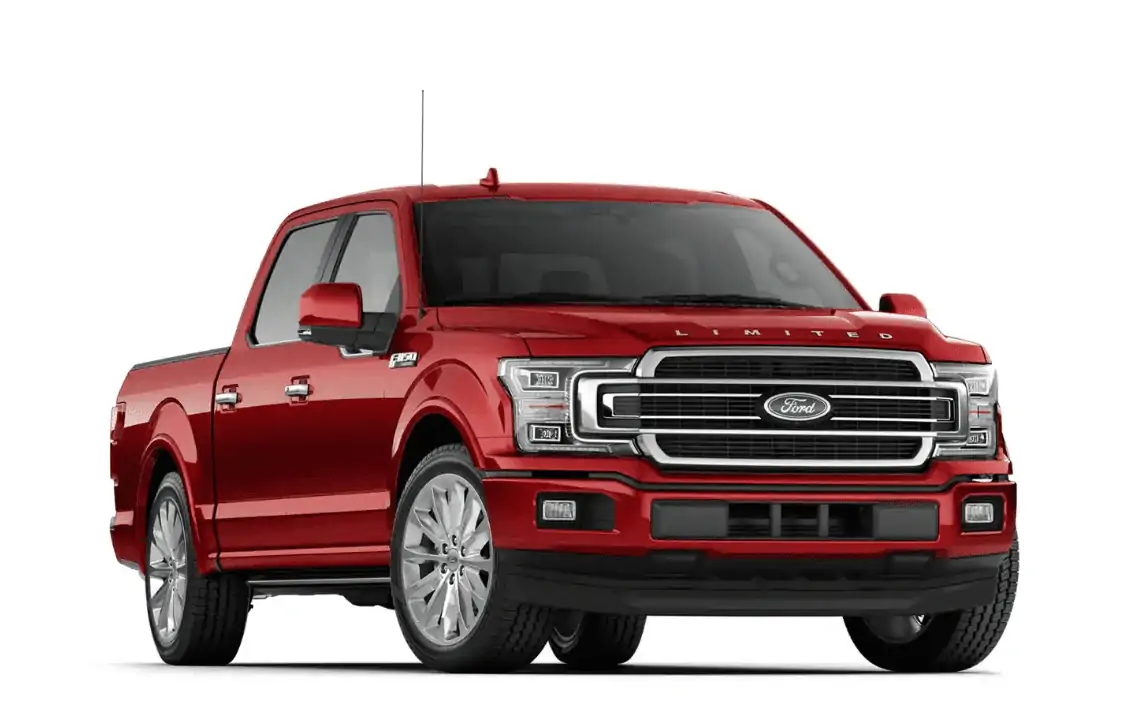
NHTSA ID Number: 10243429
Manufacturer Communication Number: OTA SU4 P5 F-150
Summary
“Software Update SU4 P5 for 2021 F-150 vehicles is now available.
Quality Improvements include:
– Various Apple Carplay quality improvements”
2021 F-150
(SYNC)
4.2.2.3
Minor updates here and there
Some minor fine-tuning so your vehicle can easily install the more detailed updates coming down the road.
Ford Power-Up delivers software updates that are designed to help make your Ford F-150® truck better over time.
1 Affected Product
Vehicle
| MAKE | MODEL | YEAR |
| FORD | F-150 | 2021 |
1 Associated Document
Manufacturer Communications
2021 F-150
(SYNC)
4.2.2.3
Bestseller No. 1

2026 Latest A15 Navigation SD Card Map Accessory for Ford Lincoln, F-150 Explorer Fusion Expedition Escape Edge MKC MKZ MKX Sync 2 Navigation SD Card Accessories Update USA/Canada Maps, GM5T-19H449-AJ
- 【LATEST A15 NAVIGATION SD CARD UPDATE】Stay ahead with the newest 2026 A15 navigation SD card that updates all previous versions including A14 and earlier, providing the most comprehensive map coverage for the entire United States and Canada with millions of updated points of interest such as gas stations, hotels, restaurants and newly added highways, ensuring reliable guidance for both city driving and cross-country adventures.
- 【WIDE COMPATIBILITY WITH FORD MODELS】This navigation SD card part number GM5T-19H449-AJ is designed to fit Ford vehicles including F-150 2013-2015, Explorer 2011-2016, Fusion 2013-2016, Expedition 2015, Escape 2013-2015, Edge 2011-2015, Focus 2012-2015, C-MAX 2013-2015, Escape Hybrid 2013-2015, Expedition XT 2015, Fiesta 2014-2015, Flex 2013-2015, Mustang 2015, Super Duty F-250/F-350/F-450 2013-2016, Taurus 2013-2015, Transit 2013-2015, Transit Connect 2014-2016.
- 【WIDE COMPATIBILITY WITH LINCOLN MODELS】 This navigation SD card compatible with Lincoln Accessories Fits Lincoln MKZ (2013 - 2016), MKX (2011 - 2016), MKC (2015), MKS (2013 - 2015), MKT (2013 - 2015), NAVIGATOR (2015). Reliable Lincoln navigation accessories that update your vehicle’s SYNC 2 system for accurate routing across USA & Canada.
- 【EASY PLUG AND PLAY INSTALLATION】You need to check if the CCPU of Ford/Lincoln SYNC system is compatible or needs to be updated first, check the product image corresponding to the CCPU version. To install: 1. Turn engine OFF 20+ mins. 2. Locate the SD card slot and remove the old navigation card. 3. Insert the new Navigation SD Card untll it clicks. 4.Start the engine to ensure, the “Navigation” icon should appear in the top-right corner (Auto-updates in 10-20 mins Never interrupt the process!).
- 【RELIABLE OFFLINE GPS NAVIGATION】Unlike smartphone navigation apps that depend on cellular data signals this Lincoln/Ford navigation SD card stores all map data directly on the card providing uninterrupted turn-by-turn directions even in remote areas mountains or deserts with no internet connection, perfect for long road trips across the United States and Canada with no data usage no signal issues and no roaming charges ensuring you always find your way regardless of your location.
Bestseller No. 2


2026 Latest A15 Navigation SD Card for Ford Lincoln, Ford Sync 2 SD Card GPS Map Update USA/Canada for F-150 Accessories Ford Explorer Fusion Escape Edge Expedition Lincoln MKZ MKC MKX, GM5T-19H449-AJ
- 2026 Updated A15 Navigation SD Card: Stay on course with the A15 navigation SD card, featuring the most current map database for the US and Canada. This A15 navigation SD card Sync 2 upgrades all previous versions (A14, A13, and earlier) with millions of updated points of interest – including gas stations, hotels, restaurants, and newly added highways. Whether you're navigating city streets or planning a cross-country road trip, the Ford navigation SD card 2026 ensures you always have the most reliable directions at your fingertips.
- Offline GPS Navigation Card: Unlike smartphone apps that depend on cellular data, this Ford Sync navigation SD card stores all map data directly onboard. Enjoy uninterrupted turn‑by‑turn directions even in remote mountains, deserts, or areas with no internet connection. Perfect for long road trips across North America – no data usage, no roaming charges, and no signal anxiety. This navigation SD card for 2015 f150 and other Ford/Lincoln models ensures you always find your way.
- Easy Plug-and-Play Installation: Installing your Ford Sync 2 SD card - Turn off the engine for 20 minutes, remove the old card, insert the new A15 navigation card with the label facing up, and restart the engine (Ensure the “Navigation” icon appears in the top-right corner). The system automatically updates maps in 10–20 minutes – never interrupt the process. Note: Your vehicle will be permanently locked to this card after the first installation. Do not insert this GPS SD card into non‑vehicle devices, as this may damage the map data.
- Wide Compatibility with Ford Models: This Ford f150 navigation sd card is designed to fit a broad range of Ford vehicles equipped with the SYNC 2 system. Compatible models include: F-150 (2013‑2015), Explorer (2011‑2016), Fusion (2013‑2016), Escape (2013‑2015), Edge (2011‑2015), Focus (2012‑2015), Mustang (2015), Expedition (2015), Taurus (2013‑2015), Transit (2013‑2015), Super Duty F-250/F-350/F-450 (2013‑2016), and more. A must‑have 2016 ford explorer accessories or 2015 ford explorer accessories for navigation upgrades.
- Compatible with Lincoln Models & Important Notes: This lincoln navigation sd card works seamlessly with Lincoln vehicles featuring SYNC 2 navigation. Compatible models include: MKZ (2013‑2016), MKX (2011‑2016), MKC (2015), MKS (2013‑2015), MKT (2013‑2015), Navigator (2015). Whether you need a lincoln mkz navigation sd card or a lincoln mkx navigation sd card, this A15 update card keeps your system accurate across the USA and Canada. Important: This card is locked to the first vehicle it's inserted into and cannot be switched to another car. Please verify your SYNC 2 system compatibility before purchase.
Bestseller No. 3
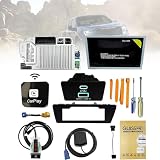
SYNC 2 to SYNC 3 Upgrade Kit Carplay
- [Precautions purchase]:Please contact and tell us your car's model, year and VIN number before or after you place order, and we will provide "free pre-programming" based on your vehicle's VIN.
- [Fitment]:Sync 3 Upgrade Kit Fits for Ford 2011-2016 F150, F250, F350, F450, F550, Edge, C-MAX, Escape, Expedition, Flex, Explorers, Focus, Fusion, Mustang, Super Duty, Taurus, Transit, Transit Connect; Fits for Lincoln MKC, MKS, MKT, MKX, MKZ, Navigator. (Specifically judged by VIN)
- [Retain all]:Sync 2 to sync 3 upgrade kit retaining all factory features (audio radio, rear camera, climate control, steering wheel controls, heated and cooled seats, etc.) With the latest map version na220.Support Wireless CarPlay.
- [Kit Includes]:1.Ford SYNC3 APIM module 2.Genuine Ford 8" Capacitive Touchscreen 3.Screen to module cable 4.GPS antenna 5.USB-A HUB 6.USB power harness 7.USB bracket 8.ELM27 blinker 9.Replacement tools
- [Easy Installation]:The perfect design of SYNC 2 to SYNC 3 is rigorously tested before leaving the factory to ensure that there are no product defects and to provide you with better service.
Bestseller No. 4

2026 A15 Navigation SD Card for SYNC 2 Ford & Lincoln, USA & Canada
- 【Compatible with Ford models】F-150 2013-2015, Explorer 2011-2016, Fusion 2013-2016, Escape, Escape Hybrid 2013-2015, Super Duty (F-250/F-350/F-450) 2013-2016, Edge 2011-2015, Focus 2012-2015, Flex 2013-2015, Fiesta 2014-2015, C-Max 2013-2015, Mustang 2015, Taurus 2013-2015, Expedition 2015, Transit 2014-2015
- 【Compatible with Lincoln Models】MKC 2015, MKS 2013-2015, MKT 2013-2015, MKX 2011-2016, MKZ 2014-2016, Navigator 2015
- 【A15 Navigation SD Card】This SD card updates previous versions such as A14, A13, A12, and so on, providing expanded coverage of hundreds of cities, counties and metropolitan areas in all 50 U.S. states, Puerto Rico, and Canada. For Ford navigation SD card update ensures that users have access to the newest map data, allowing for accurate and up-to-date navigation information.
- 【Easy to Use】Before replacing the SD card, ensure the engine is OFF at least 10 mintes. Insert the new card (label side up), then turn ON the vehicle. The system will update automatically—DO NOT turn off the engine until it’s complete. The update takes about 10-20 minutes, with no additional programming required.
- 【Navigation SD Card Warning】Do not insert the A15 navigation SD card into non-vehicle devices, as this may damage the map data. Additionally, A15 Navigation SD cards are locked to the first vehicle once inserted and cannot be switched to another vehicle
Bestseller No. 5
XGEEK A15 2026 Navigation SD Card Map Update Compatible with Ford Lincoln
- SYNC 2 Navigation System Map Update: Get directions to wherever you travel with this map update that identifies roads, subdivisions, business and points of interest for the United States and Canada. Drive confidently through unfamiliar or recently changed areas and arrive at your destination quickly and efficiently
- Upgrade to 2026 XGEEK A15 SD Card: Replaces A14 and older versions with full updated US and Canada maps, fresh POIs and new highways for reliable daily and long-distance navigation
- Compatible Ford Navigation Models: Edge (2011-2015), Expedition XT (2015), Expedition (2015), Explorer (2011-2016), Escape / Escape Hybrid (2013-2015), Taurus (2013-2015), Transit (2014-2015), Transit Connect (2014-2015), F-150 (2013-2015), Flex (2013-2015), Fiesta (2014-2015), Focus (2012-2015), Fusion (2013-2016), Mustang (2015), C-Max (2013-2015), Super Duty F250 / F350 / F450 (2013-2016)
- Compatible Lincoln Navigation Models: MKC (2015), MKS (2013-2015), MKT (2013-2015), MKX (2011-2016), MKZ (2014-2016), Navigator (2015)
- Installation Instructions: Before installation, check whether the Ford/Lincoln SYNC system's central processor (CCPU) is compatible or requires an upgrade; for detailed steps, refer to main image 7. Turn off the vehicle and remove the old navigation card. Insert the new Navigation SD Card and start the engine, the Navigation icon should appear in the top-right corner
This product presentation was made with AAWP plugin.