NHTSA ID Number: 10238867
Manufacturer Communication Number: 22B39 S1
Summary
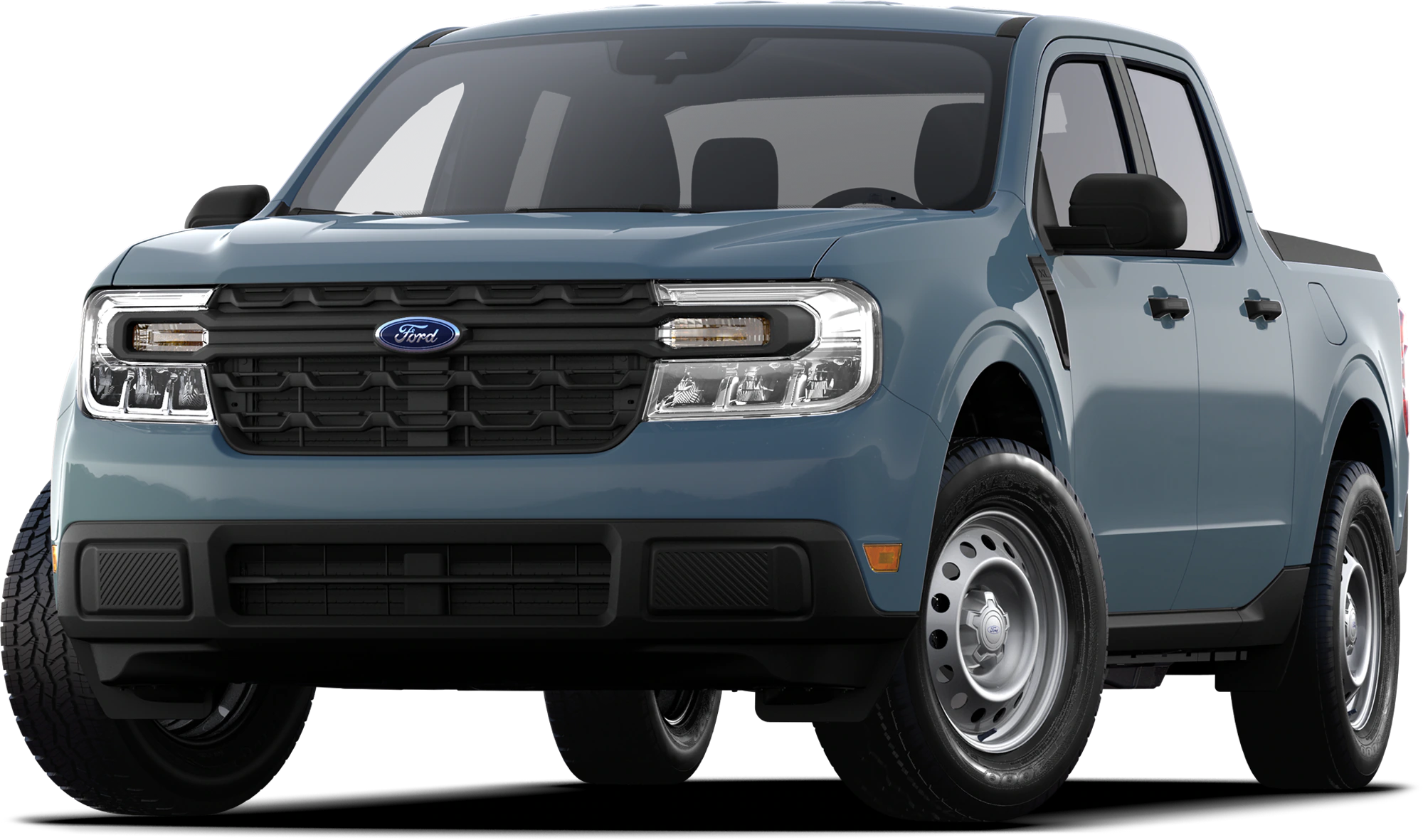
Certain 2022 Maverick HEVs Maverick No-start Condition
Reason for supplement- labor operation updates
June 23, 2023
RECOMMENDED NEW VEHICLE DEMONSTRATION / DELIVERY HOLD – Customer Satisfaction Program 22B39 – Supplement #1
Certain 2022 Maverick HEVs
Maverick No-start Condition
REASON FOR THIS SUPPLEMENT
- Labor operation 22B39B was miscalculated and should be 2.2 hours instead of 3.7 hours as listed.
PROGRAM TERMS
This program will be in effect through June 30, 2024. There is no mileage limit for this program.
URGENCY / EXPIRATION DATE
This Customer Satisfaction Program has an expiration date of June 30, 2024, to encourage dealers and customers to have this service performed as soon as possible.
We recommend dealers utilize their FSA VIN Lists’ names and address to contact customers with affected vehicles. This will help minimize the number of vehicles that may experience a no-start condition, which requires a more extensive repair. FSA VIN Lists were available on June 8, 2023.
AFFECTED VEHICLES
| Vehicle | Model Year | Assembly Plant | Build Dates |
| Maverick | 2022 | Hermosillo | 26-Jul-2021 through 13-May-2022 |
US population of affected vehicles: 21,513. Affected vehicles are identified in OASIS and FSA VIN Lists.
REASON FOR THIS PROGRAM
In some of the affected vehicles, a no crank/no start condition may occur. This may be due to a loose or detached eyelet solder connection C1617E in the battery cable assembly at the battery junction box.
SERVICE ACTION
Before demonstrating or delivering any new in-stock vehicles involved in this program, dealers are to install a new 12V battery cable overlay and disable the current battery cable. This service must be performed on all affected vehicles at no charge to the vehicle owner.
OWNER NOTIFICATION AND MAILING SCHEDULE
Owner letters are expected to be mailed the week of June 19, 2023. Dealers should repair any affected vehicles that arrive at their dealerships, whether or not the customer has received a letter.
MOBILE SERVICE REPAIR ASSESSMENT LEVEL
All repairs in this program have the following assessment level.
– Not Mobile Service Capable
SOLD VEHICLES
- Owners of affected vehicles will be directed to dealers for repairs.
- Immediately contact any of your affected customers whose vehicles are not on your VIN list but are identified in OASIS. Give the customer a copy of the Owner Notification Letter (when available) and schedule a service date.
- Correct other affected vehicles identified in OASIS which are brought to your dealership.
- Dealers are to prioritize repairs of customer vehicles over repairs of new and used vehicle inventory.
STOCK VEHICLES
- Correct all affected units in your new vehicle inventory before delivery.
- Use OASIS to identify any affected vehicles in your used vehicle inventory.
TITLE BRANDED / SALVAGED VEHICLES
- Affected title-branded and salvaged vehicles are eligible for this service action.
OWNER REFUNDS
- Refunds are not approved for this program.
RENTAL VEHICLES
- Rental vehicles are not approved for this program.
TOWING
- If towing is required, dealers are authorized to claim up to a maximum value of $250 to provide towing services for this program.
PICK-UP AND DELIVERY- Participating Dealers
Dealers participating in the Remote Experience Program:
- Refer to EFC12071, 2023 Remote Experience Program, Pickup & Delivery (PDL) Offset section for additional details.
- All customers affected by this program have the option of complimentary Vehicle Pick-up & Delivery service.
PARTS REQUIREMENTS / ORDERING INFORMATION
| Part Number | Description | Order Quantity | Claim Quantity |
| NZ6Z-14300-D | Wire harness-overlay | 1 | 1 |
| W716053-S451 | Interior Side Trim Clip | As required | |
| W710338-S403 | Right Floor Storage Bin Clips | As required | |
| HU5Z-14A163-C | Tie Strap | 11 | 11 |
CERTAIN 2022 MODEL YEAR MAVERICK VEHICLES EQUIPPED WITH A 2.5L FULL HYBRID ELECTRIC VEHICLE POWERTRAIN — HARNESS LAYOVER
SERVICE PROCEDURE
In PDF Bellow…
1 Affected Product
Vehicle
| MAKE | MODEL | YEAR |
FORD | MAVERICK | 2022 |
1 Associated Document
Manufacturer Communications
June 23, 2023
Customer Satisfaction Program 22B39 – Supplement #1
MC-10238867-0001.pdf 5840.903KB
NHTSA ID Number: 10238866
Manufacturer Communication Number: 22B39
Summary
Certain 2022 Maverick HEVs Maverick No-start Condition In some of the affected vehicles, a no crank/no start condition may occur. This may be due to a loose or detached eyelet solder connection C1617E in the battery cable assembly at the battery junction box.
1 Associated Document
Manufacturer Communications
June 8, 2023
Customer Satisfaction Program 22B39
MC-10238866-0001.pdf 6224.761KB
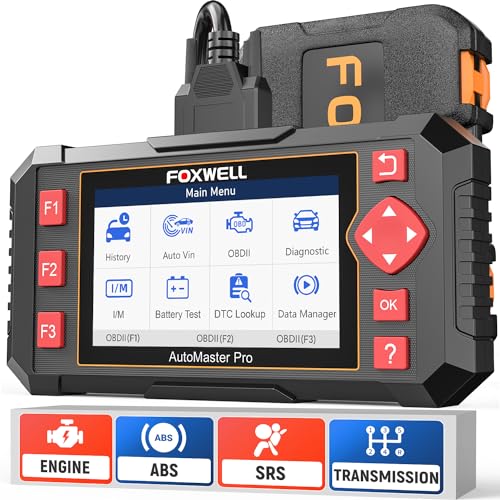
- [Easy to Use—Work Out of the Box] + [FOXWELL 2026 New Version] FOXWELL NT604 Elite scan tool is the 2026 new version from FOXWELL, designed for car owners who want to figure out the cause of issues before fixing car problems by scanning common systems like ABS, SRS, engine, and transmission. The NT604 Elite obd2 scanner diagnostic tool comes with the latest software—no need to waste time downloading software first. Plug the scanner into the OBDII port with OBDII cable to start the diagnosis.
- [Affordable] + [Reliable Car Health Monitor] Will you be confused what happens when the warning light of ABS/SRS/transmission/check engine flashes? Instead of taking your cars to dealership, this FOXWELL scanner will help you do a thorough scanning and detection for your cars and pinpoint the root cause. Note:The device is a diagnostic tool, not a repair tool. To turn off a warning light, you must first physically repair the issue causing it. Only then can the scanner be used to clear the corresponding fault code.
- [5 in 1 Car Diagnostic Scanner] Compared with obd scanners (50-100), NT604 Elite code scanner not only includes their OBDII diagnosis but also serves as ABS/SRS scanner, transmission and check engine code reader. When it’s an odb2 scanner, you can use it to check if your car is ready for annual test through I/M readiness menu. In addition, live data stream, built-in DTC library, data play back and print, all these features are a big plus for it. Note: doesn't support maintenance functions like reset or relearn. For the SRS system, NT604 Elite can read and clear common fault codes not caused by a crash, but crash/collision data cannot be cleared.
- [Fantastic AUTOVIN] + [No extra software fee] Through the AUTOVIN menu, this NT604 Elite car scanner allows you to get your V-IN and vehicle info rapidly, no need to take time to find your V-IN and input one by one. What's more, the NT604 Elite ABS SRS scanner supports 60+ car brands from worldwide (America/Asia/Europe). You don’t need to pay extra software fee. AUTOVIN may not work on some older vehicles or certain vehicle brands. If AUTOVIN fails, please input the vin code manually or go to the Diagnostic Menu to select your vehicle model.
- [Solid protective case KO plastic carrying bag] + [Lifetime update] Almost all same price-level car scanner diagnostic tool only offers plastic bag to hold the scanner.However, NT604 Elite automotive scanner is equipped with solid protective case, preventing your obd2 scanner from damage. Then you don’t need to pay extra money to buy a solid toolbox.

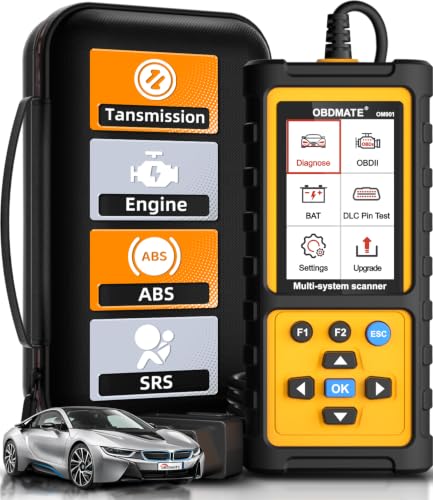
- 【Reset ABS/SRS/Transmission/Engine Lights】 More than an check engine code reader, OBDMATE OM901 obd2 scanner performs comprehensive diagnostics for the 4 most-used systems (ABS/SRS/Engine/Transmission). It quickly clears fault codes, turns off warning lights, read data stream and auto VIN.
- 【3.5" Handheld Scanner with 4 System Diagnose】 3.5" Super large TFT screen equipped displays an intuitive menu and clear readings of various sensors from ABS, SRS, ECM and TCM systems. It arrived with a silicone protective case and hard-shell carrying case, ensuring long-lived durability and drop resistance. The car diagnostic tool is plug-to-play designed, plug it and get diagnosis started without any batteries or updates required.
- 【One-Click I/M Readines&Full OBD2 Functions】 Press F1 to get an intuitive corloured form about whether various emissions-related systems on the vehicle are operating properly. Help you get smog-check ready quickly. OM901 car scanner supports all essential OBD2 functions you need: read & clear codes, view freeze frame, read I/M readiness, retrieve VIN, live data stream (with graphing display), O2 sensor test, onboard monitoring mode, and EVAP leak test.
- 【Battery Voltage Check&DLC Pin Test】 It allows you to monitor battery health by testing current battery voltage. Plus, this obd2 diagnostic tool features DLC 16-PIN test to check current voltage of every pin.
- 【Automotive Scanner Diagnostic Kit】 The package comes with 1 car scanner, 1 USB-type c cable, 1 hard storage bag and 1 user manual(en). Free to update without any hidden fees. 5 languanges available in setting including English, French, Italian, German and Espanish. Valuable and Portable, making it a great tool kit for car owners, DIY enthusiasts, and professional mechanics.

- [All System Diagnostics, Professional-Level Scanner] - BLCKTEC 460T is the ultimate OBD2 diagnostic tool for home mechanics and professionals. It supports all 10 OBD2 modes, reads and clears Engine/Transmission/ABS/SRS codes, performs All-System Diagnostics, offers workshop reset tools, and provides real-time live data. It helps you pinpoint issues, assess your car's condition, and prepare for SMOG checks with ease. NOTE: Function availability depends on your vehicle. Before you buy, be sure to use the Compatibility Checker on BLCKTEC website or contact our customer support to verify that the features you need are supported for your vehicle’s specific year, make, and model.
- [12+ Most Popular Reset Functions] - BLCKTEC 460T OBD2 scanner offers 12+ dealer-level service functions, including Oil Maintenance Reset, ABS Bleeding, EPB Reset, SAS(Steering Angle Sensor) Recalibration, DPF(Diesel Particulate Filter) Reset, Throttle Body Relearn, Battery Reset/Initialization, TPMS Relearn, Transmission Reset, Fluid Change Reset, Maintenance Reset and more, enabling you to perform workshop services like a pro. NOTE: Function availability depends on your vehicle. Be sure to use the Compatibility Checker on BLCKTEC website to verify that the features you need are supported for your vehicle.
- [Real-Time OBD2 and OEM Live Data, Freeze Frame Data] - BLCKTEC 460T helps diagnose vehicle issues when warning lights like Check Engine Light or ABS/SRS Light appear. It offers detailed DTC info, ECU Freeze Frame Data, and real-time OBD2 and advanced OEM live data, including Engine, Transmission, ABS, SRS, and more, making it easy to diagnose and resolve vehicle problems. You can view, graph, record, replay, and overlay up to four live data streams in a single graph for better analysis.
- [AutoVIN, AutoReLink, AutoScan, 3X Faster] - Equipped with AutoVIN technology, 460T automatically retrieves the VIN to save you time. Its AutoScan and AutoReLink features scan all of the vehicle's ECUs and detect any fault codes immediately after you plug the scanner into the vehicle's OBD2 port - no button presses required. Additionally, it regathers DTC and I/M readiness information every 30 seconds, simplifying monitor tests. 460T's advanced technology makes it 3X faster than other products.
- [Get RepairSolutions2, the #1 Auto Repair App for Free] - When paired with RepairSolutions2(RS2) App, 460T becomes even more powerful. RS2's Verified Fix Database built by master technicians, provides the parts needed for the repair. Additionally, RS2 gives you access to OEM warranty info, maintenance schedules, TSB, and dealership recall info, making car care easier than ever. RS2 is free with no subscription fees and it stores your car scan reports in the cloud, allowing you to access, share, or print them anytime and anywhere.
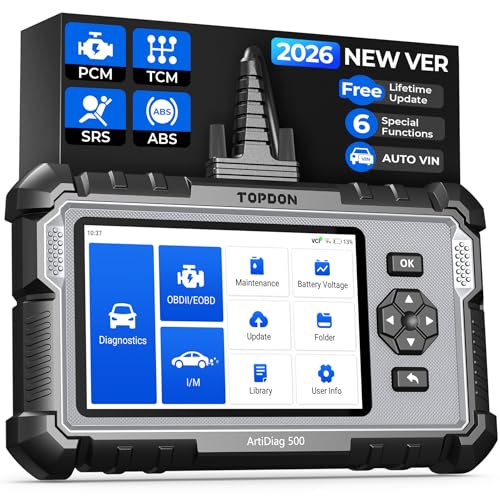
- [Brand-New ArtiDiag500] We've got everything you're looking for! Forget basic OBD2 scanners; TOPDON's ArtiDiag500 car scanner offers more. The all-new ArtiDiag500 not only includes full OBD2 functions and 4-system diagnostics but also provides DIYers with 6 maintenance services. The brand-new, cost effective AD500 is back in full swing!
- [4-System Diagnostics] DIY enthusiasts, take notice! Will these 4-system diagnostics be the treasure you've been seeking? The ArtiDiag500 code reader offers in-depth testing for the engine, transmission, ABS, and SRS systems, reading fault codes and data streams. It also visualizes real-time data in chart form, simplifying complex data for storage and future playback, aiding DIY users in problem detection.
- [6 Reset Functions] Hey, hang tight for a moment. With these 6 reset functions, the ArtiDiag500 has got you covered. It offers throttle adaptation along with reset capabilities for Oil, SAS, TPMS, BMS, and EPB. Seamlessly aligning the throttle, battery, tires, and brake pads with your vehicle, it also adjusts the steering angle and turns off the oil light. Looking to restore your car to its original condition? Look no further than the ArtiDiag500.
- [Multiple Functions] The Smart AutoVIN of this TOPDON OBD2 scanner keeps track of your manual selections for vehicle make, model, and year and directs you to the suitable diagnostics. Max 4 Live Data streams integrated for much easier data processing. Diagnostic feedback online with this diagnostic tool to help you get tough repair operations well-completed. Real-time car battery voltage monitoring identifies probable vehicle defects.
- [Wide Vehicle Coverage] ArtiDiag500 currently supports 67+ car brands, 10,000+ models, covering most vehicles worldwide. Supports cutting-edge CAN FD protocols, making it compatible with modern vehicles including 2020+ GM & Chrysler. It bypasses the FCA Secure Gateway to stay up to date with newer models from Chrysler, Jeep, Fiat, and others. Plus, it's fully compatible with Android 11 for smoother use. Note: Please charge AD500 regularly to maintain battery performance and prevent power-on issues caused by prolonged periods of non-use.
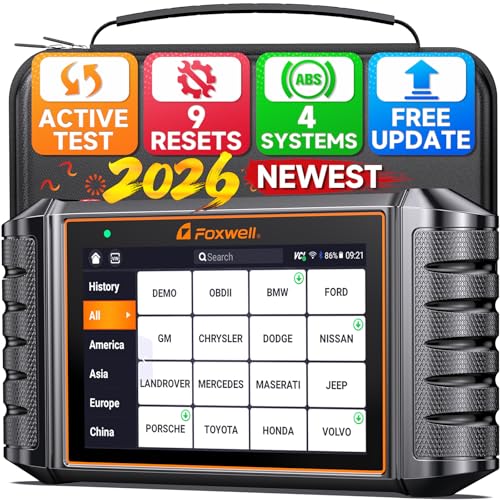
- 🚗2026 FOXWELL Scanner NT716: Bi-Directional Control – S-ave Hundreds on Repairs. Go beyond basic code readers. The FOXWELL NT716 obd2 scanner lets you actively test components like fuel pumps, cooling fans, injectors, windows, and more—so you can pinpoint issues before replacing parts blindly. Get real-time feedback instantly after plugging in. Delivers pro-level diagnostics at a fraction of the cost of $300–$500 scan tools—perfect for DIY mechanics and home mechanics alike. 👉 Note: Active test requires upgrade.
- 🔧9 Reset Functions – Unlike other scan tool in this price range that offer only 5–7 resets, the FOXWELL NT716 code readers & scan tools supports 9 essential resets: ABS Bleeding, SAS, Oil Light Reset, EPB, BMS, DPF, Throttle Relearn, Injector Coding, and TPMS. View live data streams to monitor vehicle system status, spot potential issues, and reset systems to clear stubborn warning lights. ❗ Notice: This product does NOT support car k-ey programming.
- 🚙4-System OBD Scanners for ABS, Airbag, Transmission & Engine – Effortlessly read and clear error codes, access ECU information, view 4-in-1 live data streams, and save or download data for analysis. The built-in DTC library provides clear explanations of fault codes, and once the issues are fixed, you can clear the codes and turn off warning lights with just one tap. The FOXWELL NT716 Code Scanner empowers you to handle most vehicle diagnostics on your own—saving you time and money without depending on a hard-to-find mechanic.
- 📊 Full Car Diagnostic Scanner with Plug-and-Play Simplicity – Enjoy comprehensive OBD2 functions, including AutoVIN for automatic vehicle information recognition, one-click I/M Readiness smog checks, real-time data graphing, freeze-frame capture, and more. The FOXWELL NT716 scanner for car makes it easy to get ready for annual inspections, helping ensure your vehicle passes with confidence year after year.
- 📱5.5" HD Touchscreen Tablet Car Diagnostic Tool – Say goodbye to the confusion of small 2.8" odb2 scanner with multiple buttons. Featuring a built-in 4000mAh battery, the new version offers greatly improved battery life. No subscriptions or hidden fees—share reports anytime and lifetime f-ree WiFi updates. Runs on Android 9.0, supports 24 languages including English and Spanish, and works with over 100 car brands from 1996 to 2026.
SEOCONTENT-START
ATTACHMENT III PAGE 1 OF 15 CUSTOMER SATISFACTION PROGRAM 22B39-S1 CPR © 2023 FORD MOTOR COMPANY DEARBORN, MICHIGAN 48121 06/2023 CERTAIN 2022 MODEL YEAR MAVERICK VEHICLES EQUIPPED WITH A 2.5L FULL HYBRID ELECTRIC VEHICLE POWERTRAIN — HARNESS LAYOVER SERVICE PROCEDURE 1. De-energize the high voltage system. Follow Workshop Manual (WSM) procedures in Section 414-03. 2. Disconnect the battery. Follow WSM procedures in Section 414-01. NOTICE: Before disconnecting the high voltage battery electrical connector, the electrical connector must be cleaned with a nylon brush and free of debris. Blow any dirt or debris from the electrical connector with compressed air before disconnecting or component damage may occur. WARNING: High voltage electrical connectors may require unique methods to be disconnected. If not properly disconnected, component damage may occur. 3. Clean the high voltage battery electrical connector with a nylon brush. Blow any dirt or debris from the electrical connector with compressed air. 4. Disconnect the high voltage battery electrical connector from the Direct Current/Direct Current (DC/DC) Converter Control Module. See Figure 1. NOTE: Refer to WSM Section 414-03 (High Voltage Battery, Mounting and Cables, General Procedures, High Voltage Connector Disconnect and Connect). 5. Detach the retainer and position the wire harness aside. See Figure 1. FIGURE 1 2239A x3 1 3 2 ATTACHMENT III PAGE 2 OF 15 CUSTOMER SATISFACTION PROGRAM 22B39-S1 CPR © 2023 FORD MOTOR COMPANY DEARBORN, MICHIGAN 48121 06/2023 6. Release the tabs and battery junction box cover. See Figure 2. FIGURE 2 PLACE COPY HERE PLACE COPY HERE PLACE COPY HERE STUD FOR MISSING NUT STUD FOR MISSING NUT STUD FOR MISSING NUT 2239B x6 7. Disconnect the battery junction box electrical connectors. See Figure 3. FIGURE 3 STUD FOR MISSING NUT STUD FOR STUD FOR MISSING NUT 2239C ATTACHMENT III PAGE 3 OF 15 CUSTOMER SATISFACTION PROGRAM 22B39-S1 CPR © 2023 FORD MOTOR COMPANY DEARBORN, MICHIGAN 48121 06/2023 8. Release the wire guide from the battery junction box. See Figure 4. FIGURE 4 PLACE COPY HERE PLACE COPY HERE PLACE COPY HERE STUD FOR MISSING NUT STUD FOR MISSING NUT STUD FOR MISSING NUT 2239D 9. Release the tabs and remove the power distribution box from the bracket. See Figure 5. FIGURE 5 STUD FOR MISSING NUT STUD FOR MISSING NUT 2239E x4 ATTACHMENT III PAGE 4 OF 15 CUSTOMER SATISFACTION PROGRAM 22B39-S1 CPR © 2023 FORD MOTOR COMPANY DEARBORN, MICHIGAN 48121 06/2023 10. Remove the power cable terminal cover. See Figure 6. FIGURE 6 PLACE COPY HERE PLACE COPY HERE PLACE COPY HERE STUD FOR MISSING NUT STUD FOR MISSING NUT STUD FOR MISSING NUT 2239F 11. Remove the nut. See Figure 7. Torque: 106 lb. in (12 Nm) FIGURE 7 STUD FOR MISSING NUT STUD FOR MISSING NUT 2239G 1 ATTACHMENT III PAGE 5 OF 15 CUSTOMER SATISFACTION PROGRAM 22B39-S1 CPR © 2023 FORD MOTOR COMPANY DEARBORN, MICHIGAN 48121 06/2023 12. Disconnect the electrical connector and position aside the wire. See Figure 8. FIGURE 8 PLACE COPY HERE PLACE COPY HERE PLACE COPY HERE STUD FOR MISSING NUT STUD FOR MISSING NUT STUD FOR MISSING NUT 2239H 13. Release the wire guide from the battery junction box. See Figure 9. FIGURE 9 STUD FOR MISSING NUT STUD FOR STUD FOR MISSING NUT 2239J ATTACHMENT III PAGE 6 OF 15 CUSTOMER SATISFACTION PROGRAM 22B39-S1 CPR © 2023 FORD MOTOR COMPANY DEARBORN, MICHIGAN 48121 06/2023 14. Remove the power cable terminal cover. See Figure 10. FIGURE 10 PLACE COPY HERE PLACE COPY HERE PLACE COPY HERE STUD FOR MISSING NUT STUD FOR MISSING NUT STUD FOR MISSING NUT 2239K 15. Remove the nut and position aside the power cable. See Figure 11. Torque: 106 lb.in (12 Nm) FIGURE 11 STUD FOR MISSING NUT STUD FOR MISSING NUT 2239L ATTACHMENT III PAGE 7 OF 15 CUSTOMER SATISFACTION PROGRAM 22B39-S1 CPR © 2023 FORD MOTOR COMPANY DEARBORN, MICHIGAN 48121 06/2023 16. Remove the bolt and washer. See Figure 12. Torque: 83 lb. in (10.5 Nm) Remove the battery junction box bracket retainers. See Figure 12. FIGURE 12 PLACE COPY HERE PLACE COPY HERE PLACE COPY HERE STUD FOR MISSING NUT STUD FOR MISSING NUT STUD FOR MISSING NUT 2239M x2 17. Remove Left Hand (LH) Lower B Pillar. Follow WSM procedures in Section 501-05. 18. Remove the Rear Floor Storage Bin. Follow WSM procedures in Section 501-05. 19. Access the clutch port from the drivers side, under the Instrument Panel. See Figure 13. FIGURE 13 STUD FOR 2239N CLUTCH PORT ATTACHMENT III PAGE 8 OF 15 CUSTOMER SATISFACTION PROGRAM 22B39-S1 CPR © 2023 FORD MOTOR COMPANY DEARBORN, MICHIGAN 48121 06/2023 20. Remove and discard the grommet. Insert the new wire harness, short side, into this port until it is stopped by the rubber grommet that is installed on the wire harness. See Figure 14. FIGURE 14 PLACE COPY HERE PLACE COPY HERE PLACE COPY HERE STUD FOR MISSING NUT STUD FOR MISSING NUT STUD FOR MISSING NUT 2239O RUBBER GROMMET See Figure 15 below for the full routing path of the harness. FIGURE 15 STUD FOR MISSING NUT STUD FOR MISSING NUT 2239AA ATTACHMENT III PAGE 9 OF 15 CUSTOMER SATISFACTION PROGRAM 22B39-S1 CPR © 2023 FORD MOTOR COMPANY DEARBORN, MICHIGAN 48121 06/2023 21. Route the front portion of the harness through the engine bay as shown in Figure 16. New harness will follow the same path as the old harness. NOTE: Battery Junction Box and other items have been removed for clarity. FIGURE 16 PLACE COPY HERE PLACE COPY HERE PLACE COPY HERE STUD FOR MISSING NUT STUD FOR MISSING NUT STUD FOR MISSING NUT 2239P 22. Secure wire harness to the DC/DC Converter Module stud bolts., with the 2 push pin retainers that are installed on the harness. See Figure 17 FIGURE 17 STUD FOR MISSING NUT 2239X CONVERTER ATTACHMENT III PAGE 10 OF 15 CUSTOMER SATISFACTION PROGRAM 22B39-S1 CPR © 2023 FORD MOTOR COMPANY DEARBORN, MICHIGAN 48121 06/2023 24. Continue to route wire harness through the door pillar area, moving towards the rear cargo area. See Figure 19. NOTICE: Ensure to place a tie strap on the new harness to keep it from touching the airbag connector. FIGURE 19 2239R AIRBAG CONNECTOR 23. From inside the vehicle route the harness through the pillar areas. See Figure 18. NOTE: Place a tie strap at each piece of blue tape found throughout the new harness. NOTE: It may be necessary to open the harness bundle shield before routing the harness. FIGURE 18 PLACE COPY HERE PLACE COPY HERE PLACE COPY HERE STUD FOR MISSING NUT STUD FOR MISSING NUT STUD FOR MISSING NUT 2239Q HARNESS BUNDLE SHIELD ATTACHMENT III PAGE 11 OF 15 CUSTOMER SATISFACTION PROGRAM 22B39-S1 CPR © 2023 FORD MOTOR COMPANY DEARBORN, MICHIGAN 48121 06/2023 26. Route harness underneath the shield. Follow the path until the harness can be routed down along the Rear Floor Storage area. See Figure 21. NOTE: Make sure to lay out the harness across the Rear Floor Storage area and then apply the adhesive tie straps. FIGURE 21 2239S ADHESIVE TIE STRAPS 25. Position the carpet aside. See Figure 20. FIGURE 20 PLACE COPY HERE PLACE COPY HERE PLACE COPY HERE STUD FOR MISSING NUT STUD FOR MISSING NUT STUD FOR MISSING NUT 2239V ATTACHMENT III PAGE 12 OF 15 CUSTOMER SATISFACTION PROGRAM 22B39-S1 CPR © 2023 FORD MOTOR COMPANY DEARBORN, MICHIGAN 48121 06/2023 27. Route harness as shown in Figure 22, moving towards the battery in the Rear Floor Storage area. NOTE: Continue to secure harness with the adhesive tie straps. FIGURE 22 PLACE COPY HERE PLACE COPY HERE PLACE COPY HERE STUD FOR MISSING NUT STUD FOR MISSING NUT STUD FOR MISSING NUT 2239T Front of Vehicle ADHESIVE TIE STRAPS 28. Install the protective caps while routing the harness. See Figure 23. FIGURE 23 STUD FOR MISSING NUT STUD FOR 2239BB PROTECTIVE CAPS ATTACHMENT III PAGE 13 OF 15 CUSTOMER SATISFACTION PROGRAM 22B39-S1 CPR © 2023 FORD MOTOR COMPANY DEARBORN, MICHIGAN 48121 06/2023 30. Cut terminal end off of the old harness. Add Dual Wall Heat Shrink tubing to cover the open end of the wire and secure with tape. Using a zip tie, attach old harness to new harness. See Figure 25. NOTE: Pinch end of Heat Shrink to ensure that it is properly secured. FIGURE 25 STUD FOR MISSING NUT STUD FOR 2239CC 29. Disconnect the old harness from the positive cable. See Figure 24. FIGURE 24 PLACE COPY HERE PLACE COPY HERE PLACE COPY HERE STUD FOR MISSING NUT STUD FOR MISSING NUT STUD FOR MISSING NUT 2239W ATTACHMENT III PAGE 14 OF 15 CUSTOMER SATISFACTION PROGRAM 22B39-S1 CPR © 2023 FORD MOTOR COMPANY DEARBORN, MICHIGAN 48121 06/2023 31. Route harness, as shown in Figure 26, making sure to secure the end to the battery, in place of the old harness. Torque: 93 lb.in (10.5 Nm) NOTE: Be sure to secure the harness with the attached adhesive tie strap as in previous steps, as well as the edge biter clips. FIGURE 26 PLACE COPY HERE PLACE COPY HERE PLACE COPY HERE STUD FOR MISSING NUT STUD FOR MISSING NUT STUD FOR MISSING NUT 2239U EDGE BITER CLIPS 32. Under the hood cut terminal end off of the old harness. Add Dual Wall Heat Shrink tubing to cover the open end of the wire and secure with tape. Secure to harness. See Figure 27. NOTE: Pinch end of Heat Shrink to ensure that it is properly secured. FIGURE 27 2239DD DC/DC CONVERTER ATTACHMENT III PAGE 15 OF 15 CUSTOMER SATISFACTION PROGRAM 22B39-S1 CPR © 2023 FORD MOTOR COMPANY DEARBORN, MICHIGAN 48121 06/2023 33. If there is any excess wire harness left, secure using zip ties underneath the dash area. See Figure 28. FIGURE 28 PLACE COPY HERE PLACE COPY HERE PLACE COPY HERE STUD FOR MISSING NUT STUD FOR MISSING NUT STUD FOR MISSING NUT 2239EE 35. To reassemble vehicle, reverse steps 1-18. IMPORTANT NOTE: Federal law prohibits selling motor vehicle parts or components that are under safety, compliance, or emissions recall. Unless a part is requested to be returned to Ford, all parts replaced under this FSA must be scrapped in accordance with all applicable local, state and federal environmental protection and hazardous material regulations. Refer to the Parts Retention, Return, & Scrapping section of the FSA dealer bulletin for further information. 34. Secure the new harness to the terminal. Torque: 106 lb.in (12 Nm) FIGURE 29 1 STUD FOR MISSING NUT STUD FOR MISSING NUT 2239FF Copyright 2023 Ford Motor Company Stacy L. Balzer Ford Motor Company Operating Director P. O. Box 1904 Service Engineering Operations Dearborn, Michigan 48121 Ford Customer Service Division June 23, 2023 TO: All U.S. Ford and Lincoln Dealers SUBJECT: RECOMMENDED NEW VEHICLE DEMONSTRATION / DELIVERY HOLD – Customer Satisfaction Program 22B39 – Supplement #1 Certain 2022 Maverick HEVs Maverick No-start Condition REF: RECOMMENDED NEW VEHICLE DEMONSTRATION / DELIVERY HOLD – Customer Satisfaction Program 22B39 Dated June 8, 2023 NEW! REASON FOR THIS SUPPLEMENT • Labor operation 22B39B was miscalculated and should be 2.2 hours instead of 3.7 hours as listed. PROGRAM TERMS This program will be in effect through June 30, 2024. There is no mileage limit for this program. URGENCY / EXPIRATION DATE This Customer Satisfaction Program has an expiration date of June 30, 2024, to encourage dealers and customers to have this service performed as soon as possible. We recommend dealers utilize their FSA VIN Lists’ names and address to contact customers with affected vehicles. This will help minimize the number of vehicles that may experience a no-start condition, which requires a more extensive repair. FSA VIN Lists were available on June 8, 2023. AFFECTED VEHICLES Vehicle Model Year Assembly Plant Build Dates Maverick 2022 Hermosillo 26-Jul-2021 through 13-May-2022 US population of affected vehicles: 21,513. Affected vehicles are identified in OASIS and FSA VIN Lists. REASON FOR THIS PROGRAM In some of the affected vehicles, a no crank/no start condition may occur. This may be due to a loose or detached eyelet solder connection C1617E in the battery cable assembly at the battery junction box. SERVICE ACTION Before demonstrating or delivering any new in-stock vehicles involved in this program, dealers are to install a new 12V battery cable overlay and disable the current battery cable. This service must be performed on all affected vehicles at no charge to the vehicle owner. Copyright 2023 Ford Motor Company OWNER NOTIFICATION MAILING SCHEDULE Owner letters are expected to be mailed the week of June 19, 2023. Dealers should repair any affected vehicles that arrive at their dealerships, whether or not the customer has received a letter. ATTACHMENTS Attachment I: Administrative Information Attachment II: Labor Allowances and Parts Ordering Information Attachment III: Technical Information Attachment IV: Mobile Service Repair Assessment Owner Notification QUESTIONS & ASSISTANCE For questions and assistance, contact the Special Service Support Center (SSSC) via the SSSC Web Contact Site. The SSSC Web Contact Site can be accessed through the Professional Technician System (PTS) website using the SSSC link listed at the bottom of the OASIS VIN report screen or listed under the SSSC tab. Sincerely, Stacy L. Balzer Copyright 2023 Ford Motor Company ATTACHMENT I Page 1 of 3 RECOMMENDED NEW VEHICLE DEMONSTRATION / DELIVERY HOLD Customer Satisfaction Program 22B39 – Supplement #1 Certain 2022 Maverick HEVs Maverick No-start condition MOBILE SERVICE REPAIR ASSESSMENT LEVEL All repairs in this program have the following assessment level. – Not Mobile Service Capable OASIS ACTIVATION OASIS was activated on June 8, 2023. FSA VIN LISTS ACTIVATION FSA VIN Lists have been available through https://web.fsavinlists.dealerconnection.com since June 8, 2023. Owner names and addresses will be available by July 7, 2023. NOTE: Your FSA VIN Lists may contain owner names and addresses obtained from motor vehicle registration records. The use of such motor vehicle registration data for any purpose other than in connection with this program is a violation of law in several states, provinces, and countries. Accordingly, you must limit the use of this listing to the follow-up necessary to complete this service action. SOLD VEHICLES • Owners of affected vehicles will be directed to dealers for repairs. • Immediately contact any of your affected customers whose vehicles are not on your VIN list but are identified in OASIS. Give the customer a copy of the Owner Notification Letter (when available) and schedule a service date. • Correct other affected vehicles identified in OASIS which are brought to your dealership. • Dealers are to prioritize repairs of customer vehicles over repairs of new and used vehicle inventory. Copyright 2023 Ford Motor Company ATTACHMENT I Page 2 of 3 RECOMMENDED NEW VEHICLE RECOMMENDED DEMONSTRATION / DELIVERY HOLD Customer Satisfaction Program 22B39 – Supplement #1 Certain 2022 Maverick HEVs Maverick No-start condition STOCK VEHICLES • Correct all affected units in your new vehicle inventory before delivery. • Use OASIS to identify any affected vehicles in your used vehicle inventory. TITLE BRANDED / SALVAGED VEHICLES • Affected title-branded and salvaged vehicles are eligible for this service action. OWNER REFUNDS • Refunds are not approved for this program. RENTAL VEHICLES • Rental vehicles are not approved for this program. TOWING • If towing is required, dealers are authorized to claim up to a maximum value of $250 to provide towing services for this program. PICK-UP AND DELIVERY- Participating Dealers Dealers participating in the Remote Experience Program: • Refer to EFC12071, 2023 Remote Experience Program, Pickup & Delivery (PDL) Offset section for additional details. • All customers affected by this program have the option of complimentary Vehicle Pick-up & Delivery service. ADDITIONAL REPAIR (LABOR TIME AND/OR PARTS) Additional repairs identified as necessary to complete the FSA should be managed as follows: • For related damage and access time requirements, refer to the Warranty and Policy Manual / Section 6 – Ford & Lincoln Program Policies / General Information & Special Circumstances for FSAs / Related Damage. • For vehicles within new vehicle bumper-to-bumper warranty coverage, no SSSC approval is required, although related damage must be on a separate repair line with the “Related Damage” radio button checked. o Ford vehicles – 3 years or 36,000 miles • For vehicles outside new vehicle bumper-to-bumper warranty coverage, submit an Approval Request to the SSSC Web Contact Site before completing the repair. Copyright 2023 Ford Motor Company ATTACHMENT I Page 3 of 3 RECOMMENDED NEW VEHICLE DEMONSTRATION / DELIVERY HOLD Customer Satisfaction Program 22B39 – Supplement #1 Certain 2022 Maverick HEVs Maverick No-start condition CLAIMS PREPARATION AND SUBMISSION • Claim Entry: Enter claims using Dealer Management System (DMS) or One Warranty Solution (OWS) online. o When entering claims: Claim type 31: Field Service Action Sub Code: 22B39 Customer Concern Code (CCC): C27 Condition Code (CC): X4 Causal Part Number: 14290, Quantity 0 o For additional claims preparation and submission information, refer to the Recall and Customer Satisfaction Program (CSP) Repairs in the OWS User Guide. • Related Damage/Additional labor and/or parts: Must be claimed as Related Damage on a separate repair line from the FSA with the same claim type and subcode as described in Claim Entry above. IMPORTANT: Click the Related Damage Indicator radio button. • Pickup & Delivery: o Dealers participating in the Remote Experience Program – Refer to EFC12071, 2023 Remote Experience Program, Pickup & Delivery (PDL) Offset section for additional details. • Provision for Locally Obtained Supplies: Includes additional tie straps for securing the wire harness further. Submit on the same line as the repair. o Program Code: 22B39 o Misc. Expense: OTHER o Misc. Expense: Claim up to $5.00 (up to $255 total for Misc. Expense: Other) • Provision for Towing: Dealers are authorized to claim up to a maximum value of $250 to provide towing services for completing this program. Submit on the same line as the repair. o Program Code: 22B39 o Misc. Expense: OTHER o Misc. Expense: Claim up to $250.00 (up to $255 total for Misc. Expense: Other) Copyright 2023 Ford Motor Company ATTACHMENT II Page 1 of 2 RECOMMENDED NEW VEHICLE DEMONSTRATION / DELIVERY HOLD Customer Satisfaction Program 22B39 – Supplement #1 Certain 2022 Maverick HEVs Maverick No-start condition NEW! LABOR ALLOWANCES Description Labor Operation Labor Time Confirm VIN and install replacement 12V battery cable 22B39B 2.2 Hours PARTS REQUIREMENTS / ORDERING INFORMATION Part Number Description Order Quantity Claim Quantity NZ6Z-14300-D Wire harness-overlay 1 1 W716053-S451 Interior Side Trim Clip As required W710338-S403 Right Floor Storage Bin Clips As required HU5Z-14A163-C Tie Strap 11 11 Order your parts requirements through normal order processing channels. To guarantee the shortest delivery time, an emergency order for parts must be placed. DEALER PRICE For the latest prices, refer to DOES II. EXCESS STOCK RETURN The excess stock returned for credit must have been purchased from Ford Customer Service Division by Policy Procedure Bulletin 4000. Copyright 2023 Ford Motor Company ATTACHMENT II Page 2 of 2 RECOMMENDED NEW VEHICLE DEMONSTRATION / DELIVERY HOLD Customer Satisfaction Program 22B39 – Supplement #1 Certain 2022 Maverick HEVs Maverick No-start condition REPLACED FSA PARTS INSPECTION AND SIGN OFF Effective March 1st, 2021, all parts replaced as part of an FSA repair with a repair order open date of March 1st, 2021, or later must be inspected and signed off on the repair order by a member of your dealer’s fixed operations management team or an employee the task has been delegated to. If the task is to be delegated to a non-management employee, the employee needs to be someone other than the technician who completed the repair and needs to understand the importance of completing this task consistently and accurately. • All parts replaced as part of an FSA repair should be returned to the parts department following the Warranty Parts Retention and Return Policies. • Inspect the replaced parts to verify the FSA repair was completed. • If the FSA repair is found to be complete, the designated employee signs the repair order line or parts return stamp area (electronic or hand signed) for the FSA repair indicating the parts were inspected and validated to have been replaced. • After the parts have been inspected, they should be handled based on the guidance in the parts status report in the Online Warranty System (Hold, Return, CORE, Scrap, etc.). • This process is subject to review during warranty audits for FSA repairs with a repair order open date of March 1st, 2021, or later. Any eligible FSA claims requiring parts replacement found not to have been inspected and signed off during a warranty audit will be subject to chargeback and consideration for enrollment into the Dealer Incomplete Recall Repair Process. Note: Other approvals (electronic or handwritten) for add-on repair lines, dealer-owned vehicle repairs, and repeat repairs do not qualify as FSA parts inspection approvals. The post-repair FSA parts inspection process (electronic or handwritten) is independent of other warranty approval requirements. The approval by the designated employee implies that the FSA parts were found to be replaced and must be able to be identified on the Repair Order. If multiple FSAs require approval on a single Repair Order, each applicable occurrence will require individual post-repair approval by the designated employee.
**************************************************************************************************************
**************************************************************************************************************
SEOCONTENT-END
This product presentation was made with AAWP plugin.