NHTSA ID Number: 10236330
Manufacturer Communication Number: TSB 23-2146
Summary
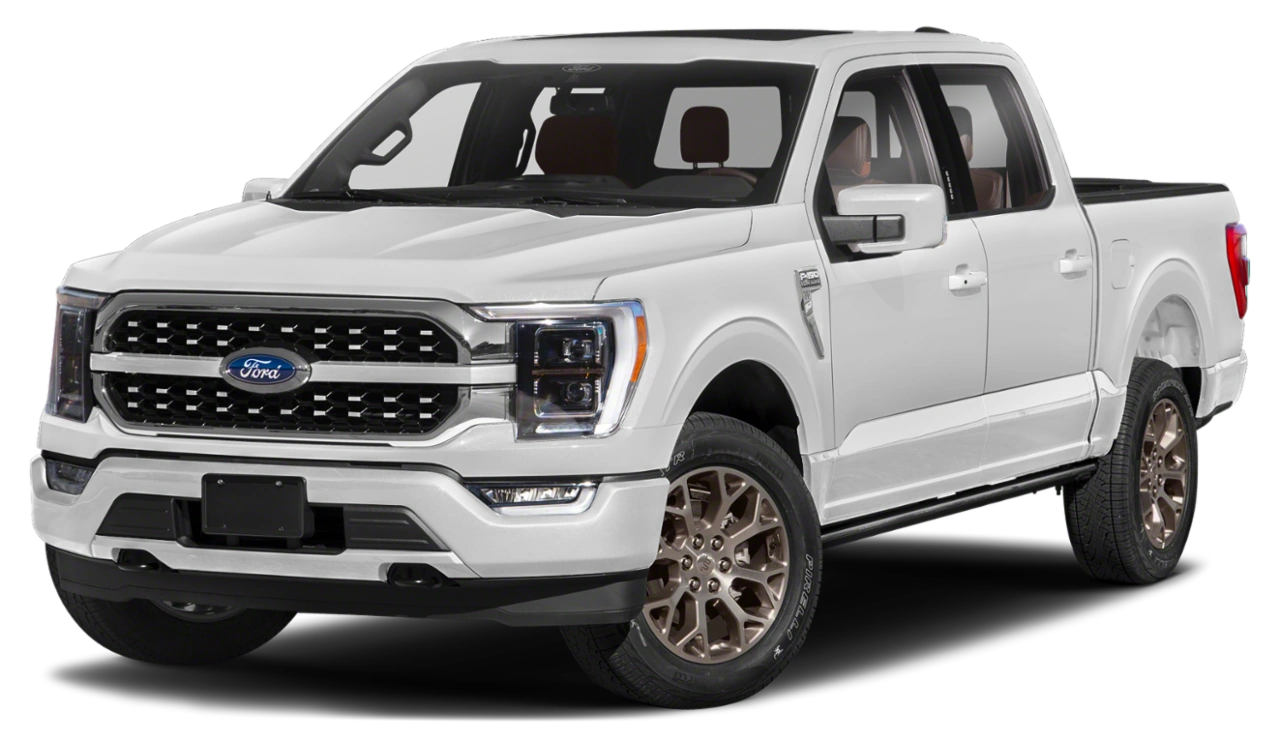
Some 2021-2023 F-150 vehicles may exhibit various driver assistance system warning messages or inoperative features and/or diagnostic trouble code (DTC) U3000:49 stored in the image processing module A (IPMA) that will not clear and not be stored in the vehicle’s history. DTC C1001:31 and/or U3000:89 may be stored in the IPMA, but may have recently been cleared and stored in the vehicle’s history. This may be due to a connection issue between the IPMA Camera and the IPMA. To correct the condition, perform the following service procedure to repair the connection and reset the IPMA.
Model:
Ford
2021-2023 F-150 |
Issue: Some 2021-2023 F-150 vehicles may exhibit various driver assistance system warning messages or inoperative features and/or diagnostic trouble code (DTC) U3000:49 stored in the image processing module A (IPMA) that will not clear and not be stored in the vehicle’s history. DTC C1001:31 and/or U3000:89 may be stored in the IPMA, but may have recently been cleared and stored in the vehicle’s history. This may be due to a connection issue between the IPMA Camera and the IPMA. To correct the condition, perform the following service procedure to repair the connection and reset the IPMA.
Action: Follow the Service Procedure to correct the condition on vehicles that meet all of the following criteria:
- 2021-2023 F-150
- IPMA has DTC C1001:31, U3000:89, and/or U3000:49 present
- At least one of the following concerns:
- Front Camera Fault Service Required message
- Pre-collision assist inoperative
- Adaptive cruise control inoperative
- Front windshield camera alignment routine fails to complete
Parts
| Service Part Number | Quantity | Description | Unit of Issue |
| TA-31 | As Needed | Motorcraft® RTV Silicone Sealant | 1 |
| 164-R9343 | As Needed | 3M™ Film Tape 9343 | 1 |
| Obtain Locally | As Needed | Zip Ties |
Parts
Parts To Inspect And Replace Only If Needed
| Service Part Number | Quantity | Description | Unit of Issue |
| ML3Z-10E929-ABA | If Needed | Image Processing Module A (IPMA) Camera to A-Pillar Coaxial Cable (Built With Minor Feature Code CHAAA) | 1 |
| ML3Z-10E929-ACA | If Needed | Image Processing Module A (IPMA) Camera to A-Pillar Coaxial Cable (Built With Minor Feature Code CHAA1) | 1 |
| ML3Z-10E929-AAA | If Needed | A-Pillar to IPMA Coaxial Cable (Built With Minor Feature Code J3KAR) | 1 |
| ML3Z-10E929-BKA | If Needed | A-Pillar to IPMA Coaxial Cable (Built With Minor Feature Code J3KAB And HJGAJ) | 1 |
| ML3Z-10E929-BLA | If Needed | A-Pillar to IPMA Coaxial Cable (Built With Minor Feature Code J3KAB And HJGAX) | 1 |
| ML3Z-10E929-FAA | If Needed | A-Pillar to IPMA Coaxial Cable (Built With Minor Feature Code J3KAH) | 1 |
| ML3Z-19H406-B | If Needed | Image Processing Module A (IPMA) Camera | 1 |
| 14G647 | As Needed | Image Processing Module A (IPMA) – Refer To The Parts Catalog For The VIN Specific Application | 1 |
Quantity refers to the amount of the service part number required to repair the vehicle.
Unit of Issue refers to the number of individual pieces included in a service part number package.
Piece Quantity refers to the total number of individual pieces required to repair the vehicle.
As Needed indicates the amount of the part may vary and/or is not a whole number. Parts can be billed out as non-whole numbers, including less than 1.
If Needed indicates the part is not mandatory.
Service Procedure
1. Is DTC C1001:31 and/or U3000:89 stored in the IPMA or were recently stored in the vehicle’s 60-Day vehicle health alert (VHA)/DTC History? The vehicle’s 60-Day VHA/DTC History (if applicable) can be found in the Professional Technician System (PTS) > Connected Vehicle > Connected Vehicle Home.
(1). Yes – inspect the coaxial cables between the IPMA and the IPMA Camera for loose connections. Perform a wiggle test to check C900 and C9128 connectors for loose connections. If no loose connections are present, proceed to Step 2. If loose connections are present, reconnect and proceed to Step 3.
(2). No – proceed to Step 21.
2. Start the vehicle and wait 30 seconds. Clear and retrieve the DTCs. Is C1001:31 and/or U3000:89 present in the IPMA?
(1). Yes – proceed to Step 4.
(2). No – the issue is intermittent. Replace both sections of coaxial cable running from the IPMA Camera to the IPMA following Steps 4-6 and Steps 8-18, then proceed to Step 19.
3. Start the vehicle and wait 30 seconds. Clear and retrieve the DTCs. Is C1001:31 and/or U3000:89 present in the IPMA?
(1). Yes – proceed to Step 4.
(2). No – proceed to Step 21.
4. Replace the coaxial cable running from the IPMA camera to the A-pillar by overlaying the new coaxial cable next to the existing coaxial cable and cutting off the existing coaxial cable connectors. To do so, begin by lowering the headliner (Figure 1). Refer to Workshop Manual (WSM), Section 501-05, Interior Trim and Ornamentation, Headliner – Lowering.
Figure 1=-llrft
5. Overlay the replacement coaxial cable into the headliner behind the headliner harness and overlay the new coaxial cable next to the existing coaxial cable. (Figures 2-6) Use 3M™ film tape (not zip ties) to overlay the cable in the A-pillar, as using zip ties with sharp cuts near the side curtain airbag may impede the airbag’s performance once installed. Small zip ties may be used in the headliner and near the IPMA camera.
Figure 2
Figure 3
Figure 4
Figure 5
Figure 6
NOTE: Do not kink or route the cable in such a way that it bends greater than 90 degrees over 30 mm (1.2 in). Sharp bends could damage the cable. Press the 3M™ film tape firmly to the headliner to make sure the tape adheres to the headliner.
6. Reattach headliner to the roof using the headliner magnets and install a new C9128 connector to the IPMA camera and reconnect the headliner wiring harness C900 electrical connector in the A-Pillar. Refer to Figures 7-8. Cut off the existing coaxial cable connectors to make sure the original cable is not used again.
Figure 7
Figure 8
7. Start the vehicle and wait 30 seconds. Clear and retrieve the DTCs. Is C1001:31 and/or U3000:89 present in the IPMA?
(1). Yes – proceed to Step 8 to replace the coaxial cable running from A-pillar to IPMA by overlaying the new coaxial cable next to the existing coaxial cable and cutting off the existing coaxial cable connectors.
(2). No – proceed to Step 21.
8. Release the clips and remove the left instrument panel trim panel. Refer to WSM, Section 501-12 Instrument Panel and Console, Removal and Installation, Instrument Panel. (Figure 9)
Figure 9
9. Release the clips and remove the left front scuff plate. Refer to WSM, Section 501-12 Instrument Panel and Console, Removal and Installation, Instrument Panel. (Figure 10)
Figure 10
10. Release the clips and remove the left lower cowl trim panel. Refer to WSM, Section 501-12 Instrument Panel and Console, Removal and Installation, Instrument Panel. (Figure 11)
Figure 11
11. Remove insulation between A-pillar and dash. (Figure 12)
Figure 12
12. Using small zip ties, overlay the new coaxial cable with the existing coaxial cable going from the C900 connector in the A-pillar to the C242F connector at the IPMA, going through the gap previously covered by insulation. (Figure 13) Make sure the coaxial cable is secured via the mounting clips in the A-pillar.
Figure 13
NOTE: Do not kink or route the cable in such a way that it bends greater than 90 degrees over 30 mm (1.2 in). Sharp bends could damage the cable.
13. Is the vehicle equipped with minor feature codes HJGAX or J3KAH? To confirm a vehicle is built with minor feature code HJGAX or J3KAH, review the build information by double-clicking the vehicle identification number (VIN) in the upper left-hand corner in PTS.
(1). Yes – proceed to Step 14.
(2). No – proceed to Step 16.
14. The replacement coaxial cable comes with an additional jumper that goes from pin 1 in the C242F connector at the IPMA to a female C2563 connector for the accessory protocol interface module (APIM). (Figure 14) Overlay the jumper using small zip ties from the IPMA to the C2563 connector located in the left footwell. Refer to the Wiring Diagram, Cell 150, Connector Views.
Figure 14
15. Once the new connectors are installed, cut off the existing coaxial cable connectors to make sure the original cable is not used again.
16. Is the vehicle equipped with minor feature code J3KAB? To confirm a vehicle is built with minor feature code J3KAB, review the build information by double-clicking the VIN in the upper left-hand corner in PTS.
(1). Yes – proceed to Step 17.
(2). No – proceed to Step 19.
17. The replacement coaxial cable comes with an additional jumper that goes from pin 2 in the C242F connector at the IPMA to pin 5 of the male C316 connector found in the rear left side of the engine compartment. (Figure 15) Refer to the Wiring Diagram, Cell 150, Connector Views, C316. For these vehicles, overlay this jumper using small zip ties from the IPMA to pin 5 of the male C316 connector by going through the service access port of the left side grommet to go through the firewall. (Figure 16)
Figure 15
Figure 16
(1). Carefully cut a slit into the interior access port face to allow the jumper cable to pass through. (Figure 16, Callout 1)
(2). Carefully cut a slit into the exterior access port face to allow the jumper cable to pass through. (Figure 16, Callout 2)
(3). Make sure the cable is completely taped to help seal the interface. (Figure 16, Callout 3)
(4). Completely tape the cable to the exterior port or use Motorcraft® RTV Silicone Sealant (service part number TA-31) to seal exterior port. (Figure 16, Callout 4)
(5). Use zip ties on both sides of the grommet to secure the cable and avoid damage to RTV seal (if applicable). (Figure 16, Callout 5)
18. Once the new pin is installed, cut off the existing coaxial cable for pin 5 to make sure the original cable is not used again.
19. Turn the key on, engine on and wait 30 seconds. Clear and retrieve DTCs. Is C1001:31 and/or U3000:89 present in the IPMA?
(1). Yes – replace the IPMA Camera. Refer to WSM, Section 419-07 Lane Keeping System, Removal and Installation, Image Processing Module A (IPMA) Camera.
(2). No – proceed to Step 21.
20. Start the vehicle and wait 30 seconds. Clear and retrieve DTCs. Is C1001:31 and/or U3000:89 present in the IPMA?
(1). Yes – replace the IPMA. Refer to WSM, Section 419-07 Lane Keeping System, Removal and Installation, Image Processing Module A (IPMA).
(2). No – proceed to Step 21.
21. Is DTC U3000:49 stored in the IPMA?
(1). Yes – download and run the IPMA – Reset the Image Processing Module A (IPMA) Learned Values application in the Ford Diagnosis and Repair System (FDRS). Then run the IPMA – Image Processing Module A (IPMA) Alignment application immediately after. If U3000:49 is still present after completing the IPMA – Reset the Image Processing Module A (IPMA) Learned Values application, then replace the IPMA. Refer to WSM, Section 419-07 Lane Keeping System, Removal and Installation, Image Processing Module A (IPMA).
(2). No – repair is complete.
3 Affected Products
Vehicle
| MAKE | MODEL | YEAR |
| FORD | F-150 | 2021-2023 |
1 Associated Document
Manufacturer Communications
23-2146
12 May 2023
MC-10236330-0001.pdf 2110.226KB

- Clear Silicone Sealant & Adhesive: Is A General Purpose Sealant Adhesive, Rtv (Room Temperature Vulcanized)Silicone Designed For Use In Household Or Mechanical Assembly Applications.


- Professional Formula - This Clear Silicone Adhesive Sealant is a Sensor-Safe, General Purpose Clear RTV Sealant that can be used inside or outside for all your jobs
- Do It All- Seal, Bond, Repair, Mend And Secure Glass, Metal, Plastics, Fabric, Vinyl, Weather Stripping, Vinyl Tops, And More With This Clear Rtv Silicone Sealant
- Resist The Elements- Permatex Clear Silicone Adhesive Sealant Is Waterproof And Flexible, Resists Water, Weather, And Vibration On All Your Applications
- Multipurpose Formula- With A Temperature Range From : -75°f To 400°f (-59°c To 204°c) Clear RTV Silicone Can Be Used All Around And Can Be Used To Protect And Repair Electrical Wiring
- Suggested Applications- Door Frames, Electrical Connections, Seams And Roofs, Vinyl Tops, Windshields, Housings And Coverings, (Not Recommended For Engine Gasket Applications)
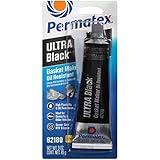
- Fit Type: Universal
- Sensor-Safe, Non-Corrosive Formula Designed For Superior Adhesion To Oily Surfaces And Long Term Durability
- Superior Resistance To Powertrain Fluids Including Engine Oil, Transmission Fluid, Gear Lube And Coolants
- Retains High Flexibility And Eliminates The Need For Pre-Formed, Pre-Cut, Paper, Rubber Or Cork Gaskets; Oem Specified And Approved For Dealership Requirements

- Sensor-Safe, General Purpose Black Rtv Indoor/Outdoor Sealant
- Seals, Bonds, Repairs, Mends And Secures Glass, Metal, Plastics, Fabric, Vinyl, Weather Stripping And Vinyl Tops
- Waterproof And Flexible; Resists Water, Weather, And Vibration. Note: Surfaces Being Bonded May Need Clamping For 1 Hour Or Until Silicone Is Firm
- Temperature Range: -75°F To 450°F (-59°C To 232°C)

- 100% waterproof and weather resistant seal for HVAC applications adapts to movement and provides long lasting protection; use for sealing air conditioners, refrigerators, ducts, vents, aluminum siding, and more
- Clear RTV silicone sealant provides a durable, flexible seal that withstands various weather conditions to maintain sealant integrity
- Dries tack free in 15 minutes, water ready in 12 hours, and fully cures in 24 hours; product is not paintable, paint surfaces prior to applying sealant
- Meets Fed. Spec. TT-S001543A and ASTM C920, is certified by NSF to NSF/ANSI Standard #51, meets FDA Reg 21, CFR 177.2600 for incidental food contact
- Reliable performance in extreme temperatures ranging from -40 to 475 degrees Fahrenheit, ensuring effective results in a wide range of conditions
SEOCONTENT-START
5/15/23, 11:12 AM https://www.fordservicecontent.com/Ford_Content/vdirsnet/TSB/EU/~WTSB23-2146/US/EN/~UEmployee/defaul t.aspx?VIN=&ve… https://www.fordservicecontent.com/Ford_Content/vdirsnet/TSB/EU/~WTSB23-2146/US/EN/~UEmployee/defaul t.aspx?VIN=&version=4.0&environm… 1/17 TECHNICAL SERVICE BULLETIN Various Driver Assistance System Warning Messages – DTCs C1001:31, U3000:89, And/Or U3000:49 Stored In The IPMA 23-2146 12 May 2023 Model: Ford 2021-2023 F-150 Issue: Some 2021-2023 F-150 vehicles may exhibit various driver assistance system warning messages or inoperative features and/or diagnostic trouble code (DTC) U3000:49 stored in the image processing module A (IPMA) that will not clear and not be stored in the vehicle’s history. DTC C1001:31 and/or U3000:89 may be stored in the IPMA, but may have recently been cleared and stored in the vehicle’s history. This may be due to a connection issue between the IPMA Camera and the IPMA. To correct the condition, perform the following service procedure to repair the connection and reset the IPMA. Action: Follow the Service Procedure to correct the condition on vehicles that meet all of the following criteria: • 2021-2023 F-150 • IPMA has DTC C1001:31, U3000:89, and/or U3000:49 present • At least one of the following concerns: – Front Camera Fault Service Required message – Pre-collision assist inoperative – Adaptive cruise control inoperative – Front windshield camera alignment routine fails to complete Parts Service Part Number Quantity Description Unit of Issue TA-31 As Needed Motorcraft® RTV Silicone Sealant 1 164-R9343 As Needed 3M™ Film Tape 9343 1 Obtain Locally As Needed Zip Ties Parts Parts To Inspect And Replace Only If Needed Service Part Number ML3Z-10E929- ABA ML3Z-10E929- ACA ML3Z-10E929- AAA ML3Z-10E929- BKA ML3Z-10E929- BLA ML3Z-10E929- FAA ML3Z-19H406-B Quantity If Needed If Needed If Needed If Needed If Needed If Needed If Needed Description Image Processing Module A (IPMA) Camera to A-Pillar Coaxial Cable (Built With Minor Feature Code CHAAA) Image Processing Module A (IPMA) Camera to A-Pillar Coaxial Cable (Built With Minor Feature Code CHAA1) A-Pillar to IPMA Coaxial Cable (Built With Minor Feature Code J3KAR) A-Pillar to IPMA Coaxial Cable (Built With Minor Feature Code J3KAB And HJGAJ) A-Pillar to IPMA Coaxial Cable (Built With Minor Feature Code J3KAB And HJGAX) A-Pillar to IPMA Coaxial Cable (Built With Minor Feature Code J3KAH) Image Processing Module A (IPMA) Camera Unit of Issue 1 1 1 1 1 1 1 5/15/23, 11:12 AM https://www.fordservicecontent.com/Ford_Content/vdirsnet/TSB/EU/~WTSB23-2146/US/EN/~UEmployee/defaul t.aspx?VIN=&ve… 14G647 As Needed Image Processing Module A (IPMA) – Refer To The Parts Catalog For 1 The VIN Specific Application Quantity refers to the amount of the service part number required to repair the vehicle. Unit of Issue refers to the number of individual pieces included in a service part number package. Piece Quantity refers to the total number of individual pieces required to repair the vehicle. As Needed indicates the amount of the part may vary and/or is not a whole number. Parts can be billed out as non- whole numbers, including less than 1. If Needed indicates the part is not mandatory. Warranty Status: Eligible under provisions of New Vehicle Limited Warranty (NVLW)/Service Part Warranty (SPW)/Special Service Part (SSP)/Extended Service Plan (ESP) coverage. Limits/policies/prior approvals are not altered by a TSB. NVLW/SPW/SSP/ESP coverage limits are determined by the identified causal part and verified using the OASIS part coverage tool. Labor Times Description 2021-2023 F-150: Retrieve DTCs Inspect And Repair Following The Service Procedure (Do Not Use With Any Other Labor Operations) Operation No. MT232146 Time Actual Time Up To 3.5 Hrs. Repair/Claim Coding Causal Part: 10E929 Condition Code: B4 Service Procedure 1. Is DTC C1001:31 and/or U3000:89 stored in the IPMA or were recently stored in the vehicle’s 60-Day vehicle health alert (VHA)/DTC History? The vehicle’s 60-Day VHA/DTC History (if applicable) can be found in the Professional Technician System (PTS) > Connected Vehicle > Connected Vehicle Home. (1). Yes – inspect the coaxial cables between the IPMA and the IPMA Camera for loose connections. Perform a wiggle test to check C900 and C9128 connectors for loose connections. If no loose connections are present, proceed to Step 2. If loose connections are present, reconnect and proceed to Step 3. (2). No – proceed to Step 21. 2. Start the vehicle and wait 30 seconds. Clear and retrieve the DTCs. Is C1001:31 and/or U3000:89 present in the IPMA? (1). Yes – proceed to Step 4. (2). No – the issue is intermittent. Replace both sections of coaxial cable running from the IPMA Camera to the IPMA following Steps 4-6 and Steps 8-18, then proceed to Step 19. 3. Start the vehicle and wait 30 seconds. Clear and retrieve the DTCs. Is C1001:31 and/or U3000:89 present in the IPMA? (1). Yes – proceed to Step 4. (2). No – proceed to Step 21. 4. Replace the coaxial cable running from the IPMA camera to the A-pillar by overlaying the new coaxial cable next to the existing coaxial cable and cutting off the existing coaxial cable connectors. To do so, begin by lowering the headliner (Figure 1). Refer to Workshop Manual (WSM), Section 501-05, Interior Trim and Ornamentation, Headliner – Lowering. Figure 1=-llrft https://www.fordservicecontent.com/Ford_Content/vdirsnet/TSB/EU/~WTSB23-2146/US/EN/~UEmployee/defaul t.aspx?VIN=&version=4.0&environm… 2/17 5/15/23, 11:12 AM https://www.fordservicecontent.com/Ford_Content/vdirsnet/TSB/EU/~WTSB23-2146/US/EN/~UEmployee/defaul t.aspx?VIN=&ve… 5. Overlay the replacement coaxial cable into the headliner behind the headliner harness and overlay the new coaxial cable next to the existing coaxial cable. (Figures 2-6) Use 3M™ film tape (not zip ties) to overlay the cable in the A-pillar, as using zip ties with sharp cuts near the side curtain airbag may impede the airbag’s performance once installed. Small zip ties may be used in the headliner and near the IPMA camera. Figure 2 https://www.fordservicecontent.com/Ford_Content/vdirsnet/TSB/EU/~WTSB23-2146/US/EN/~UEmployee/defaul t.aspx?VIN=&version=4.0&environm… 3/17 5/15/23, 11:12 AM https://www.fordservicecontent.com/Ford_Content/vdirsnet/TSB/EU/~WTSB23-2146/US/EN/~UEmployee/defaul t.aspx?VIN=&ve… Figure 3 https://www.fordservicecontent.com/Ford_Content/vdirsnet/TSB/EU/~WTSB23-2146/US/EN/~UEmployee/defaul t.aspx?VIN=&version=4.0&environm… 4/17 5/15/23, 11:12 AM https://www.fordservicecontent.com/Ford_Content/vdirsnet/TSB/EU/~WTSB23-2146/US/EN/~UEmployee/defaul t.aspx?VIN=&ve… Figure 4 https://www.fordservicecontent.com/Ford_Content/vdirsnet/TSB/EU/~WTSB23-2146/US/EN/~UEmployee/defaul t.aspx?VIN=&version=4.0&environm… 5/17 5/15/23, 11:12 AM https://www.fordservicecontent.com/Ford_Content/vdirsnet/TSB/EU/~WTSB23-2146/US/EN/~UEmployee/defaul t.aspx?VIN=&ve… Figure 5 https://www.fordservicecontent.com/Ford_Content/vdirsnet/TSB/EU/~WTSB23-2146/US/EN/~UEmployee/defaul t.aspx?VIN=&version=4.0&environm… 6/17 5/15/23, 11:12 AM https://www.fordservicecontent.com/Ford_Content/vdirsnet/TSB/EU/~WTSB23-2146/US/EN/~UEmployee/defaul t.aspx?VIN=&ve… Figure 6 https://www.fordservicecontent.com/Ford_Content/vdirsnet/TSB/EU/~WTSB23-2146/US/EN/~UEmployee/defaul t.aspx?VIN=&version=4.0&environm… 7/17 5/15/23, 11:12 AM https://www.fordservicecontent.com/Ford_Content/vdirsnet/TSB/EU/~WTSB23-2146/US/EN/~UEmployee/defaul t.aspx?VIN=&ve… NOTE: Do not kink or route the cable in such a way that it bends greater than 90 degrees over 30 mm (1.2 in). Sharp bends could damage the cable. Press the 3M™ film tape firmly to the headliner to make sure the tape adheres to the headliner. 6. Reattach headliner to the roof using the headliner magnets and install a new C9128 connector to the IPMA camera and reconnect the headliner wiring harness C900 electrical connector in the A-Pillar. Refer to Figures 7-8. Cut off the existing coaxial cable connectors to make sure the original cable is not used again. Figure 7 https://www.fordservicecontent.com/Ford_Content/vdirsnet/TSB/EU/~WTSB23-2146/US/EN/~UEmployee/defaul t.aspx?VIN=&version=4.0&environm… 8/17 5/15/23, 11:12 AM https://www.fordservicecontent.com/Ford_Content/vdirsnet/TSB/EU/~WTSB23-2146/US/EN/~UEmployee/defaul t.aspx?VIN=&ve… Figure 8 7. Start the vehicle and wait 30 seconds. Clear and retrieve the DTCs. Is C1001:31 and/or U3000:89 present in the IPMA? (1). Yes – proceed to Step 8 to replace the coaxial cable running from A-pillar to IPMA by overlaying the new coaxial cable next to the existing coaxial cable and cutting off the existing coaxial cable connectors. (2). No – proceed to Step 21. 8. Release the clips and remove the left instrument panel trim panel. Refer to WSM, Section 501-12 Instrument Panel and Console, Removal and Installation, Instrument Panel. (Figure 9) Figure 9 https://www.fordservicecontent.com/Ford_Content/vdirsnet/TSB/EU/~WTSB23-2146/US/EN/~UEmployee/defaul t.aspx?VIN=&version=4.0&environm… 9/17 5/15/23, 11:12 AM https://www.fordservicecontent.com/Ford_Content/vdirsnet/TSB/EU/~WTSB23-2146/US/EN/~UEmployee/defaul t.aspx?VIN=&ve… 9. Release the clips and remove the left front scuff plate. Refer to WSM, Section 501-12 Instrument Panel and Console, Removal and Installation, Instrument Panel. (Figure 10) Figure 10 10. Release the clips and remove the left lower cowl trim panel. Refer to WSM, Section 501-12 Instrument Panel and Console, Removal and Installation, Instrument Panel. (Figure 11) Figure 11 https://www.fordservicecontent.com/Ford_Content/vdirsnet/TSB/EU/~WTSB23-2146/US/EN/~UEmployee/defaul t.aspx?VIN=&version=4.0&environ… 10/17 5/15/23, 11:12 AM https://www.fordservicecontent.com/Ford_Content/vdirsnet/TSB/EU/~WTSB23-2146/US/EN/~UEmployee/defaul t.aspx?VIN=&ve… 11. Remove insulation between A-pillar and dash. (Figure 12) Figure 12 https://www.fordservicecontent.com/Ford_Content/vdirsnet/TSB/EU/~WTSB23-2146/US/EN/~UEmployee/defaul t.aspx?VIN=&version=4.0&environ… 11/17 5/15/23, 11:12 AM https://www.fordservicecontent.com/Ford_Content/vdirsnet/TSB/EU/~WTSB23-2146/US/EN/~UEmployee/defaul t.aspx?VIN=&ve… 12. Using small zip ties, overlay the new coaxial cable with the existing coaxial cable going from the C900 connector in the A-pillar to the C242F connector at the IPMA, going through the gap previously covered by insulation. (Figure 13) Make sure the coaxial cable is secured via the mounting clips in the A-pillar. Figure 13 https://www.fordservicecontent.com/Ford_Content/vdirsnet/TSB/EU/~WTSB23-2146/US/EN/~UEmployee/defaul t.aspx?VIN=&version=4.0&environ… 12/17 5/15/23, 11:12 AM https://www.fordservicecontent.com/Ford_Content/vdirsnet/TSB/EU/~WTSB23-2146/US/EN/~UEmployee/defaul t.aspx?VIN=&ve… NOTE: Do not kink or route the cable in such a way that it bends greater than 90 degrees over 30 mm (1.2 in). Sharp bends could damage the cable. 13. Is the vehicle equipped with minor feature codes HJGAX or J3KAH? To confirm a vehicle is built with minor feature code HJGAX or J3KAH, review the build information by double-clicking the vehicle identification number (VIN) in the upper left-hand corner in PTS. (1). Yes – proceed to Step 14. (2). No – proceed to Step 16. 14. The replacement coaxial cable comes with an additional jumper that goes from pin 1 in the C242F connector at the IPMA to a female C2563 connector for the accessory protocol interface module (APIM). (Figure 14) Overlay the jumper using small zip ties from the IPMA to the C2563 connector located in the left footwell. Refer to the Wiring Diagram, Cell 150, Connector Views. Figure 14 https://www.fordservicecontent.com/Ford_Content/vdirsnet/TSB/EU/~WTSB23-2146/US/EN/~UEmployee/defaul t.aspx?VIN=&version=4.0&environ… 13/17 5/15/23, 11:12 AM https://www.fordservicecontent.com/Ford_Content/vdirsnet/TSB/EU/~WTSB23-2146/US/EN/~UEmployee/defaul t.aspx?VIN=&ve… 15. Once the new connectors are installed, cut off the existing coaxial cable connectors to make sure the original cable is not used again. 16. Is the vehicle equipped with minor feature code J3KAB? To confirm a vehicle is built with minor feature code J3KAB, review the build information by double-clicking the VIN in the upper left-hand corner in PTS. (1). Yes – proceed to Step 17. (2). No – proceed to Step 19. 17. The replacement coaxial cable comes with an additional jumper that goes from pin 2 in the C242F connector at the IPMA to pin 5 of the male C316 connector found in the rear left side of the engine compartment. (Figure 15) Refer to the Wiring Diagram, Cell 150, Connector Views, C316. For these vehicles, overlay this jumper using small zip ties from the IPMA to pin 5 of the male C316 connector by going through the service access port of the left side grommet to go through the firewall. (Figure 16) Figure 15 https://www.fordservicecontent.com/Ford_Content/vdirsnet/TSB/EU/~WTSB23-2146/US/EN/~UEmployee/defaul t.aspx?VIN=&version=4.0&environ… 14/17 5/15/23, 11:12 AM https://www.fordservicecontent.com/Ford_Content/vdirsnet/TSB/EU/~WTSB23-2146/US/EN/~UEmployee/defaul t.aspx?VIN=&ve… Figure 16 https://www.fordservicecontent.com/Ford_Content/vdirsnet/TSB/EU/~WTSB23-2146/US/EN/~UEmployee/defaul t.aspx?VIN=&version=4.0&environ… 15/17 5/15/23, 11:12 AM https://www.fordservicecontent.com/Ford_Content/vdirsnet/TSB/EU/~WTSB23-2146/US/EN/~UEmployee/defaul t.aspx?VIN=&ve… (1). Carefully cut a slit into the interior access port face to allow the jumper cable to pass through. (Figure 16, Callout 1) (2). Carefully cut a slit into the exterior access port face to allow the jumper cable to pass through. (Figure 16, Callout 2) (3). Make sure the cable is completely taped to help seal the interface. (Figure 16, Callout 3) (4). Completely tape the cable to the exterior port or use Motorcraft® RTV Silicone Sealant (service part number TA-31) to seal exterior port. (Figure 16, Callout 4) (5). Use zip ties on both sides of the grommet to secure the cable and avoid damage to RTV seal (if applicable). (Figure 16, Callout 5) 18. Once the new pin is installed, cut off the existing coaxial cable for pin 5 to make sure the original cable is not used again. 19. Turn the key on, engine on and wait 30 seconds. Clear and retrieve DTCs. Is C1001:31 and/or U3000:89 present in the IPMA? (1). Yes – replace the IPMA Camera. Refer to WSM, Section 419-07 Lane Keeping System, Removal and Installation, Image Processing Module A (IPMA) Camera. (2). No – proceed to Step 21. 20. Start the vehicle and wait 30 seconds. Clear and retrieve DTCs. Is C1001:31 and/or U3000:89 present in the IPMA? (1). Yes – replace the IPMA. Refer to WSM, Section 419-07 Lane Keeping System, Removal and Installation, Image Processing Module A (IPMA). (2). No – proceed to Step 21. 21. Is DTC U3000:49 stored in the IPMA? (1). Yes – download and run the IPMA – Reset the Image Processing Module A (IPMA) Learned Values application in the Ford Diagnosis and Repair System (FDRS). Then run the IPMA – Image Processing Module A (IPMA) Alignment application immediately after. If U3000:49 is still present after completing the IPMA – Reset the Image Processing Module A (IPMA) Learned Values application, then replace the IPMA. Refer to WSM, Section 419-07 Lane Keeping System, Removal and Installation, Image Processing Module A (IPMA). (2). No – repair is complete. © 2023 Ford Motor Company https://www.fordservicecontent.com/Ford_Content/vdirsnet/TSB/EU/~WTSB23-2146/US/EN/~UEmployee/defaul t.aspx?VIN=&version=4.0&environ… 16/17 5/15/23, 11:12 AM https://www.fordservicecontent.com/Ford_Content/vdirsnet/TSB/EU/~WTSB23-2146/US/EN/~UEmployee/defaul t.aspx?VIN=&ve… https://www.fordservicecontent.com/Ford_Content/vdirsnet/TSB/EU/~WTSB23-2146/US/EN/~UEmployee/defaul t.aspx?VIN=&version=4.0&environ… 17/17 All rights reserved. NOTE: The information in Technical Service Bulletins is intended for use by trained, professional technicians with the knowledge, tools, and equipment to do the job properly and safely. It informs these technicians of conditions that may occur on some vehicles, or provides information that could assist in proper vehicle service. The procedures should not be performed by “do-it-yourselfers”. Do not assume that a condition described affects your car or truck. Contact a Ford or Lincoln dealership to determine whether the Bulletin applies to your vehicle. Warranty Policy and Extended Service Plan documentation determine Warranty and/or Extended Service Plan coverage unless stated otherwise in the TSB article. The information in this Technical Service Bulletin (TSB) was current at the time of printing. Ford Motor Company reserves the right de this information with updates. The most recent information is available through Ford Motor Company’s on-line technical resources.
**************************************************************************************************************
**************************************************************************************************************
SEOCONTENT-END
This product presentation was made with AAWP plugin.